
- Age rating4+
- CategoryBusiness
- DeveloperShadi Saeed Mahmoud Alnamrouti
- LanguagesEnglish
- Size4.8 MB
Links to the official App Store page
Download.org hosts no file of Rapitt App. The button opens its official App Store page, published by Shadi Saeed Mahmoud Alnamrouti. Listing last checked on Nov 6, 2026.
Screenshots
About
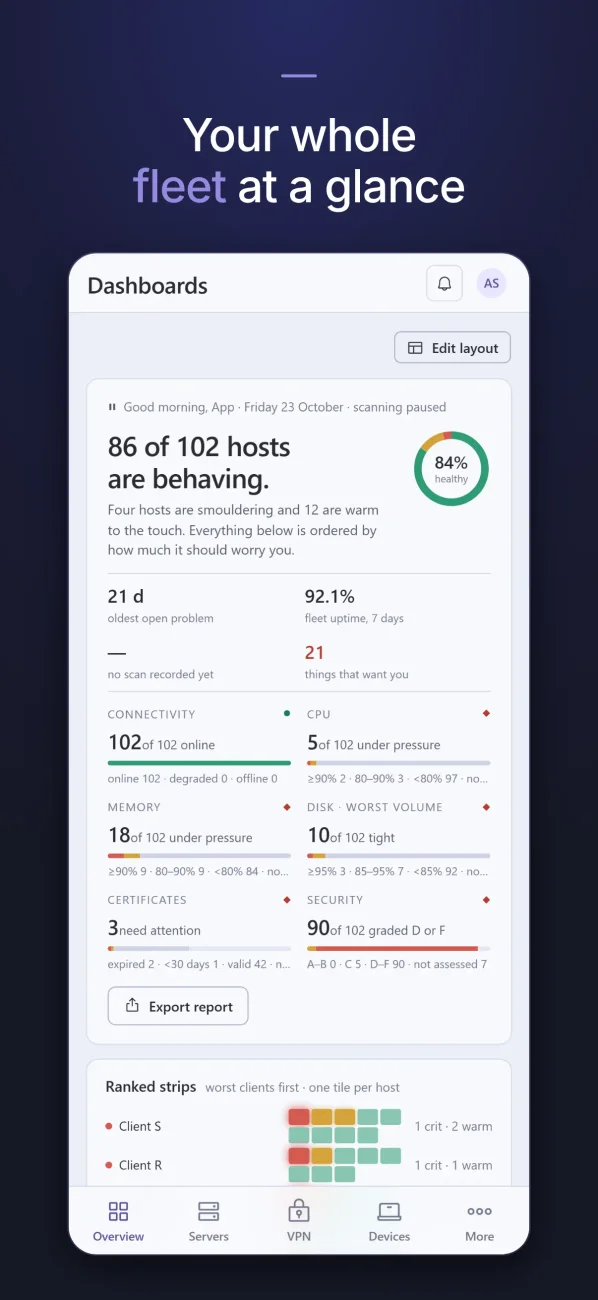
This is the mobile app for Rapitt, the IT infrastructure monitoring platform. It opens your organisation's Rapitt workspace on your iPhone or iPad, so you can see what is wrong across your servers, workstations and network devices, and act on it, wherever you are.
Rapitt is a service for organisations. You need a Rapitt workspace and an account in it, given to you by your organisation's administrator. The app does not offer sign-up.
WHAT YOU SEE
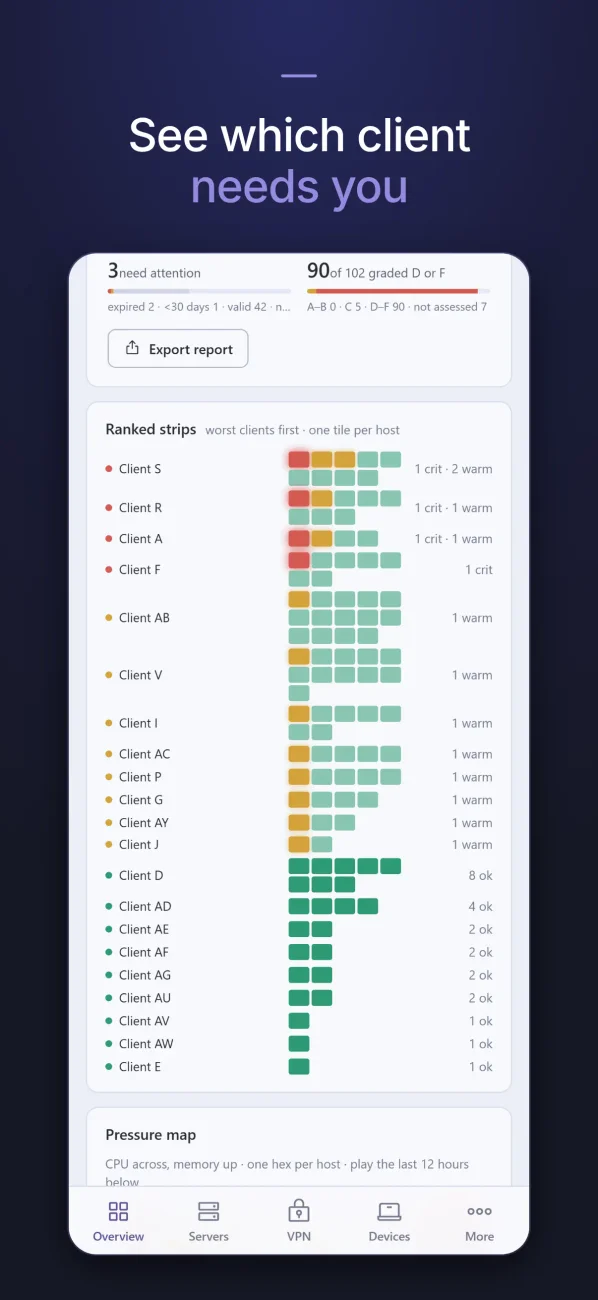
Overview: how many hosts are behaving, the fleet's connectivity, CPU, memory, disk, certificates and security in one view, clients ranked by how much they need you, a CPU-against-memory pressure map, the fullest disks and how fast they are filling, and the last seven days of alarms.
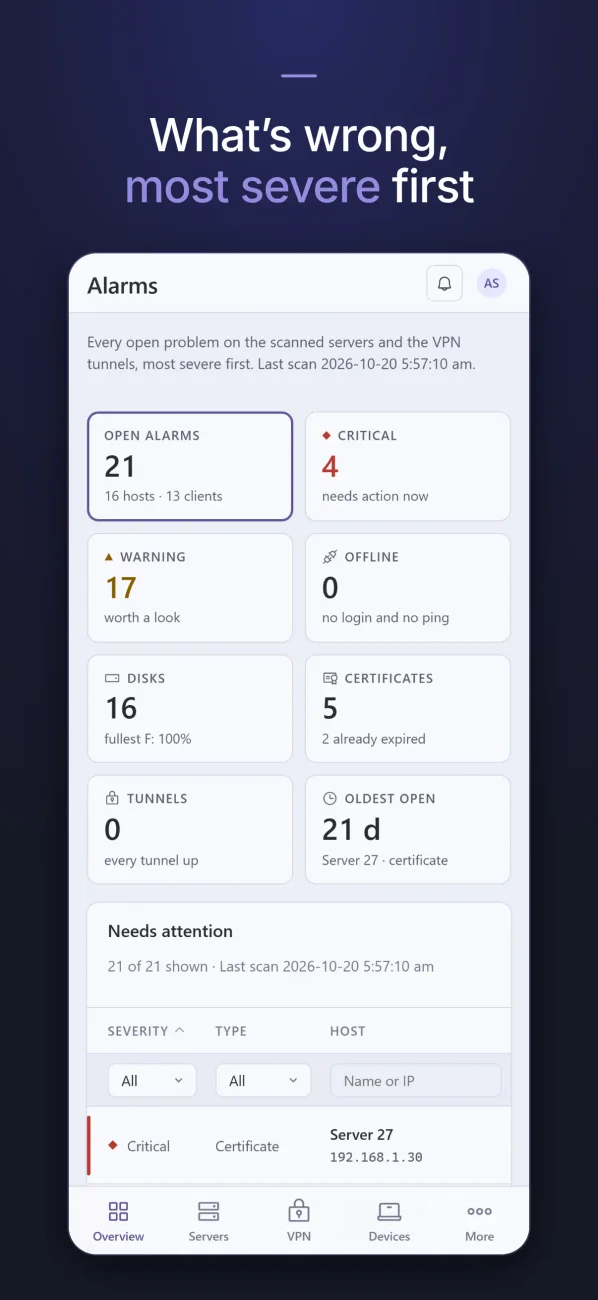
Alarms: every open problem - a server that stopped answering, a disk running out of room, a certificate expired or about to, a stopped service, a VPN tunnel that is down - most severe first, with how long each one has been standing.
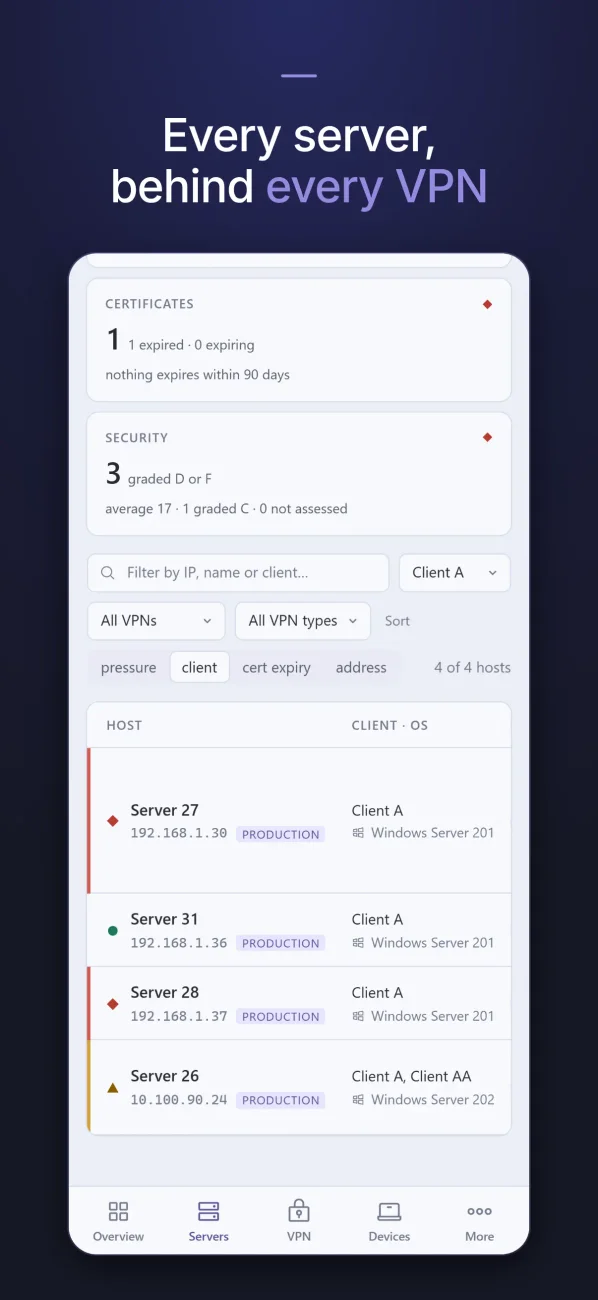
Servers: every monitored Windows and Linux server, including servers behind client VPNs, with reachability, CPU, memory, drives, IIS sites, database engines, services and certificates. Filter by client, VPN or name, and sort by pressure.
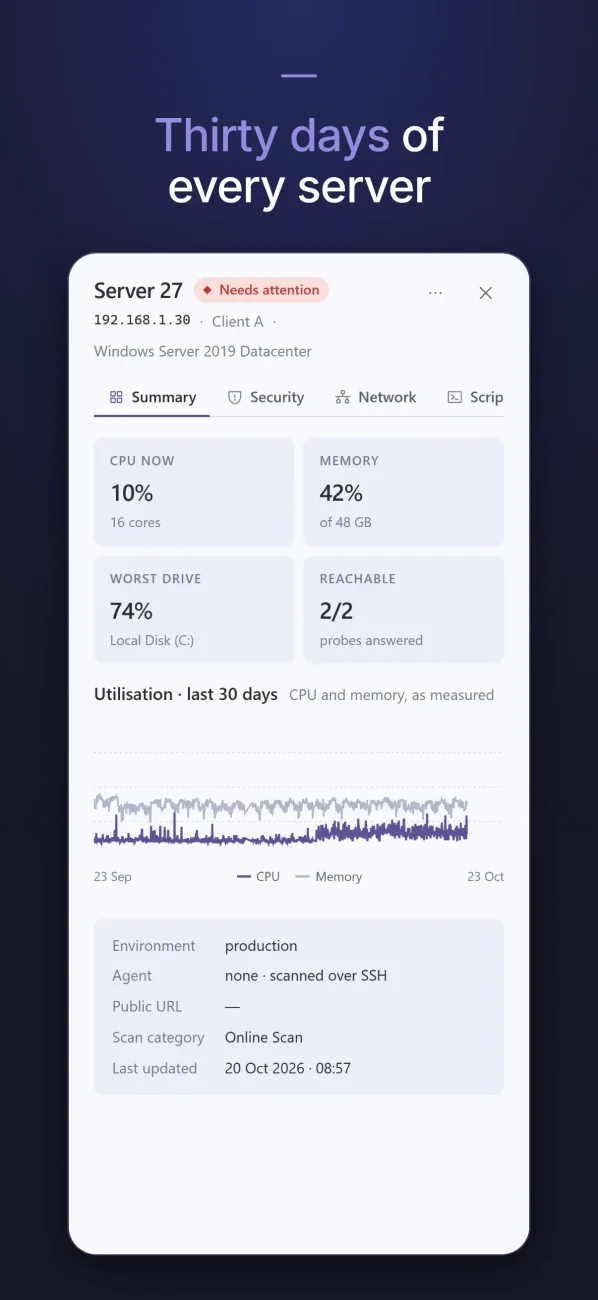
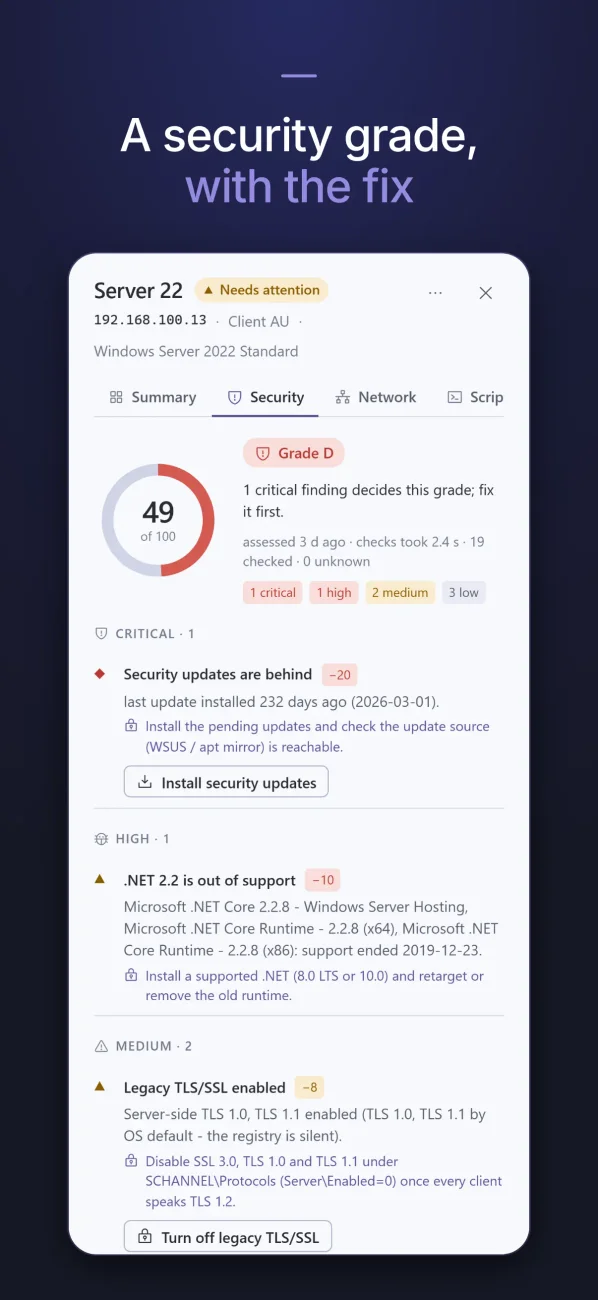
Host details: a server's last 30 days of CPU and memory, its drives, its network interfaces and listening ports, and its security posture.
Security grade: each server and workstation is graded A to F from up to 19 checks - unsupported operating system, firewall, antivirus, update age, legacy TLS, SMBv1, remote-desktop settings, encryption, local administrators, remote-control tools and more - with the fix written next to every finding.
Also in the app: workstations that report through the Rapitt agent, printers with toner and paper levels, attendance terminals, routers, Wi-Fi and IoT devices, domains with expiry, DNS changes and mail health, the VPN tunnels that reach each client network, hardware forecasting, scanners and agents, users and the audit trail.
WHAT YOU CAN DO
Where your administrator has given you the permission: start, stop or restart a Windows service, an IIS site or app pool, or a database engine; free up disk space on a full server; install security updates; restart a server and follow it down and back up; and run your organisation's saved scripts. Every action is recorded in the workspace's audit trail under your name.
SIGN-IN
Sign in with Microsoft, Google or Apple, with a link sent to your e-mail, with the username and password your administrator gave you, or with your Active Directory account where your organisation has connected it. Your workspace decides which of these it offers.
PRIVACY
The app has no analytics, no advertising, no crash reporting and no tracking. It keeps two things on the phone: the name of your workspace and your sign-in session. Your monitoring data stays in your organisation's own workspace.
App privacy
What Shadi Saeed Mahmoud Alnamrouti declares on the App Store about how this app handles data.
-
Data linked to you
May be collected and linked to your identity.
- Contact info
- User content
- Identifiers
- Usage data
Privacy practices may vary, for example with the features you use or your age.
Information
- Seller
- Shadi Saeed Mahmoud Alnamrouti
- Category
- Business
- Version
- 26.10.241
- Updated
- Oct 27, 2026
- Released
- Oct 27, 2026
- Size
- 4.8 MB
- Requires
- iOS 15.0 or later
- Age rating
- 4+
- Price
- Free
- Languages
- English
- Copyright
- © 2026 RapitAI