Ration: MCP Meal Macro Planner
Pantry, recipes & shopping
Designed for iPhone
Free · In-app purchases
- Age rating12+
- CategoryFood & Drink
- DeveloperBilly Downing
- LanguagesEnglish
- Size31.9 MB
Links to the official App Store page
Download.org hosts no file of Ration: MCP Meal Macro Planner. The button opens its official App Store page, published by Billy Downing. Listing last checked on Nov 25, 2026.
Screenshots



About
Most kitchen apps do one job. Ration runs the week.
You already have a fridge full of food, a camera roll full of recipes, and a rough idea of dinner. Then someone asks what's for dinner, and you open three apps that don't talk to each other. Pantry in one. Recipes in another. Macros in a third. The shopping list is a guess.
Ration is one system. What you have feeds what you can cook. What you cook becomes the plan. The plan writes the shopping list. When you cook, stock comes off the shelf. When you log your serving, calories and macros update from the same meal, not a second diary you have to remember to fill in.
A WEEK IN THE LOOP
Start with the pantry (Cargo). Scan your groceries or add items by hand, with quantities, categories and expiry dates so nothing quietly dies in the fridge. One shared inventory for the household.
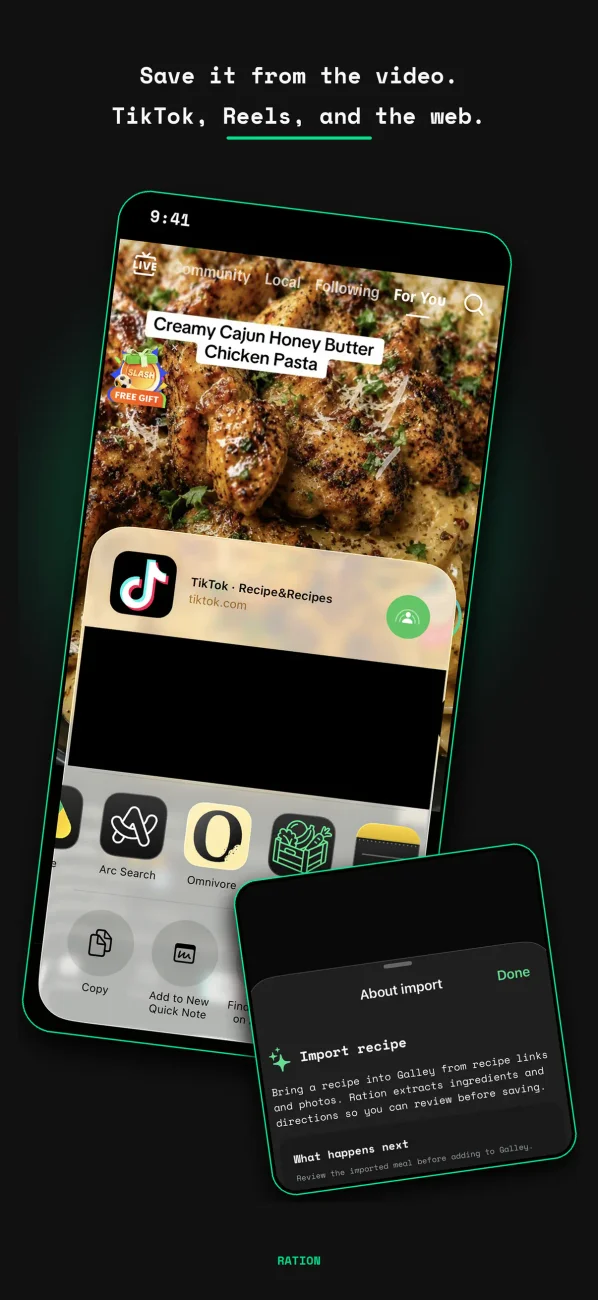
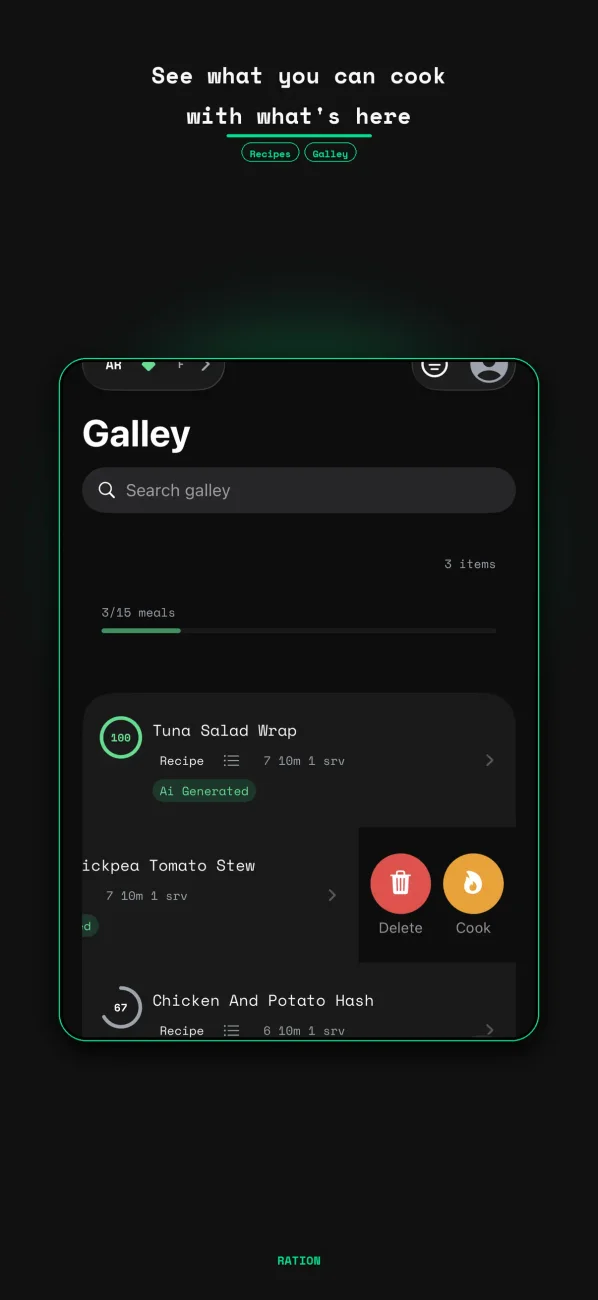
Save the recipes you actually want to eat (Galley). Share a TikTok, Instagram or YouTube video into Ration, paste a website, or photograph a cookbook page. Pick which kitchen it goes to, review what Ration pulled out, then keep it. Each meal shows how well it matches what's already in stock, so dinner is "what can we cook tonight", not another tab of inspiration.
Plan the week (Manifest). Pick the days. Let Ration suggest a plan from your kitchen and an optional note, then adjust. Cook when it's time, and pantry stock comes off for everyone. Log your serving in one tap and it lands on the day you cooked it, even if you're catching up on last week.
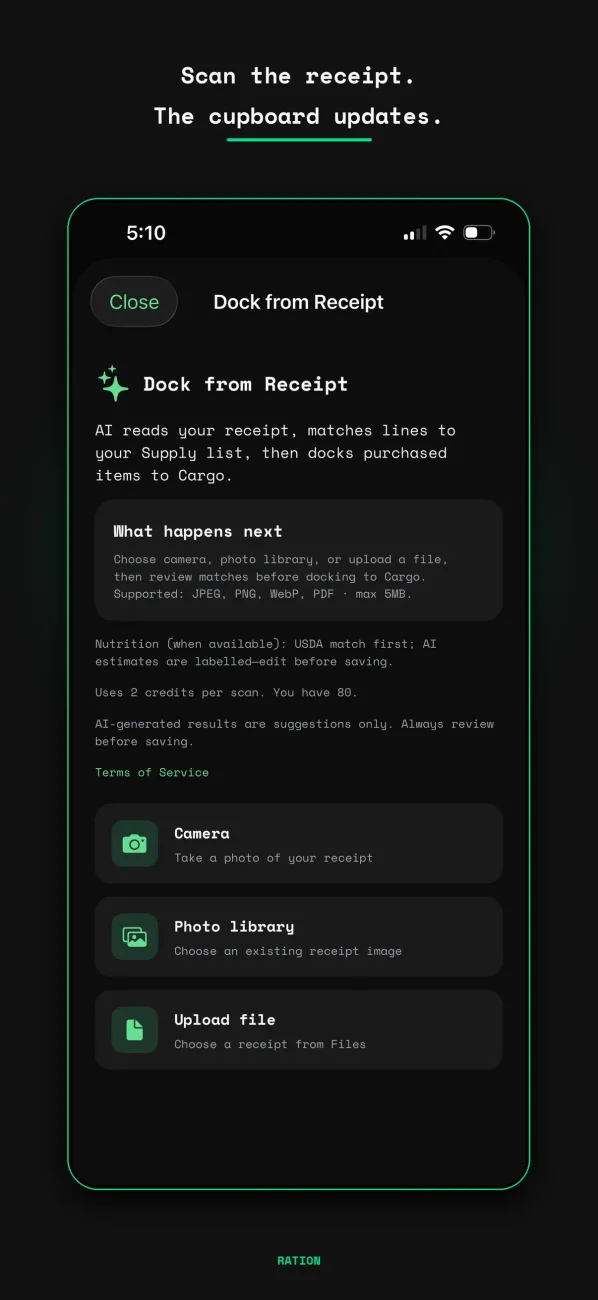
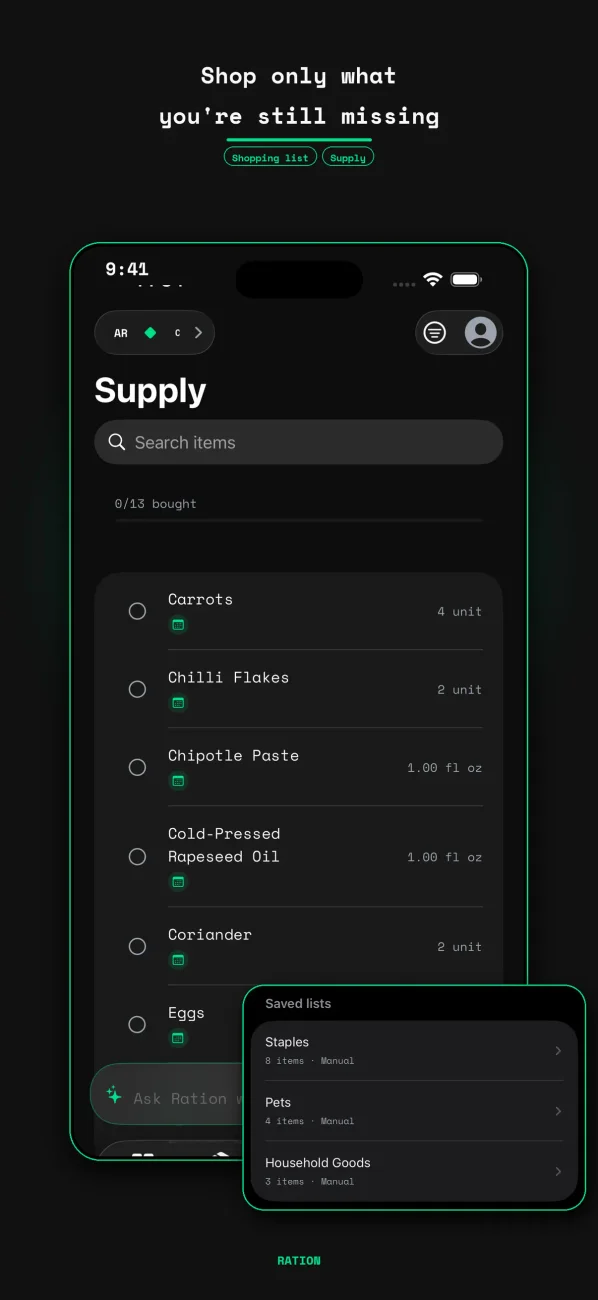
Shop only the gap (Supply). Missing ingredients from the plan become one list. Tick them off, then put them back into the pantry when you get home. Scan a receipt and Ration matches the lines.
DAILY FUEL
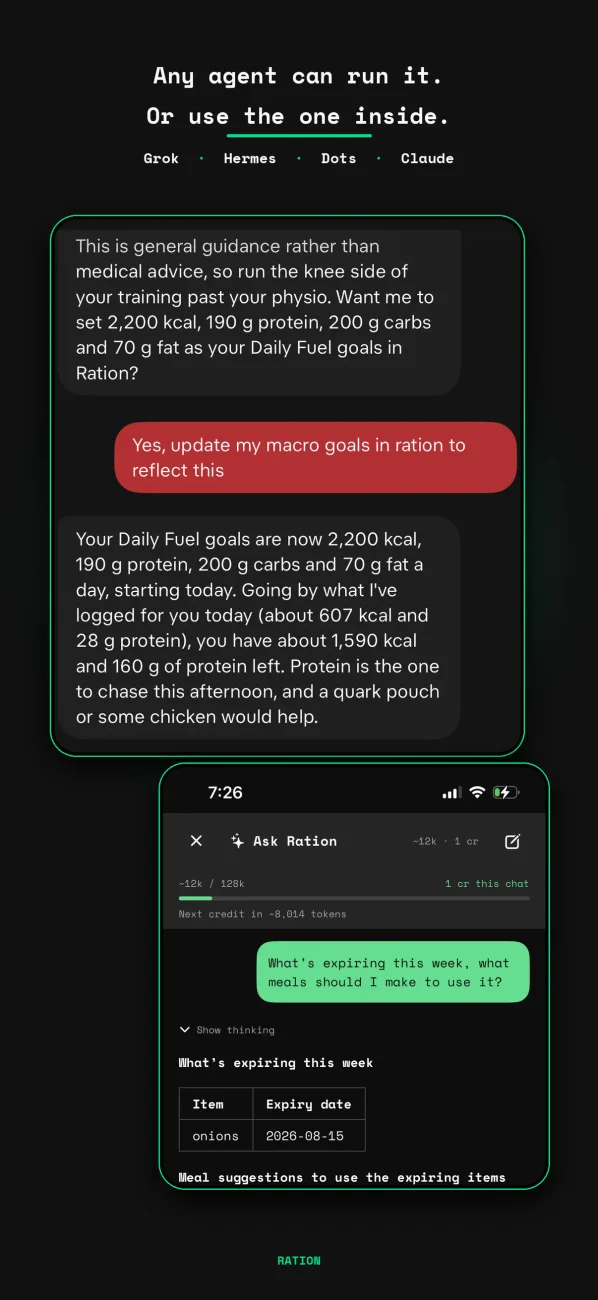
Track calories, protein, carbs and fat without a separate diet app. Log by barcode, photo, quick scan, or straight from a meal you cooked. Back-fill any day you missed. Set daily goals and watch weekly trends. Optionally send your nutrition to Apple Health. Nothing is written until you turn it on, and AI estimates go there only after you accept them.
Macros are a planning aid, not a clinic. Not medical advice. Always review AI suggestions before you save.
YOUR COPILOT, ON LIVE STOCK
Ask Ration what's expiring this week, what you can make with what's on the shelf, or to add butter to the pantry. It answers against your real kitchen and asks you to confirm before it changes anything. Generate meal ideas from what you already have. Scan a receipt, a label, or a photo of the fridge.
MORE THAN ONE KITCHEN
You're not locked to a single household. Create a kitchen for home, another for a sharehouse or a second place you cook, and switch when you walk in the door. Invite the people who actually shop and cook, and the pantry, recipes, plan and shopping list stay in sync for that kitchen. Credits belong to the kitchen, not one person's phone. Your calorie and macro log stays private, even in a shared kitchen.
BRING YOUR OWN AI
Connect to Ration's hosted MCP server and run the same kitchen from Grok Bot, Dots, Claude, OpenClaw, Hermes or any other AI agent that supports MCP.
AI features use credits. Always review before saving.
Terms of Use (EULA): https://www.apple.com/legal/internet-services/itunes/dev/stdeula/
Terms of Service: https://ration.mayutic.com/legal/terms
Privacy Policy: https://ration.mayutic.com/legal/privacy
What’s new
Version 1.6.54 · Nov 24, 2026
Plan it, cook it, track it, all in one app.
- Daily Fuel: log meals by barcode, photo or scan, and track your macros on any day. Export macros to Apple Health.
- Take a photo of meals and have them auto populated for AI Estimated macros.
- Share recipes from Safari, youtube, tiktok, etc straight into Ration.
- Let Ration Copilot or your own AI agent run your kitchen for you.
Plus faster performance and lots of fixes.
App privacy
What Billy Downing declares on the App Store about how this app handles data.
-
Data linked to you
May be collected and linked to your identity.
- Health and fitness
- Purchases
- Contact info
- User content
- Identifiers
- Usage data
Privacy practices may vary, for example with the features you use or your age.
Information
- Seller
- Billy Downing
- Category
- Food & Drink
- Version
- 1.6.54
- Updated
- Nov 24, 2026
- Released
- Jul 29, 2026
- Size
- 31.9 MB
- Requires
- iOS 26.0 or later
- Age rating
- 12+
- Price
- Free
- In-app purchases
- Yes
- Languages
- English
- Copyright
- © 2026 Mayutic
You might also like
-
 Decenza PocketFood & Drink
-
 FitLifeBud: AI Meal PlannerWeekly Prep & Grocery List
-
 MealVision - AI Meal PlannerSnap photos, discover recipes
-
 Pantry - Kitchen ManagerRecipes, Inventory & Shopping
-
 NoSpoil - Food Expiry TrackerStop Wasting Food & Money
-
 Rexipe: Recipe & Meal PlannerSave Recipes from Videos & Web
-
 DecenzaControl your Decent Espresso
-
 CalfoYour kitchen on Autopilot
-
 Mijoted: Recipe BookMeal Plans and Grocery Lists
-
 Eatsy: Family Meal PlannerBreakfast to dinner, sorted