- Age rating4+
- CategoryPhoto & Video
- DeveloperSantiago Alonso Alexandre
- LanguagesEnglish
- Size9.6 MB
Links to the official App Store page
Download.org hosts no file of RawCam – Raw DNG Camera. The button opens its official App Store page, published by Santiago Alonso Alexandre. Listing last checked on Nov 26, 2026.
Screenshots
About
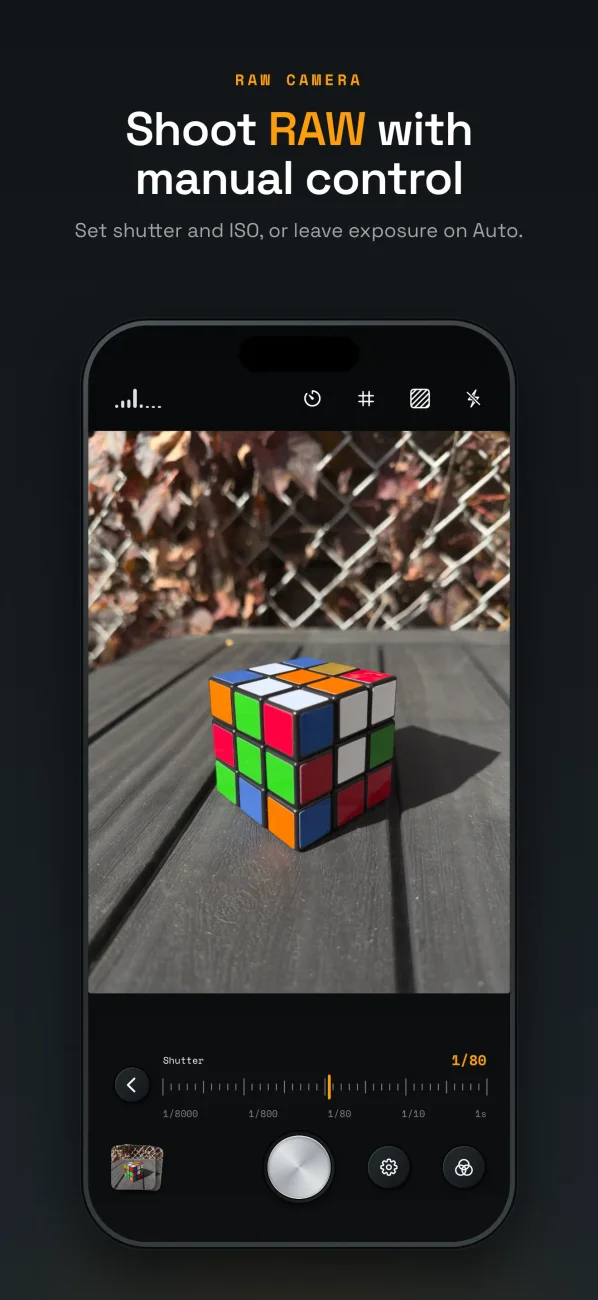
RawCam is a simple camera for shooting RAW and editing it yourself. Shoot Bayer RAW or Apple ProRAW, see a preset live as you shoot, then edit the photo right here. Your RAW is never changed.
SHOOT RAW
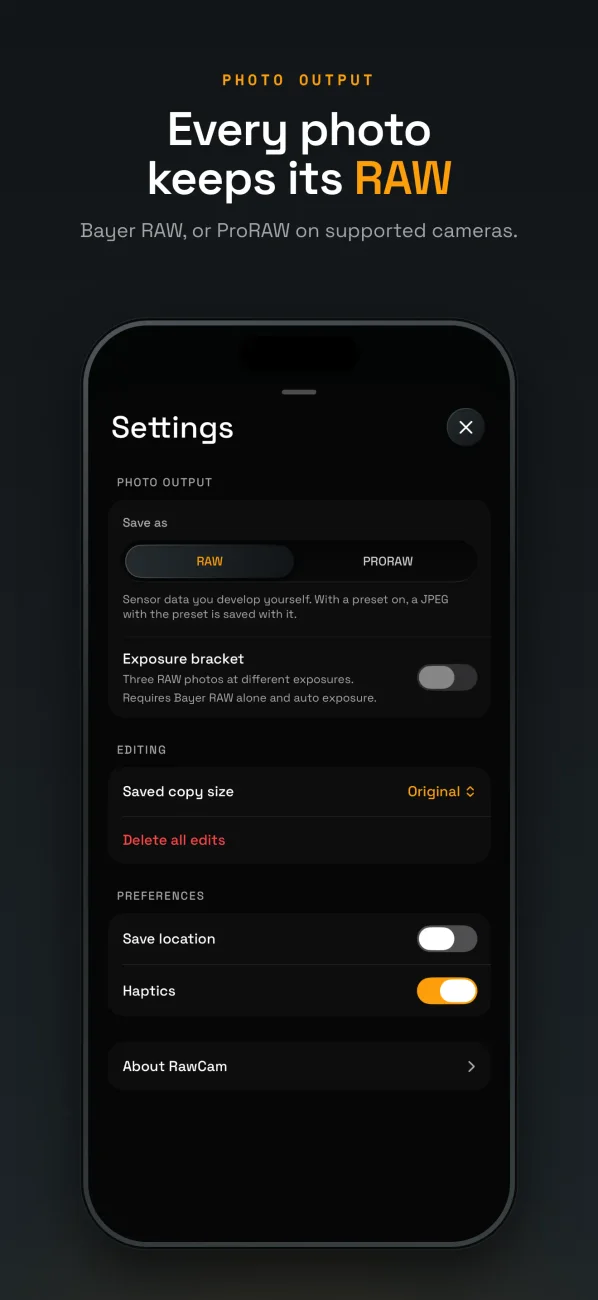
• Bayer RAW by default, saved as DNG. Apple ProRAW on supported cameras.
• Live exposure, shutter, ISO and white-balance readings
• Manual ISO and shutter; changing EV returns them to Auto
• White-balance presets and native rear-lens selection
• Tap to focus, drag near the focus point for brighter or darker, touch and hold to lock focus
• Flash, timer, grid with level, histogram and zebra warnings
• Three-shot exposure bracketing for Bayer RAW with automatic exposure
• Volume-button shutter and an App Shortcut for Siri, Shortcuts and the Action Button
PRESETS
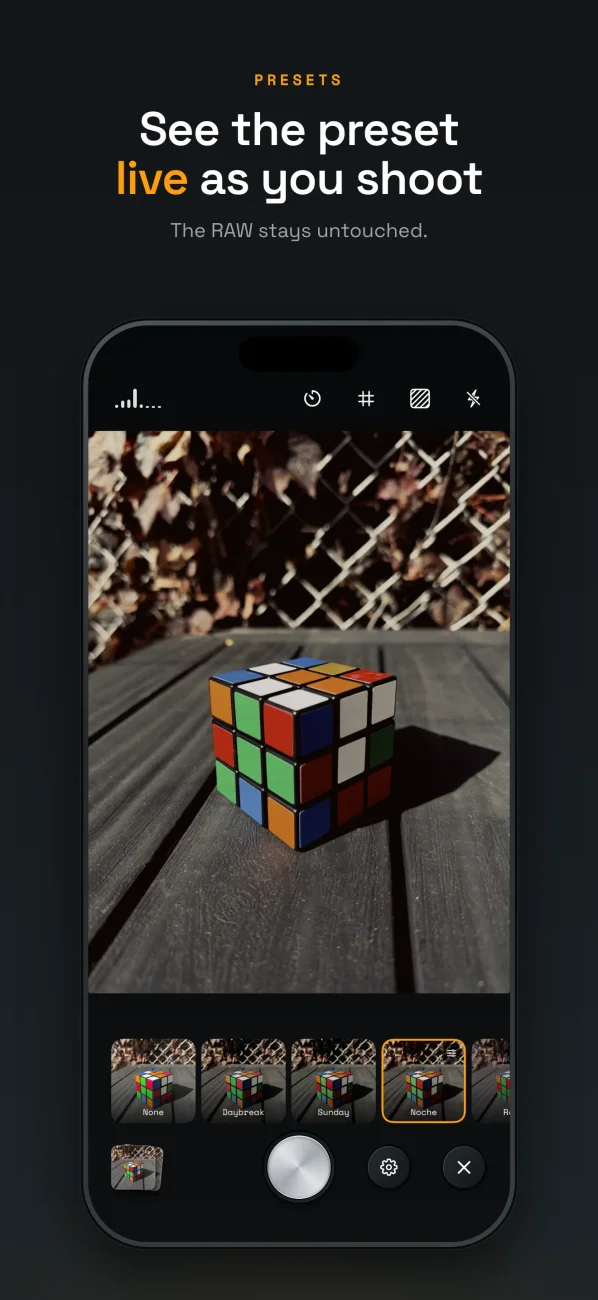
Pick a preset before you shoot and see it live in the viewfinder, with its strength, grain, halation and softness. RawCam saves the untouched RAW plus a JPEG or HEIC copy with the preset, side by side in Photos. Five presets come with the app: Daybreak, Sunday, Noche, Reel and Silver. Save your own edits as presets, or import 3D .cube LUTs from Files, and use them on the camera and when you edit.
EDIT
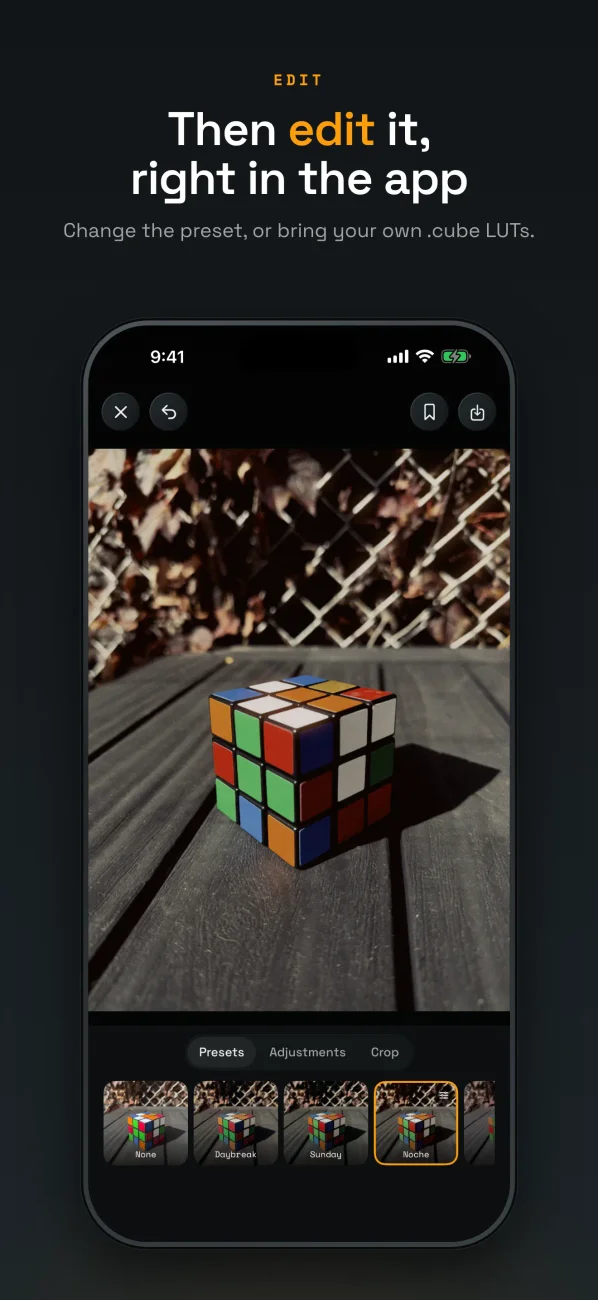
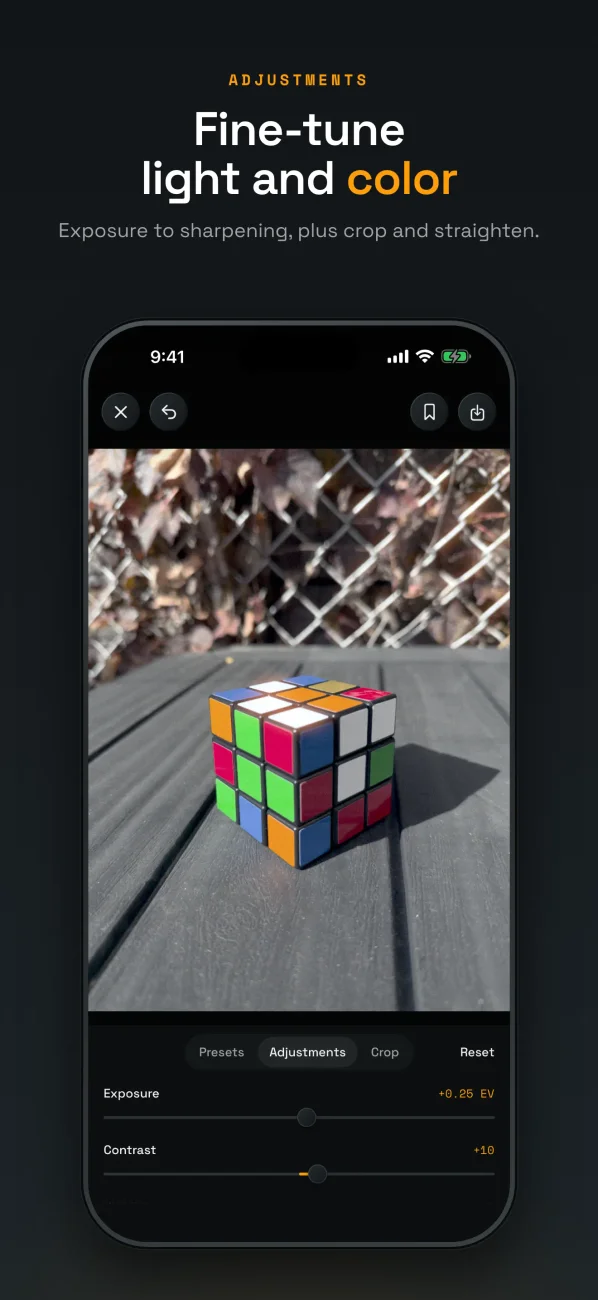
Open a photo from the Roll and tap Edit, or bring in any photo with + in the Roll: RAW, JPEG, HEIC or PNG, from your library or Files.
• Change the preset, its strength and texture at any time
• Exposure, contrast, highlights, shadows, whites, blacks, warmth, tint, saturation, vibrance and sharpening
• Crop, rotate, flip and straighten
• Save the edits you use most as presets
• Touch and hold the photo to compare with the original
• Edits to a capture are kept, so you can come back to them
Save adds a new JPEG to Photos. The RAW stays exactly as it was. Copies keep the camera details, and the location only when Save location is on.
THE ROLL
Your RawCam photos, inside the app. Tap the photo stack to see your latest shot. Zoom into originals, check the settings of each shot, export the JPEG or the original DNG, and delete what you don't want. With full Photos access, photos you delete in the Photos app leave the Roll too. Viewing originals needs Photos access; limited access works.
Location tagging is optional and off by default.
PRIVACY
No account, analytics, advertising or developer-operated server, and nothing is collected. Presets and edits are applied on the device; your photos are not uploaded. Opening an iCloud original or a saved-location map may use Apple services.
CAMERA SUPPORT
RAW formats and resolution depend on the camera. Bayer RAW is about 12 MP, the limit for third-party camera apps. ProRAW includes Apple processing and does not guarantee 48 MP. Bayer RAW can show more noise in low light. If a lens can't capture the chosen RAW, RawCam tells you instead of saving something else.
What’s new
Version 2.2.0 · Nov 25, 2026
RawCam 2.2 adds .xmp presets, multi-photo import, and a faster camera.
• Import .xmp presets alongside .cube LUTs, on the camera and in Edit. RawCam converts each preset into a 3D LUT plus grain so it works live in the viewfinder, in Edit, and with Strength.
• Import several photos at once into the Roll from your photo library or Files.
• The photo stack on the camera now opens straight into the Roll grid.
• Calmer preset strip: preset thumbnails capture a still snapshot when you open the strip while the viewfinder stays live. Tap an active preset again to turn it off, or touch and hold and choose Edit to adjust Strength, Grain, Halation and Softness.
• Performance & polish: smoother live viewfinder and GPU film texture, faster Edit thumbnails and LUT loading, lower Roll memory use, refined animations, and layout support for wider screens.
App privacy
What Santiago Alonso Alexandre declares on the App Store about how this app handles data.
-
Data not collected
The developer does not collect any data from this app.
Privacy practices may vary, for example with the features you use or your age.
Information
- Seller
- Santiago Alonso Alexandre
- Category
- Photo & Video
- Version
- 2.2.0
- Updated
- Nov 25, 2026
- Released
- May 1, 2026
- Size
- 9.6 MB
- Requires
- iOS 18.0 or later
- Age rating
- 4+
- Price
- Free
- Languages
- English
- Copyright
- © 2026 Santiago Alonso
You might also like
-
 Truly Simple RAW CameraUnedited DNG Photography
-
 f/64 - RAW CameraPure photography. Real RAW.
-
 Raw Photo CaptureFrom Camera Sensor to DNG file
-
 Apertura - Pro CamPro Camera, Video & Editor
-
 Atelier EaselPhoto editing simplified
-
 xMosaique - Preset+LUT CameraLive Film Looks, Manual + RAW
-
 RetroLine: Draw To Find PhotoDraw. Match. Rediscover.
-
 ZoomBoost: HD Ultra ZoomZooming Like Telescope
-
 LibreCam: Manual RAW CameraPure DNG. No AI processing.
-
 Vane: Video to Live PhotoLive Photos that play anywhere