
Raylie - Flight View Guide
Sunrise, aurora and landmarks
Designed for iPhone, iPad
In-app purchases
- Age rating4+
- CategoryTravel
- Developerooo.engineering Inc.
- LanguagesGerman+ 8 more
- Size124.7 MB
Links to the official App Store page
Download.org hosts no file of Raylie - Flight View Guide. The button opens its official App Store page, published by ooo.engineering Inc. Listing last checked on Nov 25, 2026.
Screenshots
About
Every flight has a view. Raylie tells you what yours will be — and which side of the plane to sit on.
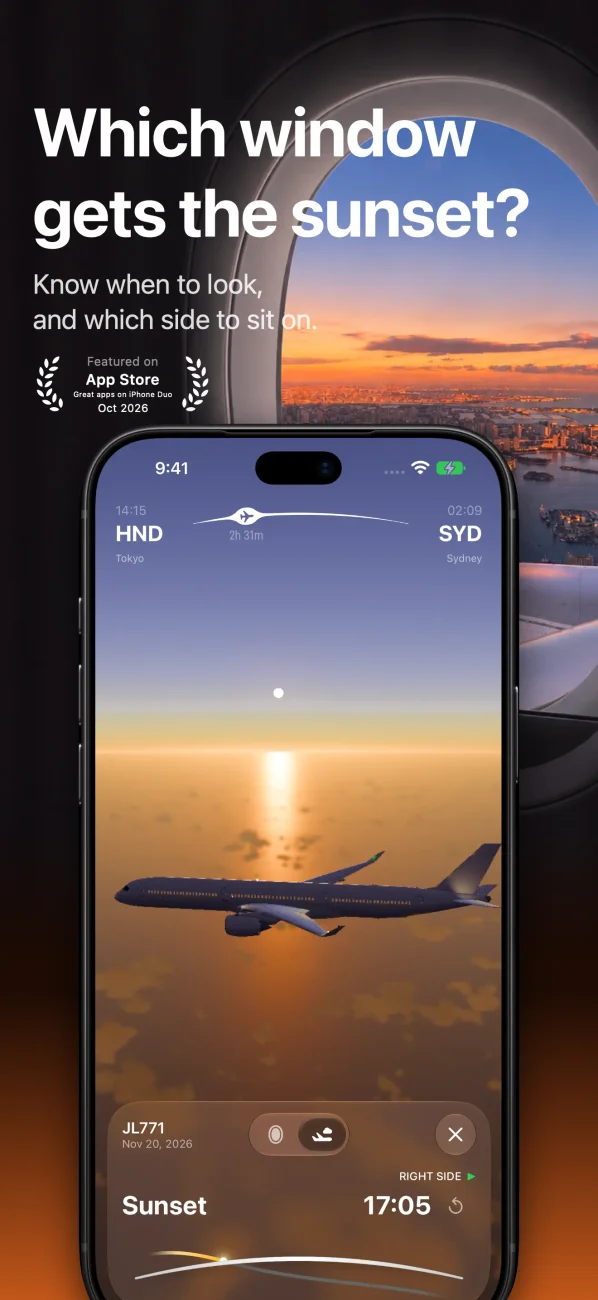
Add a boarding pass and Raylie builds a timeline of the flight: sunrise over the Pacific, moonrise two hours in, the aurora belt off the left wing, a canyon passing below. Every event says when it happens and which window to look out of.
WHAT IS WAITING OUTSIDE
• Sunrise, sunset, moonrise and moonset, in the order you will see them
• Left side or right side, so you know which seat to pick and where to look
• Aurora, when your route crosses the belt
• Landmarks and cities you pass over, with the time you reach them
A REAL EARTH, NOT A MAP
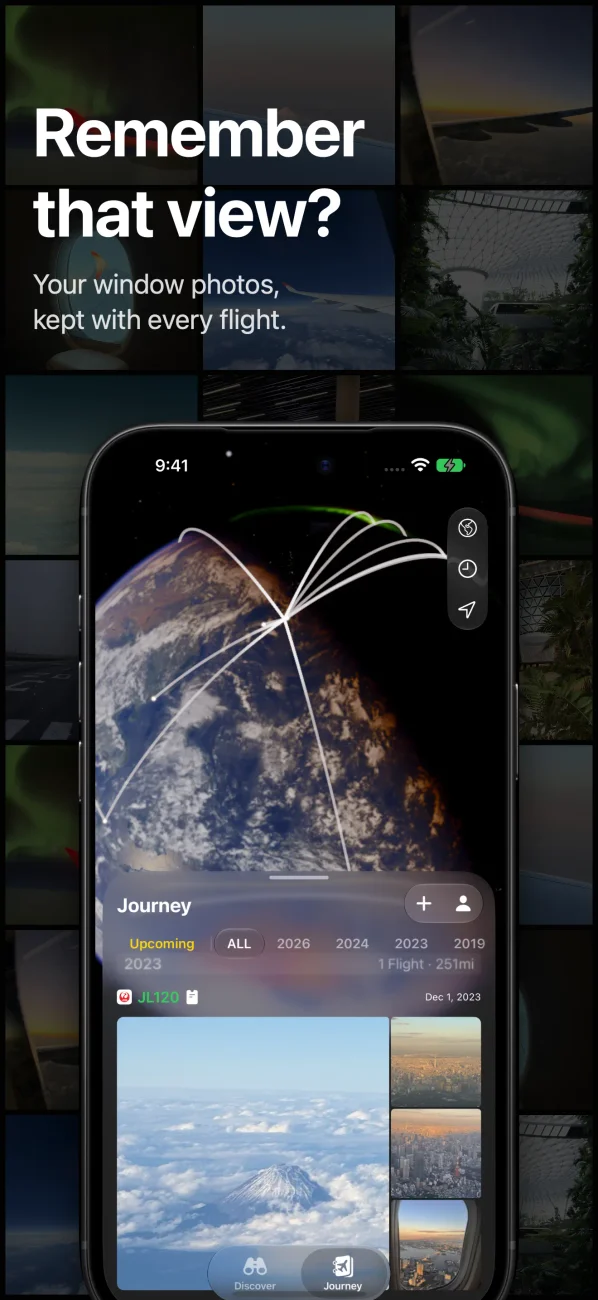
Raylie draws the planet as it is right now. Real cloud cover, the day-night line where it actually falls, city lights after dark, the aurora as it stands tonight. Your route arcs across it, and you can spin the globe to any point on your flight.
YOUR FLIGHTS, KEPT
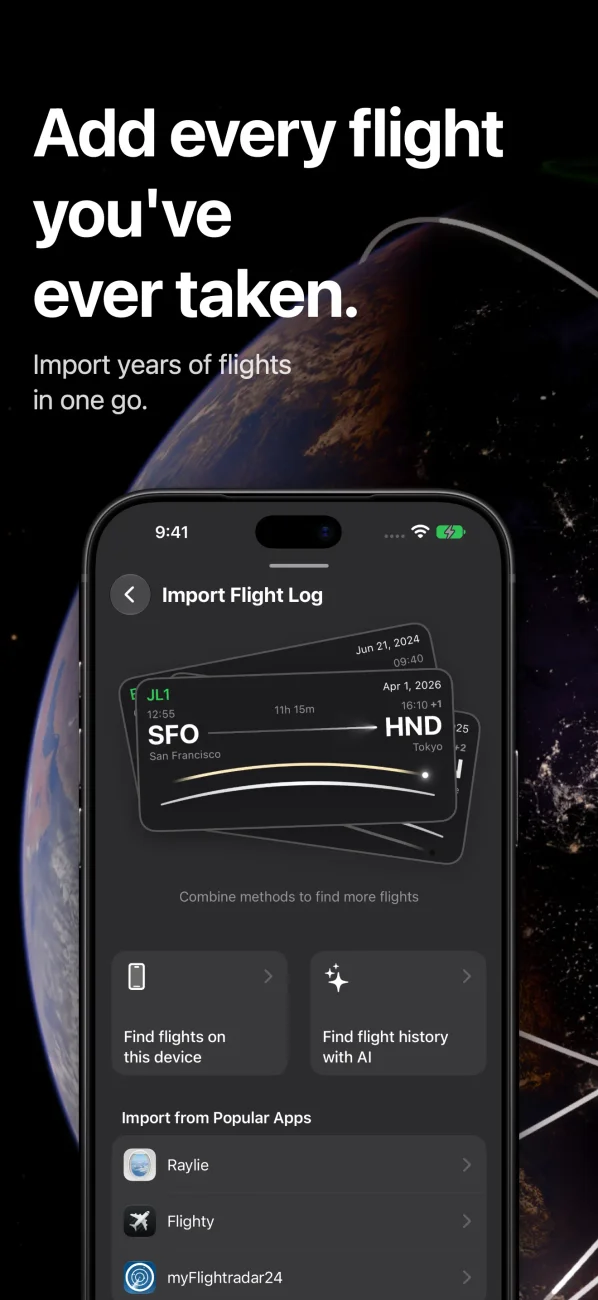
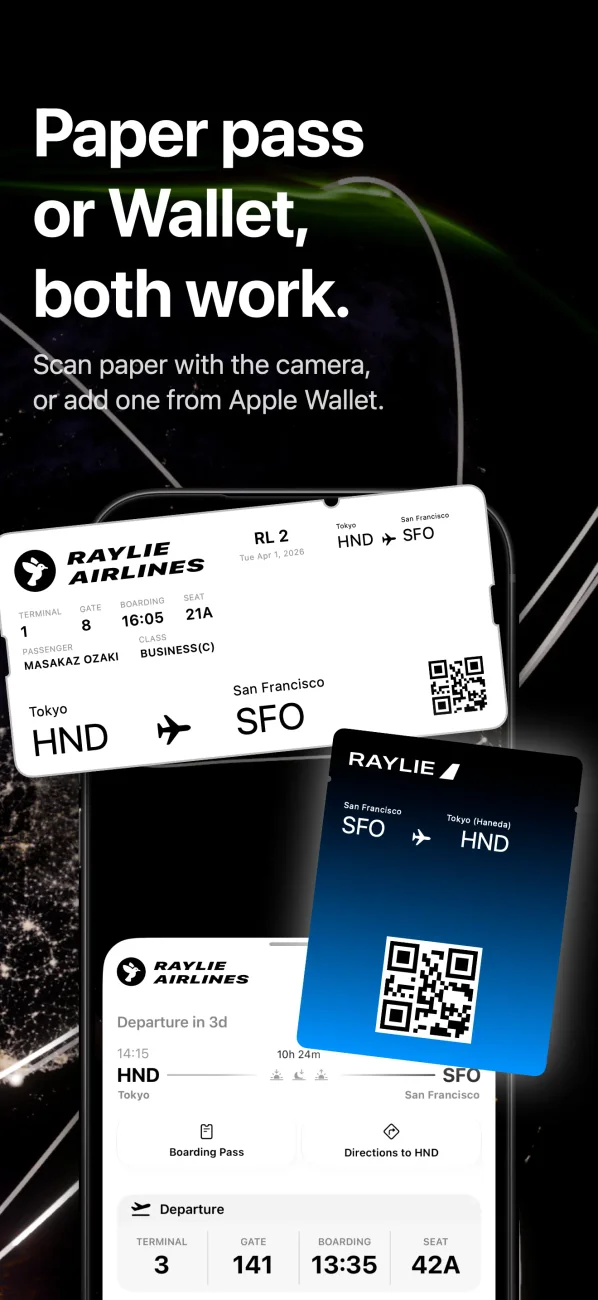
• Add a flight from a boarding pass, Wallet, your calendar, a photo, a file or a link
• A Live Activity on the Lock Screen while you are in the air
• Attach the photos you took, and every trip becomes a page worth coming back to
DISCOVER
Search for a place and find the flights that pass near it. See which airports are close to you, and what is flying overhead right now.
No account needed. Open the app and try it with real demo flights and photos before you add one of your own.
Raylie Elite
Raylie Elite unlocks your full flight history and additional flight-information features. Choose a subscription or a one-time Lifetime purchase. Subscriptions renew automatically until cancelled and can be managed or cancelled in the App Store at any time.
Flight data provided by FlightAware.
Terms of Use (EULA): https://www.apple.com/legal/internet-services/itunes/dev/stdeula/
Terms of Service: https://app.notion.com/p/Raylie-Terms-of-Service-3d590f535998801a8d99c843a867c1a6
Privacy Policy: https://app.notion.com/p/Raylie-Privacy-Policy-3d590f53599880de9078cc78fcc15c3d
What’s new
Version 1.0.26 · Nov 25, 2026
Bug fixes and performance improvements.
This update makes importing flights and moving between screens more reliable, makes globe rendering more efficient and polishes details throughout the app.
App privacy
What ooo.engineering Inc. declares on the App Store about how this app handles data.
-
Data not linked to you
May be collected but is not linked to your identity.
- Usage data
- Diagnostics
Privacy practices may vary, for example with the features you use or your age.
Information
- Seller
- ooo.engineering Inc.
- Category
- Travel
- Version
- 1.0.26
- Updated
- Nov 25, 2026
- Released
- Sep 20, 2026
- Size
- 124.7 MB
- Requires
- iOS 26.0 or later
- Age rating
- 4+
- In-app purchases
- Yes
- Languages
- German, English, French, Japanese, Korean, Slovak, Traditional Chinese, Czech, Simplified Chinese
- Copyright
- © 2026 ooo.engineering Inc.
You might also like
-
 Scratchbook: National ParksPark & Animal Tracker
-
 journeybot: trip packing listsmart travel & holiday planner
-
 Anywhere — Your only mapPlaces, friends & agents
-
 DayCity: Weather Clock WidgetAesthetic Home Screen Widget
-
 Overflight: Sky RadarLive overhead flight tracker
-
 Lufthaven: Flight TrackerLive status, delays & gates
-
 Jumpseat: Social Flight LogShare trips with friends
-
 Overhead: Plane Tracker & ISSAR Plane Spotter & Sky Radar
-
 Spot: Track EverythingThe Ultimate Tracker
-
 Flying - Flight TrackerWorld’s smartest flying app