
- Age rating17+
- CategoryProductivity
- DeveloperConnected dots Ltd
- LanguagesEnglish
- Size13.8 MB
Links to the official App Store page
Download.org hosts no file of Re:Meet. The button opens its official App Store page, published by Connected dots Ltd. Listing last checked on Nov 23, 2026.
Screenshots


About
Remember the person. Keep the context.
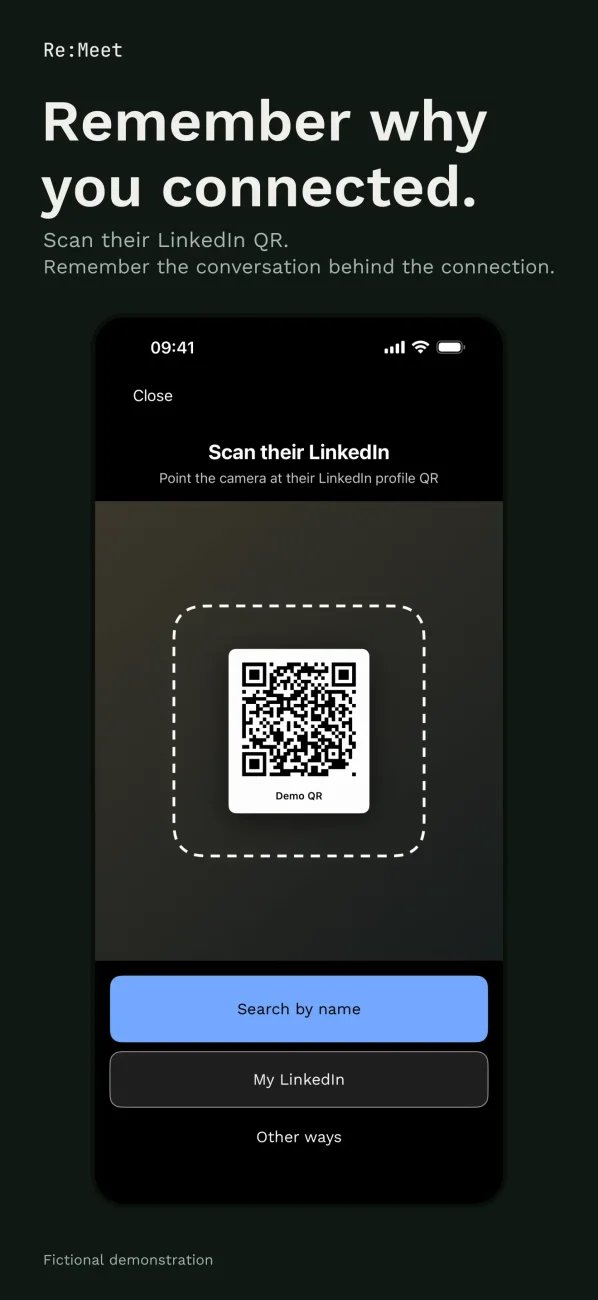
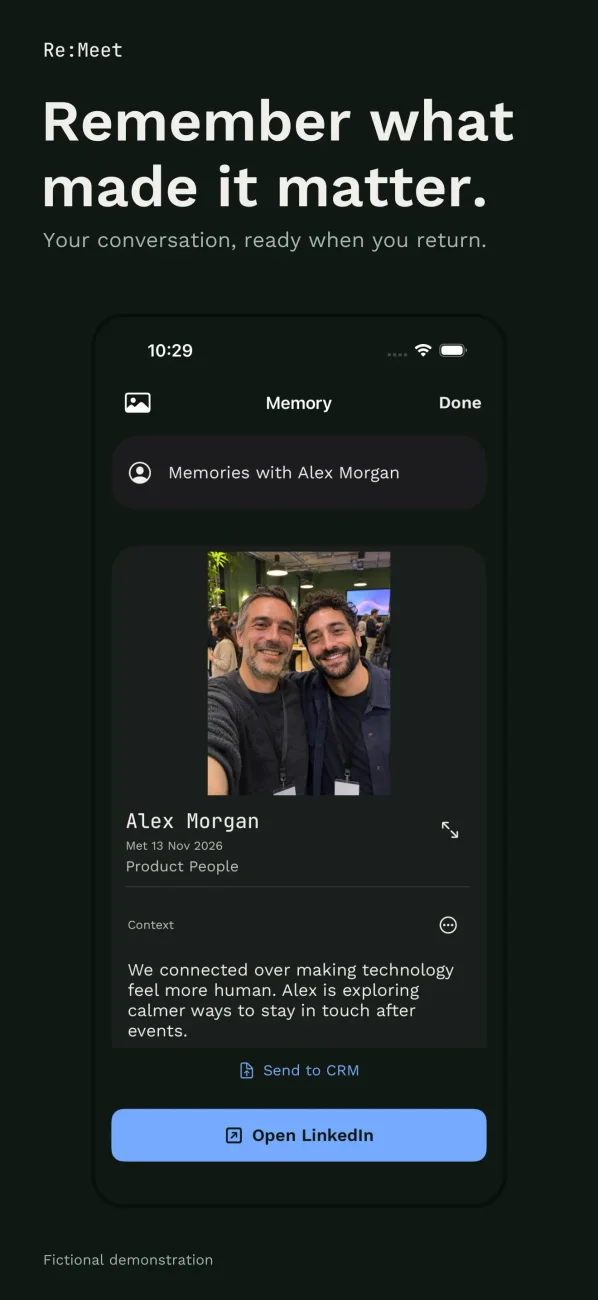
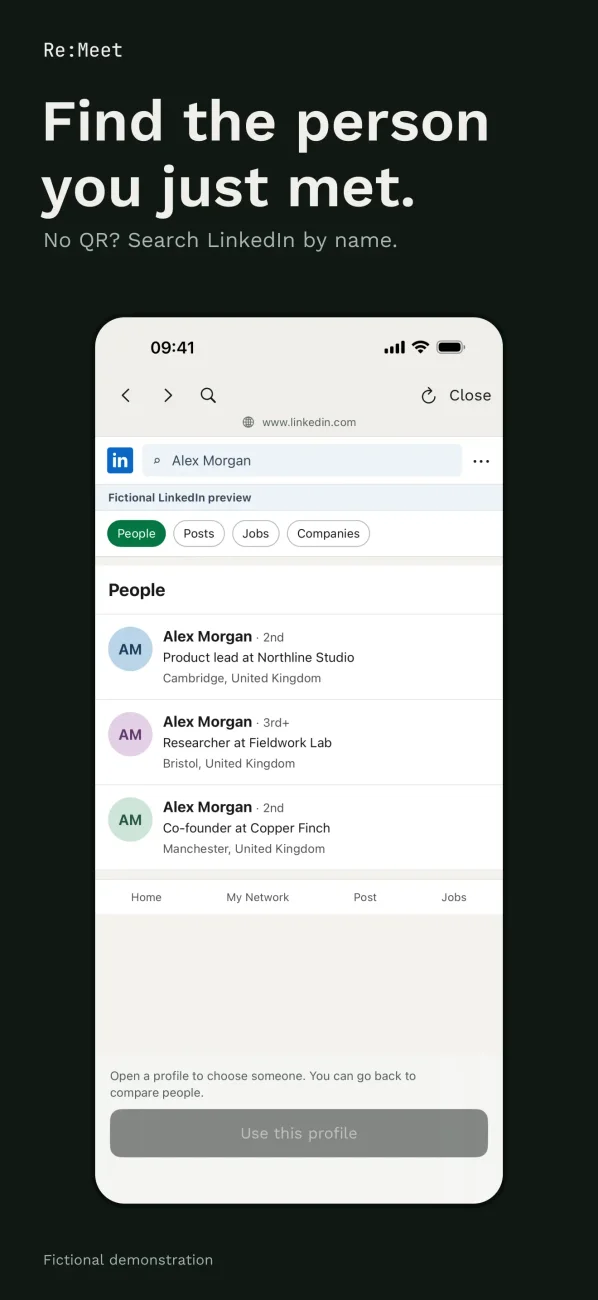
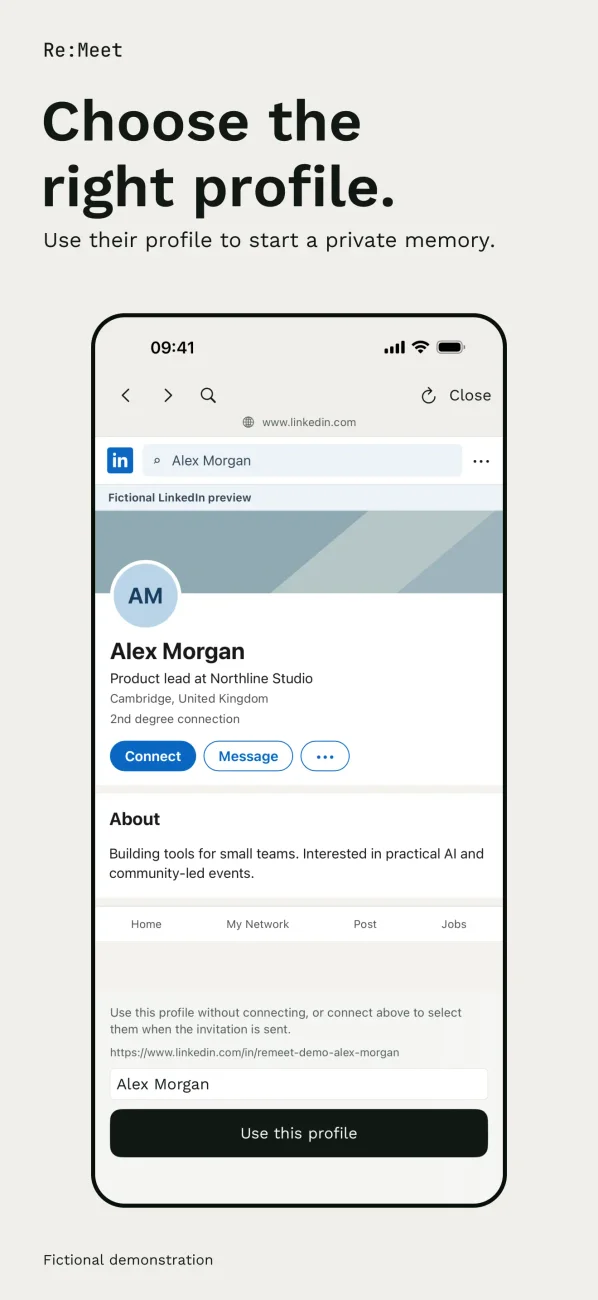
Met lots of people? Re:Meet helps you remember the conversation when it is time to follow up. Start with their LinkedIn QR code, or search LinkedIn by name and choose the right profile. Say where you met, what you discussed and what you want to do next. Add an optional selfie together so a face brings the conversation back.
VOICE FIRST
Record a quick memory while it is fresh. With their permission, invite the other person to add a few words. On-device transcription turns supported recordings into text. Type instead when recording is not right. Original words and audio stay separate from generated context.
RETURN TO THE PERSON
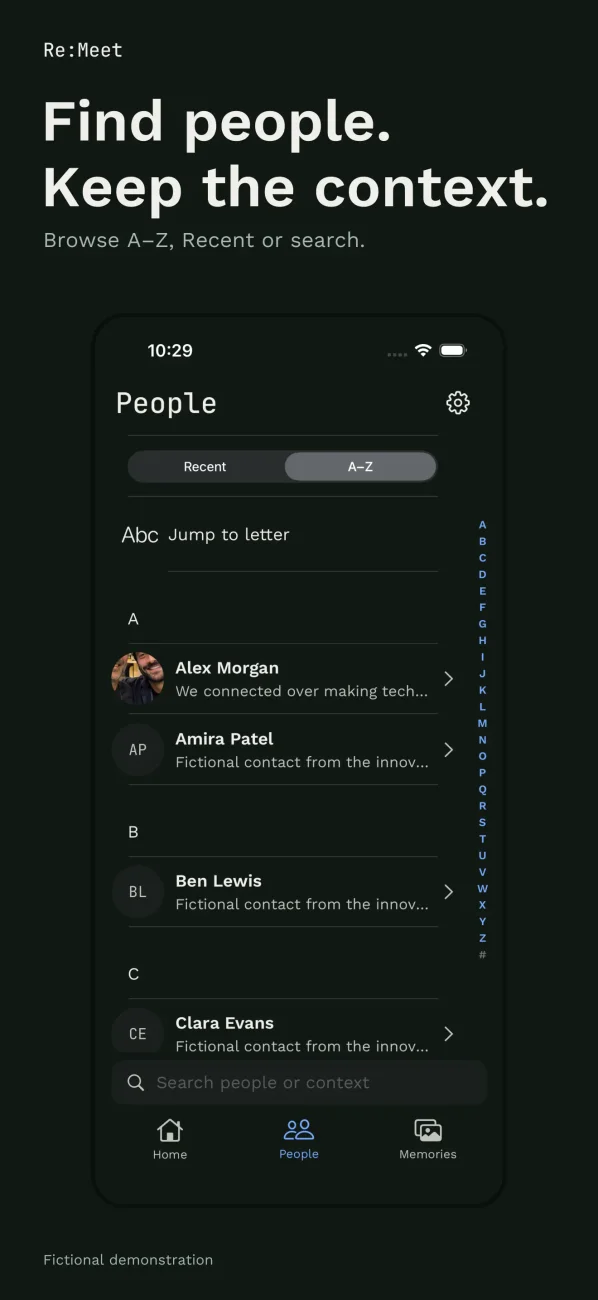
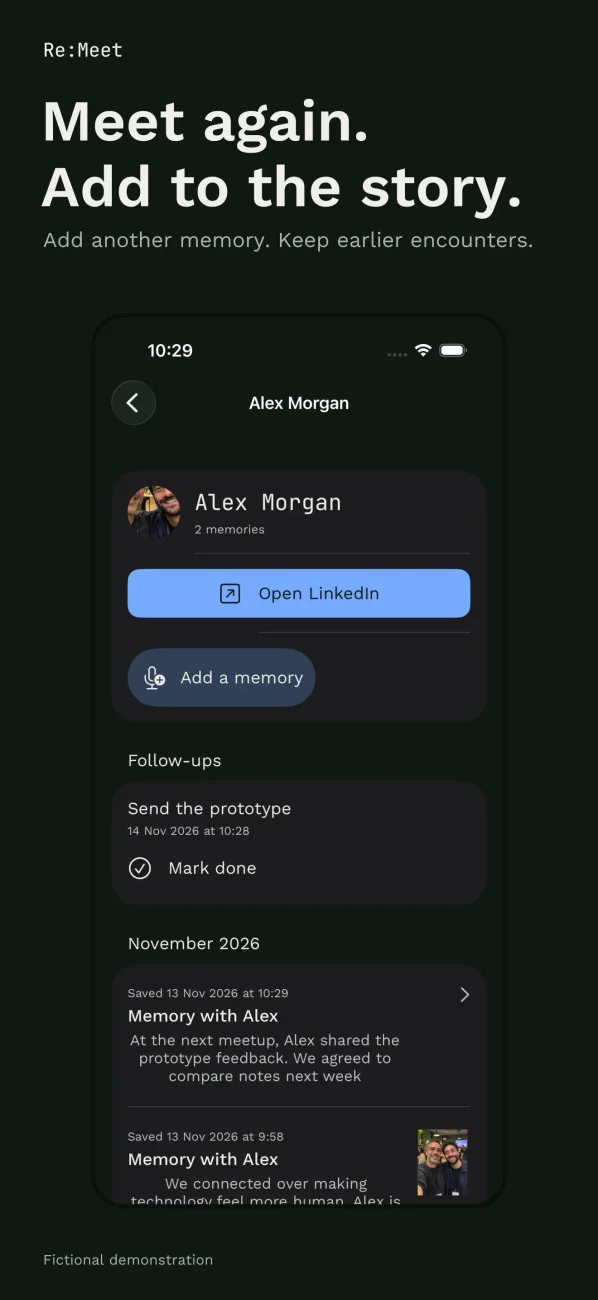
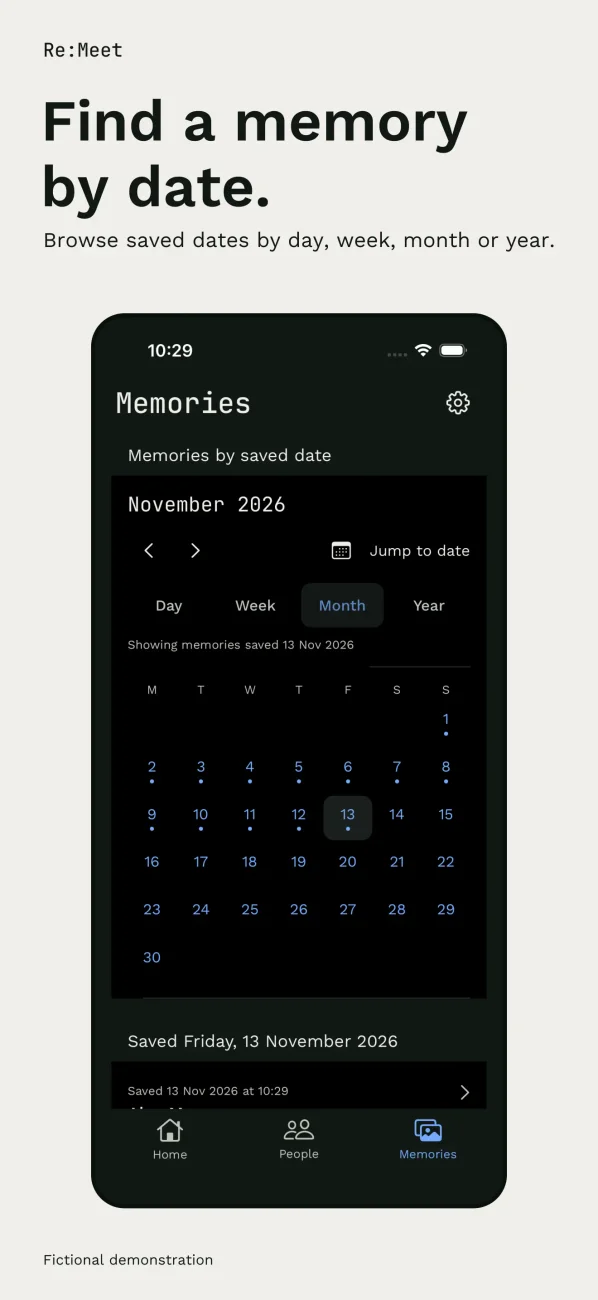
Find someone with pictures, A–Z, Recent or search. Tap their picture to frame a memory photo yourself. Meet again? Add another voice memory, selfie and follow-up while keeping earlier encounters together. Browse memories by day, week, month or year. Optionally keep a selected Apple Calendar event’s time and place with a memory; Re:Meet does not change events or import guests.
BRING YOUR PEOPLE
Import LinkedIn Connections and Messages ZIPs together. Read conversations alongside a person’s memories, or search Related context by topic. Unresolved participants stay in source history; exact profile links connect records.
Import a CSV or vCard contact table, select phone contacts, or explicitly review all contacts permitted by your iPhone’s access settings. Preview fields and possible matches before importing. Supported imported notes, tags and history are optional and stay labelled separately from captured memories. Imported people can exist without an encounter; imported tasks do not create reminders. Source exports and supported fields vary. This is file/contact import, not automatic account sync or full CRM migration.
FOLLOW UP WITH CONTEXT
Keep a reminder with the next step and edit its date when plans change. Notifications need your permission. Open the saved LinkedIn profile, or use a saved number for WhatsApp, calls or SMS. Email is there when you have an address. You review and send in the destination app; Re:Meet does not message automatically.
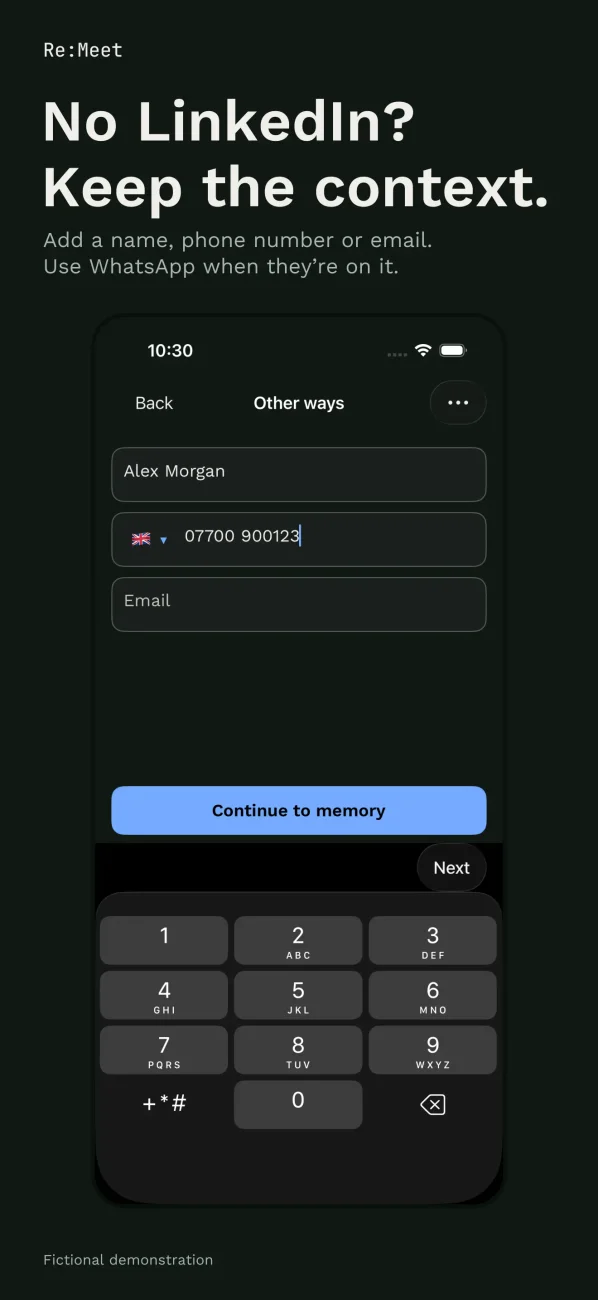
No LinkedIn profile? Save a name alone, or add a phone number or email. LinkedIn QR remains first. Choose a theme and use the quick guide in Settings. Clearly labelled fictional examples help you explore before your first memory.
OPTIONAL CRM EXPORTS
Connect an authorised Attio or HubSpot workspace using a supported credential. Find and select a CRM contact, review the exact note and optional task, then decide whether to send. Recordings, photos and full transcripts are not automatically uploaded. Workspace access, retention and workflow rules apply. Separate fictional demos need no connected account.
YOUR LIBRARY, YOUR CONTROL
No Re:Meet account is required. Your library is stored on your iPhone. Supported Apple on-device models can suggest editable context, with no cloud-model fallback. Check generated wording against your original.
Export contact details as CSV or vCard. Export a portable library ZIP with readable notes, tables and optional original recordings/photos. Other apps determine what they can import. Use Complete backup for Re:Meet recovery and additive restore; existing memories are not overwritten. Exported files are unencrypted: keep copies private. Size and storage limits apply.
Saved library data is eligible for iPhone device backup, including iCloud Backup when enabled. This is backup and restore, not live sync; availability depends on your settings and last completed backup. Reconnect accounts after restoring and check CRM history before exporting again.
LinkedIn browsing needs internet and may need an account. Its website, optional CRMs, Photos copies and exported destinations follow their own terms, privacy and sync settings. Re:Meet is independent of LinkedIn and is not endorsed by it. Record and photograph others only with permission.
What’s new
Version 1.4.1 · Nov 20, 2026
Find the person. Keep the context. Follow up with purpose.
• New encounters and memories with pending follow-ups appear at the top of Home immediately after capture.
• Pending follow-ups stay on Home, including future-dated actions and personal reminders.
• People now appear before imported message matches in search. Expand messages to see conversation titles, excerpts and dates.
• Open Related context near the top of a person’s page to search saved memories and imported LinkedIn messages by topic.
• See the saved follow-up action, date, time and reminder status while adding an optional selfie.
LinkedIn QR remains first, with voice capture at the heart of the flow. Existing memories, recordings, photos and imported history stay in place.
App privacy
What Connected dots Ltd declares on the App Store about how this app handles data.
-
Data used to track you
May be used to track you across apps and websites owned by other companies.
- Financial info
- Location
- Contact info
- Contacts
- User content
- Search history
- Browsing history
- Identifiers
- Usage data
- Other data
-
Data linked to you
May be collected and linked to your identity.
- Purchases
- Financial info
- Location
- Contact info
- Contacts
- User content
- Search history
- Browsing history
- Identifiers
- Usage data
- Sensitive info
- Other data
Privacy practices may vary, for example with the features you use or your age.
Information
- Seller
- Connected dots Ltd
- Category
- Productivity
- Version
- 1.4.1
- Updated
- Nov 20, 2026
- Released
- Nov 5, 2026
- Size
- 13.8 MB
- Requires
- iOS 17.0 or later
- Age rating
- 17+
- Price
- Free
- Languages
- English
- Copyright
- © 2026 Connected dots Ltd
You might also like
-
 GrumblrRant. Reflect. Reset.
-
 Cambridge Wireless EventProductivity
-
 SwurfThe App for work-surfing
-
 AudioMindSpeech to text, AI AudioPen
-
 MobileKeyProductivity
-
 Reflect Journal & Diary - ULYDaily mood tracker & feelings
-
 Key4FriendsProductivity
-
 AttioRelationships and Workflows
-
 Making PlacesProductivity
-
 Instant Note for NotionMemo Widget, Tags & Offline