
Read Later Bookmarks: MarkSave
Link Saver & Offline Reader
Designed for iPhone, iPad, Mac
In-app purchases
- Age rating17+
- CategoryProductivity
- DeveloperWystone LLC
- LanguagesEnglish+ 10 more
- Size24.4 MB
Links to the official App Store page
Download.org hosts no file of Read Later Bookmarks: MarkSave. The button opens its official App Store page, published by Wystone LLC. Listing last checked on Nov 25, 2026.
Screenshots

About
Read. Watch. Keep. Your 47 open tabs can relax.
MarkSave brings articles, links, social posts, notes, photos, videos and documents into one visual library on iPhone, iPad and Mac. No MarkSave ad banners. External websites and video services may show their own ads.
SAVE SOMETHING GOOD
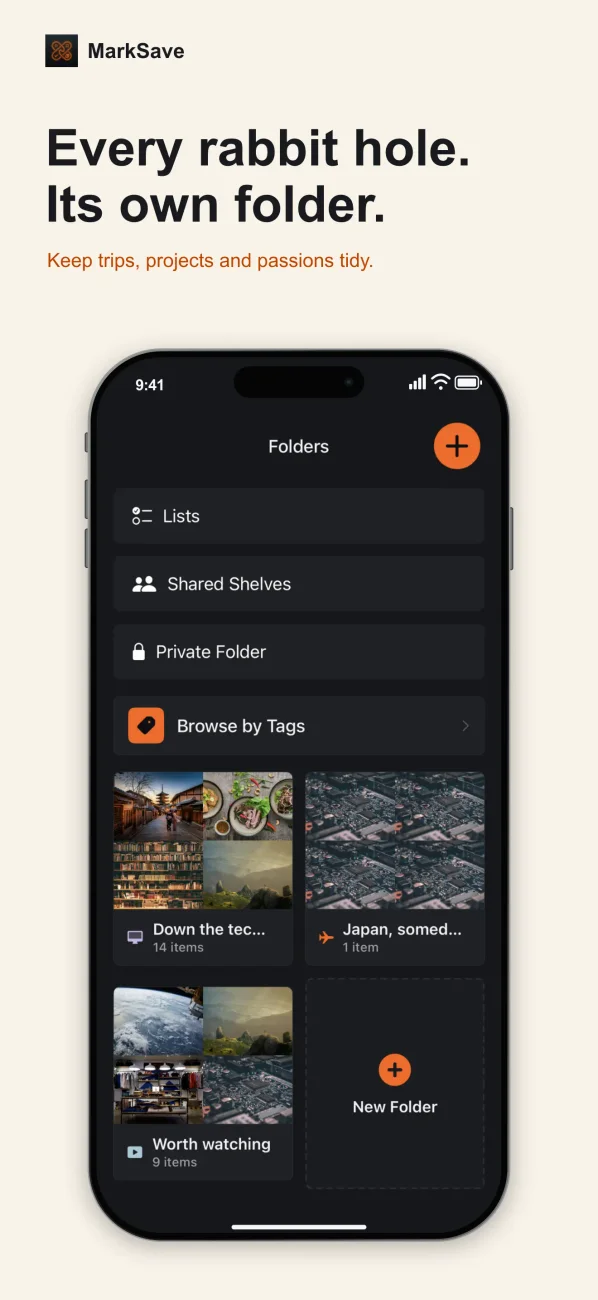
Save links from Safari and other apps through the share sheet. Add notes, import personal photos and videos, and keep PDF and ePub books alongside your web saves. Organize with folders, tags and search.
MAKE YOURSELF AT HOME
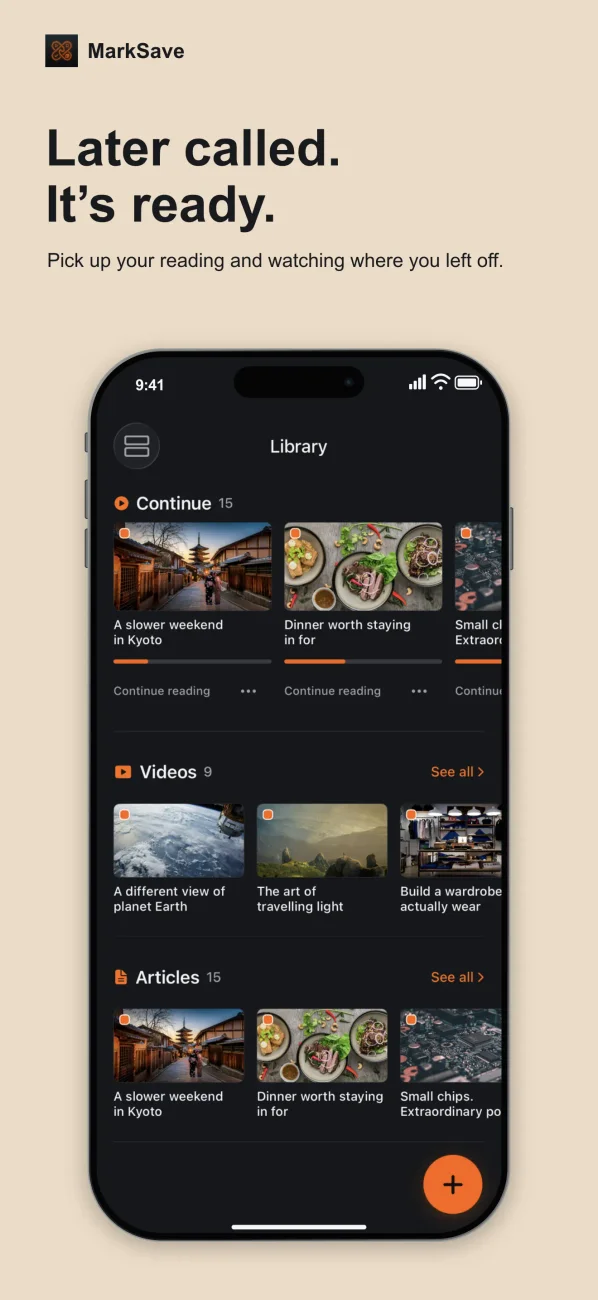
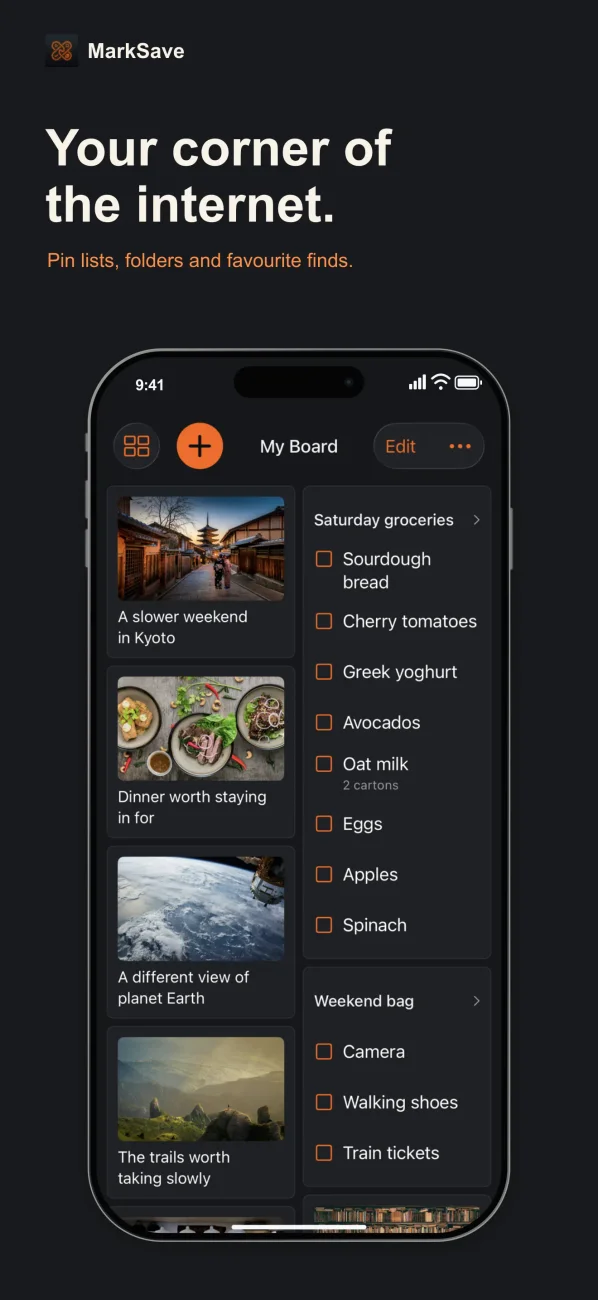
Browse horizontal shelves, reorder them and add your own folders as shelves. Pin individual saves, folders and lists to My Board. Choose Collage or Shelves and make the board your opening screen. Continue and optional Daily picks help you return to things you saved.
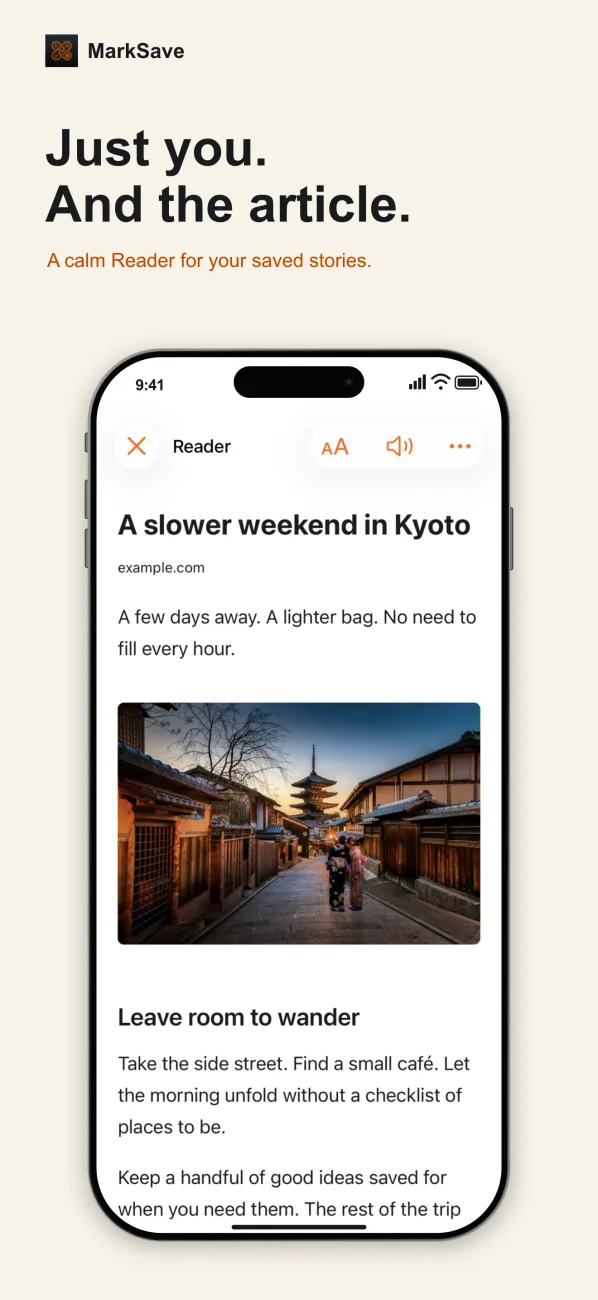
READ WITHOUT THE CLUTTER
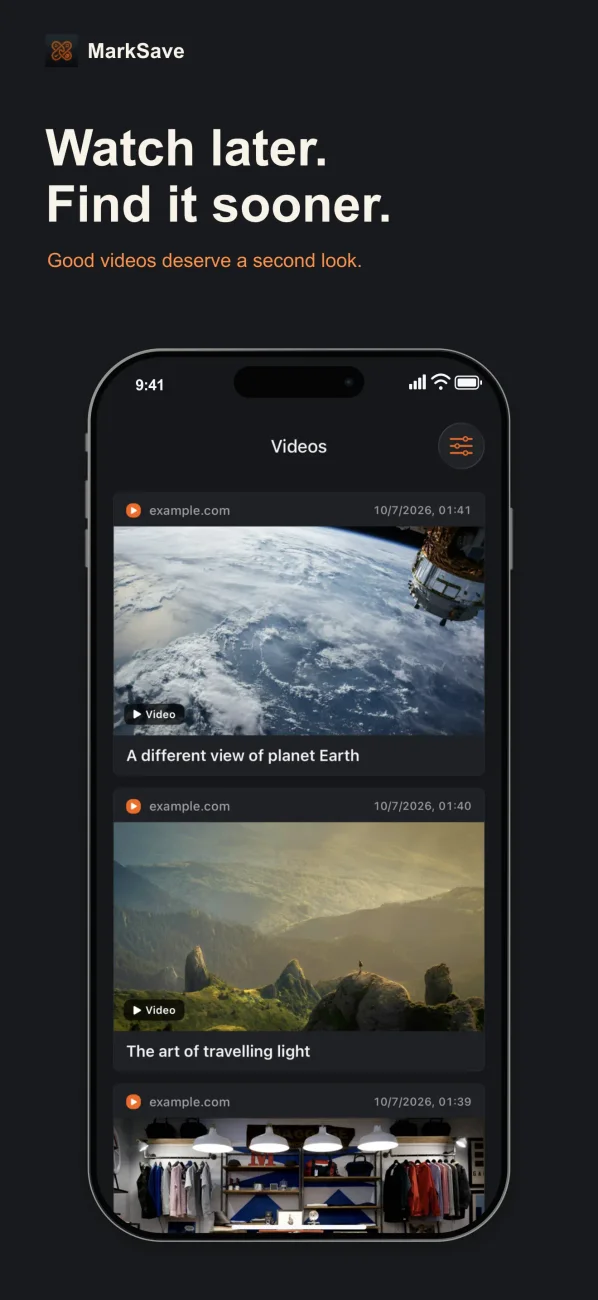
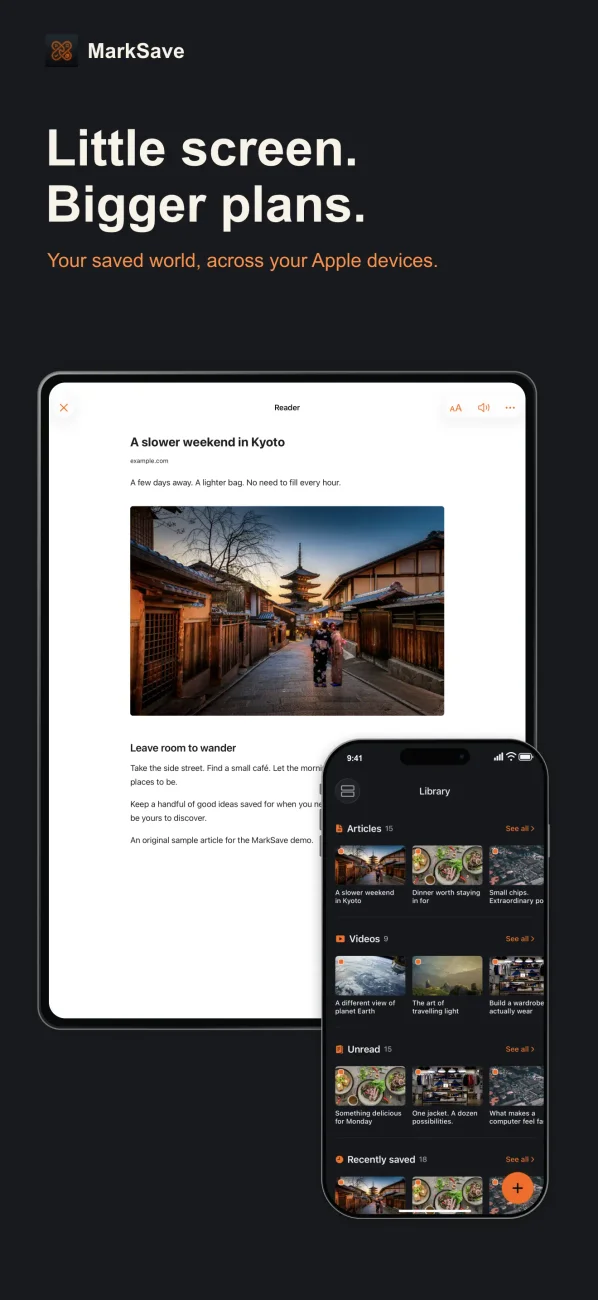
Open supported articles directly in a full-screen Reader. Adjust fonts, text size, spacing and background. Keep notes attached, listen with read-aloud and save supported pages for offline reading. Some sites offer only a preview; the original stays within reach. Watch supported videos in the app, with Picture in Picture and background audio where available.
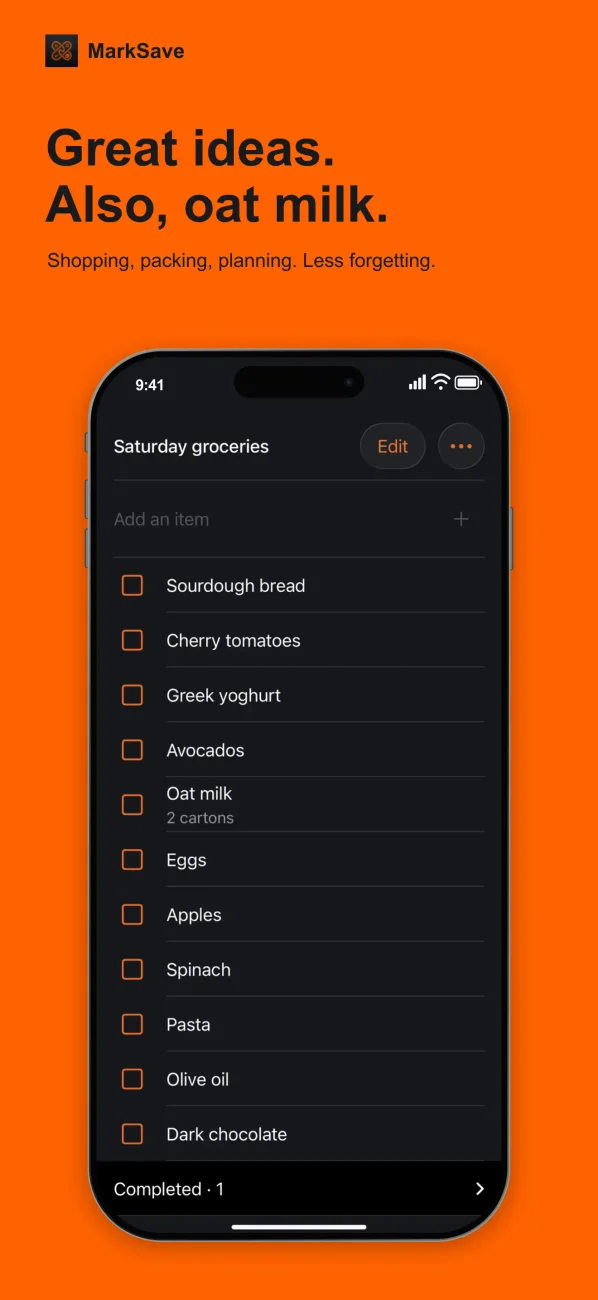
LISTS THAT ACTUALLY GET USED
Make checklists, numbered lists and bullet lists. Add items quickly, reuse your previous entries and avoid duplicates. Completed items remain available. Turn a recipe or practical article into a reviewed list with Assist on compatible devices.
MARKSAVE ASSIST
Summarize readable saved content, ask questions, explain a passage, suggest tags and existing folders, or prepare action and shopping lists. Compare or create a digest from up to five selected saves. Review suggestions before applying them. Answers link back to their sources; AI can make mistakes. Video analysis needs a transcript you provide.
Assist requires an Apple Intelligence-compatible device, Apple Intelligence enabled, and a supported language. On-device processing requires iOS/iPadOS/macOS 26 or later. Optional Private Cloud Compute requires iOS/iPadOS/macOS 27 or later and internet. An iCloud account and connection are needed to check the shared weekly allowance. Free includes 3 successful Assist actions per week; Premium, including lifetime, includes 100. Apple's separate cloud limits and model availability also apply. Premium cannot enable an incompatible device or remove Apple's limits. Normal saving and organization do not require AI.
SHARE SOME. KEEP SOME TO YOURSELF.
Invite people to private Shared Shelves of links through iCloud. Hide selected saves from ordinary browsing with Private Folder and optional device authentication. This adds privacy controls, not extra file encryption; update all your devices before relying on hiding. Checklist sharing exports text, not a live collaborative list.
YOUR LIBRARY, YOUR DEVICES
Sync supported library content through your private iCloud. No separate MarkSave account. Personal media availability depends on its storage setting and whether the file is on that device.
TRY IT, THEN MAKE ROOM
Start with up to 20 saved items. Premium adds unlimited saves, folders, Reader, offline reading, book imports and more. Choose monthly, yearly or lifetime Premium. Local prices and billing periods appear before purchase. Subscriptions renew automatically unless cancelled. Some features require Premium.
Search saved text, notes and lists. Daily Picks can fit a total reading budget of 5, 10 or 20 minutes.
support@wystoneapps.com
https://wystoneapps.com
Privacy: https://wystoneapps.com/privacy.html
Terms: https://wystoneapps.com/terms.html
Apple sets device eligibility. Check availability in Assist before buying.
What’s new
Version 2.7.0 · Nov 24, 2026
Your saved pile has hired an assistant.
• Choose My Board or Library as your start screen. Notes save more reliably and are easier to pin to your Board.
• Find saved text, notes and list items with relevance-ranked Search, matching passages and filters.
• Daily Picks can fit a total reading budget of 5, 10 or 20 minutes. Your saved pile now respects your lunch break.
• MarkSave Assist: summaries, questions, explanations, organization suggestions and reviewed lists. On compatible Apple Intelligence devices only. 3 successful actions weekly for free, 100 with Premium, subject to availability and Apple limits.
• Layouts built for iPhone Duo, with more room for your shelves and saved content.
• Improved handling of Assist source privacy, editable list suggestions and recovery when an action is interrupted.
• Reader improvements: sharper images where available, article footnote links and a steadier reading position when changing text settings or screen size.
Apple sets device eligibility. Check availability in Assist before buying.
App privacy
What Wystone LLC declares on the App Store about how this app handles data.
-
Data not linked to you
May be collected but is not linked to your identity.
- Purchases
Privacy practices may vary, for example with the features you use or your age.
Information
- Seller
- Wystone LLC
- Category
- Productivity
- Version
- 2.7.0
- Updated
- Nov 24, 2026
- Released
- May 27, 2026
- Size
- 24.4 MB
- Requires
- iOS 18.0 or later
- Age rating
- 17+
- In-app purchases
- Yes
- Languages
- English, Catalan, French, German, Hindi, Italian, Japanese, Korean, Portuguese, Simplified Chinese, Spanish
- Copyright
- © 2026 Wystone LLC
You might also like
-
 Savefold : Save EverythingSave Links, Read & Watch Later
-
 StashNote Bookmarks Read LaterSave Links, Posts & Videos
-
 PageVault: Offline ReaderRead later & save web pages
-
 Clib: Read Later & BookmarksSwipe to revisit saved links
-
 Stashly - Save & OrganizeSave posts, links & ideas
-
 LinkBuckets: Bookmark ManagerSave & organize your links
-
 IdeaLater - Save IdeasNever miss a good idea to try
-
 Glanced for SafariRSS Feed Discovery
-
 IndeboxCapture thoughts in the box
-
 Luvio: Digital OrganizerSave & organize with friends