- Age rating4+
- CategoryReference
- DeveloperCandee Generations, LLC
- LanguagesEnglish
- Size15.0 MB
Links to the official App Store page
Download.org hosts no file of Read Your Bible Through. The button opens its official App Store page, published by Candee Generations, LLC. Listing last checked on Nov 17, 2026.
Screenshots

About
Read your Bible through in a year.
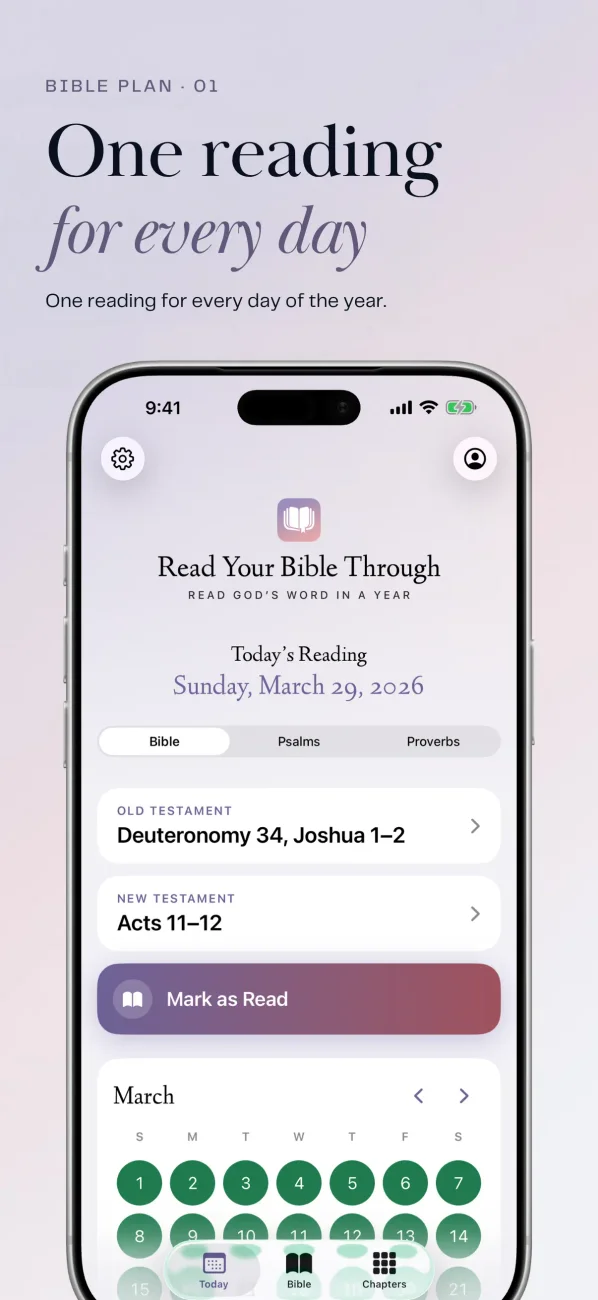
Read Your Bible Through gives every day of the year its own reading. Open the app in the morning, and today's reading is waiting: two chapters from the Old Testament and one from the New Testament, or three and two on Sundays. Keep going, and by the end of December you will have read the whole Bible.
Everyone reads the same chapters on the same day, in the app and on readyourbiblethrough.com. Your church, your family, and your friends are on the same page, so you can talk about this morning's reading with anyone who is reading along.
THREE READING PLANS
• Bible Plan: the Old and New Testaments side by side, each from the beginning. The New Testament is finished in August, and the Old Testament takes its place for the rest of the year.
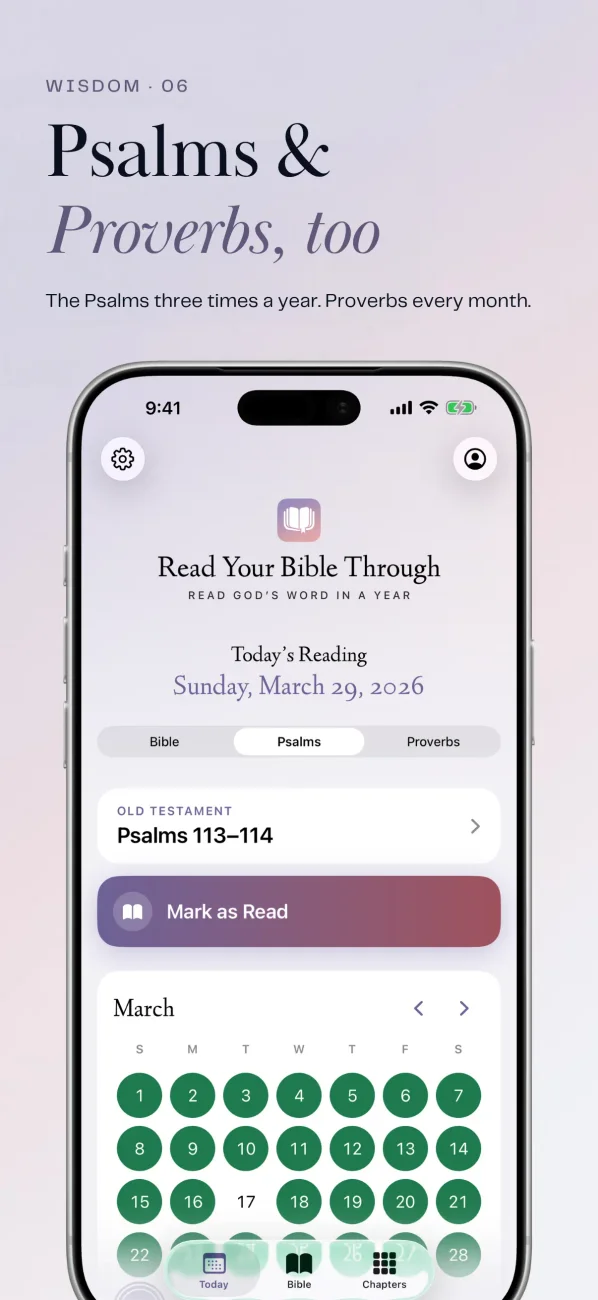
• Psalms Plan: all 150 Psalms, three times a year. One a day on weekdays and two on weekends, with Psalm 119 in four parts.
• Proverbs Plan: all 31 chapters of Proverbs, every month. One a day, doubling up at the end of a short month.
Switch plans just under the date, and the app remembers your choice. Missed a day, or reading ahead? Tap any day on the calendar.
THE KING JAMES VERSION, BUILT IN
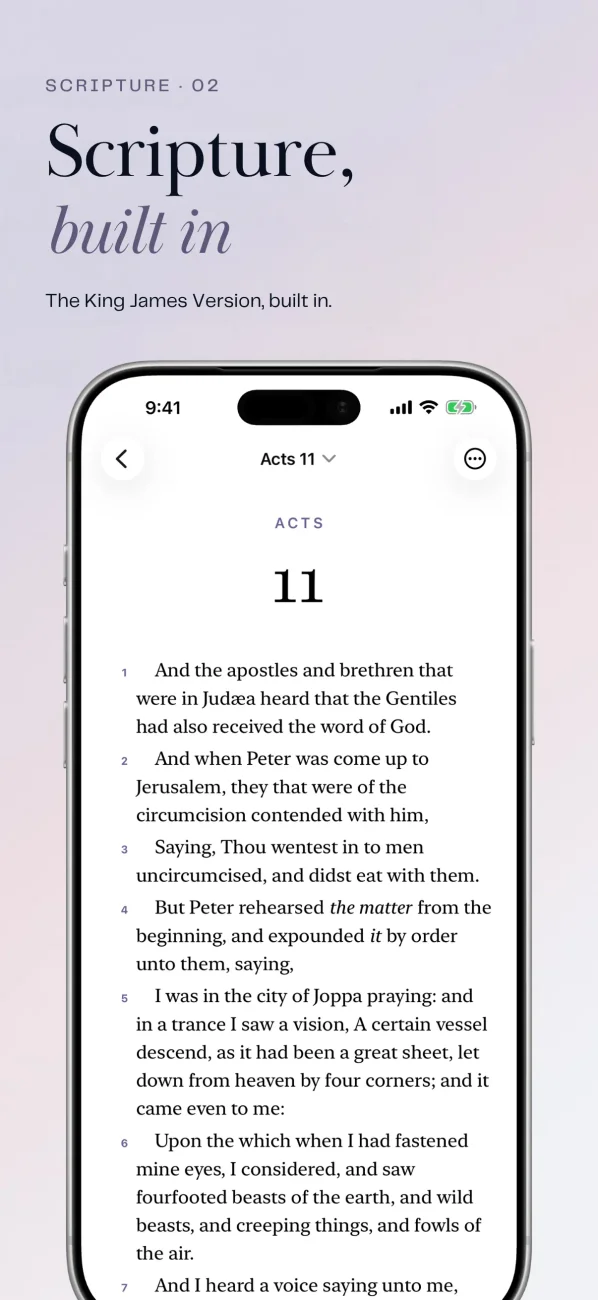
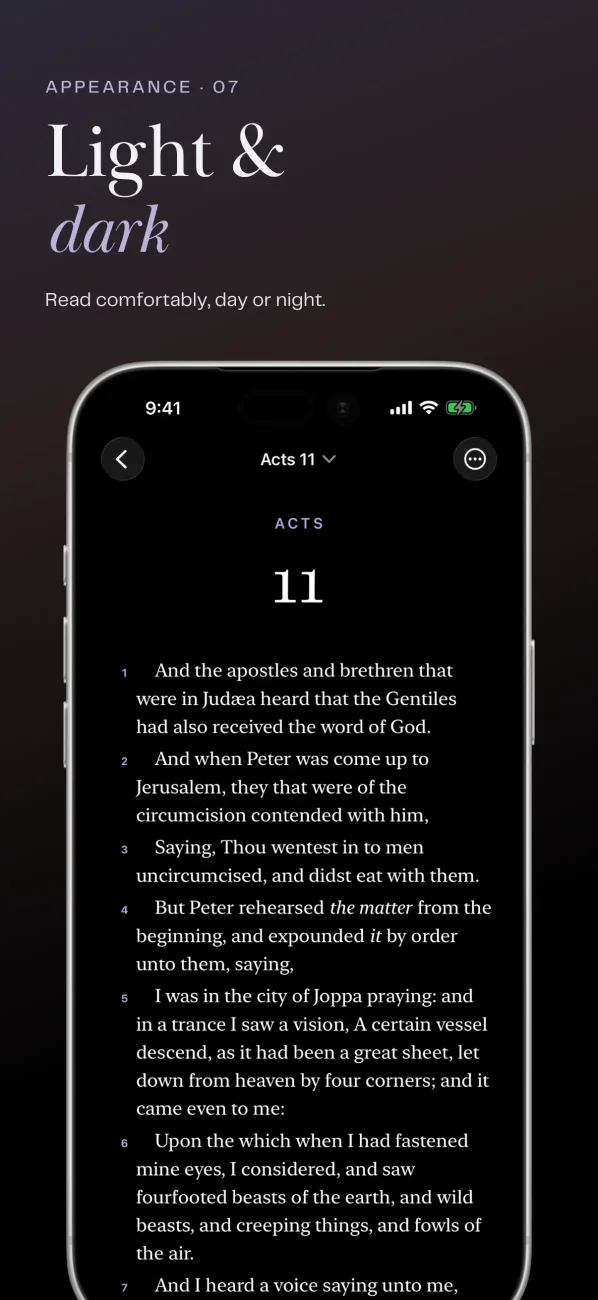
The whole Authorized King James Version is inside the app, set as it is printed, with the words of Jesus in red. Tap a reading, and it opens right there. Go to the next chapter, the next day, or jump to any book. Any reading also opens on BibleGateway.
Set it the way you like to read: larger or smaller text, more space between the lines, a white, sepia, or black page, serif or sans-serif type, and one verse per line if you prefer.
WEBSTER'S 1828, FOR THE HARD WORDS
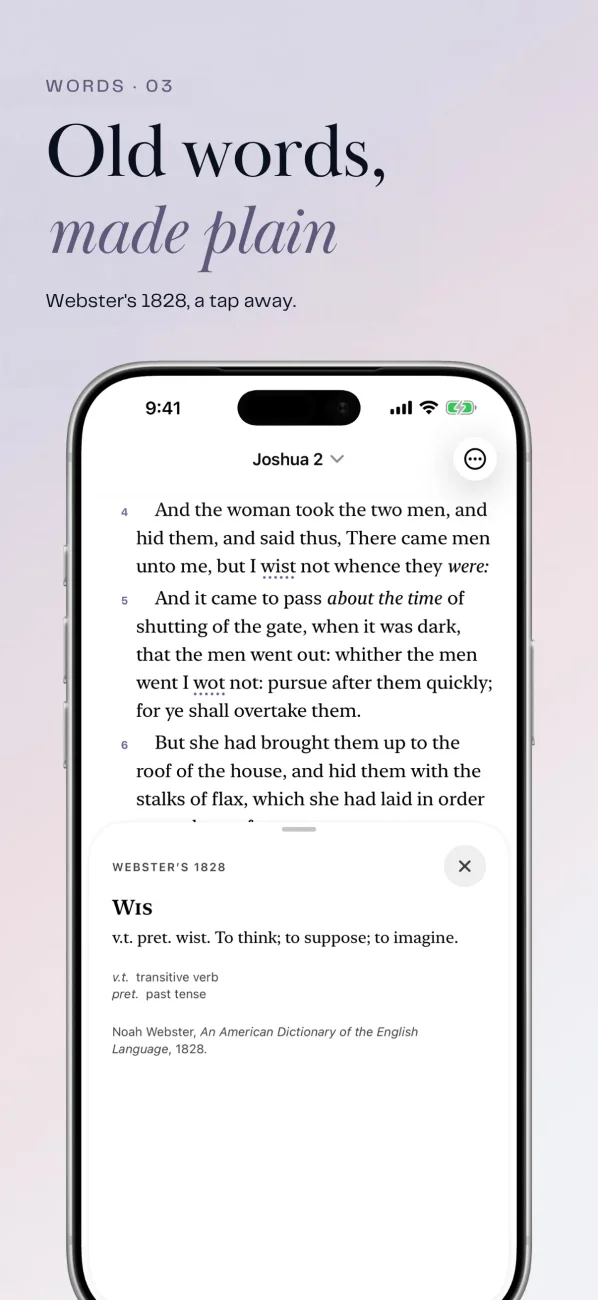
More than 600 of the King James's words have gone out of use or changed their meaning - "prevent" once meant to go before. They are underlined: tap one to read it in Noah Webster's 1828 dictionary, written while they still meant what the translators meant.
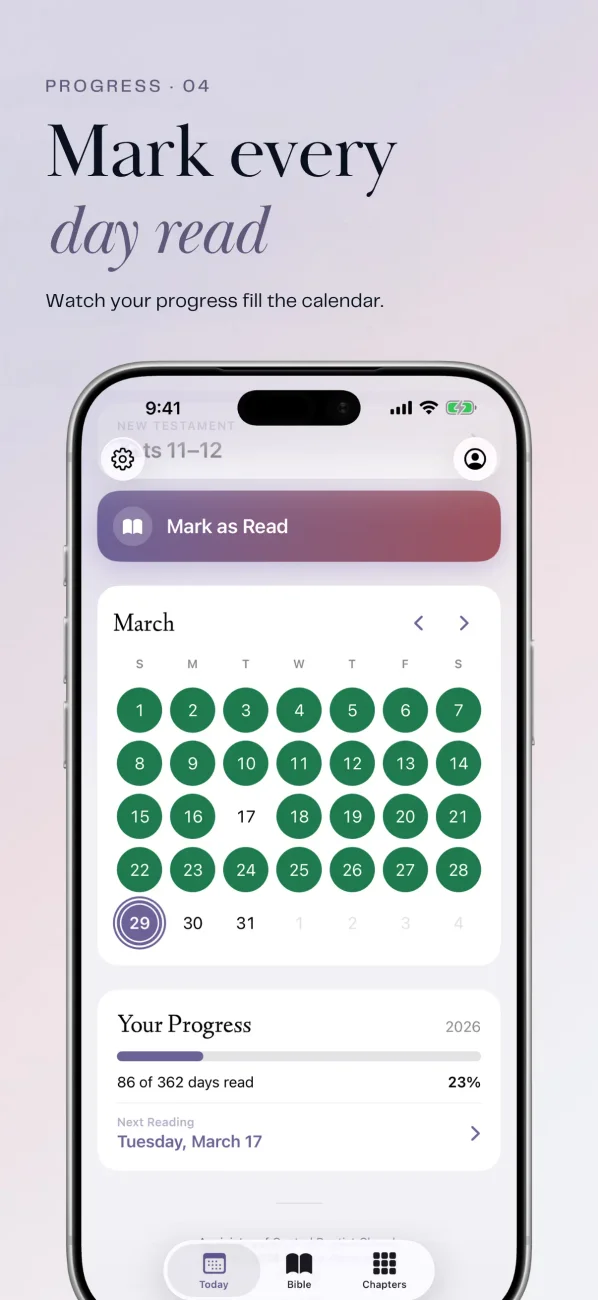
MARK EACH DAY READ
At the bottom of each chapter, tap Finished to mark it read and go on to the next. At the end of the day's reading, Finished marks the day as read and closes the Bible. See how far through the year you are, or through the month, on the Proverbs Plan—catching up on last Tuesday counts for last Tuesday.
ON YOUR HOME SCREEN
Widgets show where you pick up - today's reading, or the day you're on if you're behind - and let you mark it read without opening the app. Others show your progress, your streak, your weeks of reading, every chapter you've read, today's reading in all three plans, and a verse from your reading, on your Home Screen or Lock Screen. On iOS 18, open your next reading from Control Center.
EVERY CHAPTER YOU HAVE READ
A grid of all 1,189 chapters in the Bible fills in as you read, whatever plan you are on. It starts fresh each January, keeping earlier years. Tap a chapter to read it, press and hold to mark it yourself, or turn on Auto-Track, and marking a day as read fills in its chapters for you.
A DAILY REMINDER
Choose a time and a plan, and get a daily notification with that day's chapters, so you know what to read before you open the app.
ON IPAD
On iPad, the Bible stays open beside the page, right where you left off, and the calendar follows as you read on.
ON ALL YOUR DEVICES
Sign in with Apple or Google, and the days and chapters you mark follow you from one device to the next. Sign in to readyourbiblethrough.com with the same Apple or Google account, and the days you mark there show up in the app, too.
WORKS WITHOUT A SIGNAL
The plans, the Bible, and everything you mark are saved on your device first, so it all works offline. If you have signed in, anything you marked while offline syncs when you are back online.
SIMPLE AND PRIVATE
No ads and no tracking. You don't need an account: without one, everything stays on your device. If you make one, you can delete it from inside the app.
Read Your Bible Through is a ministry of Central Baptist Church, and it is free.
What’s new
Version 1.1.4 · Nov 6, 2026
Your daily reminder now brings each day's own reading, even if you're behind. Catching up instead? In Settings, set Remind Me Of to Where I Left Off, and the reminder will name the reading you're on, day by day, as it did before.
The Next Reading and Today's Readings widgets have the same choice: touch and hold one, tap Edit Widget, and choose what it shows. The Key Verse widget now always takes its verse from today's reading.
App privacy
What Candee Generations, LLC declares on the App Store about how this app handles data.
-
Data linked to you
May be collected and linked to your identity.
- Contact info
- Identifiers
- Usage data
-
Data not linked to you
May be collected but is not linked to your identity.
- Usage data
Privacy practices may vary, for example with the features you use or your age.
Information
- Seller
- Candee Generations, LLC
- Category
- Reference
- Version
- 1.1.4
- Updated
- Nov 6, 2026
- Released
- Sep 15, 2026
- Size
- 15.0 MB
- Requires
- iOS 17.0 or later
- Age rating
- 4+
- Price
- Free
- Languages
- English
- Copyright
- © 2026 Candee Generations
You might also like
-
 Bible - Simply ScriptureOffline reading, notes & study
-
 My Study Bible AppRead, Study, Note & Grow
-
 Grace Bible: Daily DevotionalAudio Bible & Reading Plans
-
 Pink Bible - Godly AdviceFaith for everyday life
-
 Digible: Digital Bible JournalWrite, Draw & Study Scripture
-
 Theovia: Walk with GodBible Chat, Prayer & Study
-
 Holy Bible King James + Audiowith Strong's Concordance
-
 Bible Shorts: Watch & StudyDaily Bible Learning in Shorts
-
 Bible - Audio & Video BiblesWord-for-word audio Bibles
-
 FaithStudy – Bible Study GuideDaily Bible Reading & Tutor