
- Age rating4+
- CategoryPhoto & Video
- DeveloperNIYAZ IRSALIEV
- LanguagesEnglish
- Size56.6 MB
Links to the official App Store page
Download.org hosts no file of ReadCam Prompter. The button opens its official App Store page, published by NIYAZ IRSALIEV. Listing last checked on Nov 14, 2026.
Screenshots



About
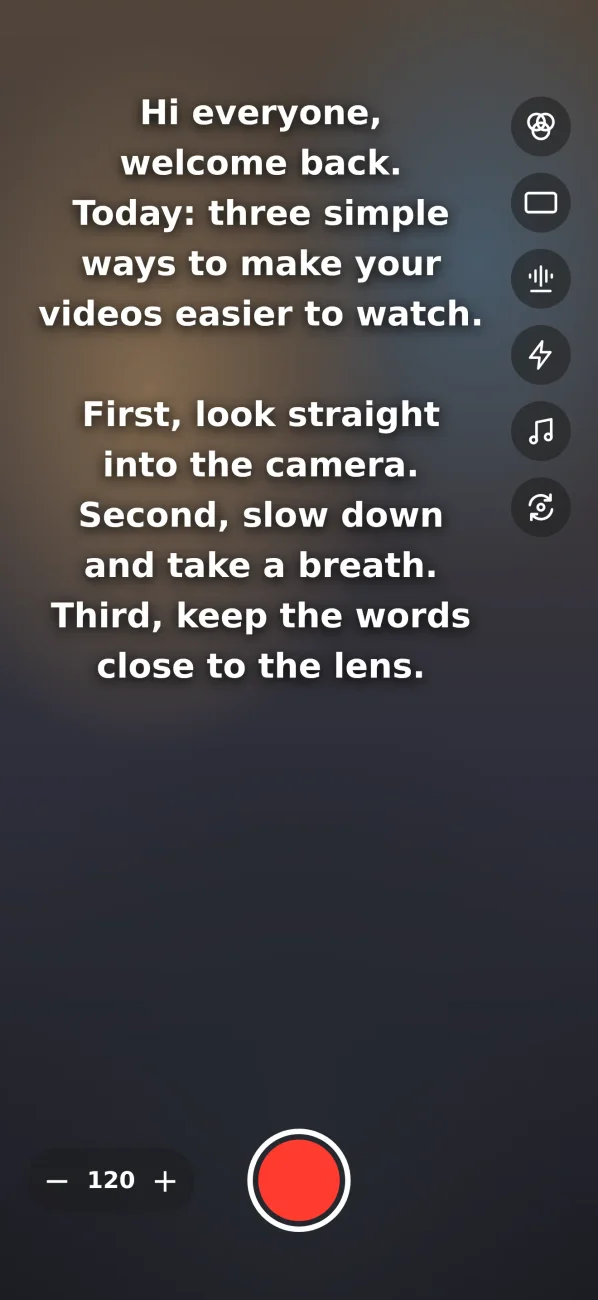
ReadCam Prompter is a teleprompter and camera in one. Paste your script, press the red button and read while you look into the lens.
HOW IT WORKS
• One red button: a 3-2-1 countdown, then the text starts scrolling and the video starts recording.
• Set the speed in words per minute with the plus and minus buttons.
• Or turn on Follow my voice and the text moves as you speak. It never jumps backward if you stumble.
• Drag the text with a finger at any time, also while recording.
• Pinch to change the text size.
PLACE THE TEXT WHERE YOU NEED IT
• Choose the text area on screen: the top half by default, or any part you like, so your eyes stay close to the camera.
• Edit the script right on the screen, no extra windows.
FOR THE VIDEO
• Front and back camera.
• Flash for the back camera.
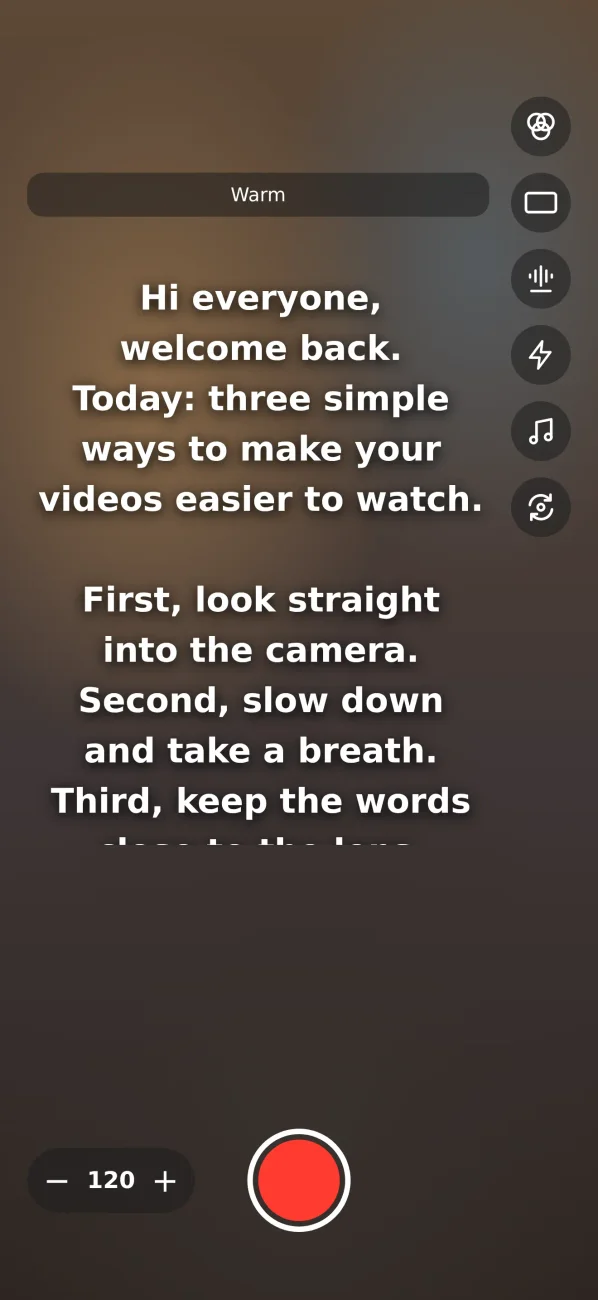
• Colour filters: swipe sideways outside the text to switch. The filter is saved into the video.
• Pause and resume while recording, and switch cameras mid-take.
• Watch the result right after recording, trim it, change the filter, then save it at 720p, 1080p or maximum quality, or delete it.
CAPTIONS AND MUSIC
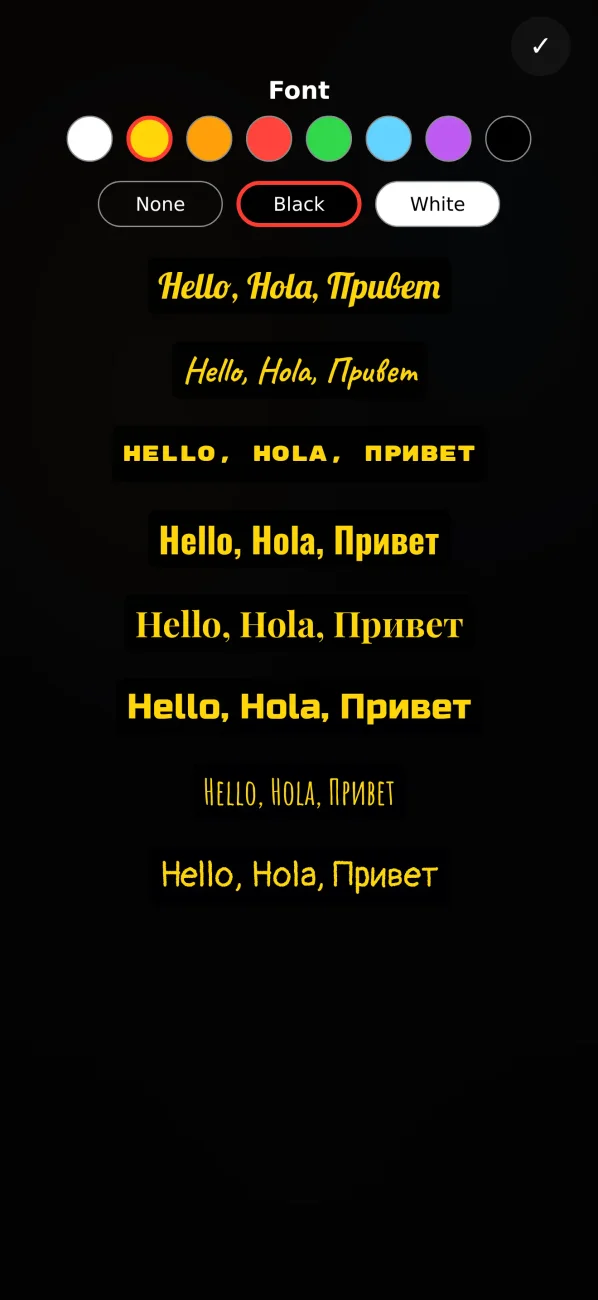
• Turn on captions: your script appears as subtitles in the saved video, timed to what you say. Pick a font, colour and a black or white backing.
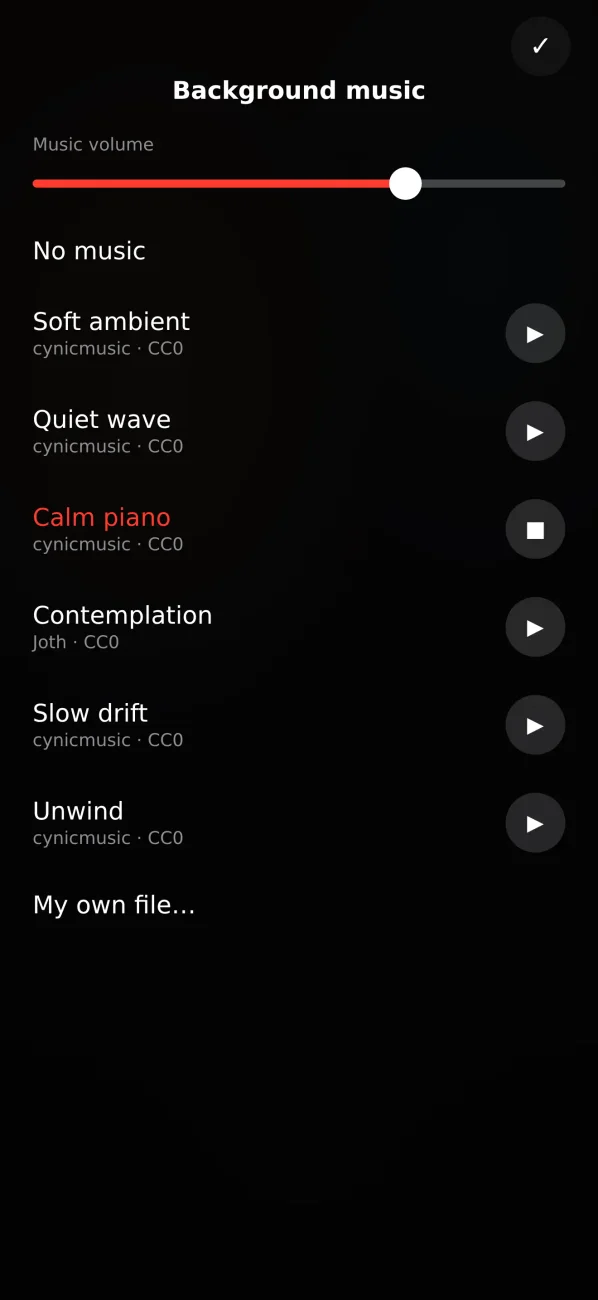
• Add background music from the built-in tracks or your own file, and set its volume.
• Clean face filter smooths skin in the saved video.
YOUR LANGUAGE
• The app is in English, Russian and Spanish.
• Follow my voice works in the languages your phone's speech recognition supports. By default the language is picked from your text, and you can choose it yourself.
PRIVACY
• Your script and videos stay on your phone. There is no account and no sign-up.
• Voice following uses the speech recognition built into your phone.
Made for creators, teachers, presenters, and anyone who films themselves and wants to look at the camera, not at their notes.
What’s new
Version 1.5.0 · Oct 18, 2026
Pause and switch cameras mid-take. Captions from your script with your choice of font, colour and background. Background music. Trim and change the filter after recording. Save at 720p, 1080p or max quality. New Clean face filter. Spanish interface.
Speed up your video 1.1x to 1.5x without changing your voice pitch.
App privacy
What NIYAZ IRSALIEV declares on the App Store about how this app handles data.
-
Data not collected
The developer does not collect any data from this app.
Privacy practices may vary, for example with the features you use or your age.
Information
- Seller
- NIYAZ IRSALIEV
- Category
- Photo & Video
- Version
- 1.5.0
- Updated
- Oct 18, 2026
- Released
- Oct 15, 2026
- Size
- 56.6 MB
- Requires
- iOS 16.4 or later
- Age rating
- 4+
- Price
- Free
- Languages
- English
- Copyright
- © 2026 Niyaz Irsaliev
You might also like
-
 TeleSmart PrompterTeleprompter + camera recorder
-
 FastPrompterTeleprompter & 4K Recorder
-
 Teleprompter & Video: CuearoVoice Scroll & Captions
-
 TESU - TelePrompterScripts While You Record
-
 Teleflow PrompterVideos with scrolling scripts
-
 Video Prompter MaxTeleprompter for creators
-
 Luma: TeleprompterVideo Camera & Scripts
-
 Dubl: Video Editor & CaptionsTakes, script, teleprompter
-
 Teleprompter: Read & RecordPhoto & Video
-
 digi. - Retro Film CameraVintage 90s Cam & Filters