
ReadFirst: App Blocker
Screen time & reading tracker
Designed for iPhone, iPad
Free · In-app purchases
- Age rating4+
- CategoryProductivity
- DeveloperTrueDigital LLC
- LanguagesEnglish+ 1 more
- Size23.0 MB
Links to the official App Store page
Download.org hosts no file of ReadFirst: App Blocker. The button opens its official App Store page, published by TrueDigital LLC. Listing last checked on Nov 25, 2026.
Screenshots
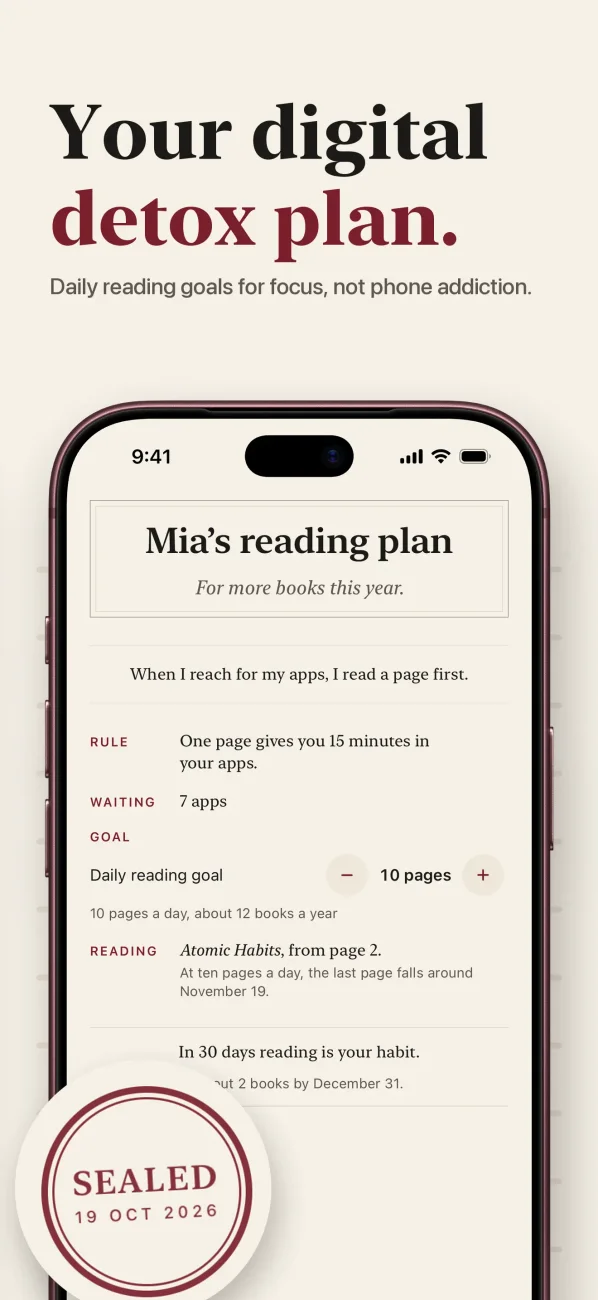
About
Read a page. Then scroll.
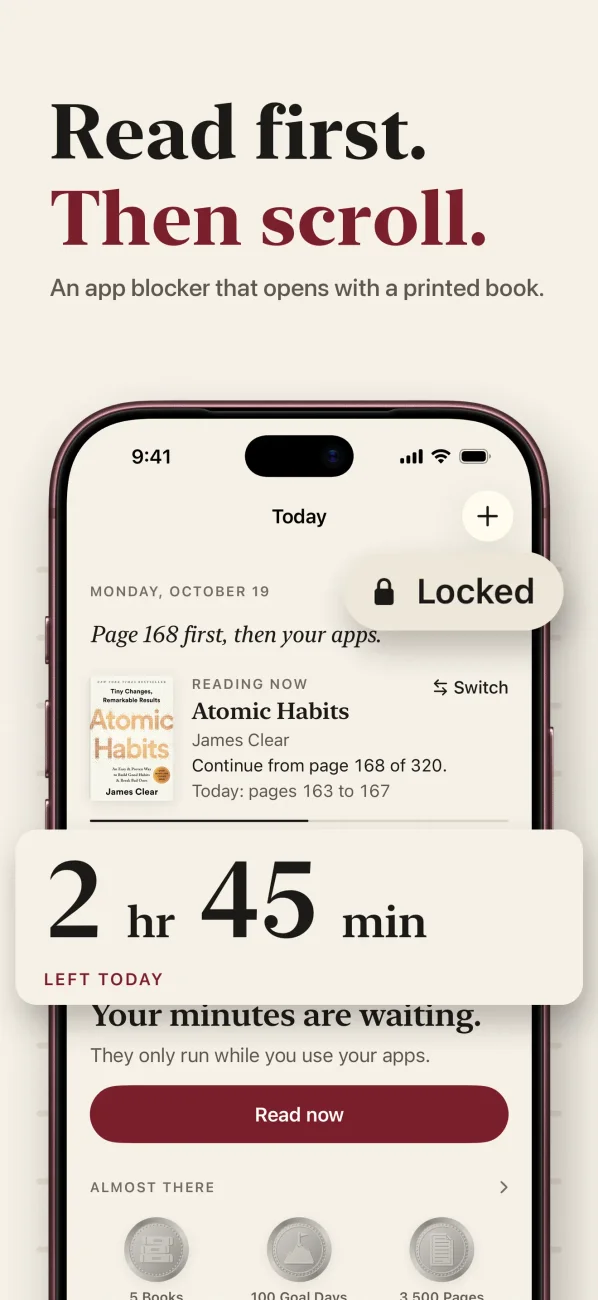
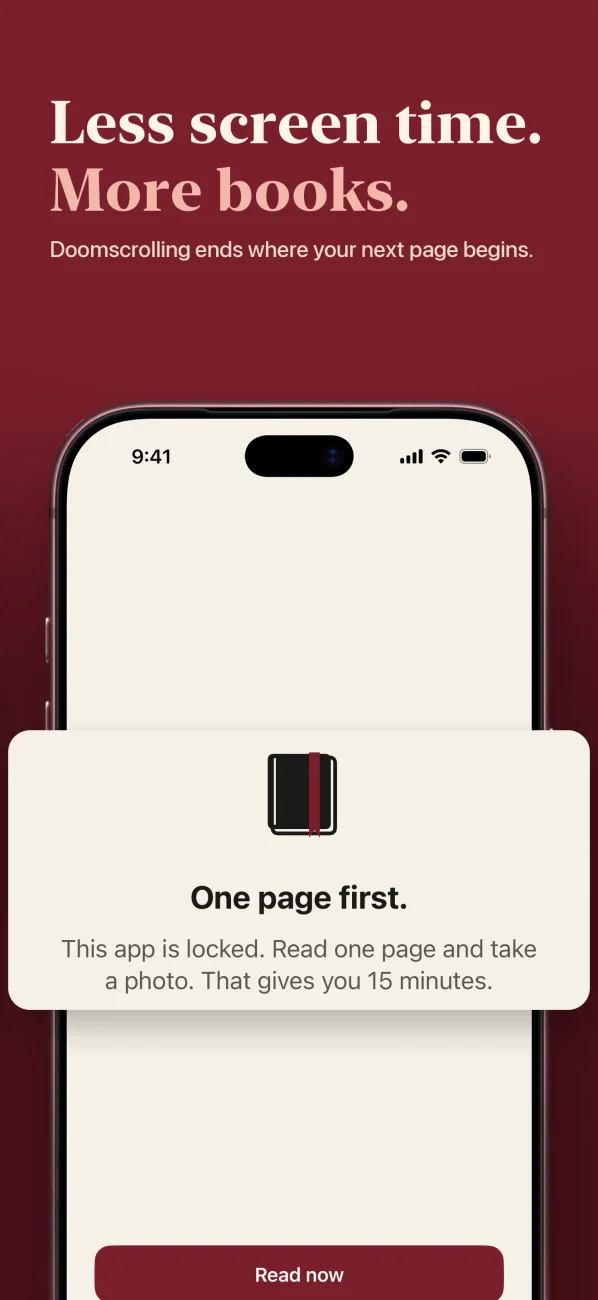
ReadFirst locks the apps that eat your day and opens them when you read a few pages of a printed book. Not a button you tap away. Not a contest of willpower. Your book is the key.
Most app blockers only say no. ReadFirst gives you something better to do first, and after a few weeks you notice it: you finish books again.
ReadFirst requires a purchase: a subscription or a one-time purchase unlocks every feature.
HOW IT WORKS
1. Pick the apps that pull you in: social media, short videos, games. ReadFirst locks them with Apple's Screen Time.
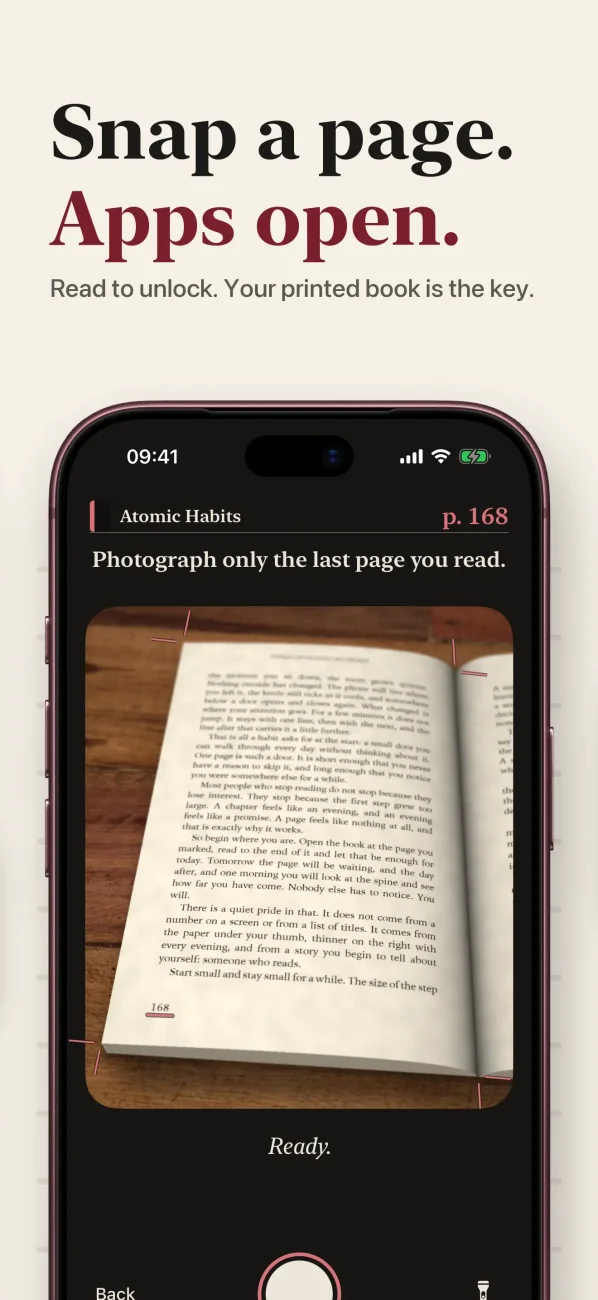
2. Open your book and read. A short reading timer runs while you read.
3. Take a photo of the page you reached. Your apps open for the minutes you chose.
You set the rule: one to five pages, and how many minutes they are worth.
FAIR, NOT HARSH
• Minutes only run while you use your apps. What you don't use goes back into your bank.
• Read more than you need and the extra minutes wait for later.
• One skip a week for the days that don't go to plan, up to three if you want.
• An optional daily limit if you want a ceiling.
• At midnight a new day begins and your apps lock again.
BECOME SOMEONE WHO READS
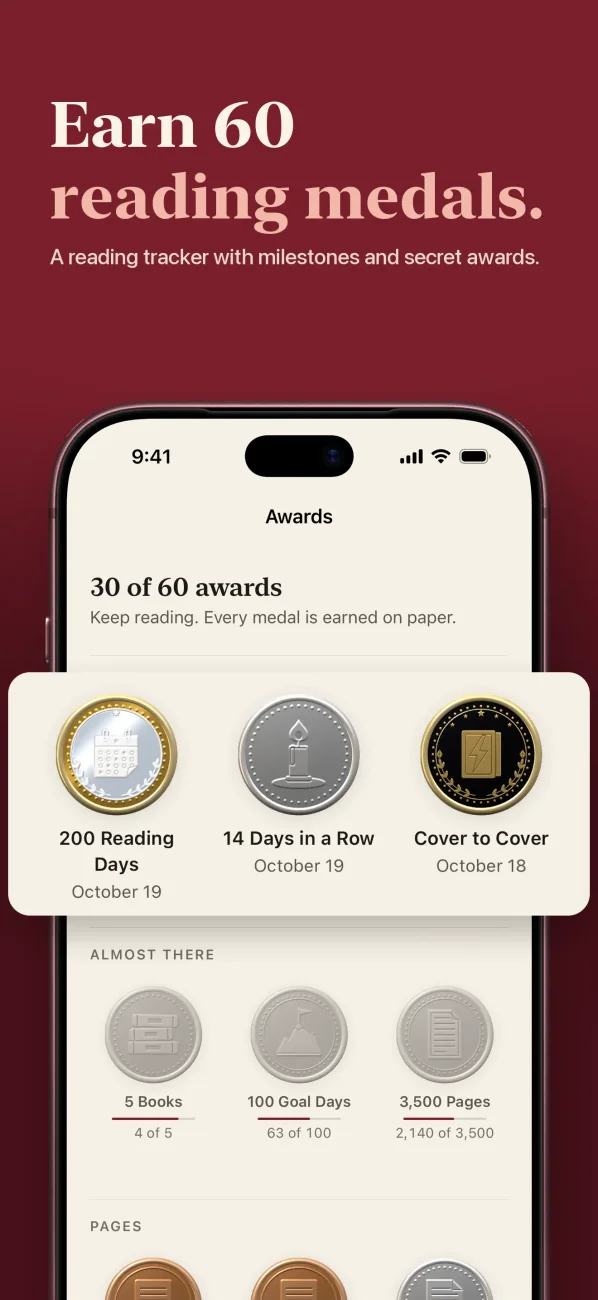
• 60 medals to collect, from your first page to long streaks and finished books. Each one is engraved with its name and the day you earned it.
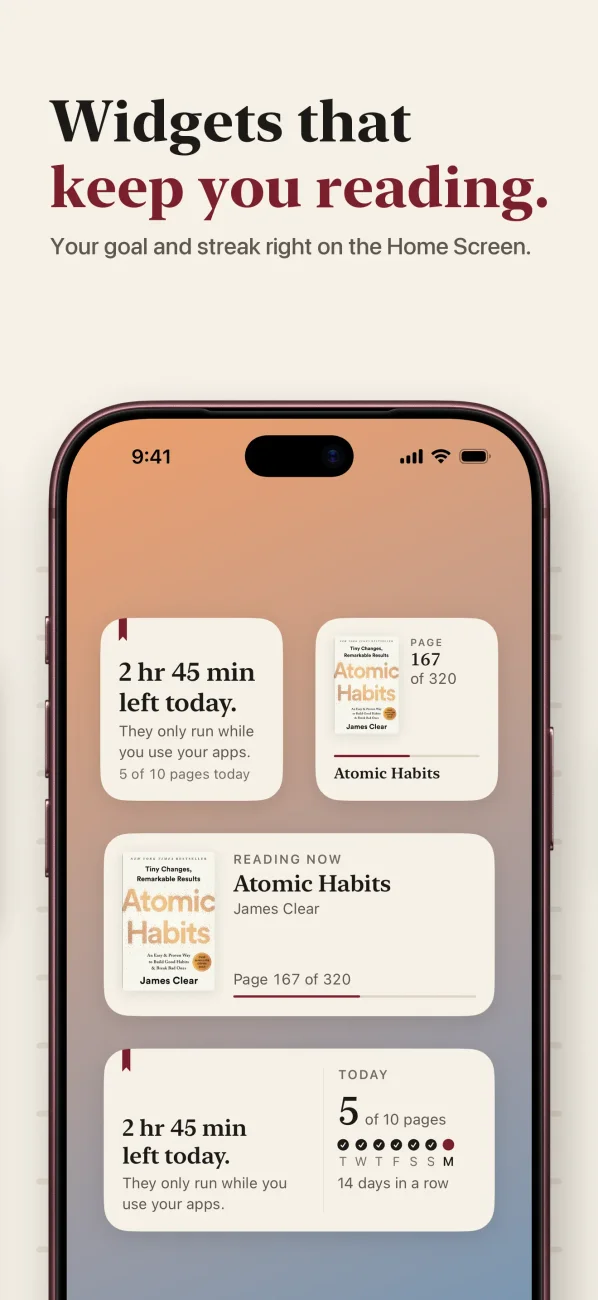
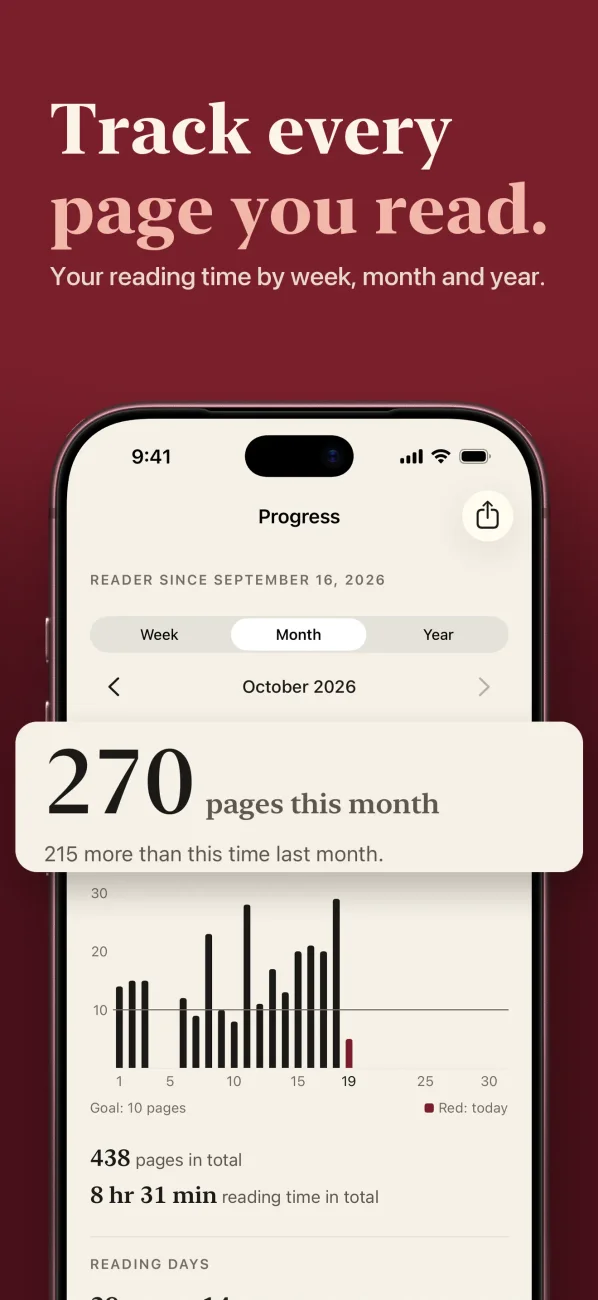
• A daily goal, a streak and statistics for every week, month and year.
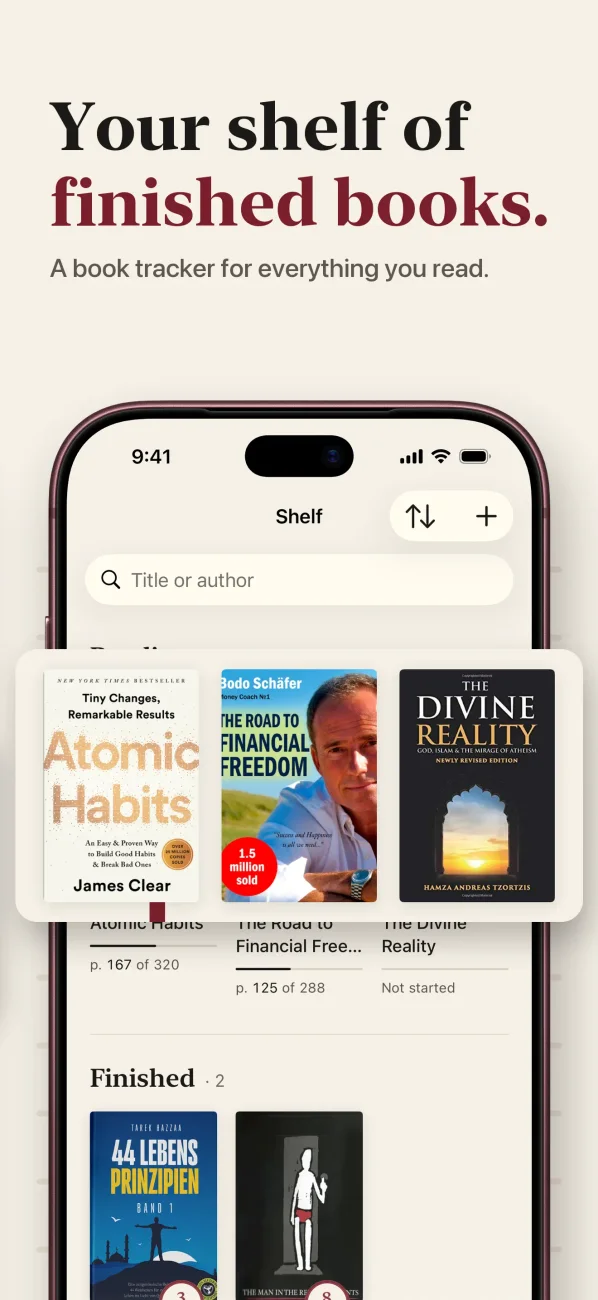
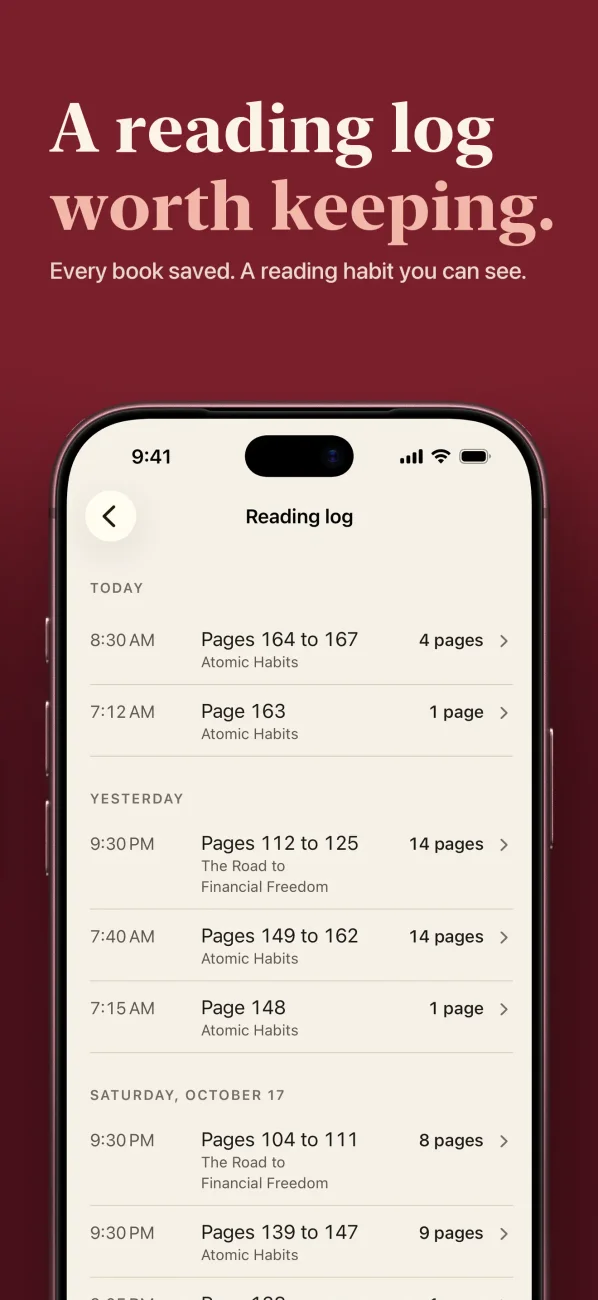
• Your bookshelf with covers and page counts, and every page in your reading log.
• Widgets, a reading timer on the Lock Screen and Siri shortcuts.
PRIVATE BY DESIGN
No account. The photo of your page is checked on your iPhone and is never uploaded or stored. Your books and your reading stay on your device and in your own iCloud. Anonymous usage statistics show us where the app can improve. They never include your name, your books or your photos. No ads, no tracking.
Works on iPhone and iPad.
Terms of Use (EULA): https://getreadfirst.com/terms/
Privacy Policy: https://getreadfirst.com/privacy/
What’s new
Version 1.1.5 · Nov 23, 2026
Small improvements
App privacy
What TrueDigital LLC declares on the App Store about how this app handles data.
-
Data not linked to you
May be collected but is not linked to your identity.
- Purchases
- Identifiers
- Usage data
Privacy practices may vary, for example with the features you use or your age.
Information
- Seller
- TrueDigital LLC
- Category
- Productivity
- Version
- 1.1.5
- Updated
- Nov 23, 2026
- Released
- Oct 13, 2026
- Size
- 23.0 MB
- Requires
- iOS 18.0 or later
- Age rating
- 4+
- Price
- Free
- In-app purchases
- Yes
- Languages
- English, German
- Copyright
- © 2026 TrueDigital LLC
You might also like
-
 App Block - ReadToUnlockreading, focus, habit, blocker
-
 FlickReplyflickReply: AI Assist keyboard
-
 Iroh: AI Voice Notes & JournalDictation diary that remembers
-
 Blur. Image Video BlurImage and Video blur extension
-
 ReadBlock: Read to Unlock AppsBeat doomscroll with books
-
 Unhook: Routine Plan & ControlFix Bad Habits, Rule Dopamine
-
 Koro Voices: Text to speechPrivate AI voice generation
-
 Grooves: Wellness CoachingBuild a Routine You Love, Free
-
 Webhook Audio RecorderRecord. Upload. Automate.
-
 Quran Time: Screentime ControlApp blocker, limit screen time