
- Age rating4+
- CategoryProductivity
- DeveloperSin Yu Ting
- LanguagesEnglish
- Size1.6 MB
Links to the official App Store page
Download.org hosts no file of Recall Audio. The button opens its official App Store page, published by Sin Yu Ting. Listing last checked on Nov 19, 2026.
Screenshots
About
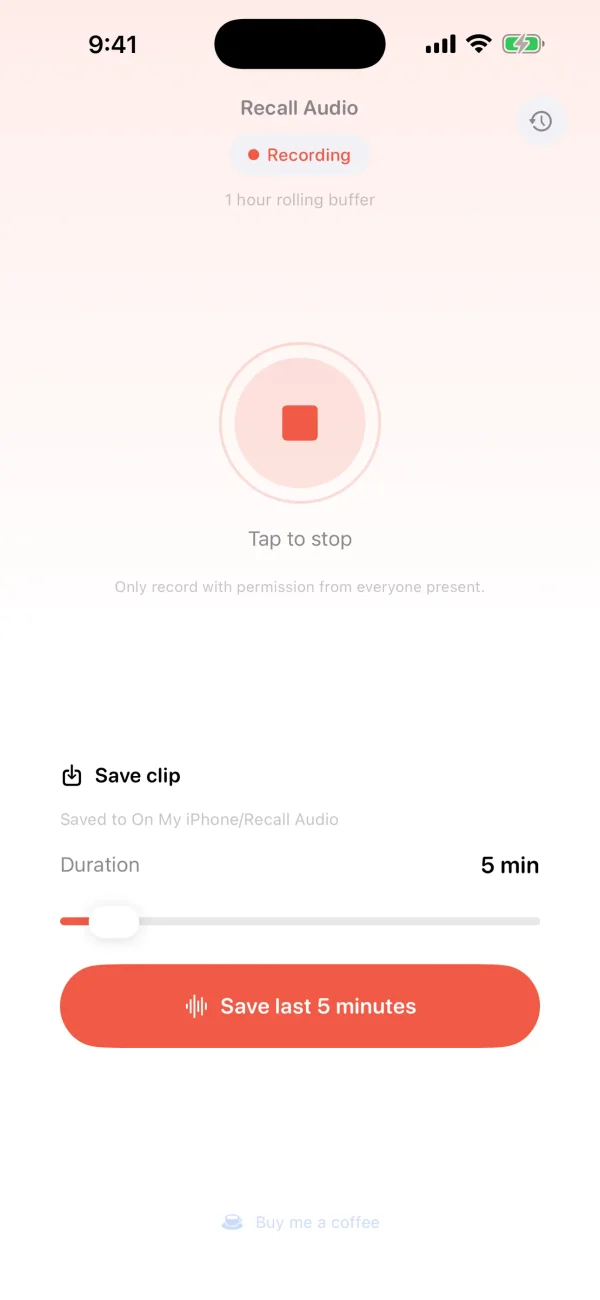
Never miss a thought again. Recall Audio records in the background and keeps the last hour — save any 1–60 minute clip anytime as audio.
• Rolling 1-hour buffer — always recording when you tap start
• Save the last 1–60 minutes with one tap
• Works in the background while you use other apps
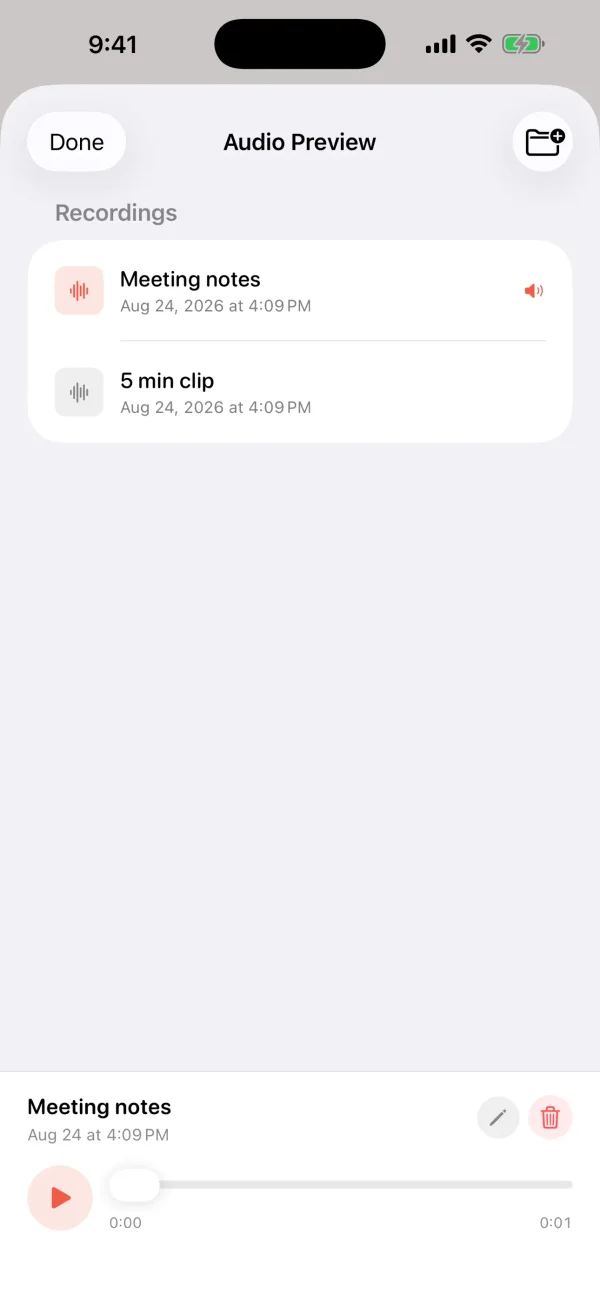
• Organize clips in folders
• Automatic text transcript saved with every clip, using Apple's built-in speech recognition
• Ask questions about a recording with Apple Intelligence, on-device (requires iOS 26 or later on a supported iPhone)
• Saved clips appear in the Files app (iCloud → Recall Audio)
Perfect for capturing conversations, ideas, and moments you wish you'd recorded earlier.
What’s new
Version 1.1.0 · Nov 17, 2026
• New: every saved clip now gets a text transcript you can read and share.
• New: ask questions about a recording using on-device Apple Intelligence (iOS 26+, supported devices).
• Fixed: recording could stop unexpectedly after calls, alarms or other audio interruptions. It now recovers automatically.
App privacy
What Sin Yu Ting declares on the App Store about how this app handles data.
-
Data not collected
The developer does not collect any data from this app.
Privacy practices may vary, for example with the features you use or your age.
Information
- Seller
- Sin Yu Ting
- Category
- Productivity
- Version
- 1.1.0
- Updated
- Nov 17, 2026
- Released
- Aug 26, 2026
- Size
- 1.6 MB
- Requires
- iOS 15.0 or later
- Age rating
- 4+
- Price
- Free
- Languages
- English
- Copyright
- © 2026 Sin Yu Ting
You might also like
-
 Transcribe Here: Audio to TextLocal Whisper Transcription
-
 Billie OnsiteField & Office AS ONE
-
 Rewind - Never miss a momentRewind
-
 Dot - AI Personal AssistantLearns Skills and Remembers
-
 MausBot: Private AI AgentsRun bots on your own computer
-
 BusyCal: Calendar & TasksPlanner, Agenda & Reminders
-
 Pure Synth® PlatinumAll-In-One Rompler/Synthesizer
-
 The Cube AppThe app every cuber needs
-
 AI Note Taker: Voice Track AppAI Meeting Summary, Transcribe
-
 Tap Out: Screen Time ReductionReady to dive into life?