
Recap: Save, Plan & Learn
Turn sources into next steps
Designed for iPhone
Free · In-app purchases
- Age rating4+
- CategoryProductivity
- DeveloperZero24 LLC
- LanguagesEnglish+ 1 more
- Size58.9 MB
Links to the official App Store page
Download.org hosts no file of Recap: Save, Plan & Learn. The button opens its official App Store page, published by Zero24 LLC. Listing last checked on Nov 23, 2026.
Screenshots
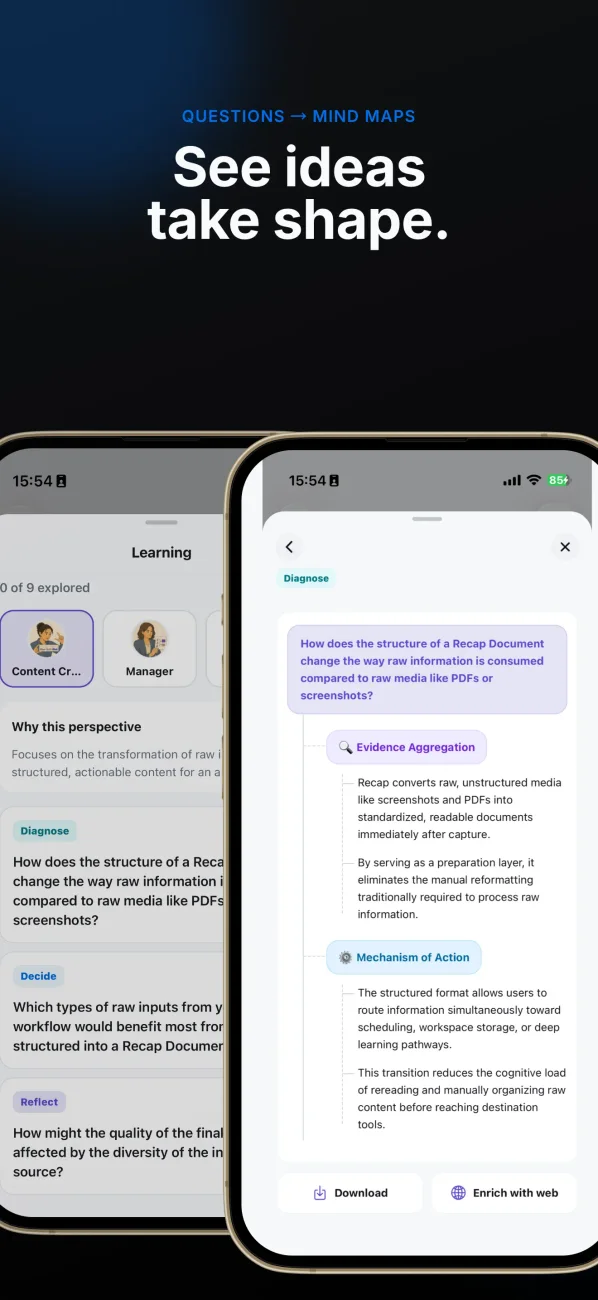
About
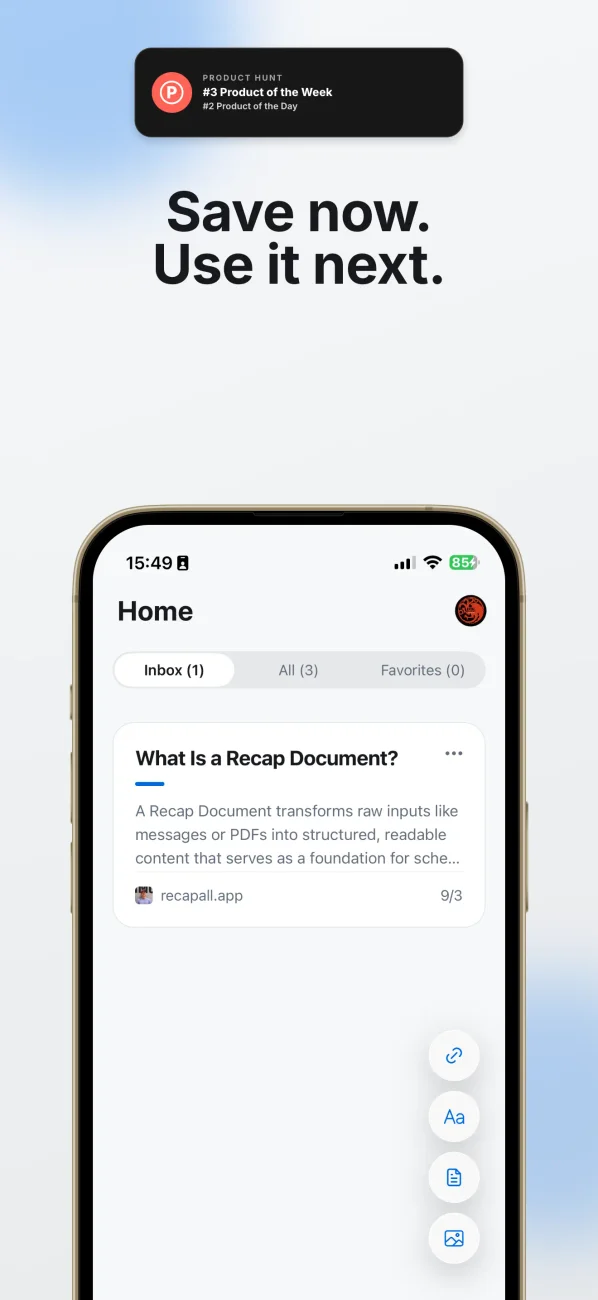
Save now. Schedule it or learn from it.
Recap turns information you collect into readable documents and useful next steps. Save screenshots, links, text and files, then return to a clear Recap whenever you need it.
A DOCUMENT FOR THE NEXT STEP
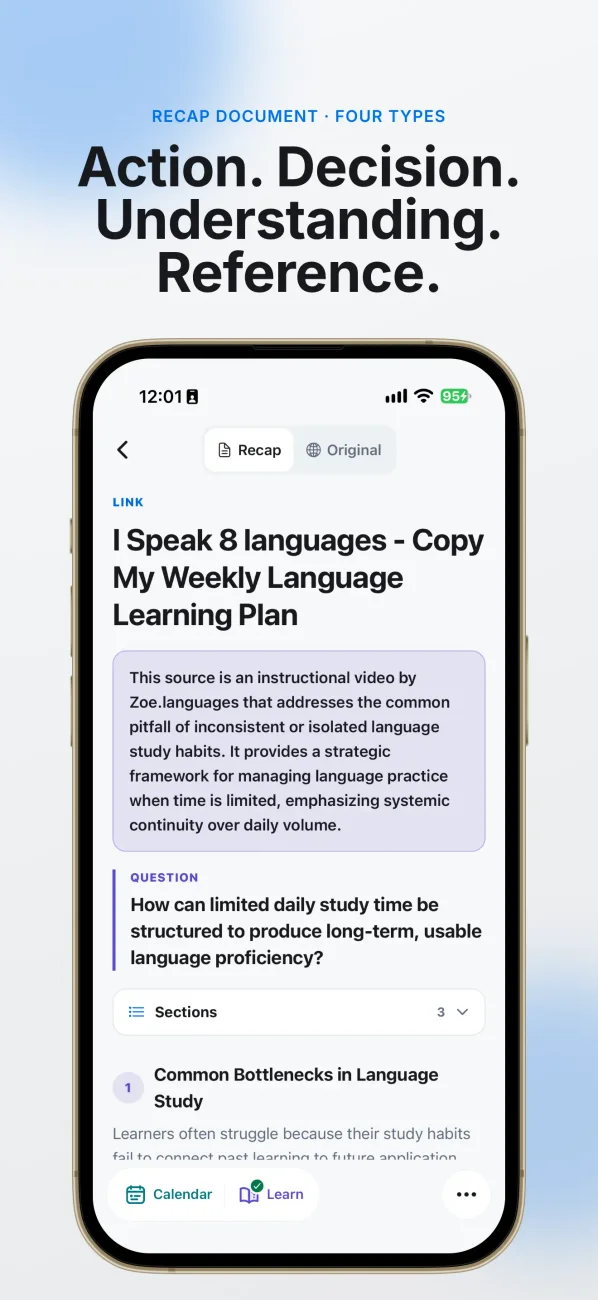
Recap organizes sources into four types of documents:
Action: Follow steps and keep track of what needs doing.
Decision: Bring options and key details together to compare choices.
Understanding: Explore the main question and key ideas behind complex information.
Reference: Keep useful details organized for when you need them again.
READ THE ORIGINAL
Switch between your Recap and the original source. View webpages, images, PDFs and more. Open supported webpages in Safari Reader. For YouTube videos, play the video and use timestamped excerpts to jump to a moment.
MAKE TIME FOR WHAT MATTERS
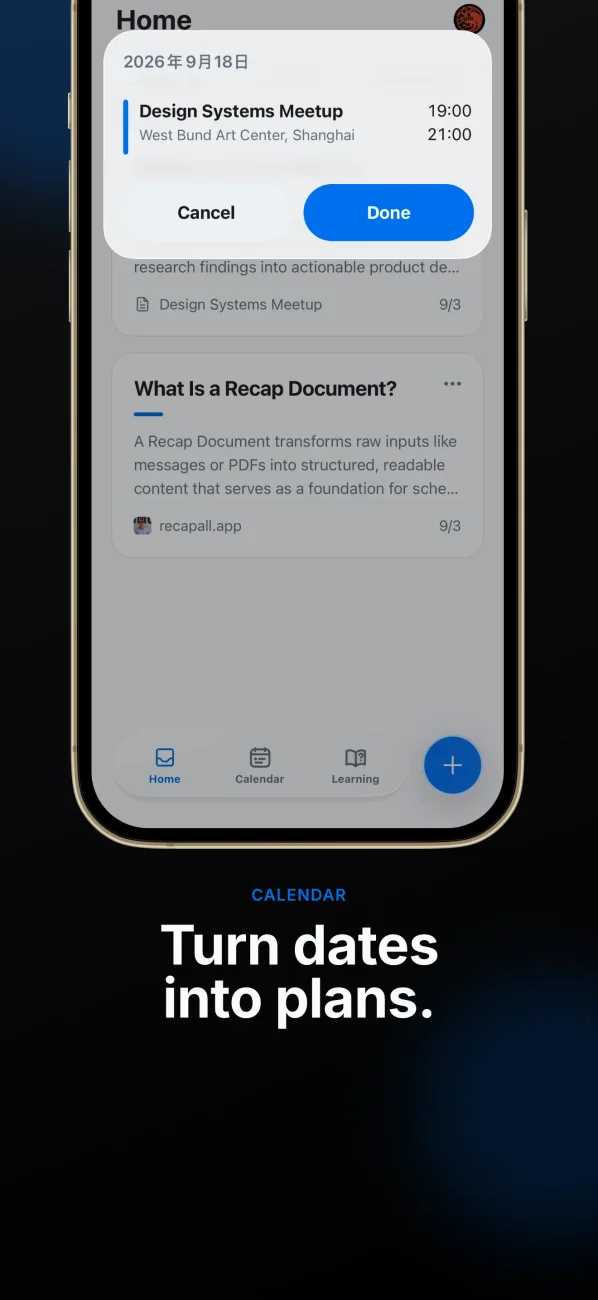
When Recap detects a clear date or time, it can show a Calendar confirmation. Review the details and time zone before adding an event. Connect Google Calendar or use your device calendar.
LEARN AT YOUR OWN PACE
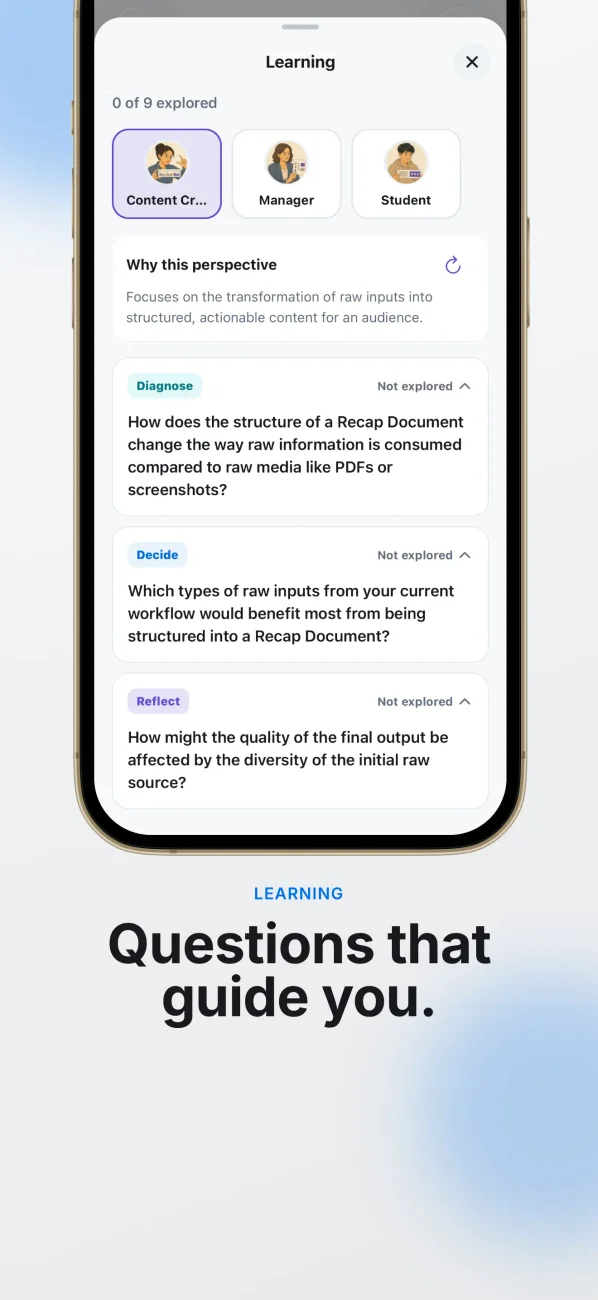
Explore a source through lightweight question cards and concise answers. Follow the ideas that interest you and return when you are ready.
KEEP EVERYDAY INFORMATION TOGETHER
Bring in screenshots, messages, appointments, deadlines, saved posts, PDFs, videos, meeting materials and travel ideas. Your Inbox keeps processed sources ready for the next step.
RECAP PRO
Recap includes a Free plan. Recap Pro provides higher source limits and additional Learning features. Monthly and annual subscriptions are charged to your Apple ID upon confirmation and renew automatically unless canceled at least 24 hours before the current period ends. Manage or cancel in your Apple ID subscription settings.
Privacy Policy: https://recapall.app/privacy-policy
Terms of Use: https://recapall.app/terms-of-service
Support: https://recapall.app/contact-us
What’s new
Version 1.0.2 · Nov 20, 2026
1. Original sources: View webpages, images, PDFs and more in the new Original view. Open webpages in Safari Reader.
2. YouTube sources: Play videos in Original and jump to moments from timestamped excerpts.
3. Calendar: Improved confirmation, time zone prompts and Google Calendar connections.
4. Bug fixes.
App privacy
What Zero24 LLC declares on the App Store about how this app handles data.
-
Data linked to you
May be collected and linked to your identity.
- Purchases
- Location
- Contact info
- User content
- Identifiers
- Usage data
- Other data
-
Data not linked to you
May be collected but is not linked to your identity.
- Diagnostics
Privacy practices may vary, for example with the features you use or your age.
Information
- Seller
- Zero24 LLC
- Category
- Productivity
- Version
- 1.0.2
- Updated
- Nov 20, 2026
- Released
- Sep 21, 2026
- Size
- 58.9 MB
- Requires
- iOS 16.4 or later
- Age rating
- 4+
- Price
- Free
- In-app purchases
- Yes
- Languages
- English, Simplified Chinese
- Copyright
- © 2026 Zero24 LLC
You might also like
-
 Daily Focus - Timer & TrackerPractice, Track & Make Habits
-
 TrovenSave links, reels, read later
-
 Stashly - Save & OrganizeSave posts, links & ideas
-
 LinkHQ: Save & Organize LinksBookmarks, Read & Watch Later
-
 Pickle: A Feed of Your SavesForgotten content, fresh again
-
 Clib: Read Later & BookmarksSwipe to revisit saved links
-
 Verly: Save LinksProductivity
-
 GoodNote: Save & bookmark linkRead it later, offline reader
-
 Later: Save AnythingBookmark & Link Organizer
-
 Link Bookmark – Save & SearchSave links. Find fast