
Receipt Maker - QuickReceipt
Driver & Business Receipts
Designed for iPhone
Free · In-app purchases
- Age rating4+
- CategoryBusiness
- DeveloperMiraz Mehbub
- LanguagesEnglish
- Size57.9 MB
Links to the official App Store page
Download.org hosts no file of Receipt Maker - QuickReceipt. The button opens its official App Store page, published by Miraz Mehbub. Listing last checked on Nov 17, 2026.
Screenshots


About
QuickReceipt is a receipt maker for independent drivers, freelancers, and small businesses. Create clear, professional receipts without an account.
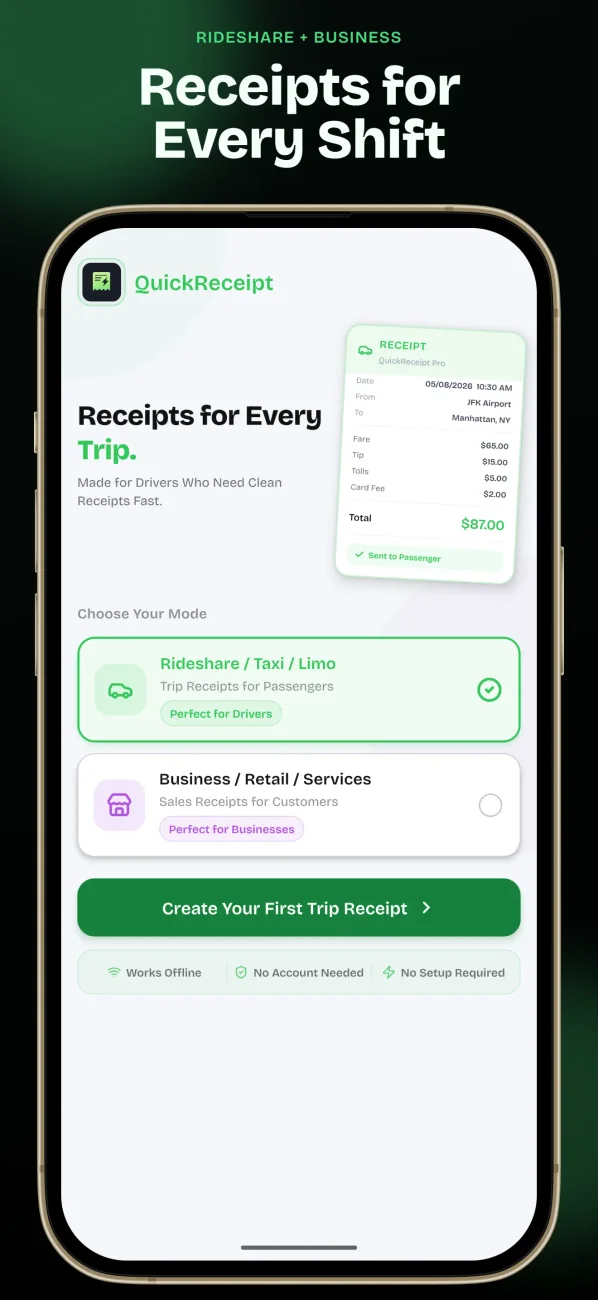
Choose the mode that fits the job.
RIDESHARE MODE
Create trip receipts for taxi, limo, rideshare, delivery, airport transfer, and independent driving work. Add pickup and drop-off details, fare, tip, tolls, payment status, and your driver information.
BUSINESS MODE
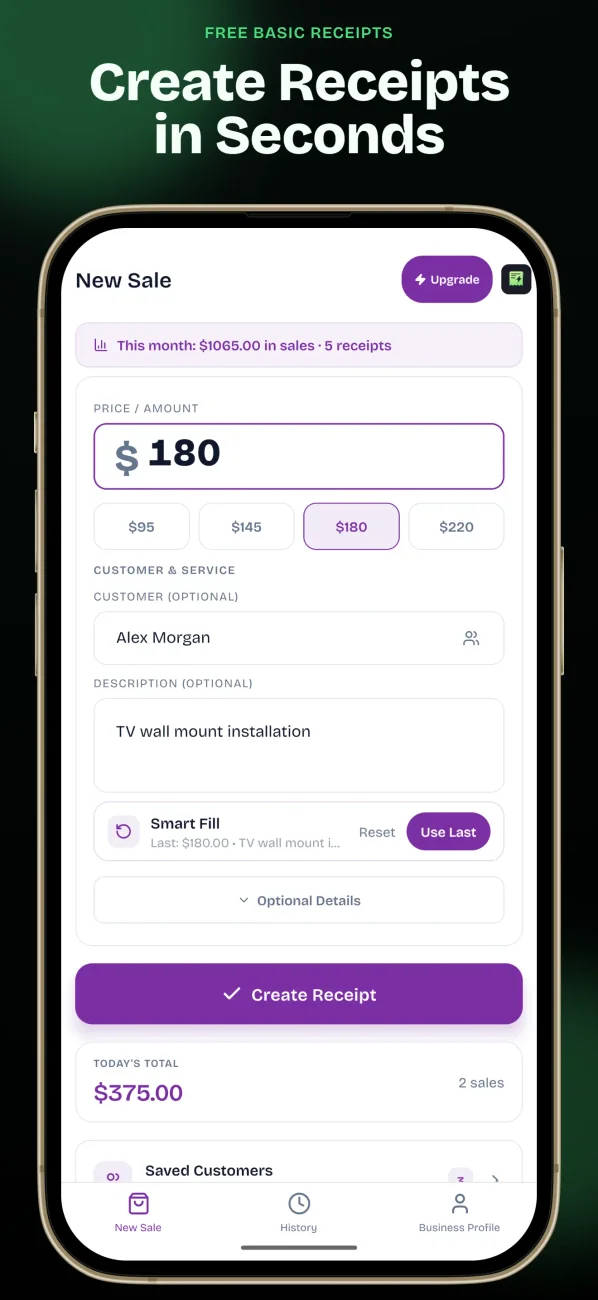
Create sales receipts for service work, shops, contractors, freelancers, and repeat customers. Add an amount and service description, taxes and fees you enter, payment status, notes, and your business details.
MAKE RECEIPTS FAST
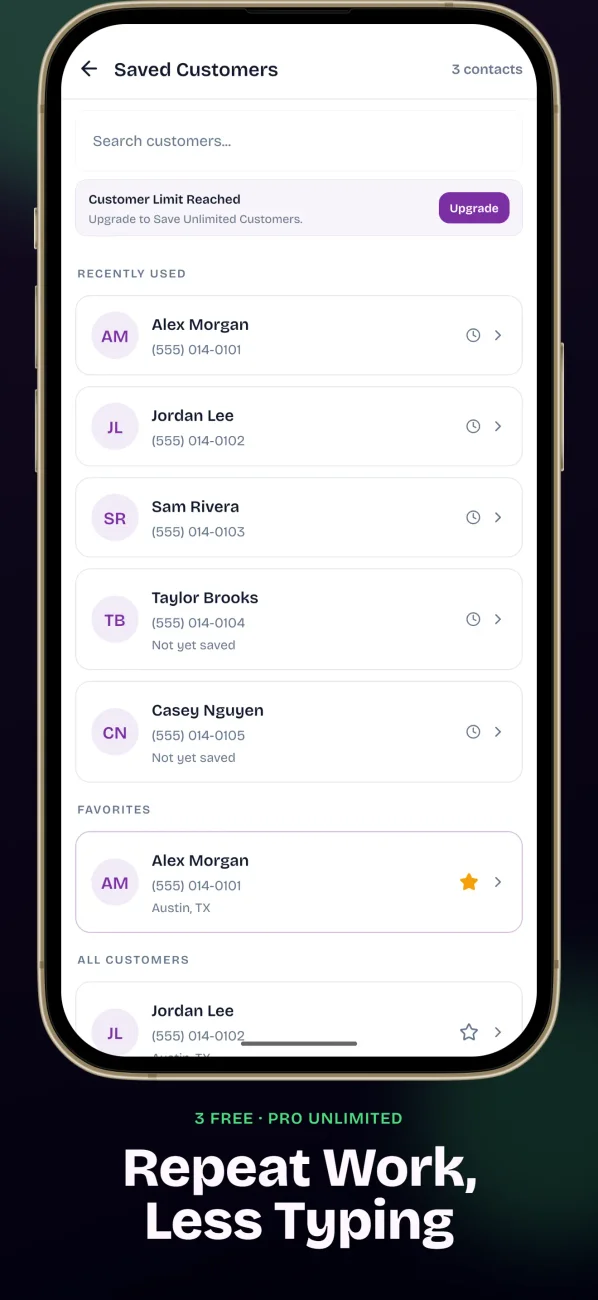
Create a receipt, review it, and keep a searchable local history. QuickReceipt supports receipt IDs, saved passengers or customers, payment reminders, regional date and currency settings, receipt templates, and dark or light appearance.
SHARE THE WAY YOU WORK
Copy receipt text or prepare an SMS message at no extra charge. QuickReceipt Pro adds PDF, email, image, and report exports, your logo, premium templates, branding removal from eligible outputs, and unlimited saved contacts. Your first five receipts or sales across both modes include the full-access experience. After that window, basic receipt creation, viewing, history, Copy, SMS, and expense logging remain available. Pro is needed for the additional export, branding, template, and contact features.
TRACK EXPENSES AND RECORDS
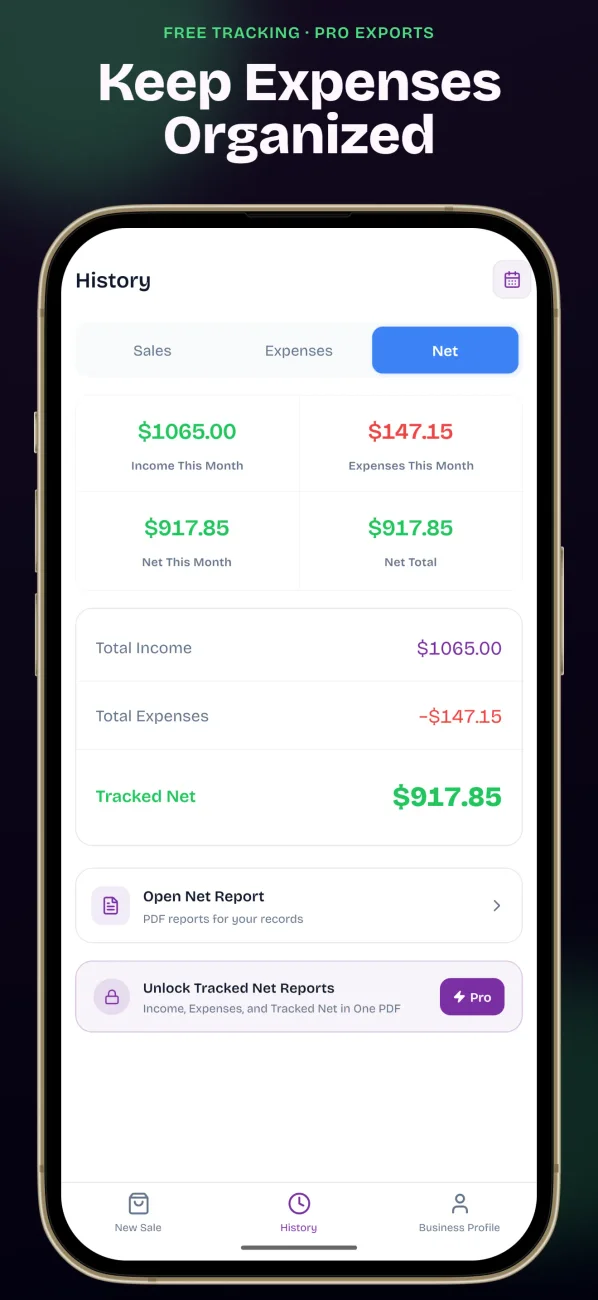
Log expenses with categories, notes, and optional receipt photos. Review local income, expenses, and tracked net totals, then export Pro reports for your records. QuickReceipt is a document tool, not tax, legal, or accounting advice; verify the information and any tax rates you enter before sharing a receipt.
PRIVATE BY DESIGN
QuickReceipt does not require an account or operate a cloud database for your receipt records. Working records stay in private app storage. Eligible app data may participate in operating-system backup or device transfer when enabled; QuickReceipt cannot confirm or guarantee those services. Optional address suggestions send the address text you type to Photon. Optional current-location autofill uses your device's location service when you request it. Purchases and subscription checks use Apple's in-app purchase system.
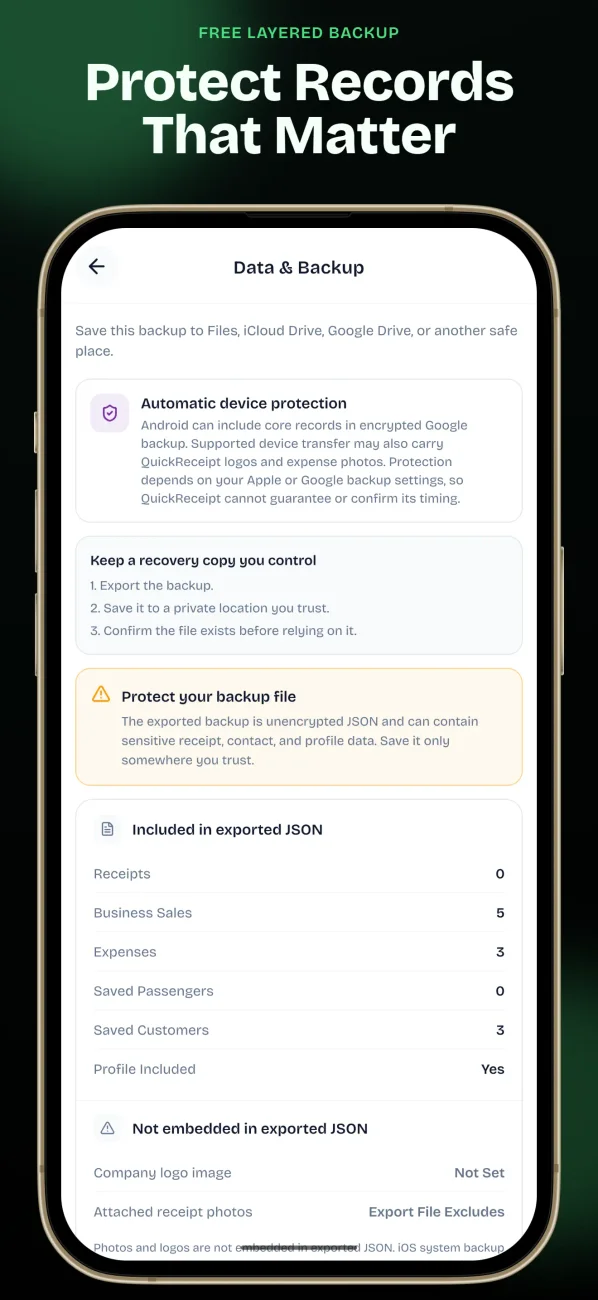
BACK UP ON YOUR TERMS
Keep a separate recovery copy by exporting local JSON to Files or another destination you choose. The app gently reminds you after meaningful use and again no sooner than 30 days. JSON files are unencrypted and exclude logo and expense-photo binaries, so verify and store them securely. Restore replaces current local app data.
QuickReceipt Pro is an auto-renewable subscription. Localized price and billing terms are shown before purchase. Manage or cancel subscriptions in your Apple Account settings.
Support: support@quick-receipt.com
Privacy Policy: https://quick-receipt.com/privacy
Terms of Service: https://quick-receipt.com/terms
What’s new
Version 2.6.0 · Aug 28, 2026
QuickReceipt 2.6.0 refreshes the experience for drivers and small businesses.
• Updated visual design and readability across both receipt modes
• Clearer receipt, expense, backup, and subscription guidance
• Improved accessibility, touch targets, and small-screen layouts
• More consistent export and sharing labels
• Layered device protection guidance and gentle backup reminders
• Reliability fixes for receipt creation, purchase restoration, and offline use
App privacy
What Miraz Mehbub declares on the App Store about how this app handles data.
-
Data linked to you
May be collected and linked to your identity.
- Location
- Search history
-
Data not linked to you
May be collected but is not linked to your identity.
- Purchases
Privacy practices may vary, for example with the features you use or your age.
Information
- Seller
- Miraz Mehbub
- Category
- Business
- Version
- 2.6.0
- Updated
- Aug 28, 2026
- Released
- Apr 20, 2026
- Size
- 57.9 MB
- Requires
- iOS 16.4 or later
- Age rating
- 4+
- Price
- Free
- In-app purchases
- Yes
- Languages
- English
- Copyright
- © 2026 wpggLabs
You might also like
-
 Thermal Receipt Printer: POSBill & Label Maker for Shops
-
 Receipt Maker : Make ReceiptMake Professional PDF Receipts
-
 Receipt Maker - SmartCreate & Download Receipts
-
 Receipt Maker PROSales Cash Receipts generator
-
 Receipt Generator: Maker & PDFCash, Rent & Payment Templates
-
 Receipt Maker GeneratorInstantly create documents
-
 Receipt Maker: Receipts AppReceipt Maker & PDF Generator
-
 Receipt Maker - Generate BillsCreate Business Payment PDFs
-
 Ace Receipt MakerReceipt Maker Pro
-
 Receipt MakerSales Cash Receipts generator