
Receipt Tracker - Synceipt
Match Receipts to Transactions
Designed for iPhone, iPad, iPod touch
Free · In-app purchases
- Age rating4+
- CategoryBusiness
- DeveloperJLITECH LLC
- LanguagesEnglish
- Size53.2 MB
Links to the official App Store page
Download.org hosts no file of Receipt Tracker - Synceipt. The button opens its official App Store page, published by JLITECH LLC. Listing last checked on Nov 25, 2026.
Screenshots

About
Synceipt — Your complete financial picture, automatically.
Stop chasing receipts and dreading tax season. Synceipt connects your banks and email accounts, captures every receipt, matches each charge to it, invoices your customers, and turns it all into tax-ready numbers.
Automatic Receipt Capture
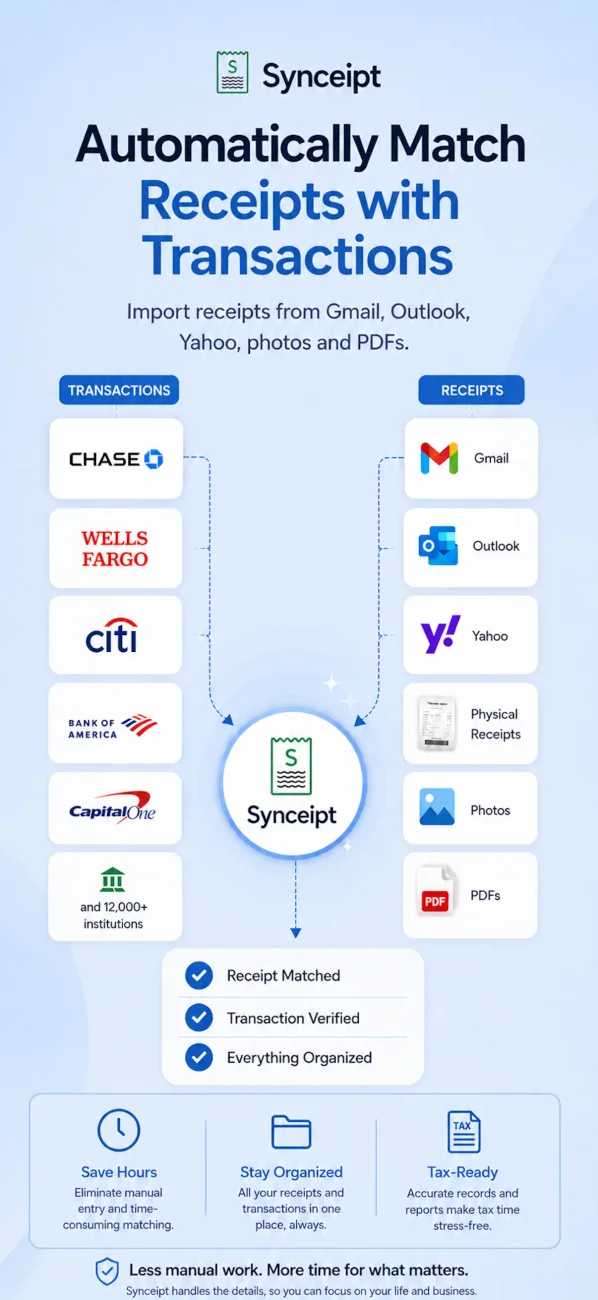
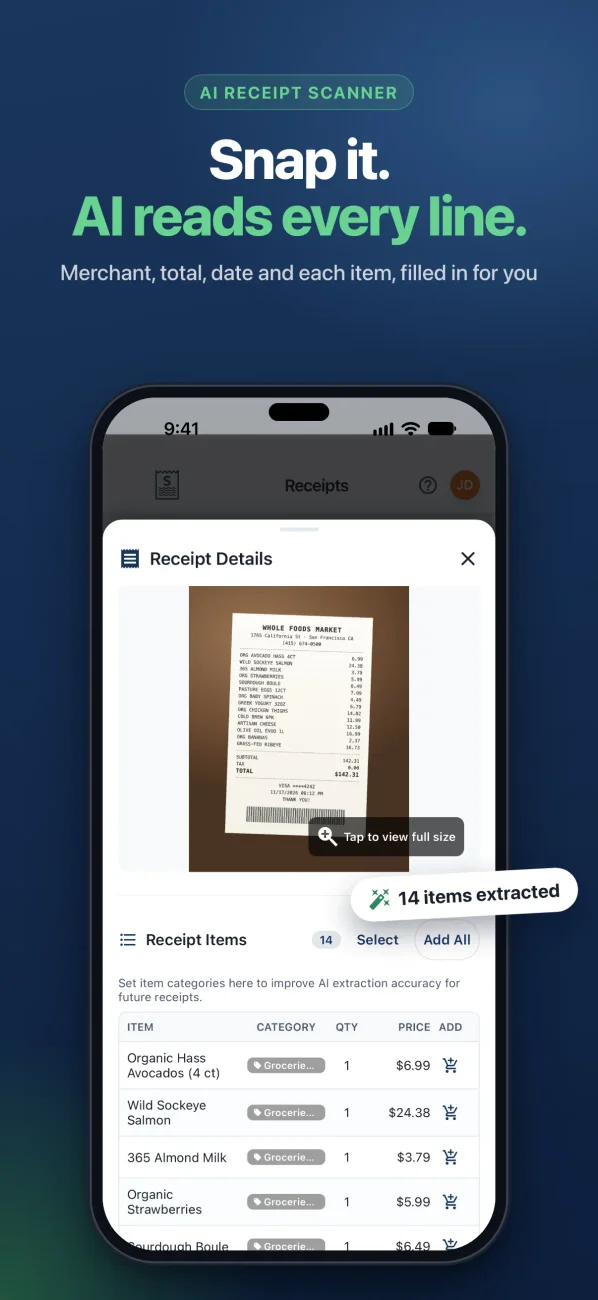
Connect your Gmail, Outlook, or Yahoo inbox and Synceipt pulls the merchant, amount, date, and line items from every purchase email — no manual entry. Snap a photo of any paper receipt; our AI does the rest.
Bank Sync — 12,000+ Banks
Link banks and credit cards via Plaid for automatic sync, or upload PDF statements. Transactions arrive categorized and ready to match.
Multi-Currency
Transactions stay in their own currency and convert to your primary at the day's rate — nothing lands in the wrong total.
Smart Matching
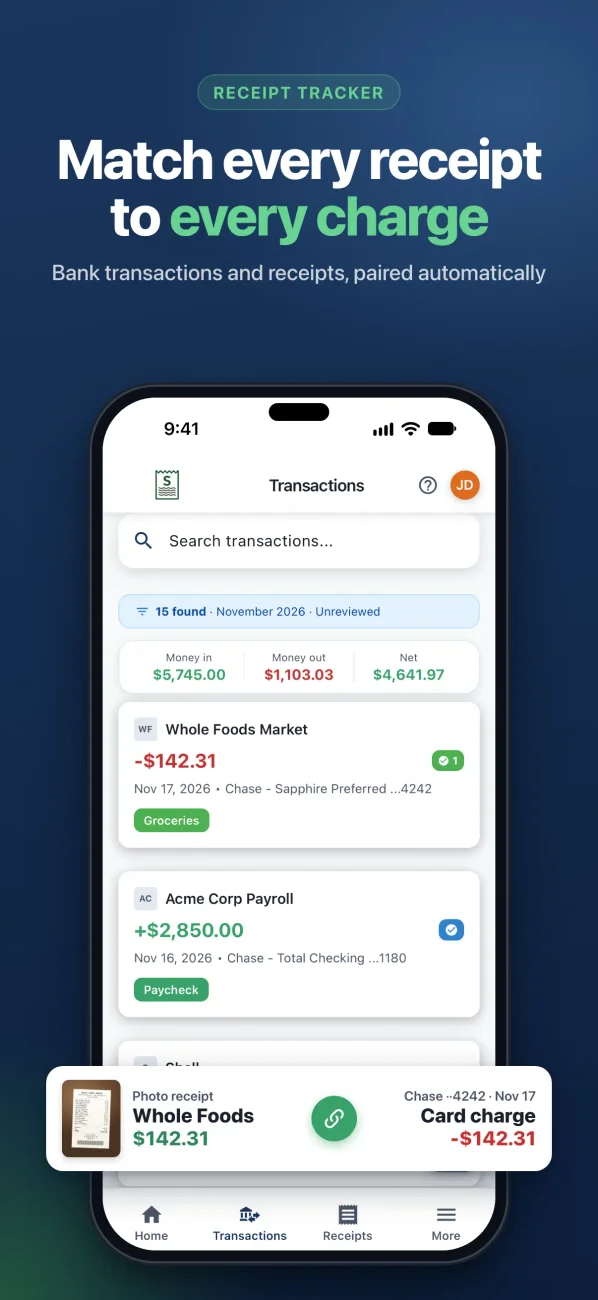
Every bank charge is linked to its email or photo receipt — so you know what you bought, not just where you swiped. Manual matching gives you full control.
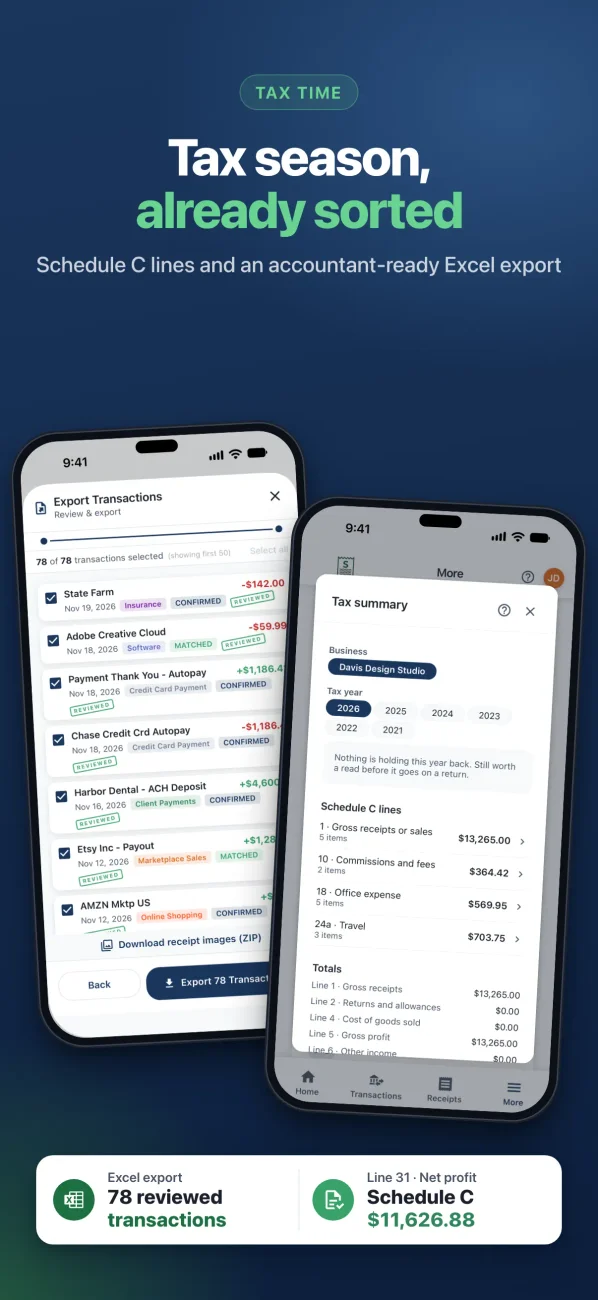
Tax-Ready Summaries
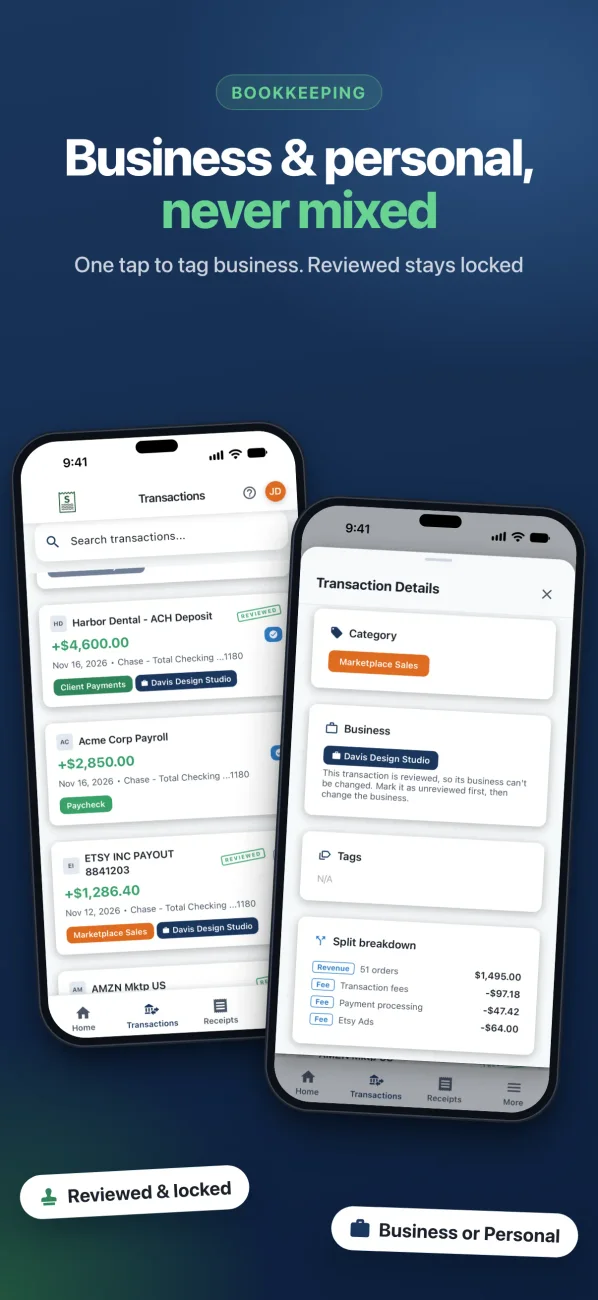
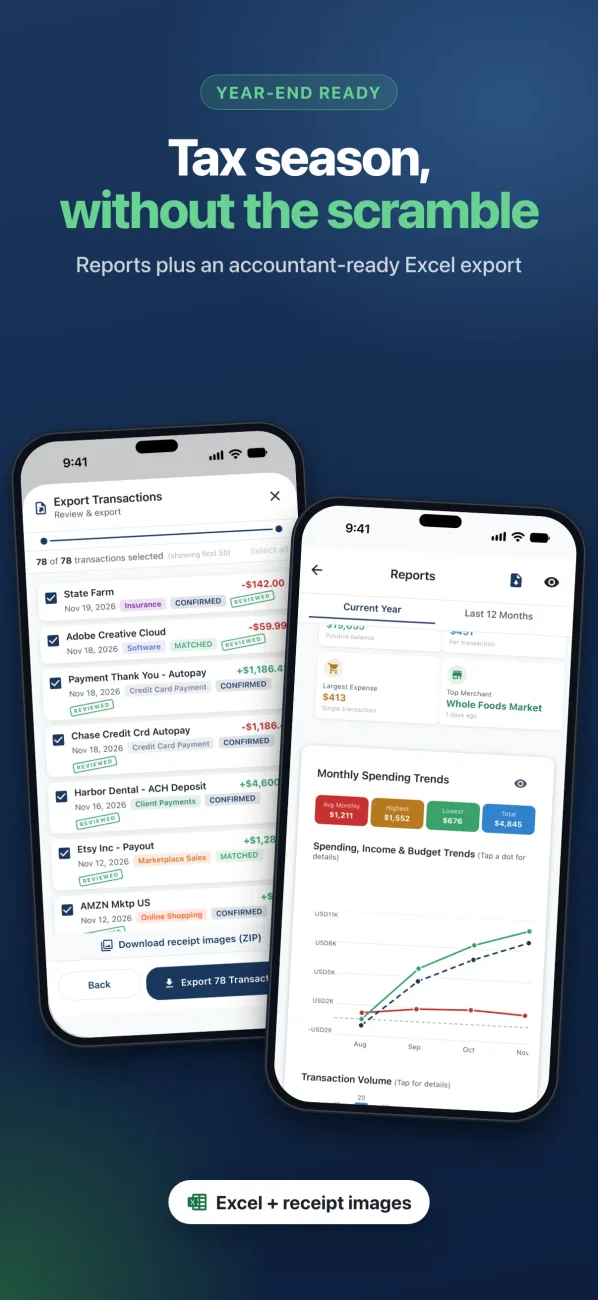
File each transaction to one of your businesses in one tap, and Synceipt sorts it onto the lines of IRS Schedule C — open any line to see the transactions and receipts behind it. Add mileage, home office, assets, and cost of goods sold; reconcile 1099-K income; track 1099-NEC contractors and estimated tax. Schedule E for rentals and a Schedule A helper too. Export to CSV, or give your CPA a complete packet with every receipt. US federal; you or your CPA file. (Paid plans; full toolkit on Pro & Pro+)
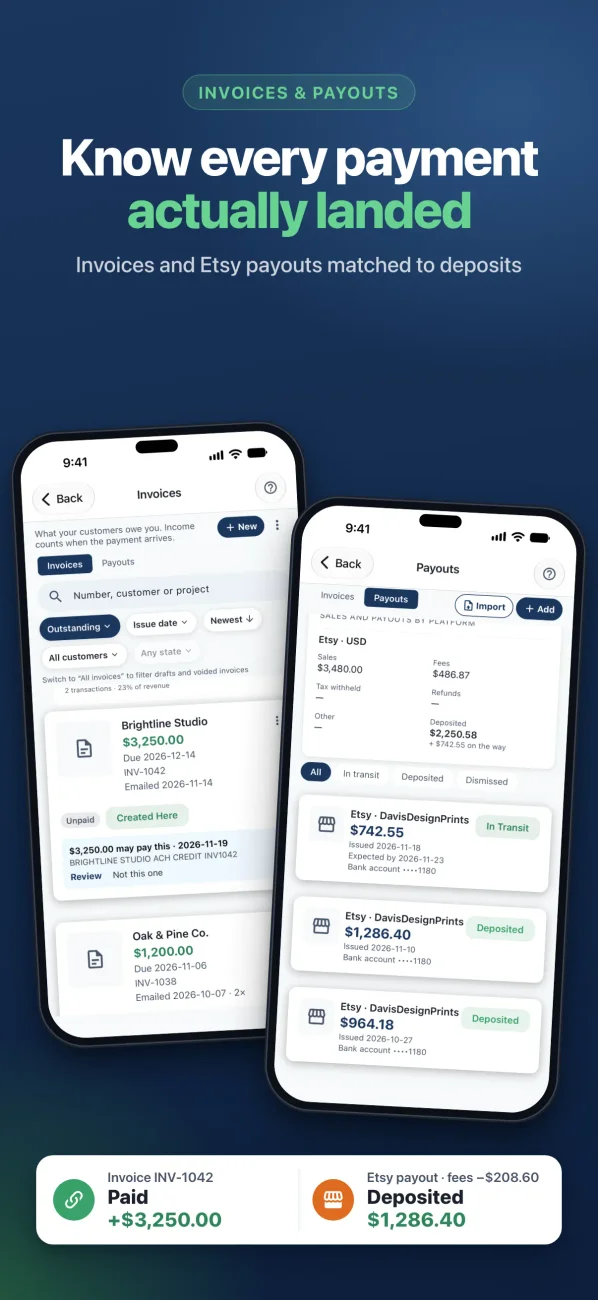
Invoices & Payouts
Bill customers from saved customer and price lists, or let AI read in an invoice you upload. Email it as a PDF and track Outstanding, Overdue, and Collected. Deposits match to invoices, in full or part. Match marketplace payouts to deposits and import Etsy statements. (Pro & Pro+)
Bookkeeping, Reconciliation & P&L
Mark items Reviewed or Excluded, and watch Money In, Money Out, and Net update as you filter. Reconcile each account against its bank statement, line by line, and lock the month once it ties out. Split a Stripe, Shopify, or Square deposit into revenue, fee, and tax lines. Add custom categories and run a Reviewed-only P&L with Revenue by Customer. Export to Excel with a ZIP of your receipts. (Pro & Pro+)
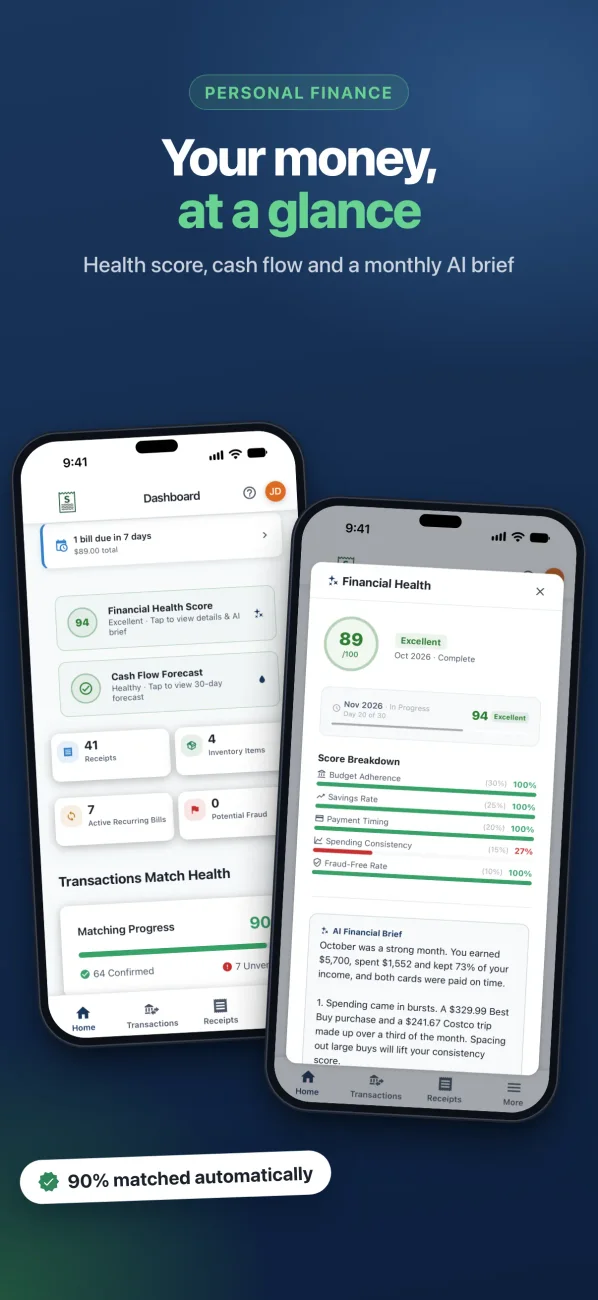
Financial Health Score
A monthly 0–100 score on budgets, savings, credit card habits, spending consistency, and fraud, with a plain-English AI brief and three personalized recommendations.
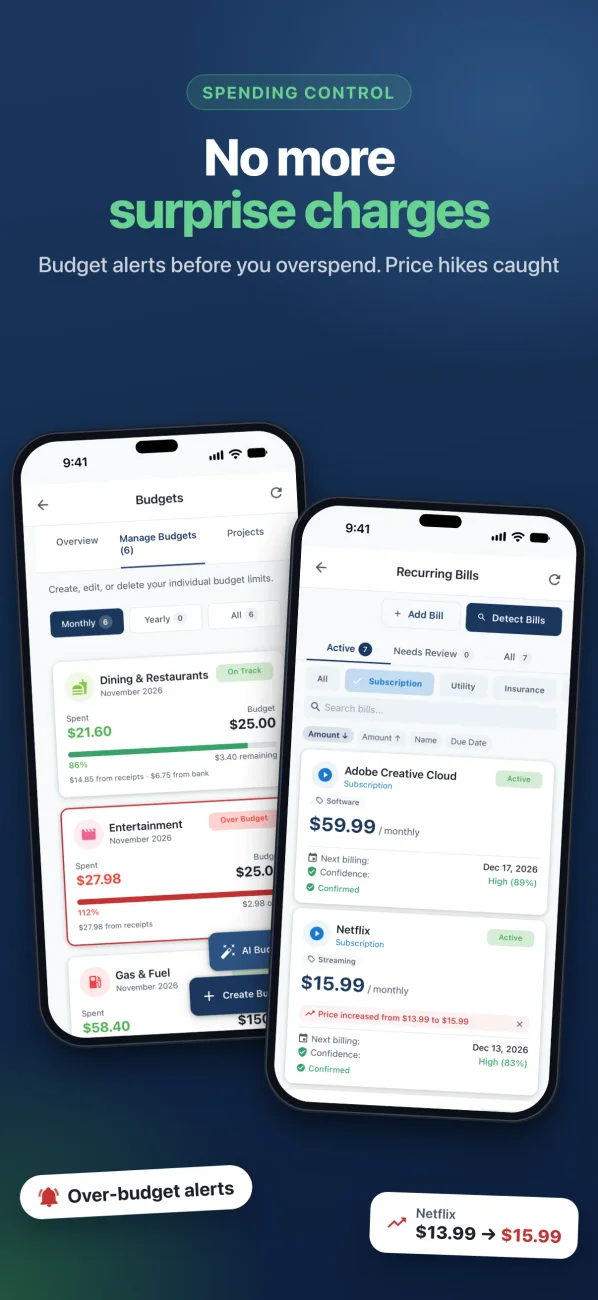
Budgets & Insights
Set category limits yourself or let AI build them from your history. Track progress live, with alerts before you overspend.
Projects
Track a trip, renovation, wedding, or any big spend — budget cap, linked transactions and receipts, checklist, and vendor contacts. (Paid plans)
Cash Flow Forecasting
See your projected balance 30 days ahead from your history and recurring bills — 90 days on Pro+.
Wallet & Gift Cards
Track gift card balances and cash purchases — including money that never touches a bank account.
Purchase Inventory
Every receipt becomes an inventory record — serial numbers, warranties, and status in one place. Sell something and AI matches the sale to the deposit.
Recurring Bills & Subscriptions
Detect repeating charges automatically. Get renewal alerts, spot price increases, and cancel what you no longer use.
Tags & Notes
Tag, annotate, and categorize any transaction, then filter and search your history your way.
Team & Family Sharing
Invite family, team members, or your bookkeeper or accountant — shared spending with role-based access.
Private & Secure
Face ID / Touch ID login. Auto-lock. AES-256 encryption. Read-only bank access — we can never move your money. CASA Tier 2 verified. Your data is never sold.
Available on iPhone, iPad, and web at synceipt.com.
Free plan available. Upgrade to Pro or Pro+ for advanced AI, higher limits, and extended forecasting.
Terms of Use: https://synceipt.com/terms-of-use
Privacy Policy: https://synceipt.com/privacy-policy
What’s new
Version 1.3.4 · Nov 24, 2026
Bookkeeping that runs itself, and asks before it guesses.
• Review Matches: everything that needs a decision, in one place (More → Review Matches). When two receipts or charges fit equally well, Synceipt now leaves the choice to you instead of guessing.
• See every automatic match: the Auto-matched tab shows the receipts and transfers matched for you, each with the reason. Undo any that's wrong, and it won't be matched that way again.
• Choose how much is automatic: set receipts, transfers, payouts, invoice payments and businesses to Automatic, Suggest only or Off.
• Rules: decide once how a vendor is filed (business, category and tags) and new transactions follow it. Preview a rule before you save it.
• Businesses learned from how you file: file a vendor under a business a few times, and its new charges are suggested for that business.
• Smarter matching: a restaurant charge with a tip added is suggested against its receipt, and the same charge appearing twice gets a duplicate check.
• AI suggestions (optional, off by default): suggested categories and businesses for transactions your rules don't cover. Nothing changes until you accept.
• Close the month with confidence: Close Books now shows a checklist of accounts not yet reconciled, items waiting for review, and transactions without a category.
• Reconciliation suggests your statement closing day, and automatic checks try again when late transactions arrive.
• Invoices: a processor payout that arrives short by its fee can be applied to several invoices at once.
• Unlimited project budgets on every paid plan.
• Fixed: scanned receipts now appear in Receipts as soon as you confirm them.
Some features depend on your plan; see More → Subscription for details.
App privacy
What JLITECH LLC declares on the App Store about how this app handles data.
-
Data linked to you
May be collected and linked to your identity.
- Purchases
- Financial info
- Contact info
- User content
- Identifiers
Privacy practices may vary, for example with the features you use or your age.
Information
- Seller
- JLITECH LLC
- Category
- Business
- Version
- 1.3.4
- Updated
- Nov 24, 2026
- Released
- May 28, 2026
- Size
- 53.2 MB
- Requires
- iOS 15.1 or later
- Age rating
- 4+
- Price
- Free
- In-app purchases
- Yes
- Languages
- English
- Copyright
- © 2026 JLITECH LLC
You might also like
-
 Roast My WalletRoast Your Spending Habits
-
 Service Workspace LITERepair Shop Management
-
 Spendliyour all-in-1 expense manager
-
 MechanicKeyWorkshop Management Simplified
-
 SageSnap: Receipts & TaxTax-ready receipts, on device
-
 BudJet: Receipt ScannerExpense & Budget Tracker
-
 Docket (Expense Tracker)Expense & receipt tracker
-
 EasyDebts: Debt TrackerIOU, Loans & Payment Reminder
-
 Ledgr: Expense & Tax TrackerFreelance Bookkeeping & 1099