
Receiptic: Receipt Scanner
Expenses, VAT & Excel Export
Designed for iPhone
In-app purchases
- Age rating4+
- CategoryFinance
- Developeryatagan oguz kagan
- LanguagesFrench+ 11 more
- Size10.8 MB
Links to the official App Store page
Download.org hosts no file of Receiptic: Receipt Scanner. The button opens its official App Store page, published by yatagan oguz kagan. Listing last checked on Nov 12, 2026.
Screenshots
About
Snap it. Leave the rest.
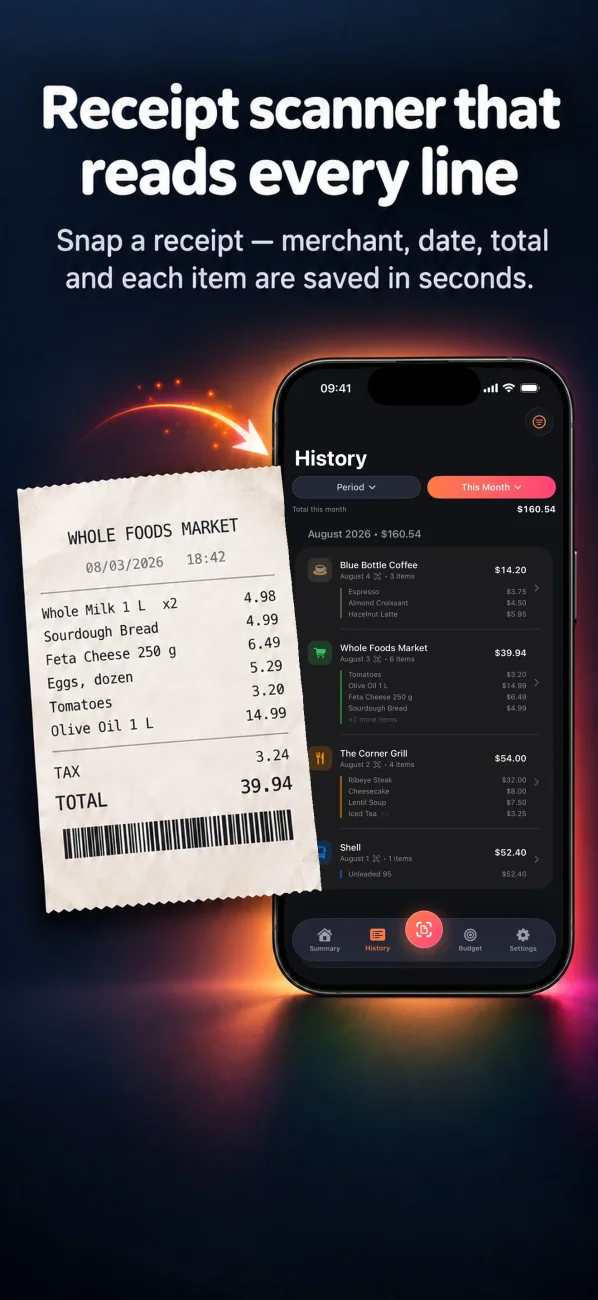
Receiptic reads a photo of your receipt with AI: merchant, date, time, receipt
number, total, VAT and every item you bought, one by one. You never type a
single figure.
IT READS LINE BY LINE
Most apps take only the total from a receipt. Receiptic saves ten items on one
receipt as ten separate lines. You see exactly what you paid for what.
ONE FILE FOR YOUR ACCOUNTANT
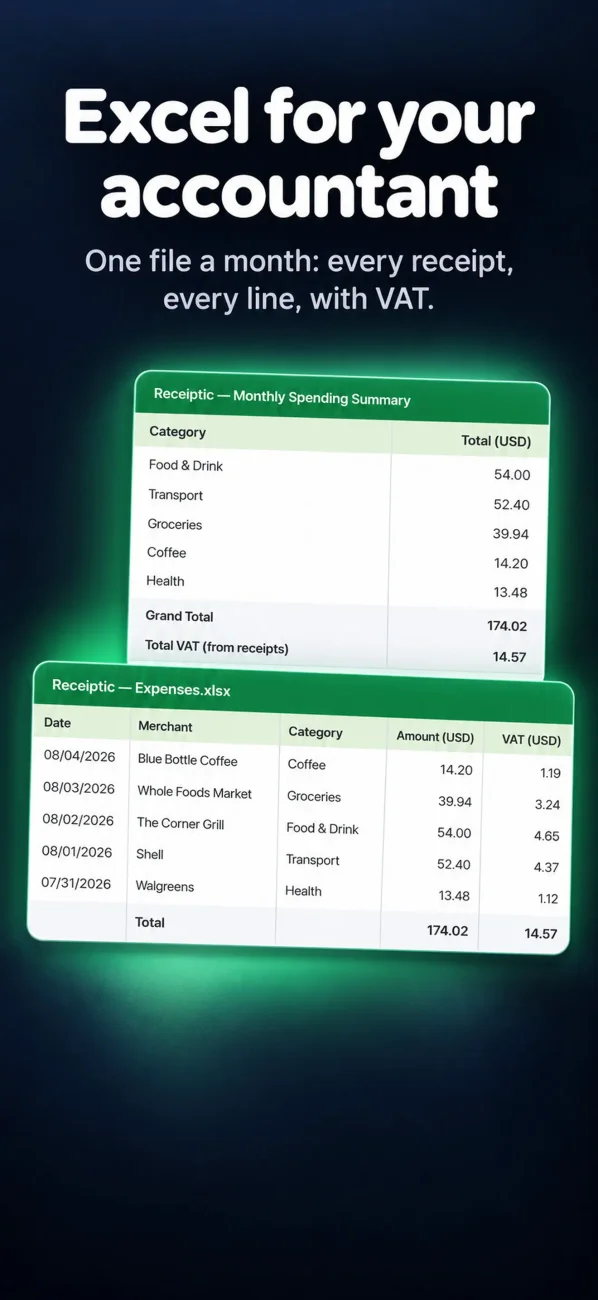
At month's end, generate an .xlsx and share it. Category summary, line-by-line
breakdown and the VAT collected from your receipts, all in one file.
BUDGETS AND STREAKS
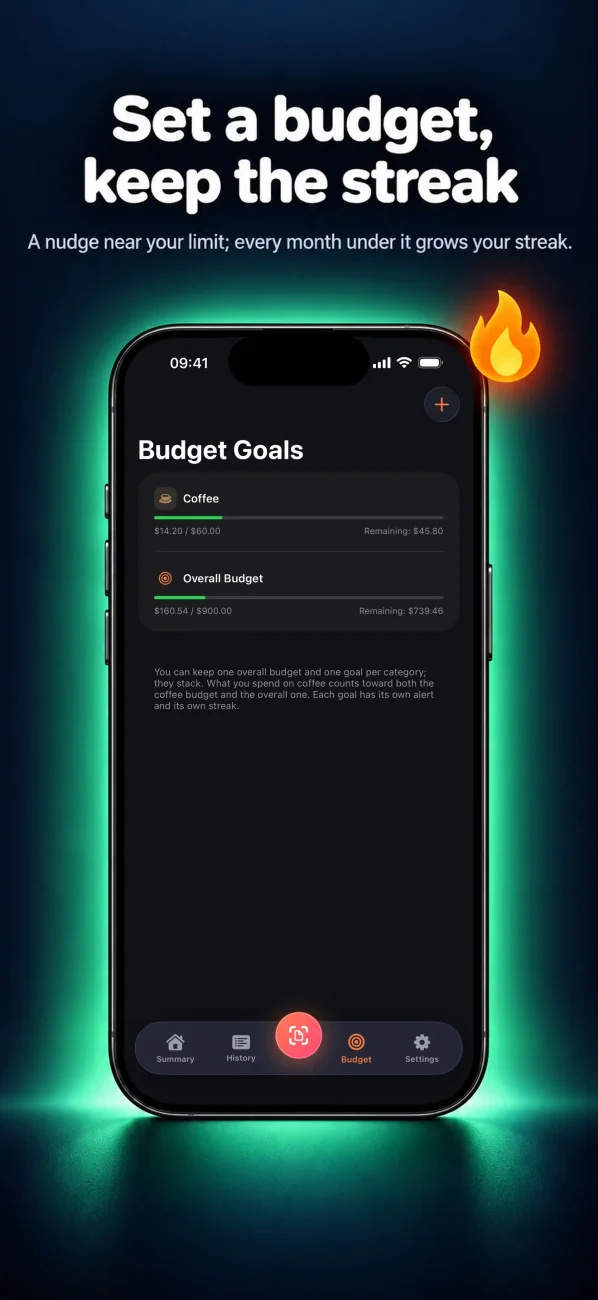
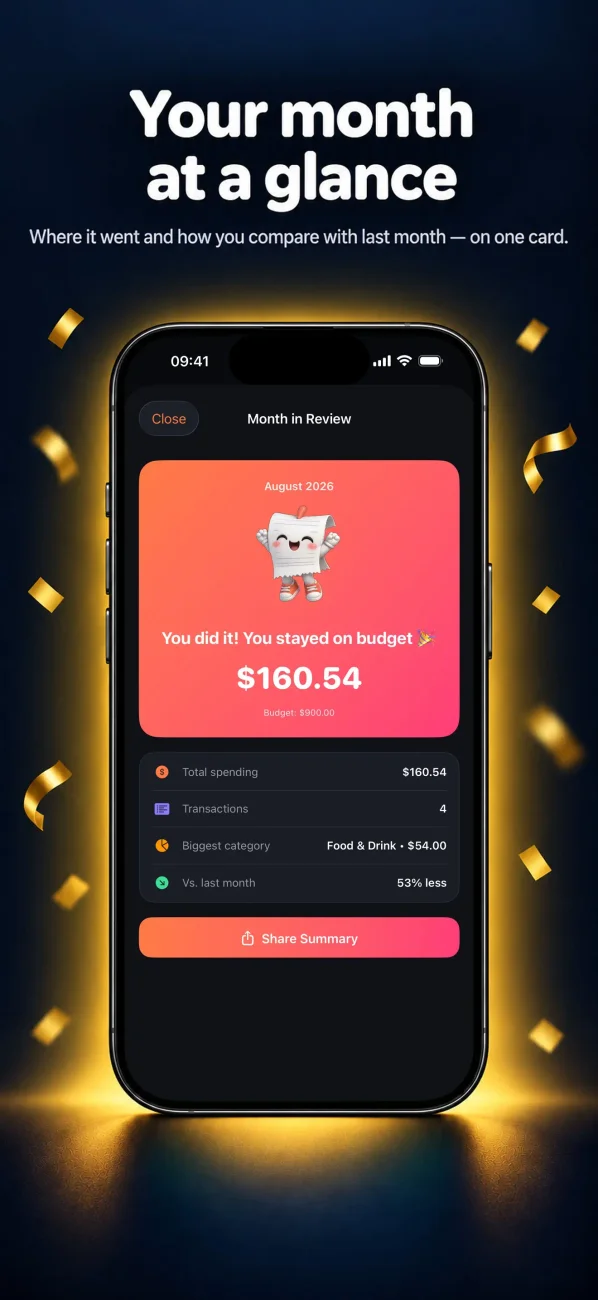
Set a monthly limit. You get a nudge at 90% of it. Every month you close under
the limit extends your streak.
NO BANK ACCOUNT REQUIRED
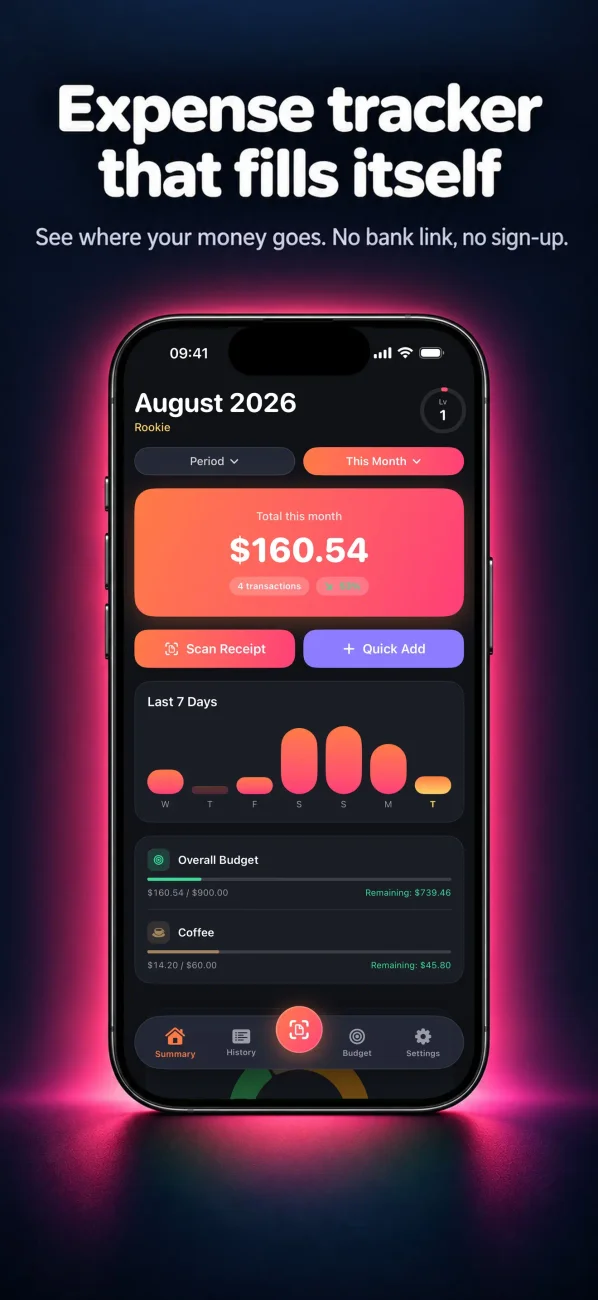
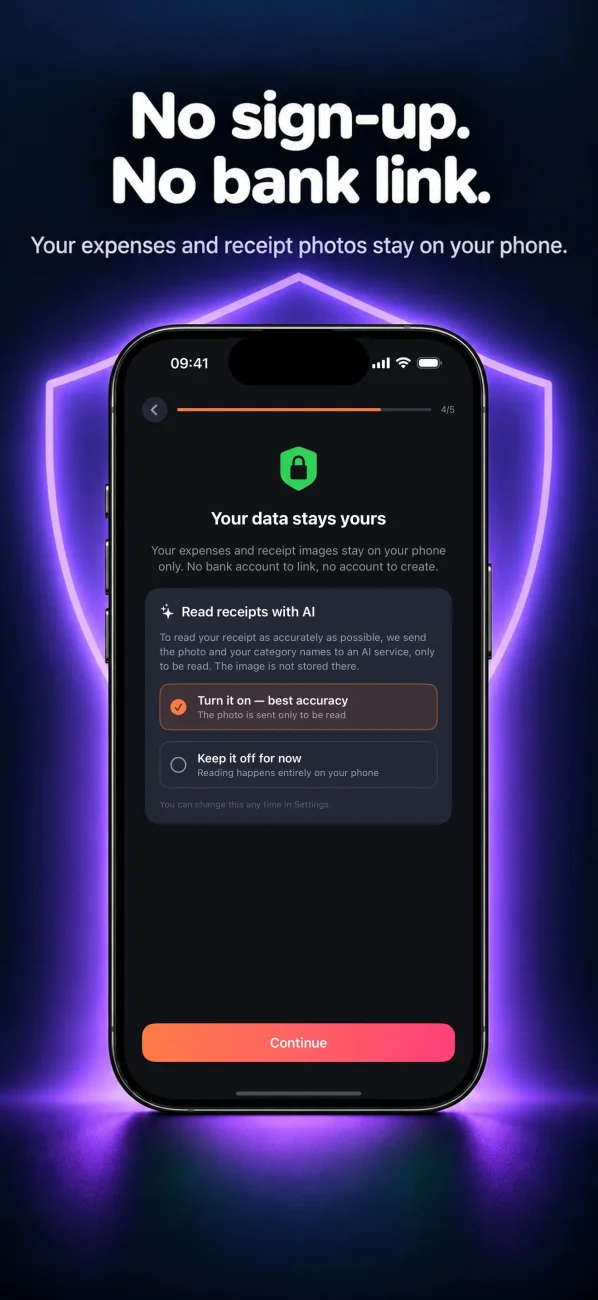
No membership, no sign-up, no bank connection. Download, snap, done.
Your expenses and receipt images stay on your phone. The receipt photo is sent
only to be read, and you can turn that off in Settings — with it off, reading
happens entirely on your device.
12 LANGUAGES, EVERY COUNTRY
English, Turkish, German, French, Spanish, Italian, Portuguese, Dutch, Polish,
Russian, Japanese and Arabic. Currency follows your phone's region; a receipt
you snap abroad keeps its own currency.
ALSO
• Home screen widget: this month's total, budget status, top category
• Insights: "your coffee spending is up 40% from last month"
• Month in review — a shareable card
• Levels and XP: turns a boring chore into a game
FREE AND PRO
The free version scans 2 receipts a day, takes unlimited manual entries and
exports the category summary to Excel. Budget goals, insights and the home
screen widget also work in the free version.
Pro: unlimited scanning, line-by-line Excel with VAT, and back-to-back
scanning in one session.
Terms of Use (EULA): https://www.apple.com/legal/internet-services/itunes/dev/stdeula/
Privacy Policy: https://receiptic.app/en/privacy/
What’s new
Version 1.2 · Oct 12, 2026
• If you'd like, we can now let you know about new features and handy tips with a notification. It's completely optional — turn it on or off anytime in Settings → Notifications.
App privacy
What yatagan oguz kagan declares on the App Store about how this app handles data.
-
Data not linked to you
May be collected but is not linked to your identity.
- Purchases
- User content
- Identifiers
Privacy practices may vary, for example with the features you use or your age.
Information
- Seller
- yatagan oguz kagan
- Category
- Finance
- Version
- 1.2
- Updated
- Oct 12, 2026
- Released
- Sep 10, 2026
- Size
- 10.8 MB
- Requires
- iOS 17.0 or later
- Age rating
- 4+
- In-app purchases
- Yes
- Languages
- French, German, English, Arabic, Spanish, Italian, Japanese, Dutch, Polish, Portuguese, Russian, Turkish
- Copyright
- © 2026 Oğuz Kağan Yatağan
You might also like
-
 Sorayli: AI Receipt ScannerExpense Tracker & Budget App
-
 Receipt Scanner: ExpensesScan, track & PDF tax reports
-
 ReceiptStorm: Receipts & AIScan receipts, track spending
-
 Saveliny: AI Expense TrackerBudget & receipts by voice
-
 Billscan Ai: Receipt ScannerAI Expense & Budget Tracker
-
 Receipt Scanner & Spending LogCompare item prices by store
-
 Finance Three: Budget TrackerSee What You Can Spend Today
-
 Varlio: Budget & GoldSpending, FX & savings goals
-
 SnapCost: Receipt ScannerAI expense tracker & budgets
-
 Pikscan: Expense reportsScan receipts · Trips · Export