
Receiptly: Receipt Scanner
Expense tracker, no account
Designed for iPhone
In-app purchases
- Age rating4+
- CategoryFinance
- DeveloperMuhammed Furkan Kfrevi
- LanguagesEnglish+ 1 more
- Size1.6 MB
Links to the official App Store page
Download.org hosts no file of Receiptly: Receipt Scanner. The button opens its official App Store page, published by Muhammed Furkan Kfrevi. Listing last checked on Nov 9, 2026.
Screenshots


About
Receipts pile up in a drawer, a wallet, a camera roll. Then it's tax time, or an expense claim is due, and you spend an evening sorting through them.
Receiptly turns that evening into a few seconds per receipt. Point the camera, and the merchant, total, date and category fill themselves in. Check the numbers, tap save, done.
EVERYTHING STAYS ON YOUR IPHONE
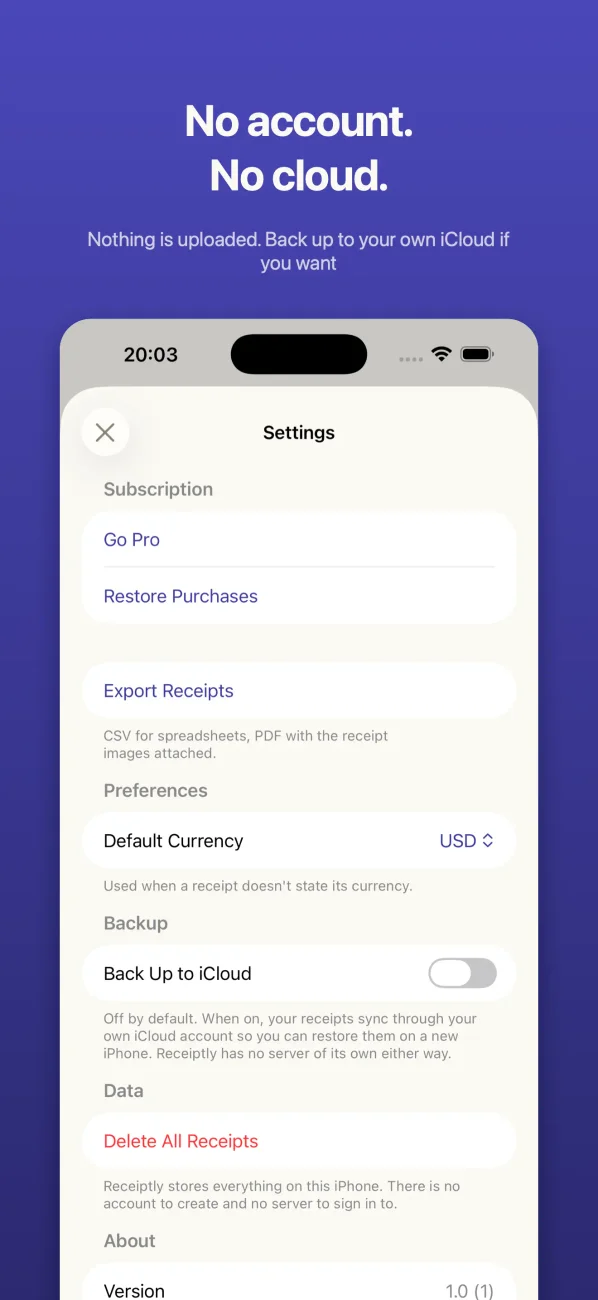
There is no account to create and no server of ours to sign in to. Your receipts and their images never leave the device. If you want a backup, you can turn on syncing through your own iCloud, and even then it is your iCloud, not ours.
BUILT FOR ONE PERSON, NOT A FINANCE DEPARTMENT
Most receipt apps are cut down versions of corporate expense software: approval flows, team seats, per user pricing, an account you have to maintain. If you are a freelancer, a contractor, a sole trader or someone who just needs their own receipts in order, all of that is in the way.
Receiptly has one flow: capture, check, save.
WHAT IT DOES
- Scan with the camera, import from Photos, or type a receipt in by hand when there is no paper
- Reads the merchant, total, currency, date and category automatically
- Scan several receipts in one session
- Search by merchant or note, filter by category
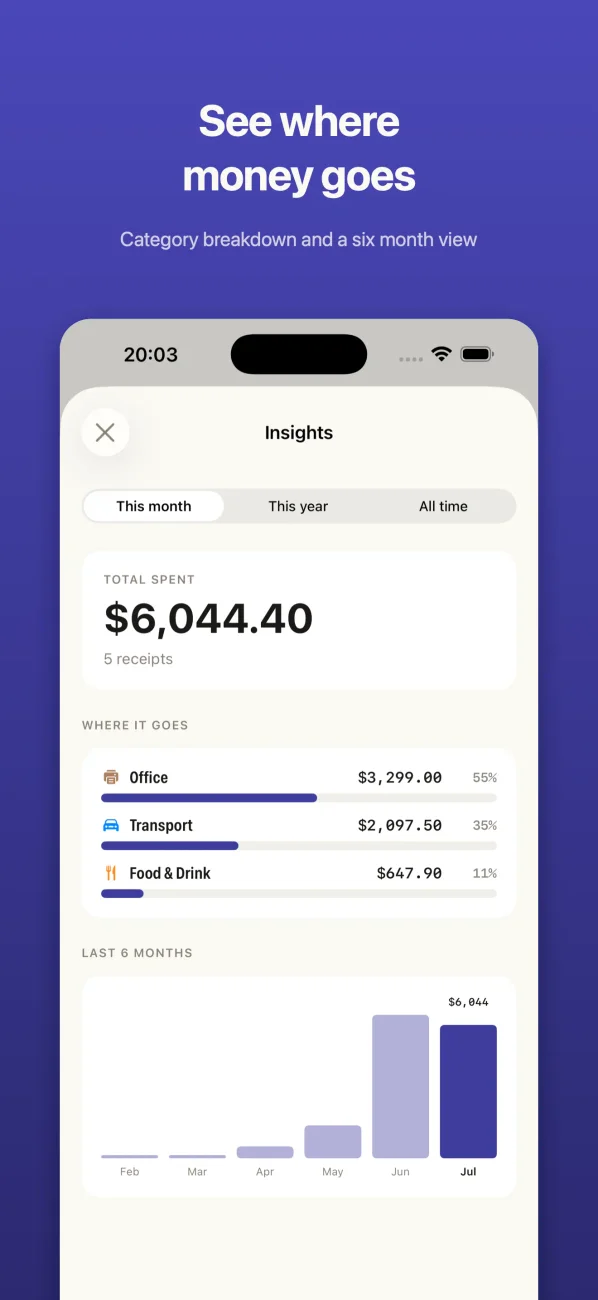
- See where your money goes: category breakdown and a six month comparison
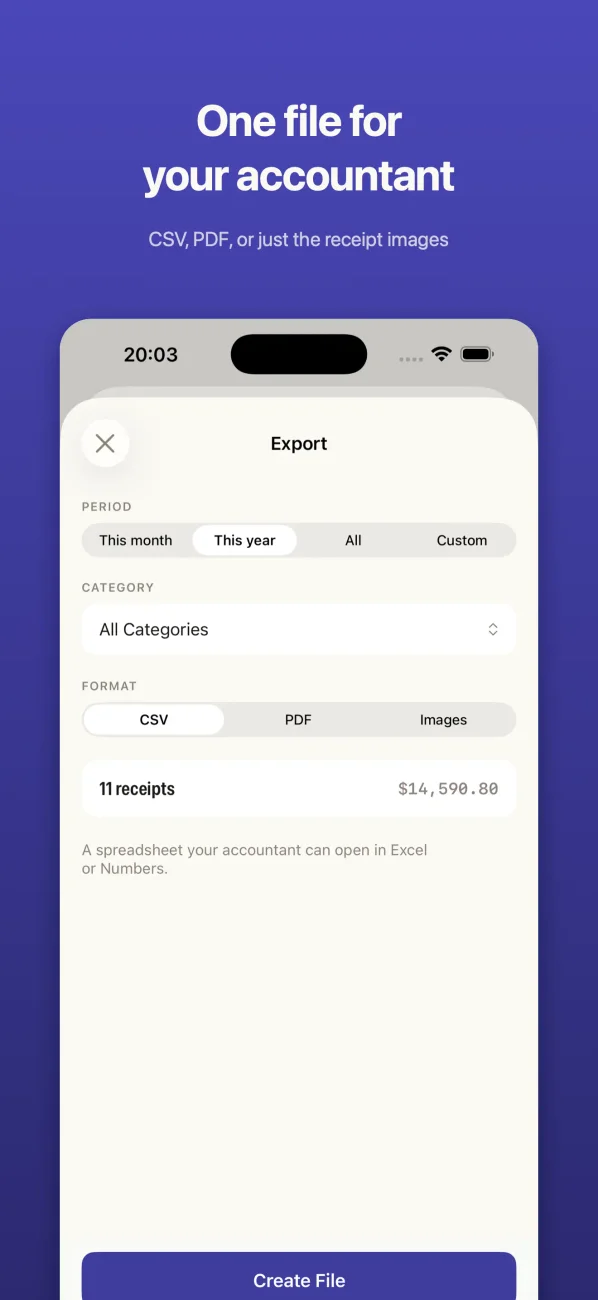
- Export to CSV for your spreadsheet or accountant
- Export to PDF with a summary table and every receipt image attached
- Export images only, one receipt per page, when that is all that is asked for
- Pick any date range, or just this month, this year, everything
- Home screen widget with the month's running total
- Works fully offline
- English and Turkish
ABOUT THE AUTOMATIC READING
On iPhone 15 Pro and newer, Receiptly uses Apple's on device intelligence to pull the details out of a receipt. Nothing is sent anywhere to make that happen. On older iPhones the app reads receipts with on device text recognition instead, so it still works, it is just less clever about unusual layouts.
Either way you see what was read before anything is saved, and you can correct any field. Receiptly does not give tax or accounting advice and does not decide what is deductible. It records what is printed on the receipt. What you do with it is between you and your accountant.
FREE AND PRO
Ten scans a month are free, and receipts you type in by hand never count against that. Pro removes the limit and unlocks CSV and PDF export.
Pro is one price, not a menu: a yearly plan, or a single payment if you would rather never think about it again.
Terms of Use (EULA): https://www.apple.com/legal/internet-services/itunes/dev/stdeula/
Privacy Policy: https://furkankufrevi.github.io/legal/receiptly/
App privacy
What Muhammed Furkan Kfrevi declares on the App Store about how this app handles data.
-
Data not collected
The developer does not collect any data from this app.
Privacy practices may vary, for example with the features you use or your age.
Information
- Seller
- Muhammed Furkan Kfrevi
- Category
- Finance
- Version
- 1.0
- Updated
- Aug 6, 2026
- Released
- Aug 6, 2026
- Size
- 1.6 MB
- Requires
- iOS 18.0 or later
- Age rating
- 4+
- In-app purchases
- Yes
- Languages
- English, Turkish
- Copyright
- © 2026 Muhammed Furkan Kfrevi
You might also like
-
 Receipt Scanner: StarlogExpense tracker on your Drive
-
 ReceiptFlow - Scan ReceiptsFinance
-
 Snapstub: Receipt ScannerExpense tracker & mileage log
-
 Zcan Lite - Receipt ScannerAI Invoice & Expense Tracker
-
 Receiptly: Receipt Tax ExpenseTrack expenses & sync receipt
-
 Mileage & Bills Budget TrackerGPS, 1099 Jobs, Tax Deductions
-
 Receiptly - Expense TrackerSnap. Track. Stay in control
-
 Checkbook -Budget & Expenses 2Reconcile & Balance checkbook
-
 ReceiptHQReceipts, Miles & Tax Savings
-
 Receipt Scanner: ReceetoExpense Tracker & Manager