
ReceiptPort: AI-Ready Receipts
Scan, organize & share JSON
Designed for iPhone
In-app purchases
- Age rating4+
- CategoryFinance
- DeveloperNaoki Takahashi
- LanguagesEnglish
- Size8.8 MB
Links to the official App Store page
Download.org hosts no file of ReceiptPort: AI-Ready Receipts. The button opens its official App Store page, published by Naoki Takahashi. Listing last checked on Nov 25, 2026.
Screenshots
About
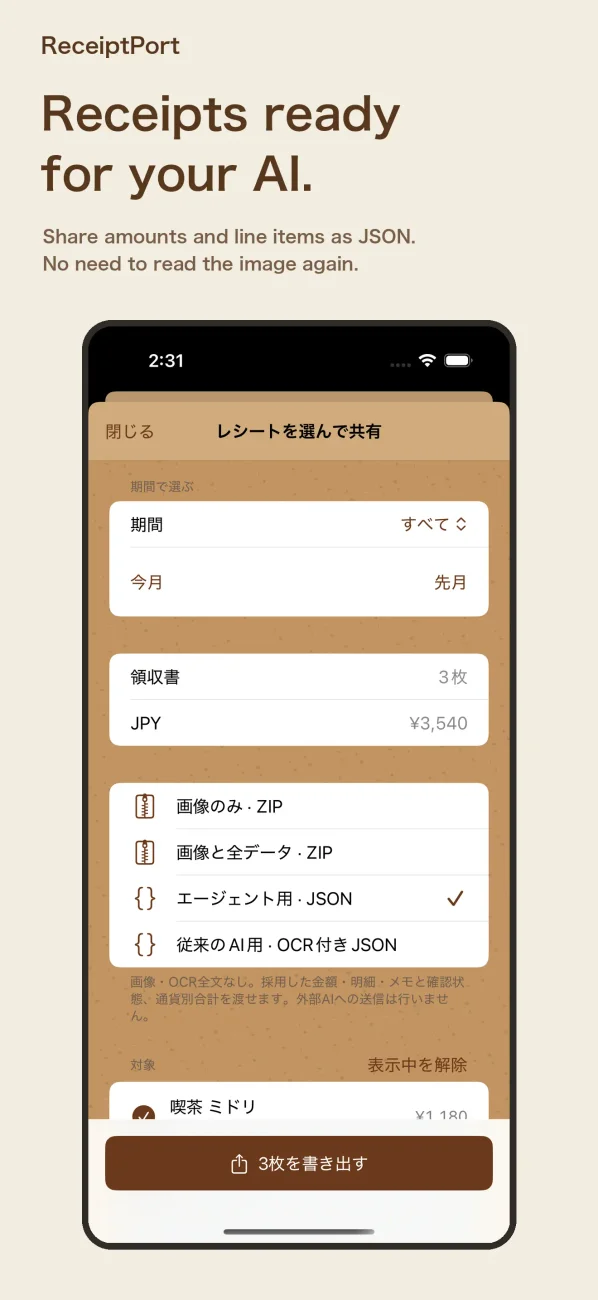
Receipts ready for your AI.
ReceiptPort, formerly ReceiptPocket, prepares receipt data for the AI assistant you use.
SHARE DATA WITHOUT ASKING YOUR AGENT TO READ IMAGES AGAIN
Export compact agent JSON with adopted receipt fields, review flags, and totals by currency. It excludes images and full OCR text. External AI still uses input tokens to read the JSON.
SHARE MONTHLY DATA THROUGH GOOGLE DRIVE
Enable optional agent-data sync to publish a folder manifest and monthly JSON files. Copy a request for a selected month and task to an assistant such as Muse. This is a portable handoff, not a dedicated automatic integration; the assistant needs its own Drive access. JSON export, Drive sync, and request creation are available on the free plan. External AI fees are not included.
Spend less time looking for receipts when expenses are due.
ReceiptPort helps you turn paper receipts into an organized collection, then gather the images and CSV files you need for an expense report.
LESS TYPING
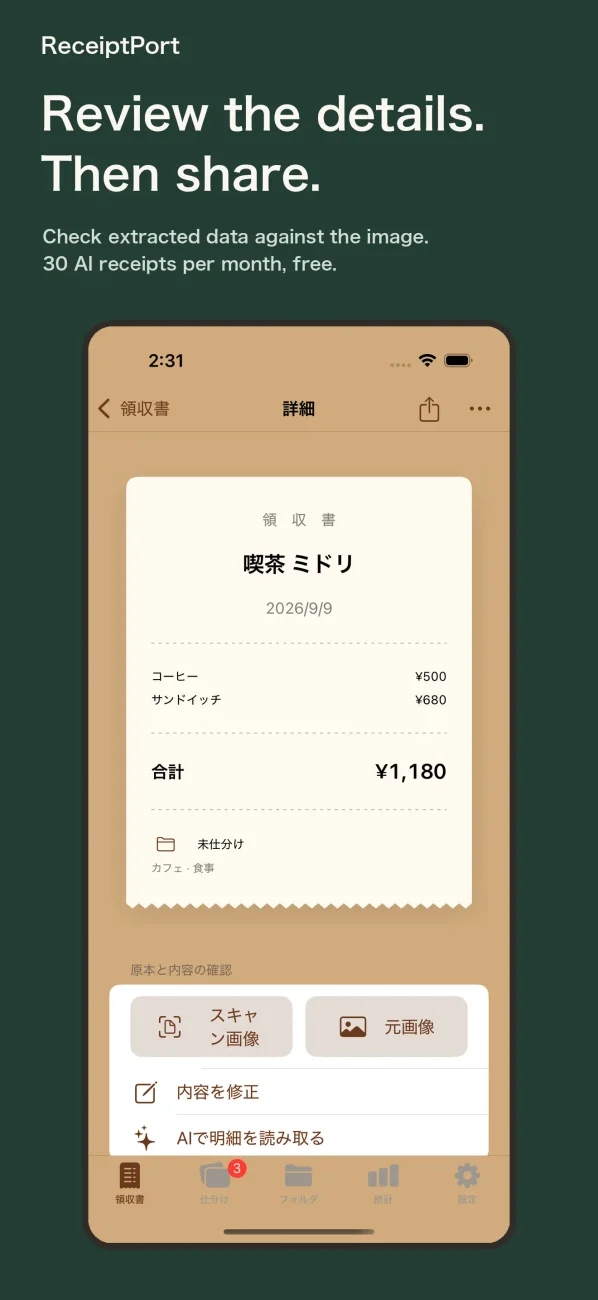
Capture a receipt or import a photo. Text recognition helps fill in the merchant, date, amount, and line items. Review the result alongside the image and correct it as needed.
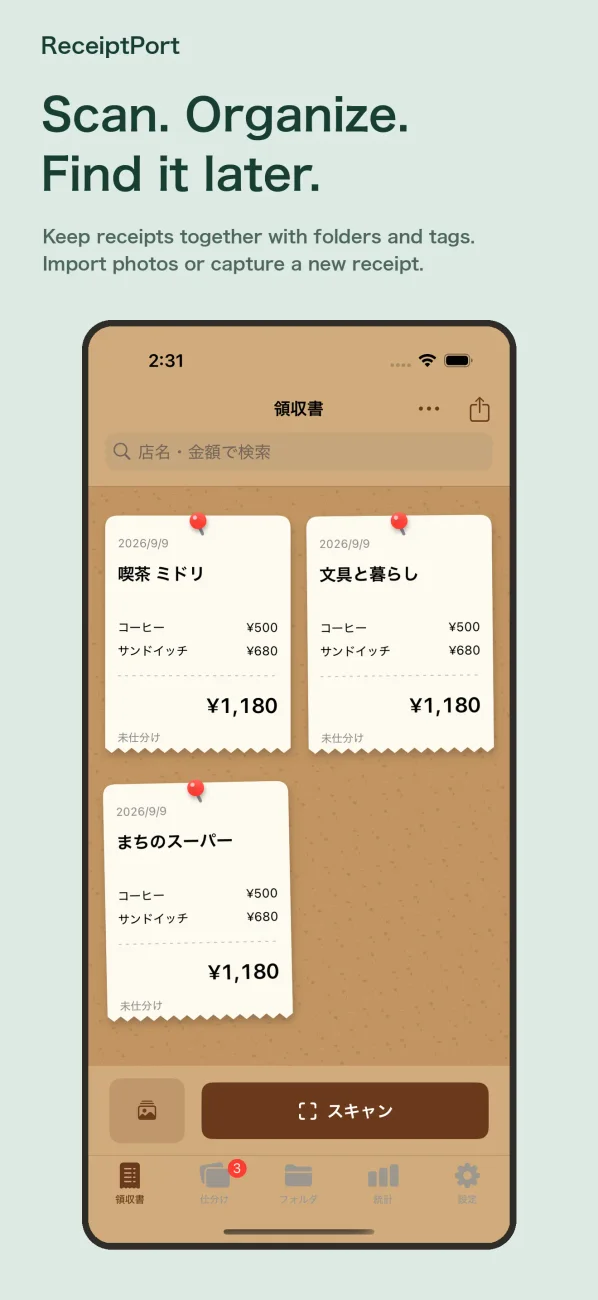
FIND THE RECEIPT YOU NEED
Separate work and personal receipts with folders and colored tags. Swipe to sort, then search merchants and recognized text to find an individual receipt.
GET YOUR DOCUMENTS READY
Export receipt images, a receipt CSV, and a line-item CSV for expense-report or bookkeeping preparation. Correct image rotation and add text annotations before sharing.
SHARE SELECTED RECEIPT IMAGES
Browse the receipt grid, select receipts, and export an image-only ZIP. Sort by receipt date or scan date and open a receipt-style detail view.
REVIEW YOUR SPENDING
See spending by tag, with separate totals for each currency. Camera scans save to Photos by default after add-only permission is granted. You can disable automatic saving in Settings.
KEEP SELECTED FOLDERS IN GOOGLE DRIVE
Optional automatic sync sends images and CSV files from the folders you choose to Google Drive. Sync is off by default. Choose whether to organize synced files into receipt-month folders. Image filenames include the receipt date, merchant, and amount.
Check recognized information before using it. ReceiptPort does not submit expense claims to your employer or directly register entries in accounting software.
Receipt images and records are primarily stored on your device. Optional cloud AI analysis includes 30 receipts per month for free, with explicit consent before images and OCR text are sent. On-device OCR, saving, and manual editing continue after the allowance is exhausted.
The app interface is currently in Japanese, designed for receipt and expense-document workflows in Japan.
The free plan displays banner and inline ads. Receipt management remains available when tracking permission is declined.
Terms: https://receiptpocket-analysis.takahashinaoki521.workers.dev/terms
Privacy Policy: https://receiptpocket-analysis.takahashinaoki521.workers.dev/privacy
ReceiptPort Pro is an optional auto-renewable monthly or yearly subscription with 300 AI receipts per month and no ads, offered in the Japan storefront. Allowances reset at midnight Japan time on the first of each month, without rollover. Reanalyzing the same image and failed requests do not consume additional receipts. Prices and billing periods are displayed before purchase. Payment is charged to your Apple Account upon confirmation. Subscriptions renew unless cancelled at least 24 hours before renewal; manage them in App Store settings. Stored receipts remain available for viewing, organizing and basic export after cancellation.
Terms of Use (EULA): https://www.apple.com/legal/internet-services/itunes/dev/stdeula/
With your consent, image AI analysis temporarily stores images and OCR text until processing completes, and retains results for about seven days so analysis can continue after you close the app.
What’s new
Version 1.3.0 · Nov 24, 2026
Refreshed the design with a simpler, cleaner look, unified around the app theme color.
App privacy
What Naoki Takahashi declares on the App Store about how this app handles data.
-
Data used to track you
May be used to track you across apps and websites owned by other companies.
- Identifiers
-
Data linked to you
May be collected and linked to your identity.
- Purchases
- Location
- User content
- Identifiers
- Usage data
-
Data not linked to you
May be collected but is not linked to your identity.
- Usage data
- Diagnostics
Privacy practices may vary, for example with the features you use or your age.
Information
- Seller
- Naoki Takahashi
- Category
- Finance
- Version
- 1.3.0
- Updated
- Nov 24, 2026
- Released
- Sep 17, 2026
- Size
- 8.8 MB
- Requires
- iOS 17.0 or later
- Age rating
- 4+
- In-app purchases
- Yes
- Languages
- English
- Copyright
- © 2026 Naoki Takahashi
You might also like
-
 レシートバケツFinance
-
 Reci - Receipt & Expense LogReceipts for Japan tax returns
-
 SnapLedger: Expense TrackerReceipt scanner & CSV export
-
 パシャ - レシート経費管理Finance
-
 Quitt – Receipt & ExpensesScan receipts. Pay once.
-
 Reshito - レシート・領収書をAIで読み取りFinance
-
 撮るよ!経費 レシート読み取りFinance
-
 カクてい - 確定申告・レシート経費帳Finance
-
 家計帳 - AIレシート家計簿Finance
-
 スパッとレシートFinance