Rectoly: Handouts & Papers
PDF reader for class & thesis
Designed for iPhone, iPad
Free · In-app purchases
- Age rating4+
- CategoryEducation
- DeveloperTakaki Takemura
- LanguagesEnglish+ 43 more
- Size108.5 MB
Links to the official App Store page
Download.org hosts no file of Rectoly: Handouts & Papers. The button opens its official App Store page, published by Takaki Takemura. Listing last checked on Nov 27, 2026.
Screenshots
About
Class handouts, lecture slides, and the papers you read for essays and your thesis — Rectoly is a PDF reader for students. Buy once, no ads, no account. Opening and reading your own PDFs is free, however many.
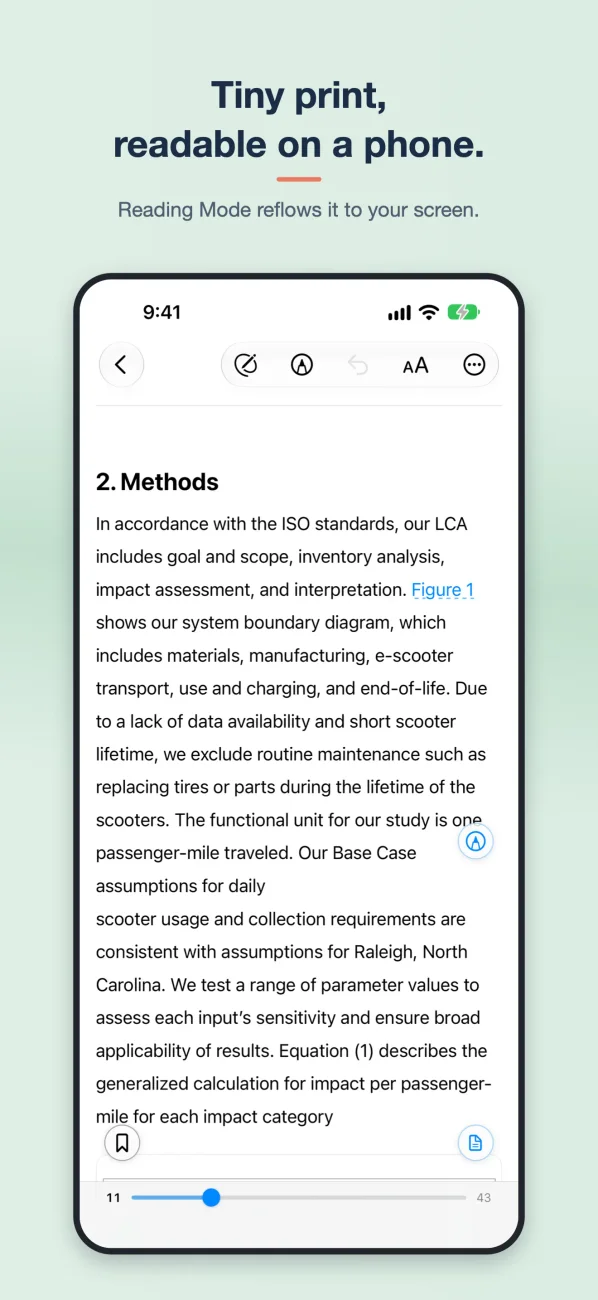
■ Readable on a phone
Reading Mode reflows two-column papers and dense handouts to the width of your screen. No more zooming and scrolling sideways.
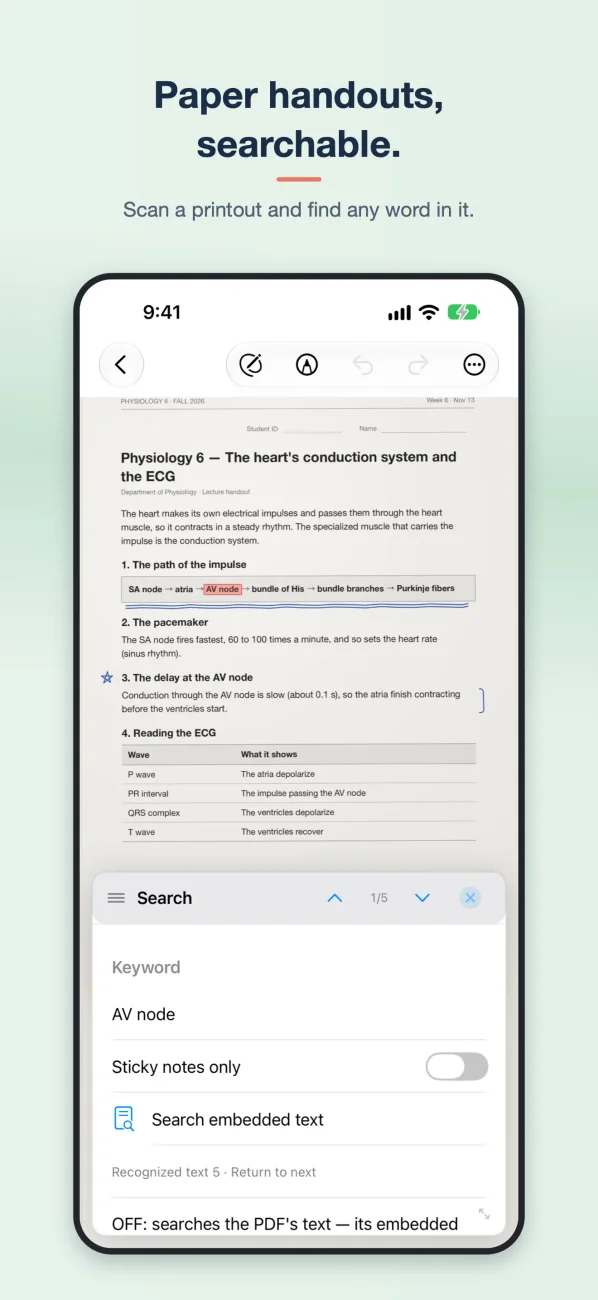
■ Scan paper handouts, then search them
Scan Document turns a paper handout into a PDF. Its text is recognised on your device, so you can search it like any other file. Class slides (.pptx) and documents (.docx) become PDFs on your device when you open them.
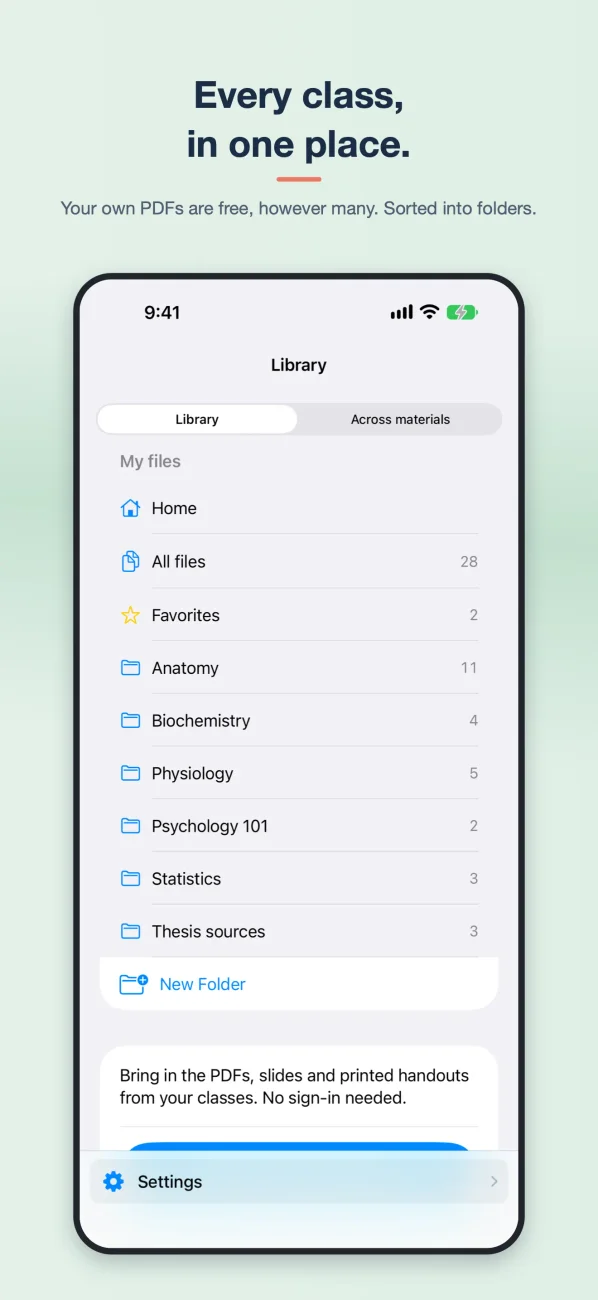
■ A folder for each class
Make folders for your classes or your thesis. A PDF you open or scan while a folder is showing goes into it. Rename, star and sort; deleted files can be recovered from Recently Deleted for 30 days. Search This Folder looks through the text of a folder's materials, text read from scans and your notes at once.
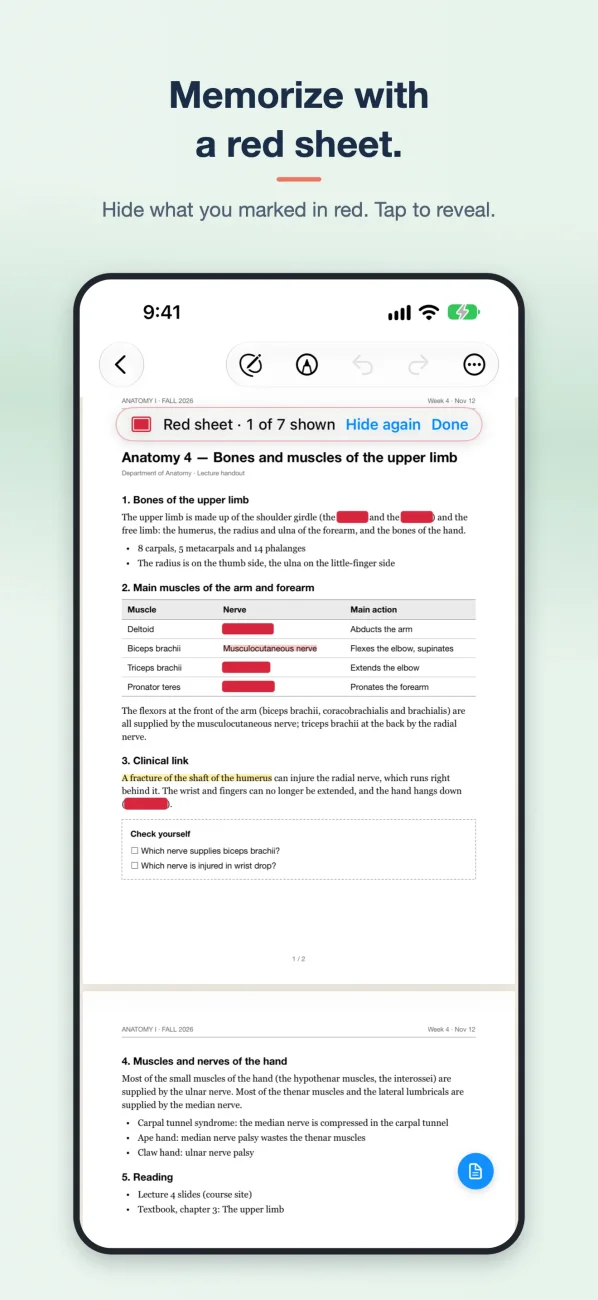
■ A red sheet for memorising
Hide the words you highlighted in red under a red sheet and reveal them one tap at a time. Mark each word Got it or Not yet, and Due today covers only the words you missed or that are due again. Give a folder its exam date and reviews close in on that day, with reminders a week, 3 days and 1 day before.
■ Check past exams against your classes
Put past exam papers in a folder with the class materials and see which sections were asked in how many exams, and in what form — facts from the papers you added, not predictions. Take as an Exam times you and covers the answers. Mark highlights Came up, Exam scope or Not sure, and put the red sheet over one kind at a time.
■ Record a class, replay it by page
The pages you turn while recording are tied to the moment, so you can replay what was said on a page from that page. On iOS 26 and later, transcripts are made on your device too. Recordings stay on your device.
■ Write on it, hand it in as a PDF
Handwriting with Apple Pencil, highlights and sticky notes. Hold the pen at the end of a line to straighten it, and add photos of the board to the page they belong to. Export the PDF with everything you wrote, for handing in assignments. Your original PDF is never changed.
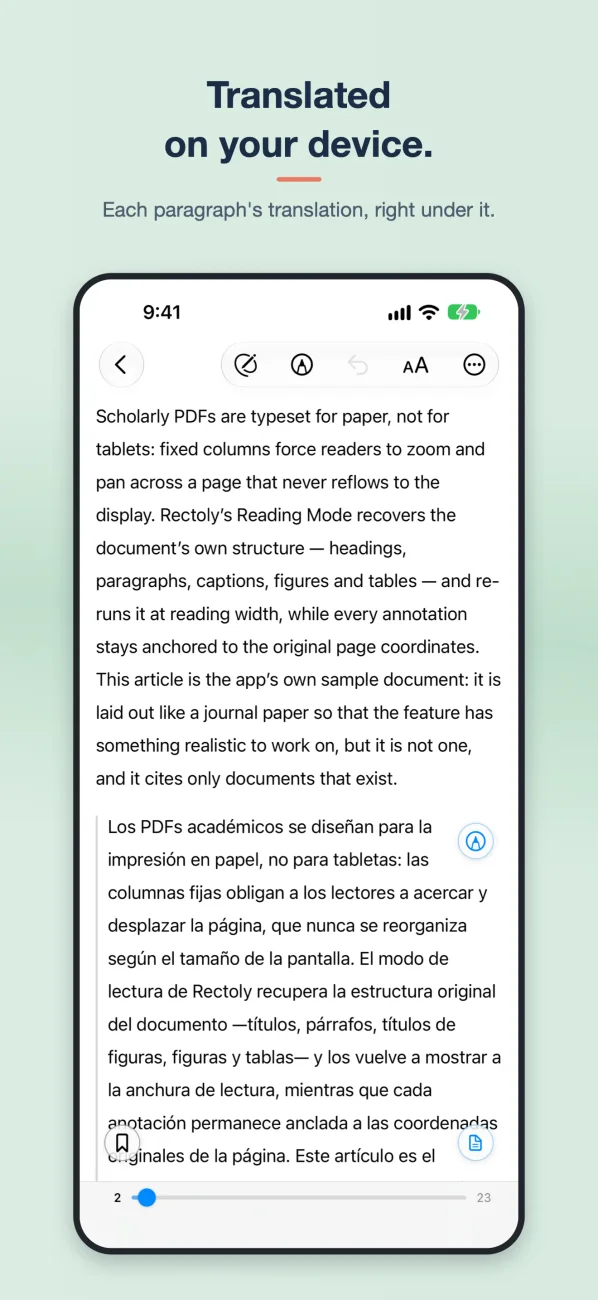
■ Read other languages side by side
Translation paragraph by paragraph, and read aloud.
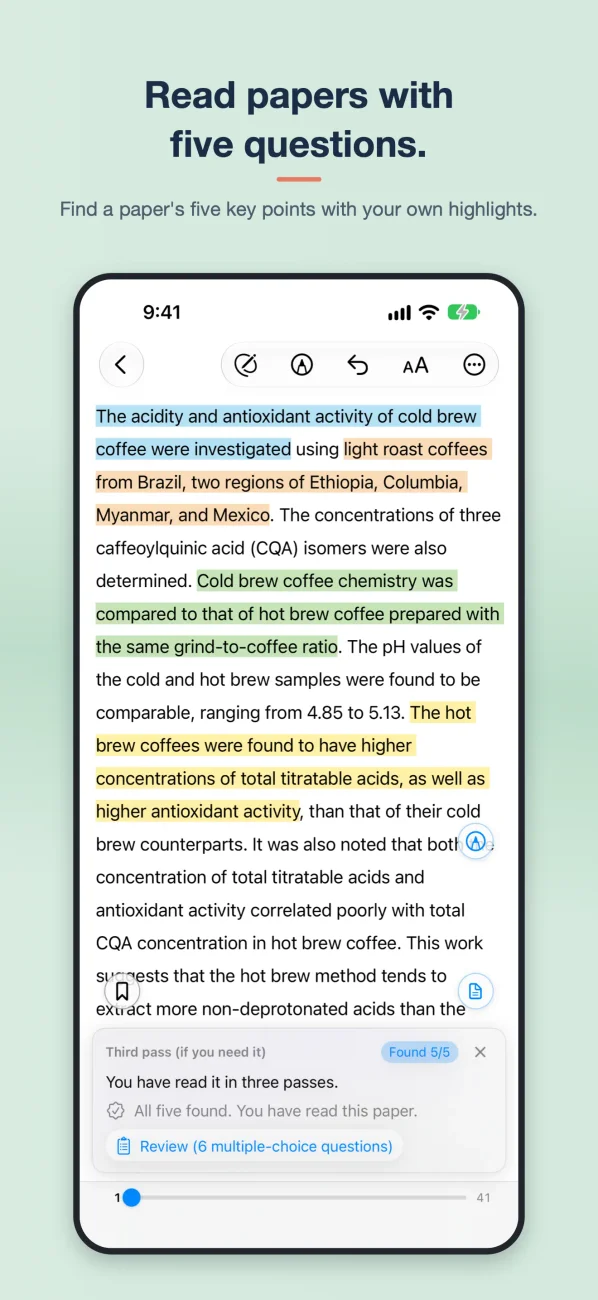
■ Read papers with five questions
When you read a paper for an essay or your thesis, find its question, method, data, findings and limits yourself, with a three-pass way of reading.
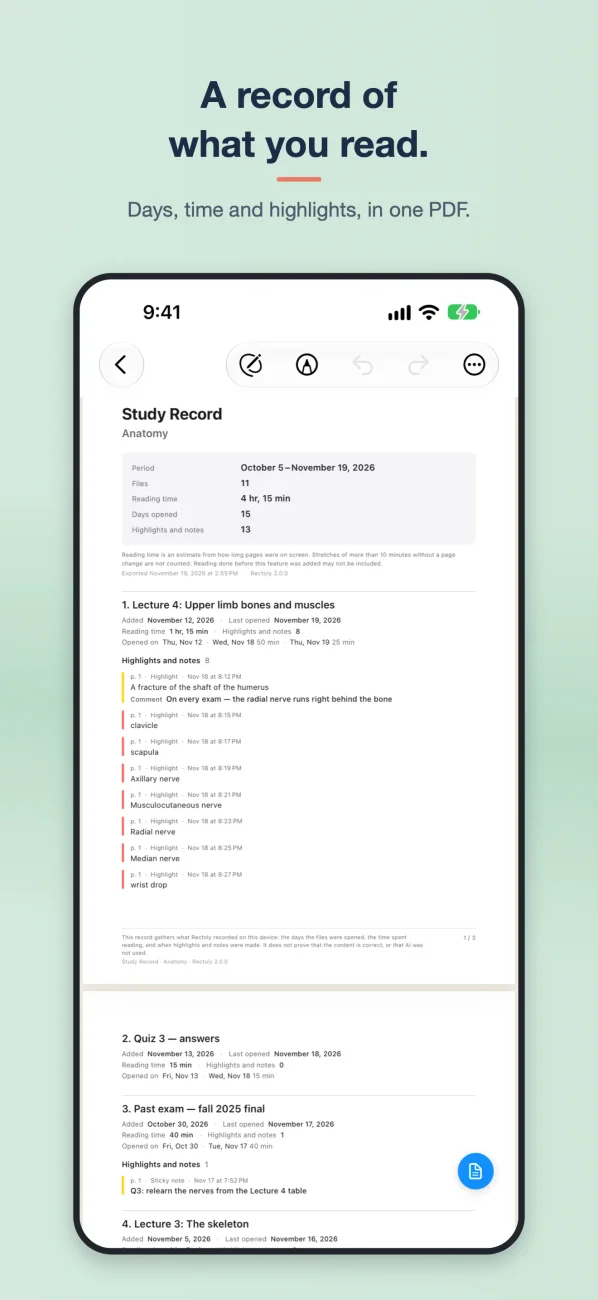
■ A study record
Export the days and time you read the files of a folder, with your highlights and notes, as one PDF.
■ Your data stays with you
Files and notes are kept on your device. While you're signed in to iCloud, your PDFs, folders and notes are saved to your own iCloud and reach your other devices with the same Apple ID. They are never sent to our servers.
■ Price
Opening and reading your own PDFs, going over the red sheet, searching folders, bringing in slides and documents, and syncing with iCloud are free. Writing, Reading Mode, translation, class recording and more come with a one-time purchase after a 14-day free trial. Nothing is charged automatically when the trial ends. There is no subscription.
What’s new
Version 3.1.0 · Nov 26, 2026
New features
• Red, orange or green text in a scanned handout, a photographed page or a PDF can become red highlights for the red sheet. You are asked once when you open the PDF, and choose which colors count. The PDF itself is not changed.
• The comments on your highlights and your sticky notes can stand in the margin beside the page, each level with its place, and scroll with the page. On an iPad or a Mac, turn on Comments in the Margin in the … menu — it is there when there are comments or notes. Press one in the margin to read or edit it.
• Rectoly for LaTeX now works with this app on the same iPad or iPhone: cite your own PDFs from it, and send selected text or a highlight with “Send to LaTeX” in its menu. With the purchase or during the trial.
• With the next version of Rectoly for LaTeX, files you cite in a manuscript get a “Cited in a manuscript” badge, and “Read, Not Cited” appears under “All files”. With the purchase or during the trial; it all stays on this device.
• Files passed to Rectoly for LaTeX whose citation keys would collide get a, b, c suffixes, and “Copy citation key”, “Copy BibTeX” and “Send to LaTeX” use the same key.
• Settings has a new page, “Rectoly apps”. It introduces the other Rectoly apps and opens the ones on this device.
• If you have made the one-time purchase in another Rectoly app, this app’s one-time purchase is half price. A purchase on this device is recognized automatically; for one on another device or account, enter the code from that app’s Settings › Rectoly apps on the purchase screen.
• Near thesis deadlines, if you seem to be writing one, Rectoly may suggest Rectoly for LaTeX once — decided on this device only. Turn it off with “Notices about other Rectoly apps” in Settings › Rectoly apps.
Fixes and improvements
• Fixed: pressing “Got it” on another device did not lower a folder’s count of red terms due today on this device until a file was opened and closed.
• On a Mac, and on an iPad with a mouse or trackpad, the mouse wheel and the trackpad now turn pages when “Page turning” is set to “One page at a time” or “Horizontal”. Until now, nothing happened. One notch of the wheel, or one swipe on the trackpad, turns one page.
• Fixed: in the row at the top of the reader on iPad, button labels could be cut off and the number of search hits could disappear, depending on the language and the screen width. When the row is too full, the number of annotations and of handwritten pages now moves to the “…” menu.
• Fixed: the band saying annotations have nowhere to sync could stay after marks were deleted in your own PDFs with an earlier version. Opening that PDF clears it.
App privacy
What Takaki Takemura declares on the App Store about how this app handles data.
-
Data linked to you
May be collected and linked to your identity.
- Purchases
- Contact info
- Identifiers
-
Data not linked to you
May be collected but is not linked to your identity.
- Location
- Identifiers
- Usage data
- Diagnostics
Privacy practices may vary, for example with the features you use or your age.
Information
- Seller
- Takaki Takemura
- Category
- Education
- Version
- 3.1.0
- Updated
- Nov 26, 2026
- Released
- Oct 26, 2026
- Size
- 108.5 MB
- Requires
- iOS 17.0 or later
- Age rating
- 4+
- Price
- Free
- In-app purchases
- Yes
- Languages
- English, Arabic, Bengali, Catalan, Croatian, Czech, Danish, Dutch, Finnish, French, German, Greek + 32 more
- Copyright
- © 2026 Hawk Eye
You might also like
-
 Nerdi: Research PapersRead Science & Journals Daily
-
 StudyScroll: AI Flashcard FeedYour notes, private & offline
-
 Future Major GuideColleges, majors & deadlines
-
 agonoEducation
-
 YL Rehberi: Yüksek LisansEducation
-
 minisco - 論文リーダーEducation
-
 Zdash: Matura 2027 MatematykaEducation
-
 Конспект: запись лекцийEducation
-
 Que macaco é esse?Education
-
 Learn English Vocabulary DailyIdiom quiz, streak, favourites