
ReDirect: Read for Screen Time
Reading In. Screentime Out.
Designed for iPhone, iPad
Free
- Age rating12+
- CategoryEducation
- DeveloperGAVIN KAI CASTELO VIDA
- LanguagesEnglish
- Size56.2 MB
Links to the official App Store page
Download.org hosts no file of ReDirect: Read for Screen Time. The button opens its official App Store page, published by GAVIN KAI CASTELO VIDA. Listing last checked on Nov 27, 2026.
Screenshots

About
ReDirect turns screen time into a reward for learning.
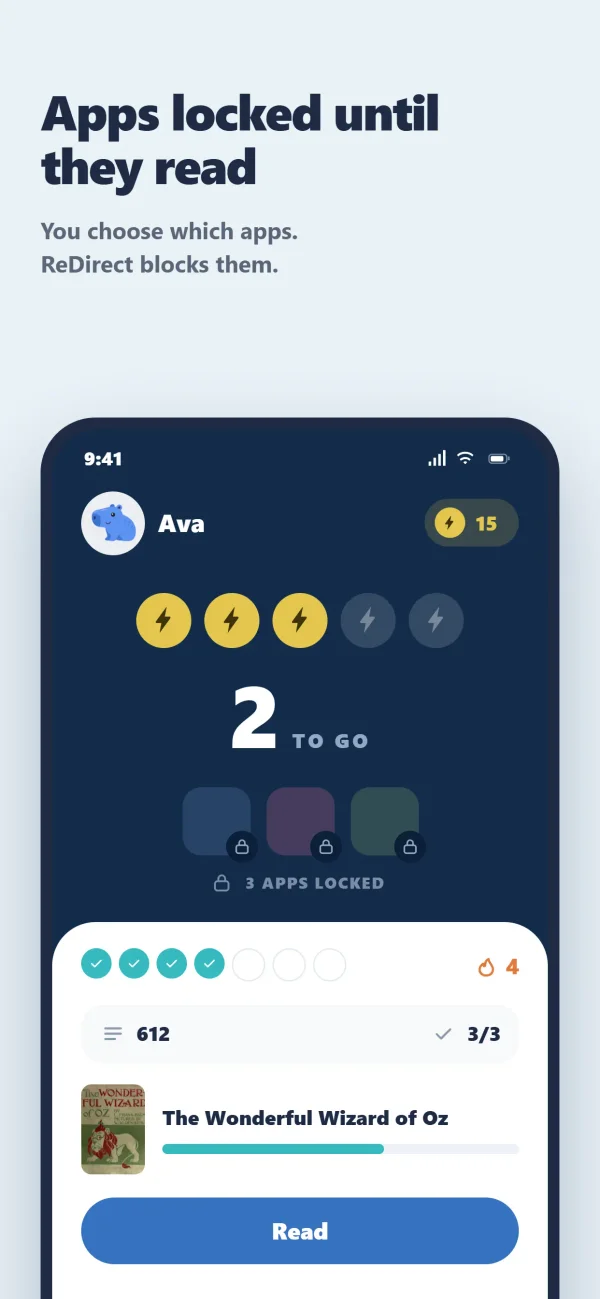
Instead of fighting over the iPhone, parents pick the apps they want gated — TikTok, YouTube, games, social — and ReDirect locks them behind short learning sessions. Each session ends with a few questions; correct answers bank progress toward a "break." Cash in a break and the locked apps unshield for 15 minutes. When the timer runs out, the apps re-lock automatically.
HOW IT WORKS
1. Parent installs ReDirect on the child's iPhone and signs in.
2. Parent picks which apps to lock using Apple's Screen Time picker and sets a 4-digit PIN.
3. The child enters Kid Mode (PIN-protected). The locked apps now show a blocked shield instead of opening.
4. The child picks a learning session from the home screen.
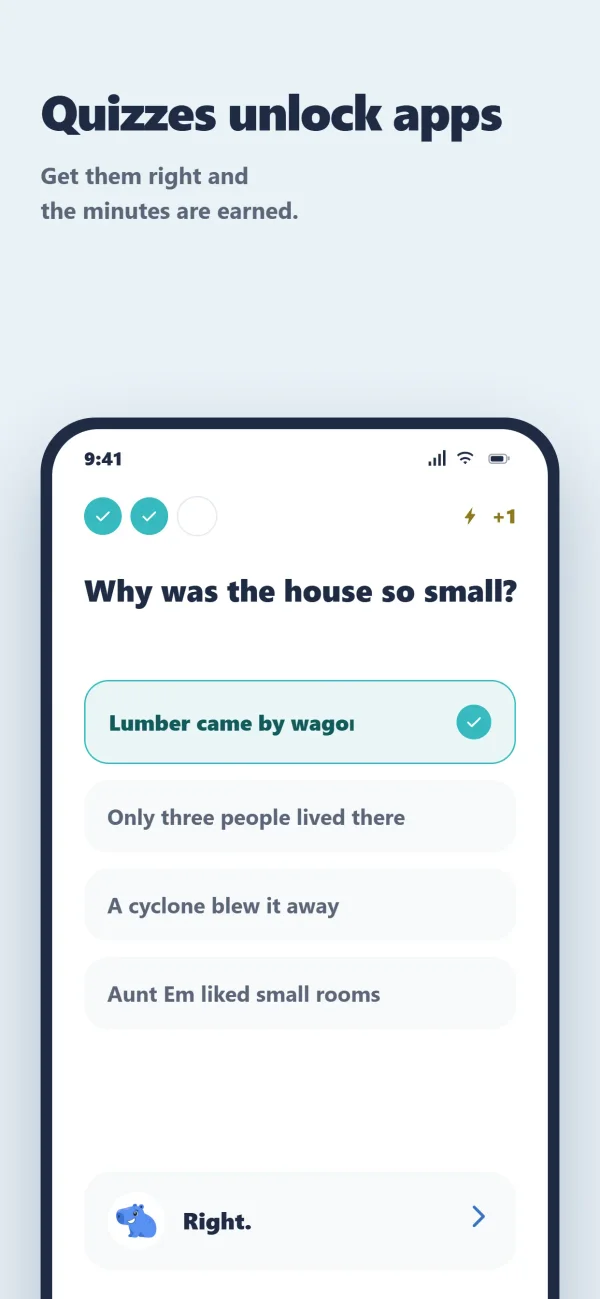
5. After the session, they answer a short set of questions. Correct answers count toward earning a break.
6. When the child has earned a break, they tap to redeem it. The shielded apps unlock for 15 minutes, then re-lock on their own.
WHAT KIDS LEARN
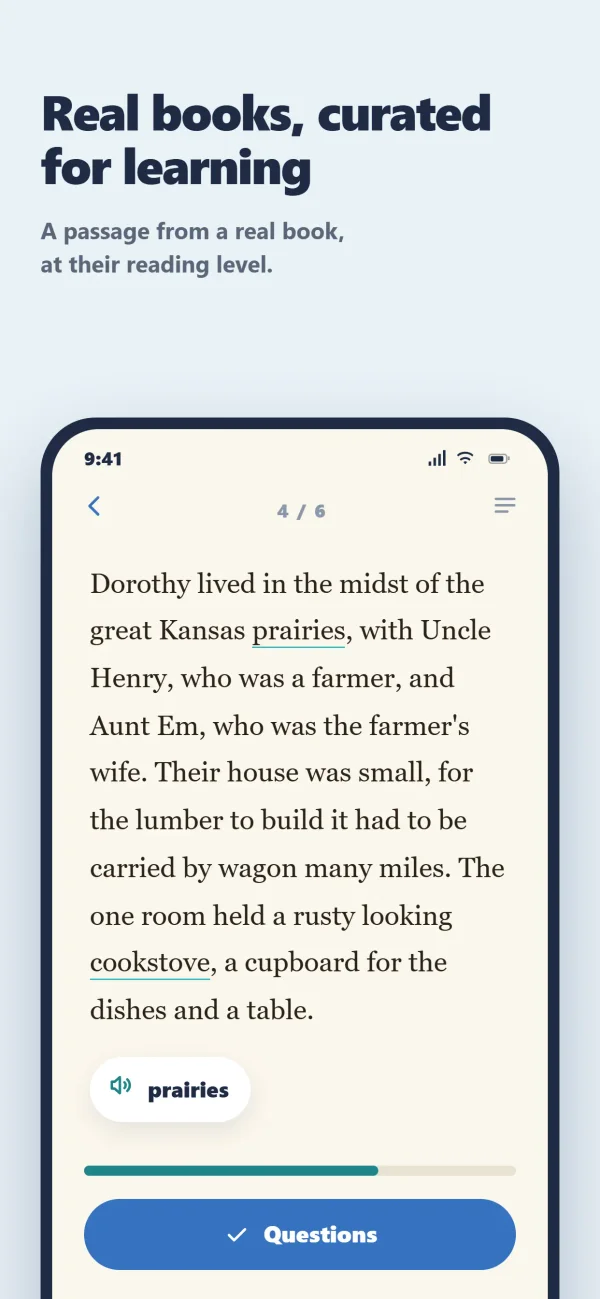
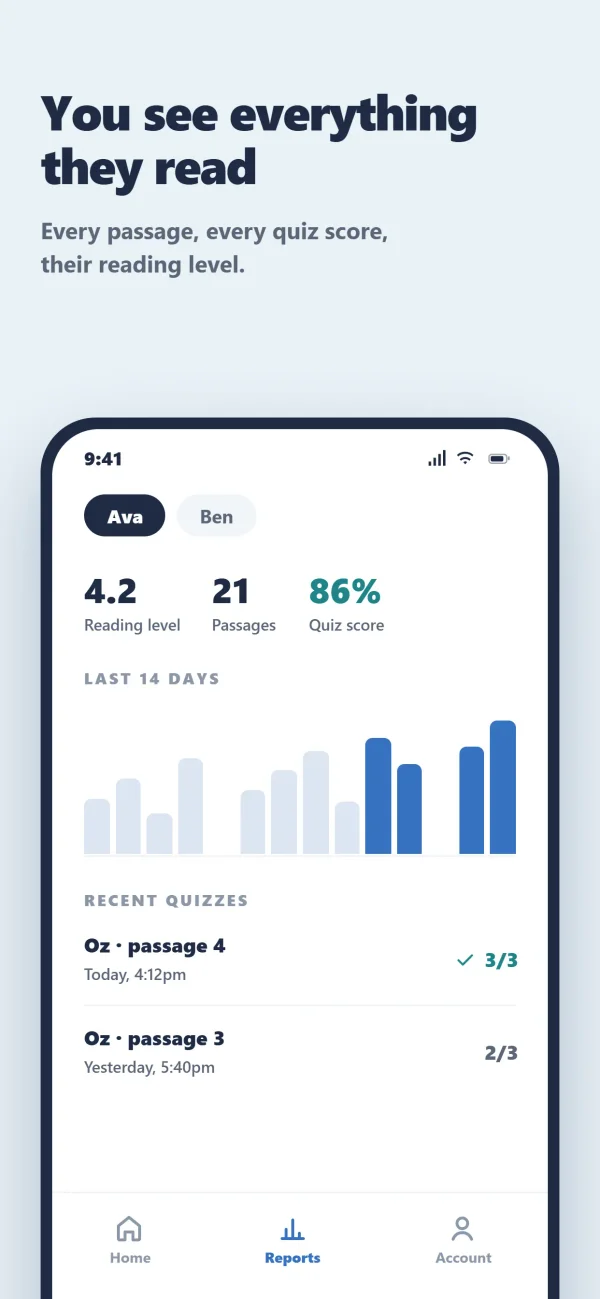
ReDirect currently features short passages from classic public-domain books, matched to the child's grade level, followed by AI-generated comprehension questions. Because the questions are generated fresh each time, there are no answer keys to memorize.
PARENT CONTROLS
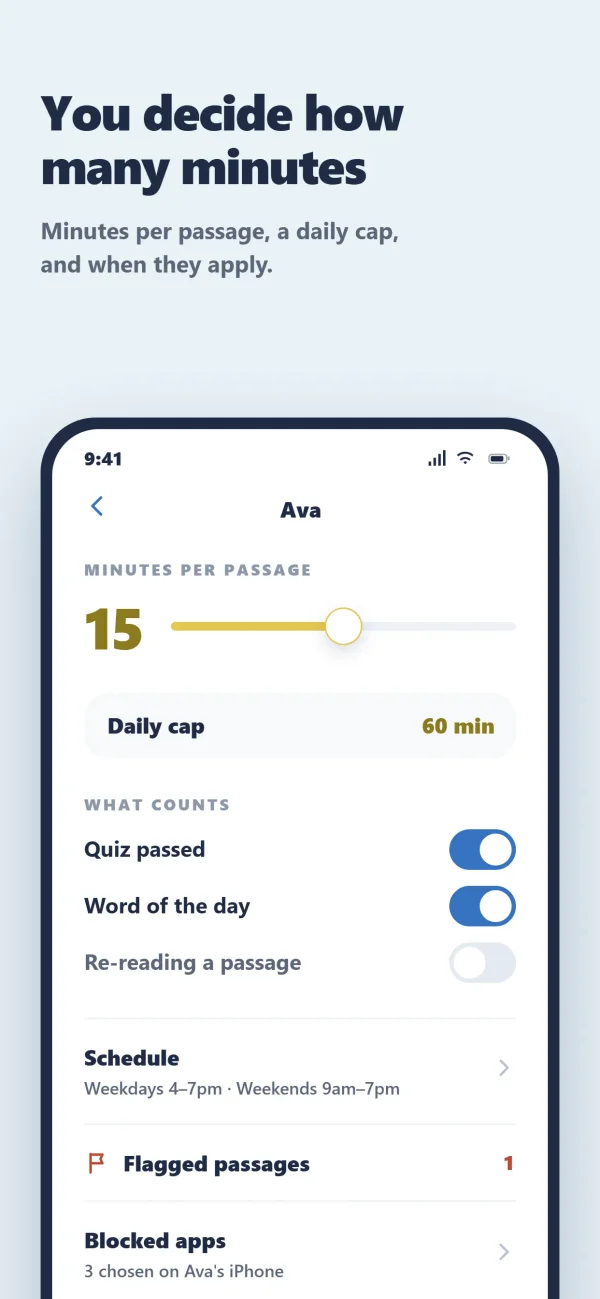
- Pick exactly which apps and categories are gated, anytime.
- Set how many correct answers earn one break (e.g. "3 right = 15 min").
- See which sessions the child has completed and how many breaks they've earned.
- Change the PIN whenever you want.
- Works on the child's iPhone alone. No separate parent device required.
BUILT ON APPLE SCREEN TIME
ReDirect uses Apple's official Family Controls, Managed Settings, and Device Activity frameworks. The same APIs Apple uses for parental control power the shield, the unlock window, and the automatic re-lock. ReDirect never sees what the child does inside the unlocked apps — only that the break window is active.
DESIGNED FOR REAL FAMILIES
- No social features, comments, or DMs.
- Focused, age-appropriate content.
- Works offline for sessions once they're loaded.
Stop bargaining over the iPhone. Make learning the price of admission.
What’s new
Version 1.9.2 · Aug 12, 2026
- Smoother onboarding, better parent analytics, better UI, bug fixes, and more
App privacy
What GAVIN KAI CASTELO VIDA declares on the App Store about how this app handles data.
-
Data not linked to you
May be collected but is not linked to your identity.
- Usage data
- Diagnostics
Privacy practices may vary, for example with the features you use or your age.
Information
- Seller
- GAVIN KAI CASTELO VIDA
- Category
- Education
- Version
- 1.9.2
- Updated
- Aug 12, 2026
- Released
- Jun 12, 2026
- Size
- 56.2 MB
- Requires
- iOS 16.4 or later
- Age rating
- 12+
- Price
- Free
- Languages
- English
- Copyright
- © Gavin-kai Vida
You might also like
-
 KiddyV: Healthy Screen HabitsReward learning, guide screens
-
 ReadUnlock: Screen Time ReaderPicture books that unlock apps
-
 Tale! Family Screen TimeUnlock Screen Time by Reading
-
 Bucksy: Pretend AllowanceChores, savings & rewards
-
 ReadUnlock: Read to UnlockKids read to earn screen time
-
 Examzi: AI Tutor & SAT PrepMath Homework Help & Practice
-
 Reading Comprehension Grade 580 Passages, English & Spanish
-
 BrainTokens: Earn Screen TimeLearn Math, Phonics & Reading
-
 GraceLock - Pray & Screen TimeBible Prayer Lock App Blocker
-
 Bravo Family - chores trackerChores become a fun game