ReelForge Video Editing
Guided filming, real videos
Designed for iPhone
Free · In-app purchases
- Age rating4+
- CategoryPhoto & Video
- DeveloperAnthony Colasante
- LanguagesEnglish
- Size19.9 MB
Links to the official App Store page
Download.org hosts no file of ReelForge Video Editing. The button opens its official App Store page, published by Anthony Colasante. Listing last checked on Nov 12, 2026.
Screenshots


About
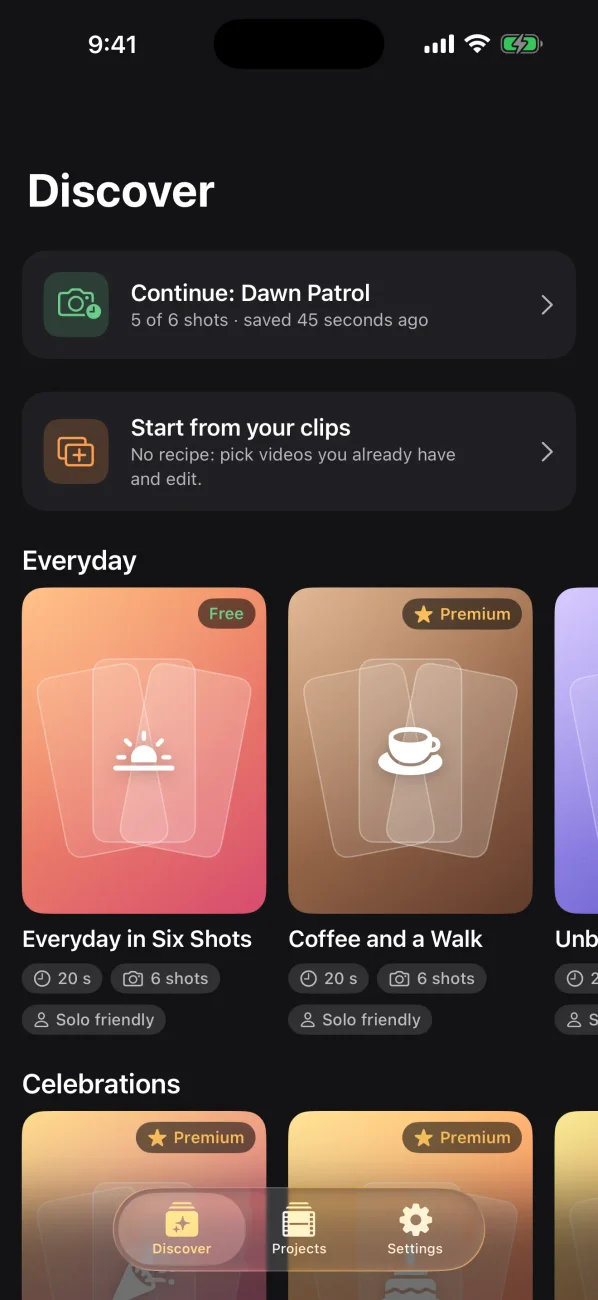
Choose a recipe, capture a few moments, and come home with a video worth sharing. Or start from clips you already have and edit freely.
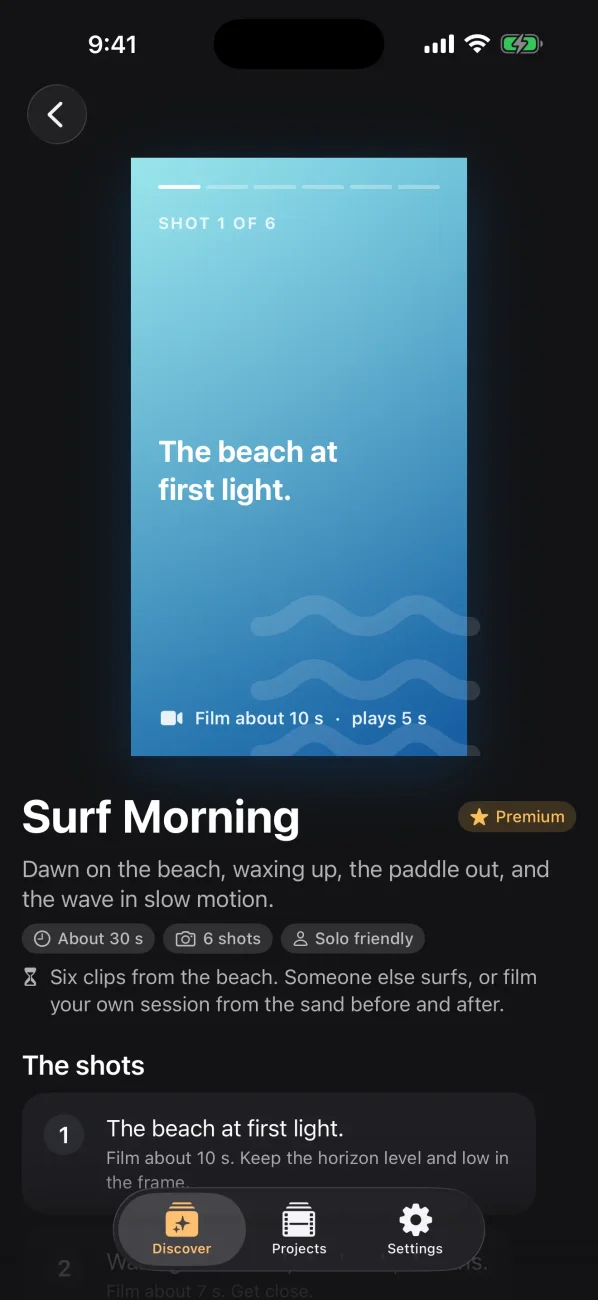
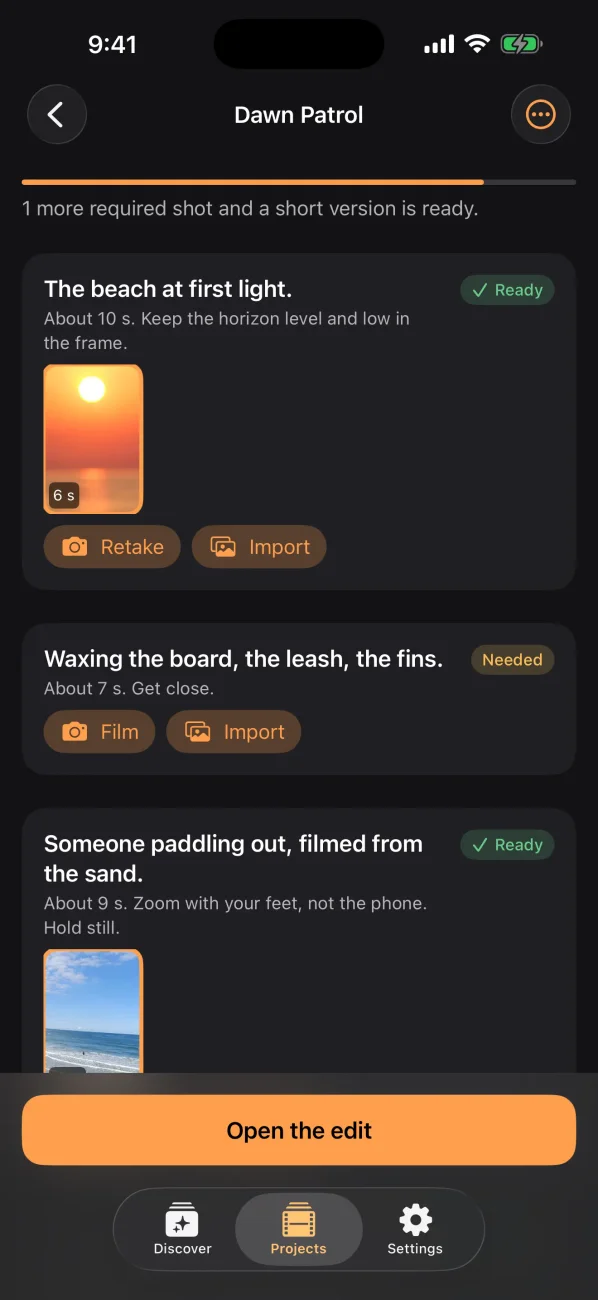
ReelForge Video Editing guides your filming with 34 recipes for everyday life, celebrations, friends, family, pets, food, travel, dates, fitness, hiking, snow, skate, surf and biking. Each recipe has its own look, titles and pacing. Each recipe is a handful of shots described in plain language. Film them in any order, retake freely, or import clips you already have, and the app builds the edit on your iPhone.
EDIT ON A REAL TIMELINE
• Trim, split, duplicate, reorder and delete clips; add more clips anywhere
• Speed, clip volume, rotate, flip, and framing that never stretches your video
• Cuts, blends and fades between shots
• Text you can drag, pinch and rotate right on the video, plus stickers
• Music library with automatic ducking under speech
• Vertical, 4:5, square or widescreen formats
• Undo and redo, autosave, and a preview that matches the export exactly
• Film a recipe across the day: every take is saved the moment you stop recording
• Front and back cameras
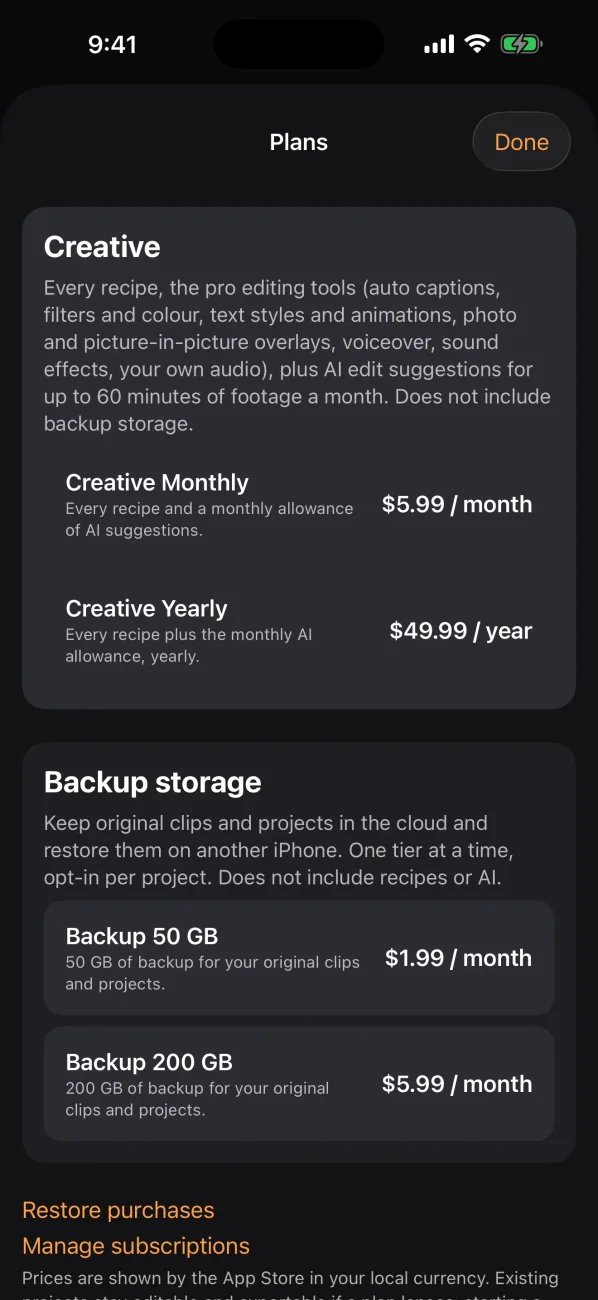
PRO TOOLS WITH THE CREATIVE PLAN
• Auto captions from speech, made on your iPhone, with editable words and styles
• Filters and colour adjustments
• Text styles, colours and animations
• Photo overlays and picture in picture
• Voiceover, sound effects and your own audio
• Fit landscape clips over a blurred background
• Reverse, freeze frame, and keyframed motion for clips, text and stickers
• Every recipe, plus AI edit suggestions that pick moments from your clips (you review every suggestion before it changes anything)
PRIVATE BY DEFAULT
• Everything works offline. No account needed.
• Your clips stay on your iPhone unless you choose otherwise.
OPTIONAL BACKUP STORAGE
• Keep original clips and projects in the cloud and restore them on another iPhone.
Free recipes and the core editor are included. Subscriptions are optional and separate.
SUBSCRIPTIONS
• Creative Monthly and Creative Yearly unlock the pro tools and every recipe.
• Backup 50 GB and Backup 200 GB are monthly cloud storage plans.
• Subscriptions renew automatically unless cancelled at least 24 hours before the end of the current period. Payment is charged to your Apple Account. Manage or cancel any time in your Apple Account settings.
Terms of Use (EULA): https://www.apple.com/legal/internet-services/itunes/dev/stdeula/
Privacy Policy: https://reelforge.csuitecode.com/privacy
App privacy
What Anthony Colasante declares on the App Store about how this app handles data.
-
Data linked to you
May be collected and linked to your identity.
- Purchases
- User content
- Identifiers
Privacy practices may vary, for example with the features you use or your age.
Information
- Seller
- Anthony Colasante
- Category
- Photo & Video
- Version
- 1.0
- Updated
- Oct 20, 2026
- Released
- Oct 20, 2026
- Size
- 19.9 MB
- Requires
- iOS 18.0 or later
- Age rating
- 4+
- Price
- Free
- In-app purchases
- Yes
- Languages
- English
- Copyright
- © 2026 C-Suite Code
You might also like
-
 Teleprompter Duo: PresentationDual-Camera PiP Recorder
-
 Video Editor & Maker: VidWeaveReels, Collage & Video Maker
-
 Opia AI Photo GeneratorCreate Photos with AI
-
 IntroTube: Intro Video MakerPocket Video Movie Film Editor
-
 Montage Video Maker & EditorMerge Clips, AI Music Editor
-
 Cute CUT - Video Editor&MakerFull Featured Video Editor
-
 BG Remove: Background EditorAuto Photo Background Changer
-
 Magisto Video Editor & MakerEdit Videos Quickly and Easily
-
 Zoomerang - Ai Video MakerTemplates: Reels & Stories
-
 Unfold: Reels & Story MakerFor Instagram Posts & Collage