Reframe – Photo Layout Editor
White borders for social media
Designed for iPhone
Free
- Age rating4+
- CategoryPhoto & Video
- DeveloperDouglas Neish
- LanguagesEnglish
- Size2.5 MB
Links to the official App Store page
Download.org hosts no file of Reframe – Photo Layout Editor. The button opens its official App Store page, published by Douglas Neish. Listing last checked on Nov 13, 2026.
Screenshots
About
Reframe makes it easy to create polished image layouts for posts, carousels, and multi-page spreads in just a few taps. No subscriptions. No ads.
CHOOSE A LAYOUT
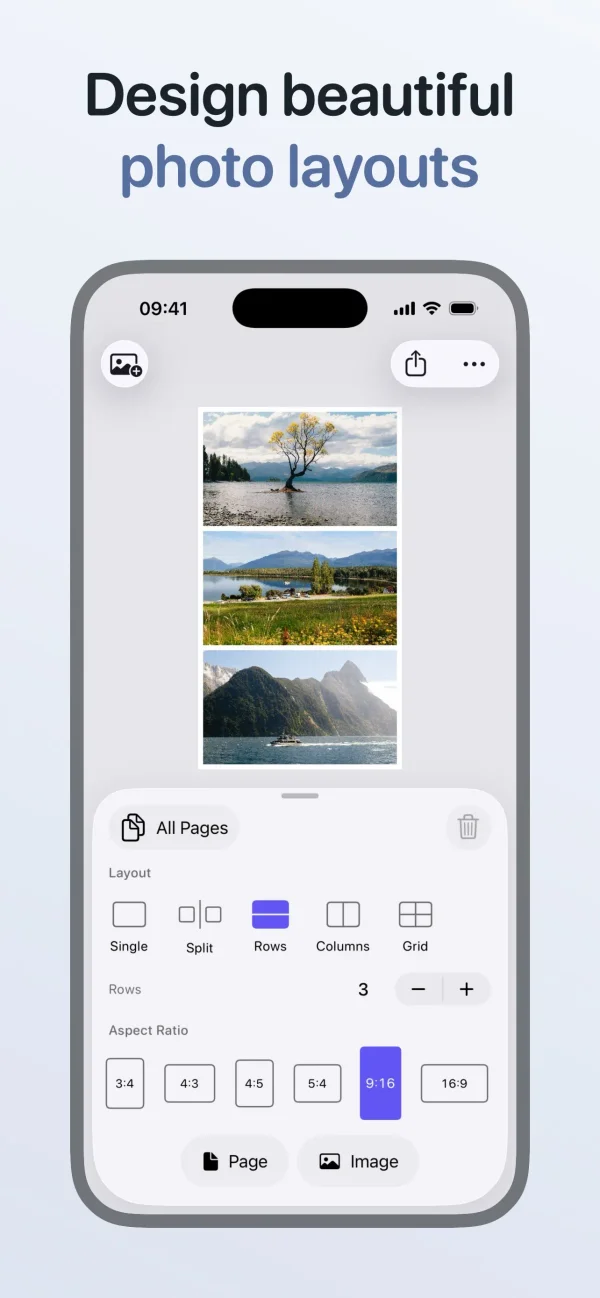
Start with a layout that matches your idea.
Use Single to feature one standout image.
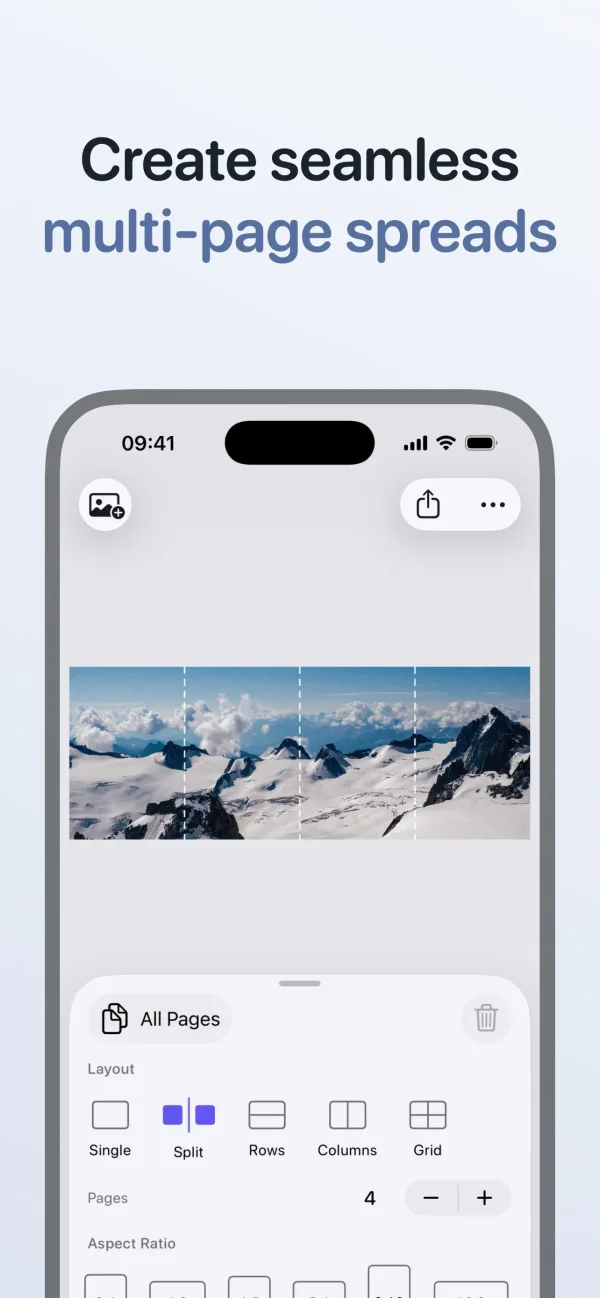
Use Split to turn one image into a seamless multi-page spread that swipes across a carousel.
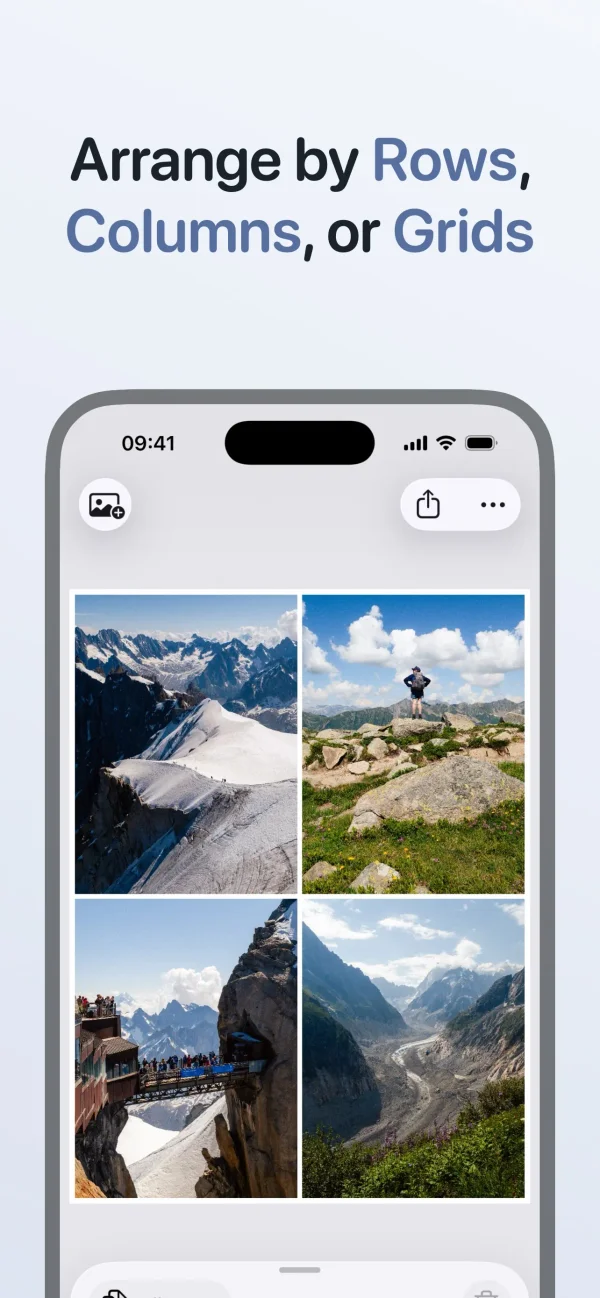
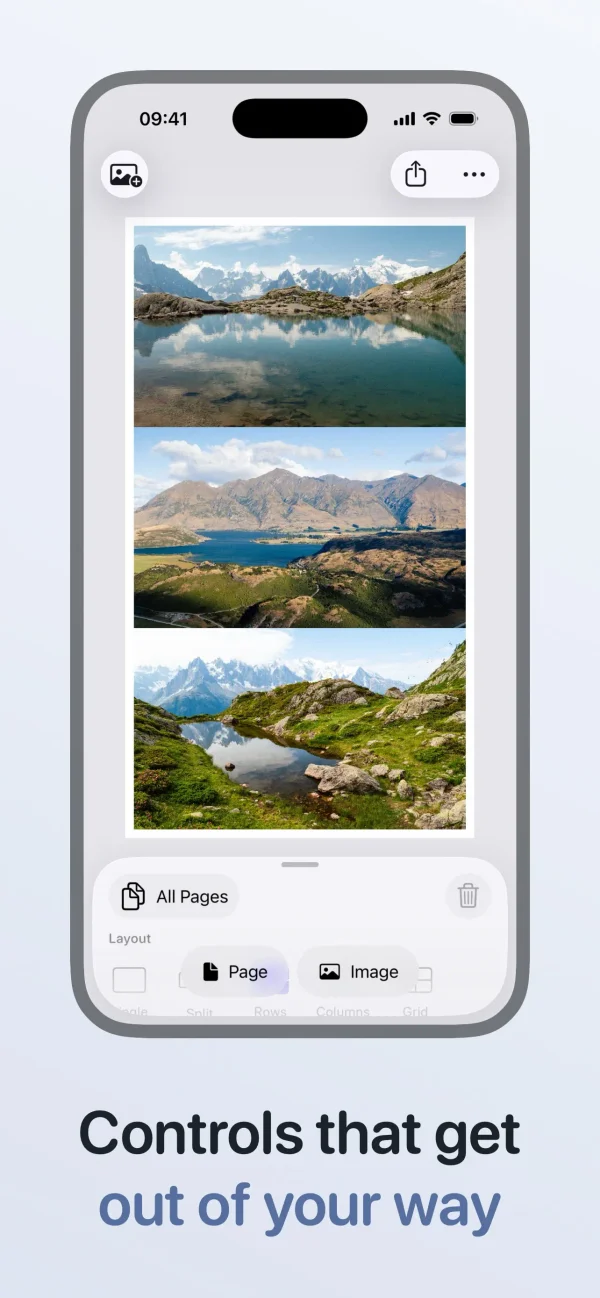
Use Rows or Columns for before-and-after shots or to show multiple photos together.
Use Grid to display a collection or photo series.
CUSTOMISE THE PAGE
Match your layout to any platform or style.
Pick the aspect ratio you need so your post fits where you’re uploading.
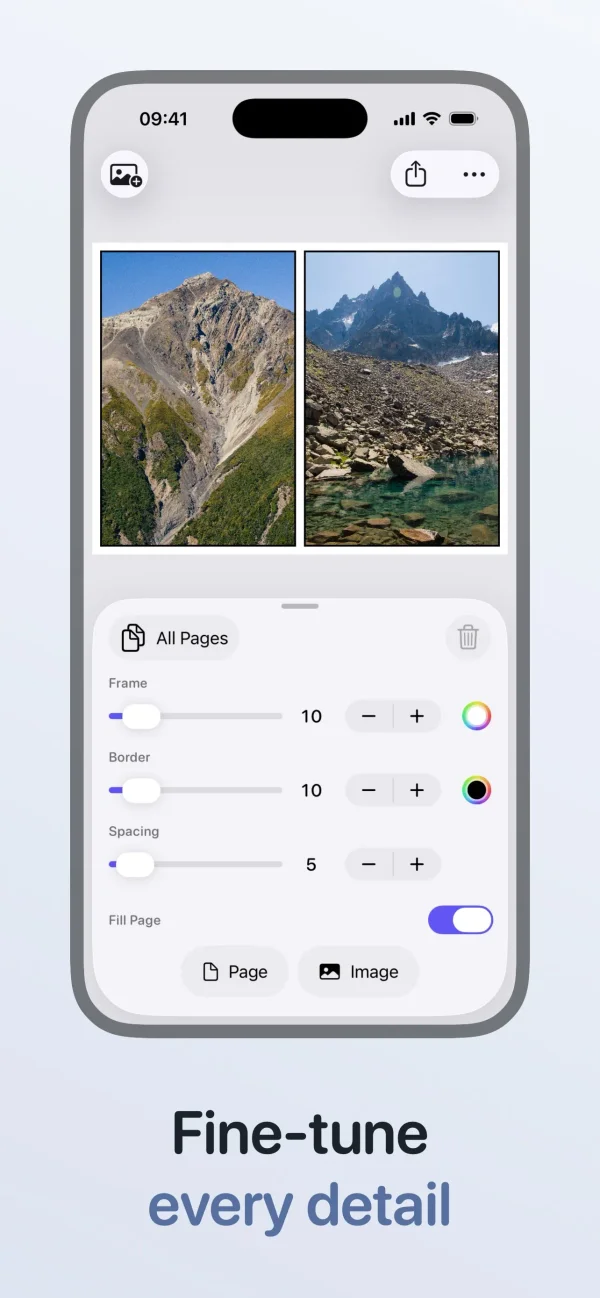
Adjust frame size for a bit of breathing room around your images.
Choose a background color that complements your photos.
Add a clean border for a polished, gallery-style finish.
APPLY SETTINGS YOUR WAY
Keep every page consistent with shared settings.
Or customize individual pages when you need more control.
FILL THE FRAME
Mix vertical, horizontal, and square photos in one layout without worrying about cropping (unless you want to!).
Toggle Fill Page so your images expand to use all available space.
Tap any image to select it, then drag to fine-tune the crop so the focus is exactly where you want it.
PREVIEW YOUR LAYOUT
Minimise the controls with one swipe and let your layout fill the screen.
Review the final look before you export and post.
ARRANGE YOUR SEQUENCE
Plan your story from first swipe to last.
Reorder photos and pages in your carousel to plan the sequence before exporting.
EASY EXPORT
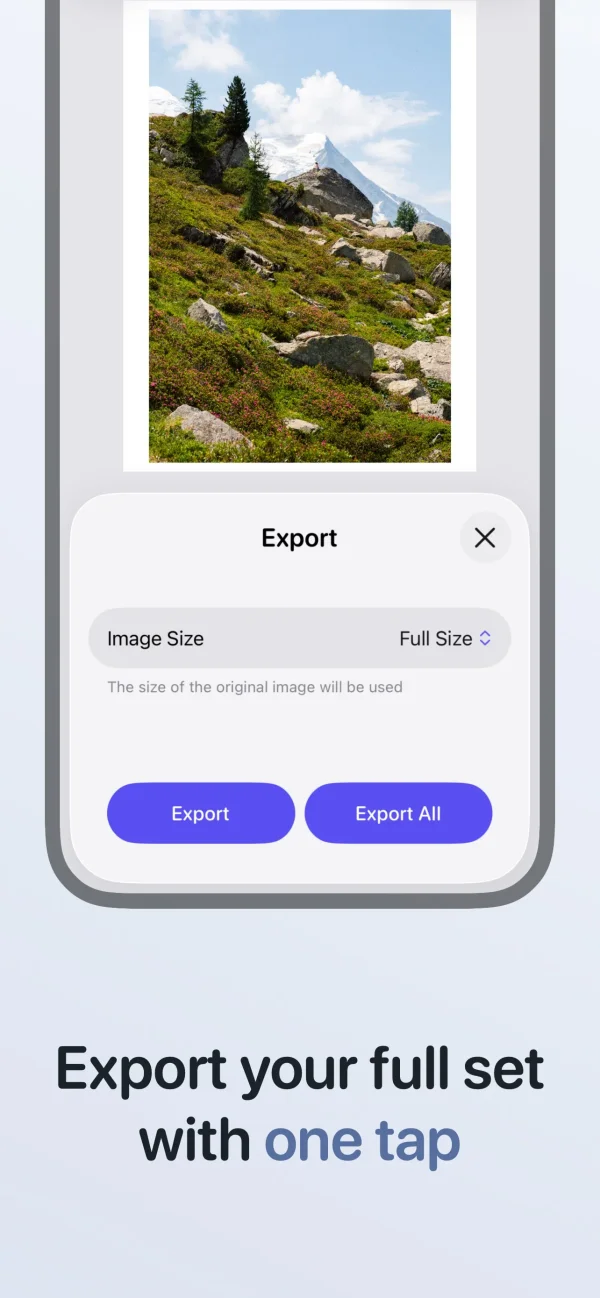
Export every page at once with a single tap.
Smart sizing options select the best resolution to preserve the details in your photos, or go fully custom and set the exact long or short edge size you need.
Optionally include your photo’s original metadata.
Choose JPEG for best compatibility or HEIC for smaller files with excellent image quality.
PRIVATE PHOTO PICKER
Reframe uses the built-in iOS photo picker.
Only the photos you explicitly select are shared with the app, keeping the rest of your library private.
DESIGNED FOR iOS
Reframe feels fast and responsive on iPhone, with smooth animations and subtle haptic feedback that makes editing layouts feel effortless and precise.
What’s new
Version 1.4.2 · Sep 17, 2026
Improved Export Quality - Exports at high resolutions are now much higher quality.
New Sizing Options - Preserve Detail uses the largest size supported by every photo on the page, taking into account the space each photo occupies. It never upscales. Match Largest uses the size of the largest photo on the page. Smaller photos may be upscaled to fit. Custom lets you set the exact size for the long or short edge.
Keep Your Photo's Metadata - Choose whether to include Capture Date, Camera Details, and Location metadata in your exports.
New File Formats - Export as JPG for the best compatibility, or HEIC for smaller files with excellent image quality.
Expanded Accessibility - Improved support for Dynamic Type and Reduce Motion accessibility options.
1.4.1
- Fixed a thin black line on exported images
- Fixed flickering around image edges when changing the frame or border size
1.4.2
- Fixed grid view scrolling being offset after importing photos on iOS 27
- Fixed uneven padding in the crop control bar on iOS 27
App privacy
What Douglas Neish declares on the App Store about how this app handles data.
-
Data not collected
The developer does not collect any data from this app.
Privacy practices may vary, for example with the features you use or your age.
Information
- Seller
- Douglas Neish
- Category
- Photo & Video
- Version
- 1.4.2
- Updated
- Sep 17, 2026
- Released
- Apr 2, 2026
- Size
- 2.5 MB
- Requires
- iOS 26.0 or later
- Age rating
- 4+
- Price
- Free
- Languages
- English
- Copyright
- © 2026 Douglas Neish
You might also like
-
 VideoSplitter – Video CutterMultiple clips, one export
-
 theLAB - MobileFilm Grain & Analog Editor
-
 Video Compressor-Fast CompressShrink Videos. Keep Quality.
-
 Campera - Point & Shoot CameraFilm-quality photos, instantly
-
 Koloristika • The CameraCinema Color Science.
-
 LUT Labpreview, export, apply LUTs
-
 WholegrainAdvanced Film Emulation
-
 Viewfinder - Panorama CameraCinematic 65:24 Photography
-
 LayPic – Photo Collage Maker6 Layouts, Masks & HD Export
-
 AI Image ResizerResize image to any format