- Age rating4+
- CategoryUtilities
- Developeryonggeon kim
- LanguagesJapanese+ 3 more
- Size62.4 MB
Links to the official App Store page
Download.org hosts no file of Remember Where - Find Items. The button opens its official App Store page, published by yonggeon kim. Listing last checked on Nov 16, 2026.
Screenshots
About
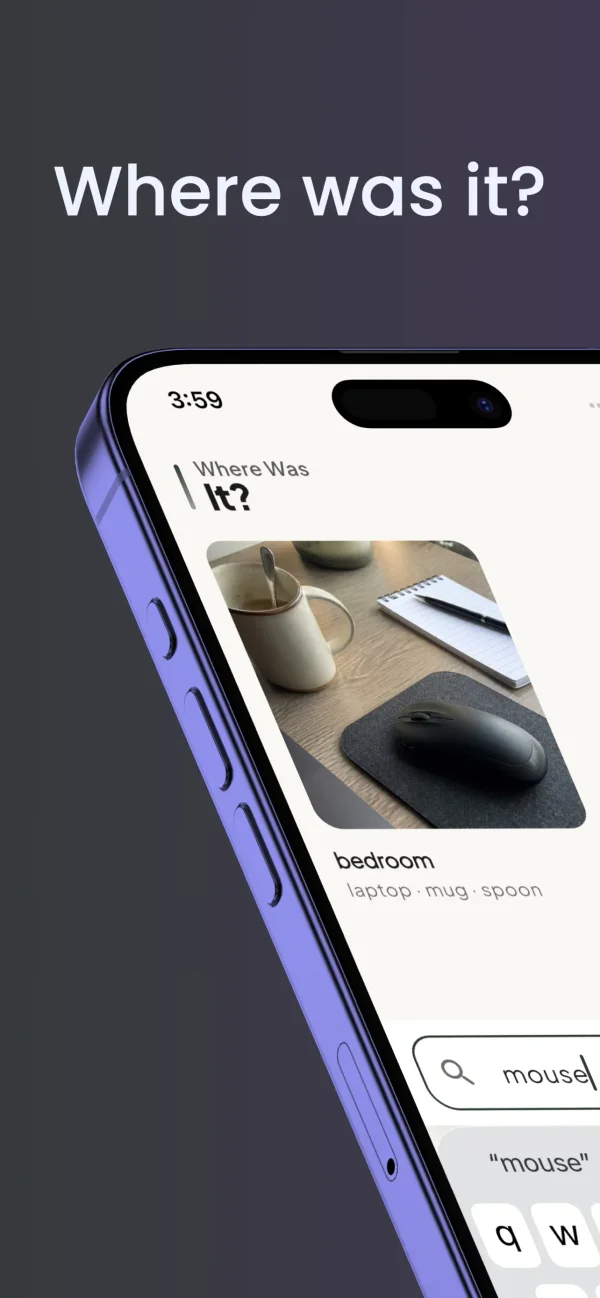
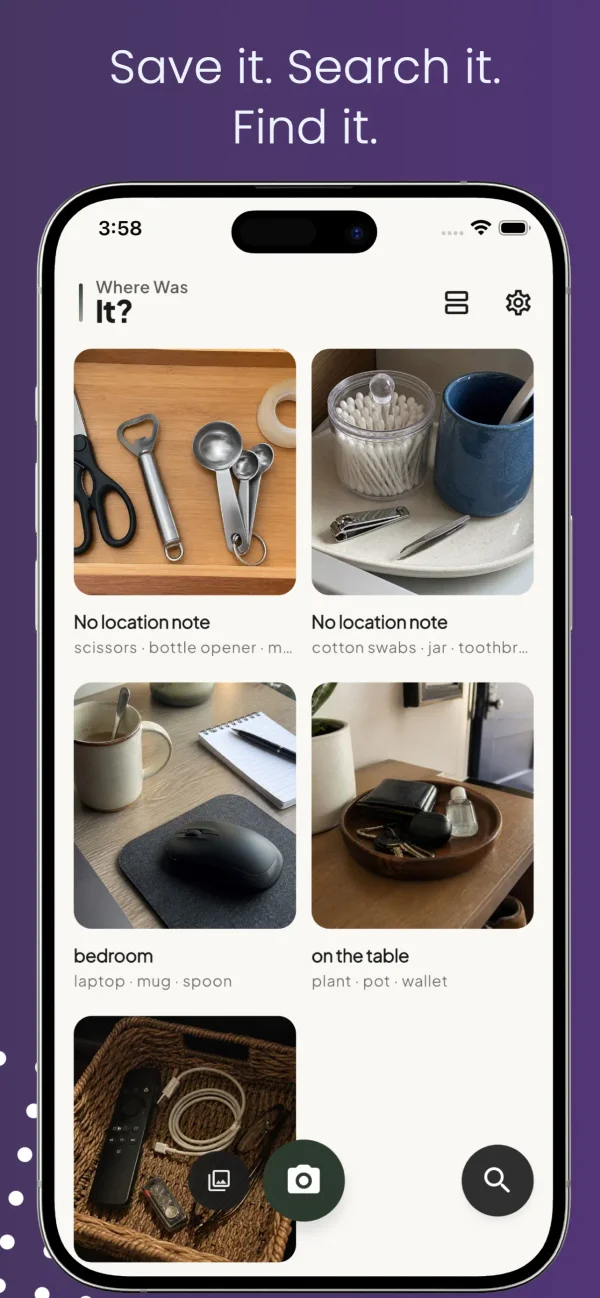
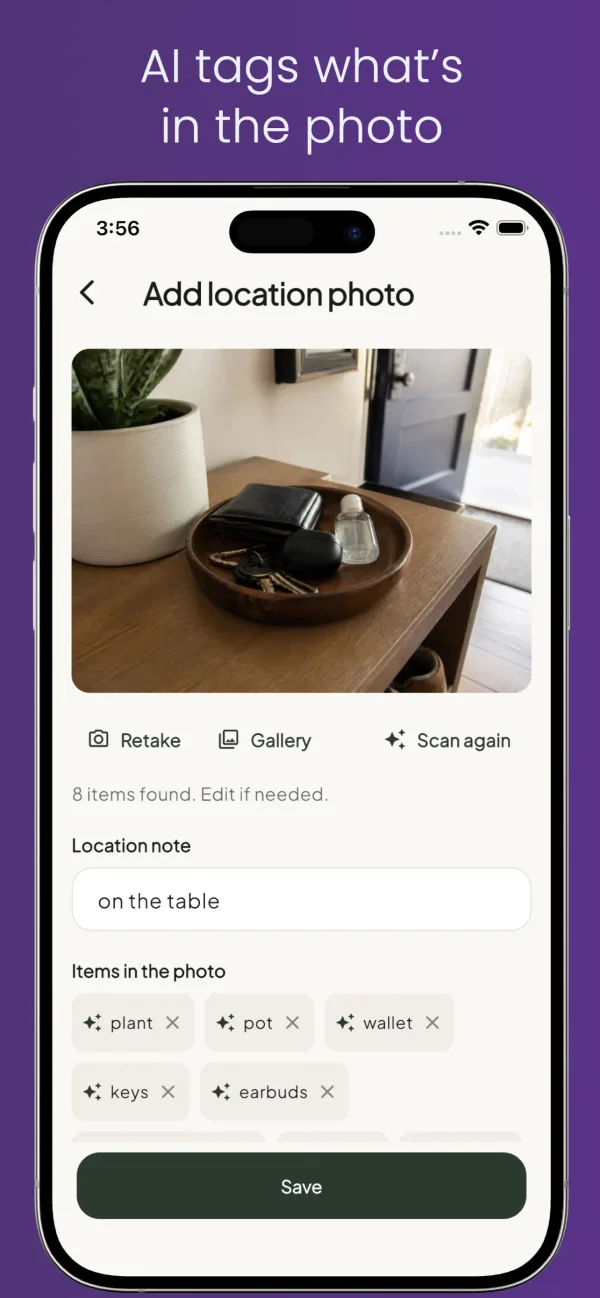
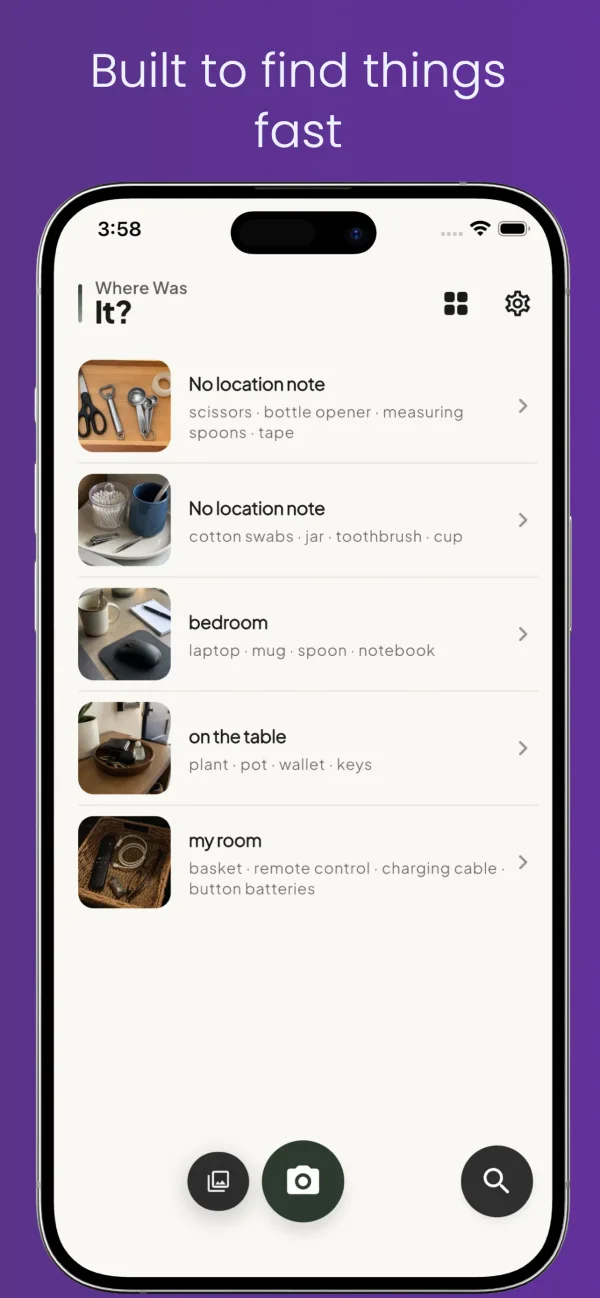
Remember Where helps you answer “where did I put that?” by saving **photos of places**—drawers, baskets, shelves—with notes and searchable item tags.
■ WHO IT'S FOR
• Anyone who misplaces scissors, chargers, tools, or hobby supplies at home or work
• People who want a visual memory of “what’s in this spot”
• Users who prefer search-by-tag over digging through albums
■ KEY FEATURES
• Capture or pick a location photo
• Add a location note (e.g. “Basket by the TV”)
• Tag items in the photo — optional AI detection or manual tags you can edit
• Search from the home screen
• Grid and list layouts
• Korean, English, Japanese, and Chinese UI
■ AI TAGGING
• When enabled, the selected photo is sent to our API for tag suggestions via Google’s Gemini API.
• We do not build a permanent photo gallery on our servers; tag text is returned to the app.
• You can always add or fix tags manually.
■ YOUR DATA
• Photos, tags, and notes are stored primarily **on your device**.
■ ADS
• Interstitial ads may appear based on how often you add photos.
Privacy Policy: https://ai-find-products-server.vercel.app/privacy
App privacy
What yonggeon kim declares on the App Store about how this app handles data.
-
Data not collected
The developer does not collect any data from this app.
Privacy practices may vary, for example with the features you use or your age.
Information
- Seller
- yonggeon kim
- Category
- Utilities
- Version
- 1.0
- Updated
- Aug 18, 2026
- Released
- Aug 18, 2026
- Size
- 62.4 MB
- Requires
- iOS 16.0 or later
- Age rating
- 4+
- Languages
- Japanese, Simplified Chinese, English, Korean
- Copyright
- © 2026 Smart AI Company, All rights reserved.
You might also like
-
 3-Tap Memo: Sticky NotesQuick Lockscreen Widget
-
 东西放哪了-智能语音版Utilities
-
 Where'd I Put It: Item FinderRecall Every Stash Spot Fast
-
 MELOFTYAxom Series Control Software
-
 WhereIs: Home Item FinderFind & Track Your Stuff
-
 Bluetooth Locator: Find DeviceLost headphones? Radar & map
-
 Kitsnyang Alarm ClockMorning wake-up sounds
-
 搁哪了Utilities
-
 Useful Lock Screen MemoNotes, Reminders & Widgets
-
 쉬운 계산기 - 인터넷 브라우저Utilities