Remind Me: Weekly Widgets
Reminder, Planner & To Do List
Designed for iPhone, iPad
Free · In-app purchases
- Age rating4+
- CategoryProductivity
- DeveloperTaton David
- LanguagesEnglish+ 5 more
- Size26.4 MB
Links to the official App Store page
Download.org hosts no file of Remind Me: Weekly Widgets. The button opens its official App Store page, published by Taton David. Listing last checked on Nov 26, 2026.
Screenshots
About
SEE YOUR WEEK AT A GLANCE
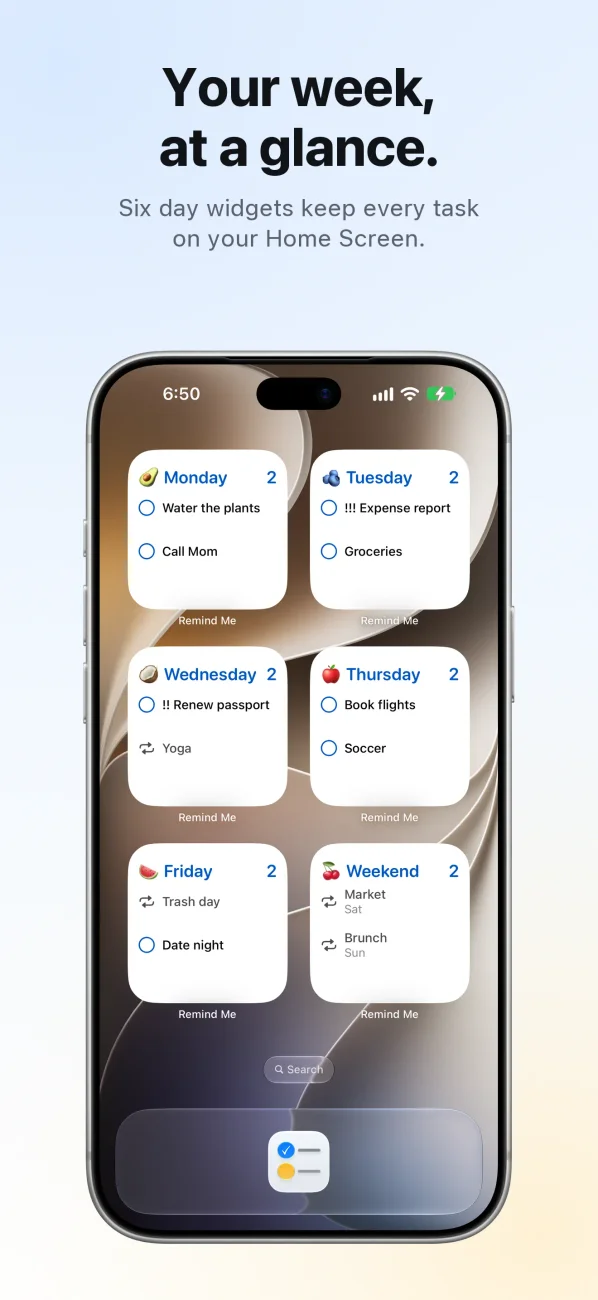
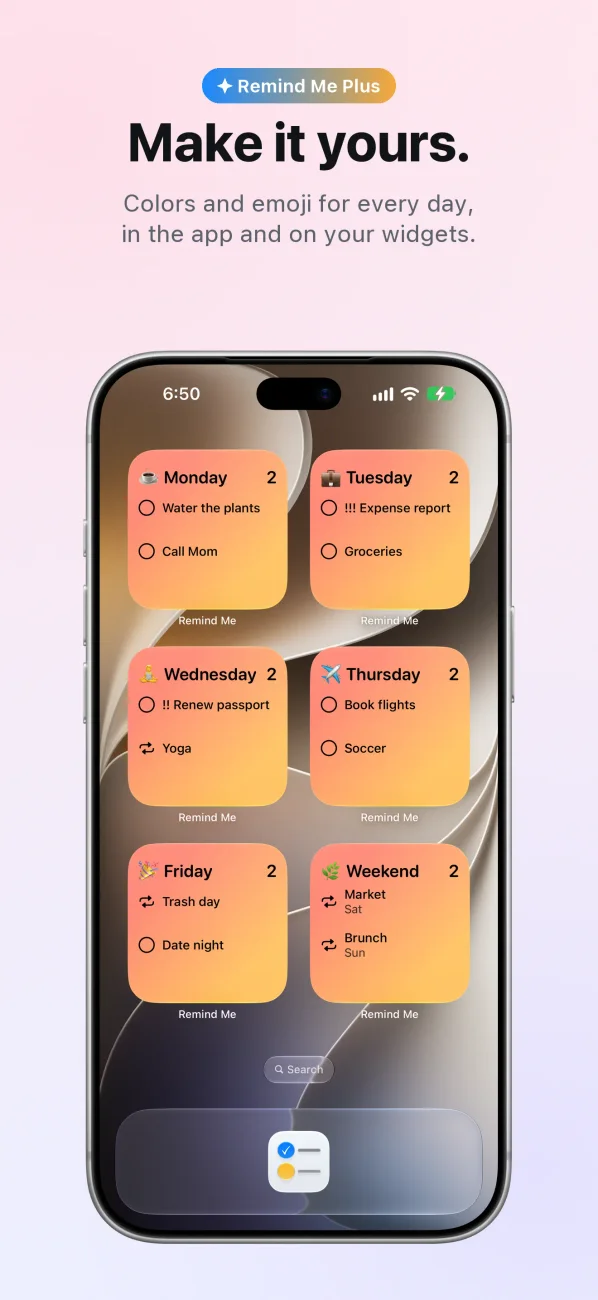
• Six day widgets, Monday to Friday plus the weekend, each with that day's tasks
• Check off tasks right on the widget
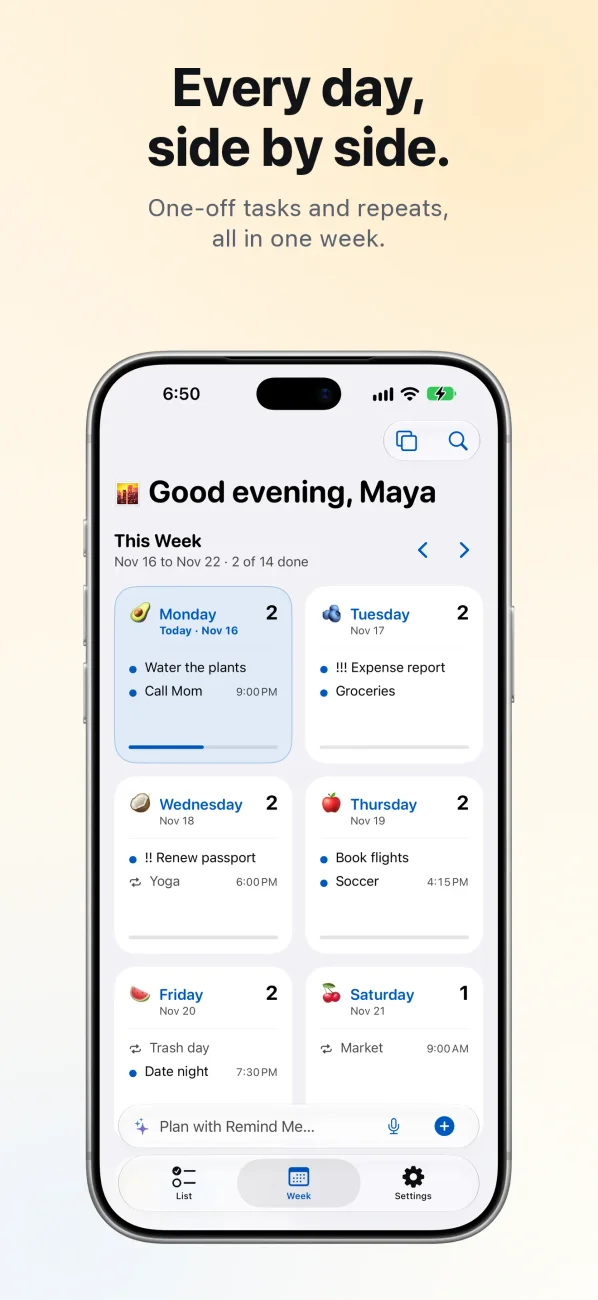
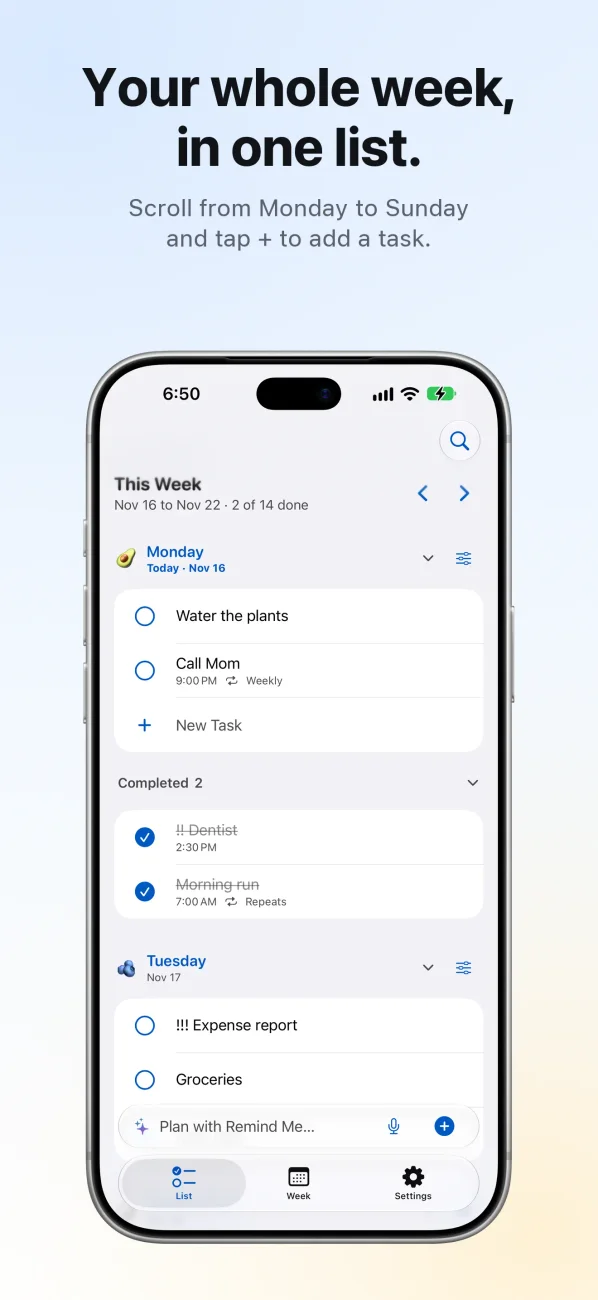
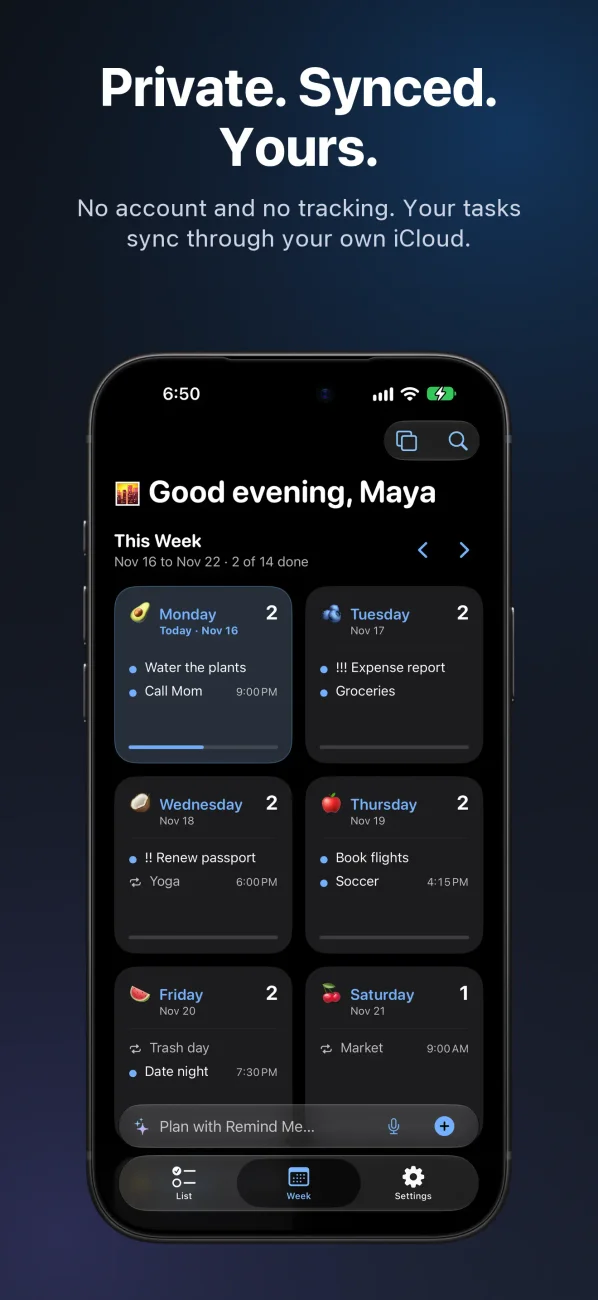
• A Week board with every day, a List tab with your whole week in one list, and a Day view for the details
• On iPad and iPhone Duo, your week spreads into day columns side by side. Tap a day above the columns to jump to it.
EVERYTHING YOU NEED, FREE
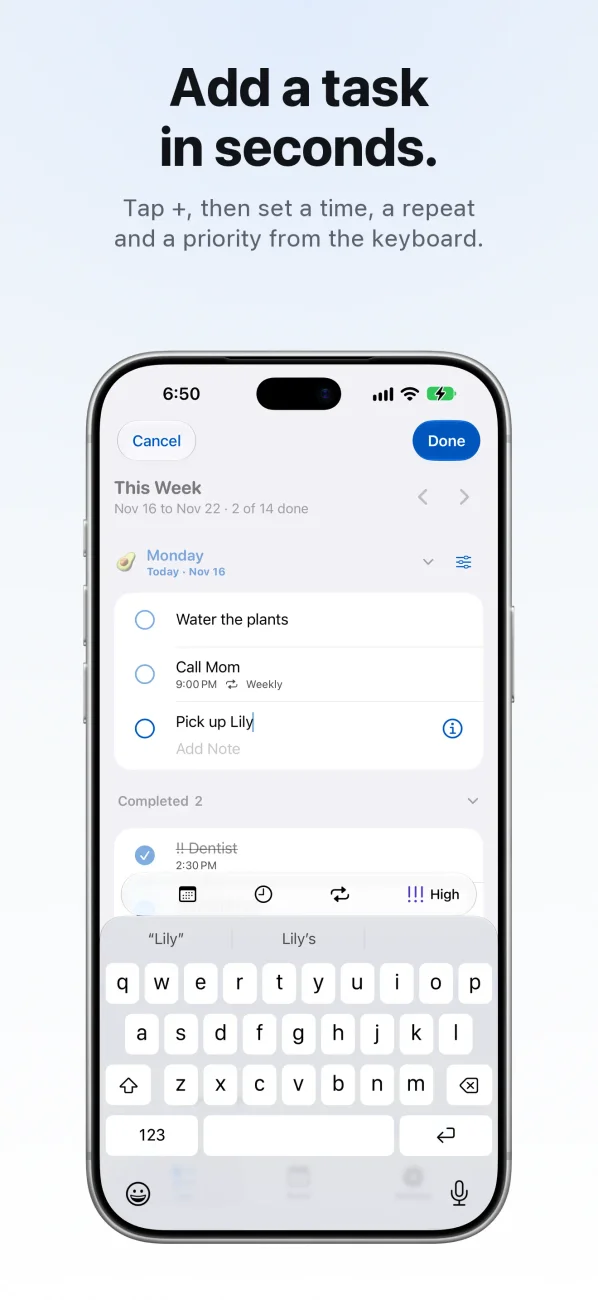
• Tasks with a day, a time and notes. Set a time, get an alert.
• On iPhone, the + adds a task right from Week or List
• Daily and weekly repeats, from the scheduled date or after you finish, with the option to End Repeat
• Set priorities with a quick slider, plus search and sorting
• Templates for the days and weeks you repeat
• iCloud sync across iPhone and iPad
• Siri, Shortcuts and Spotlight
• Bring over tasks from the Reminders app in a few taps
• In English, Spanish, Portuguese (Brazil), German, French and Japanese
Want more? REMIND ME PLUS!
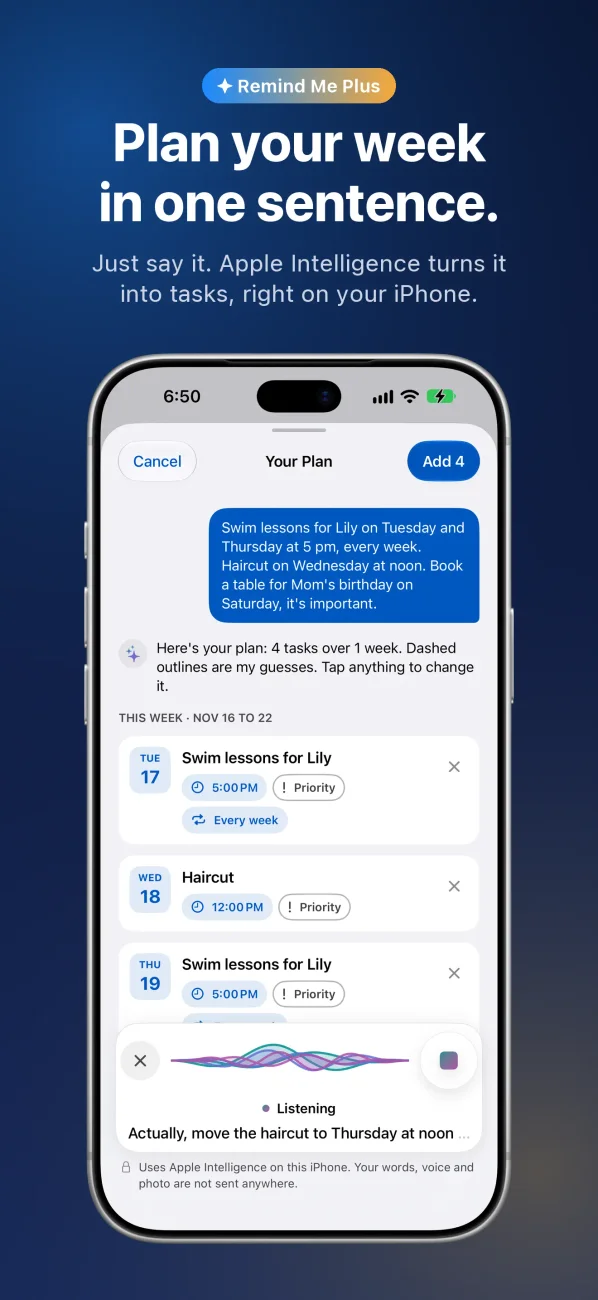
• Plan your week in one sentence: type it or just say it, and Apple Intelligence turns it into tasks ready to be added. It reads days and times in all six of the app's languages.
• Plan from a photo of a list or a note, powered by AI!
(Planning requires a device with Apple Intelligence.)
• Day Timeline: see your day by the hour, beside your week, on iPad and iPhone Duo
• Daily Review: start each morning with yesterday's unfinished tasks and carry them forward in one tap
• Automatic carry forward: unfinished tasks move to today on their own
• Make it yours: custom colors, gradient widgets and your own emoji for every day
Plus is a yearly subscription with a 1 week free trial for new subscribers, a monthly subscription, or a one-time Lifetime purchase. Payment is charged to your Apple Account. A subscription renews automatically unless it is turned off at least 24 hours before the end of the current period. Manage or cancel it in your Apple Account settings.
PRIVATE BY DESIGN
No account. No ads. No tracking. The planner runs on your device, and your tasks sync only through your own iCloud.
Terms of Use: https://www.apple.com/legal/internet-services/itunes/dev/stdeula/
Privacy Policy: https://getremindme.netlify.app/privacy/
What’s new
Version 1.0.1 · Nov 25, 2026
• iPhone: a new List tab shows your whole week in one list.
• iPad: the Week now shows day columns side by side. Tap a day above the columns to jump to it.
• Now in Portuguese (Brazil), German, French and Japanese. The planner (Remind Me Plus) reads days and times in all six languages.
• Day Timeline, with Remind Me Plus: see your day by the hour, beside your week, on iPad and iPhone Duo.
• On iPhone, the + for a new task now sits at the end of the planner bar, on Week and List.
• Ready for iPhone Duo: the outer display works like any iPhone, and when you open it, your week spreads into day columns.
• Many fixes and improvements.
App privacy
What Taton David declares on the App Store about how this app handles data.
-
Data not collected
The developer does not collect any data from this app.
Privacy practices may vary, for example with the features you use or your age.
Information
- Seller
- Taton David
- Category
- Productivity
- Version
- 1.0.1
- Updated
- Nov 25, 2026
- Released
- Nov 6, 2026
- Size
- 26.4 MB
- Requires
- iOS 26.0 or later
- Age rating
- 4+
- Price
- Free
- In-app purchases
- Yes
- Languages
- English, French, German, Japanese, Portuguese, Spanish
- Copyright
- © 2026 Taton David
You might also like
-
 Doin: Lock Screen To-DoPlan it. Tick it. Done.
-
 Hey OnTime: Meeting ReminderNever be late for pickup
-
 Projects: Timeline PlannerGantt for Reminders & Calendar
-
 Active Notes: Family OrganizerScreenshots into your calendar
-
 NOW: Una cosa a la vezProductivity
-
 Superhive: tasks and goalsProductivity for humans
-
 Monkway: Daily Habit TrackerRoutines, Streaks & To-Do List
-
 Arc - Habit TrackerDaily Goals, Streaks & Routine
-
 7ODAY: Weekly Planner & To DoAgenda, task list & widget
-
 Sero: Focus & App BlockerScreen Time Control