
Remory - Video Compressor
Keep Memories, Save Space
Designed for iPhone
Free · In-app purchases
- Age rating4+
- CategoryPhoto & Video
- DeveloperAHAKNOW LLC
- LanguagesEnglish+ 2 more
- Size23.1 MB
Links to the official App Store page
Download.org hosts no file of Remory - Video Compressor. The button opens its official App Store page, published by AHAKNOW LLC. Listing last checked on Nov 17, 2026.
Screenshots

About
Remory is a simple video compressor for the moments you don’t want to delete.
Some videos don’t get watched every day, but you still want to keep them. A trip, a gathering, a conversation, a pet clip, or an ordinary moment that means more to you now than it did then.
Your phone has only so much space. The videos keep adding up.
Remory helps you do something simple: make those videos smaller, so they’re easier to keep. Free up some space for whatever comes next.
From choosing a video to saving it in Photos, you decide what stays. Version 1.1 gives you more keepsake options and makes comparing and revisiting your videos easier.
◆ A smaller version worth keeping
Choose Standard Keepsake for everyday clips when saving space matters most. For travel scenery or a family moment where you want more detail, try HD Keepsake.
The new Original Size Keepsake mode retains the source width and height. Version 1.1 also improves HDR video processing.
You don’t have to choose by specifications alone. Make a keepsake, take a look, and decide whether it works for you.
◆ See it. Hear it. Then save it.
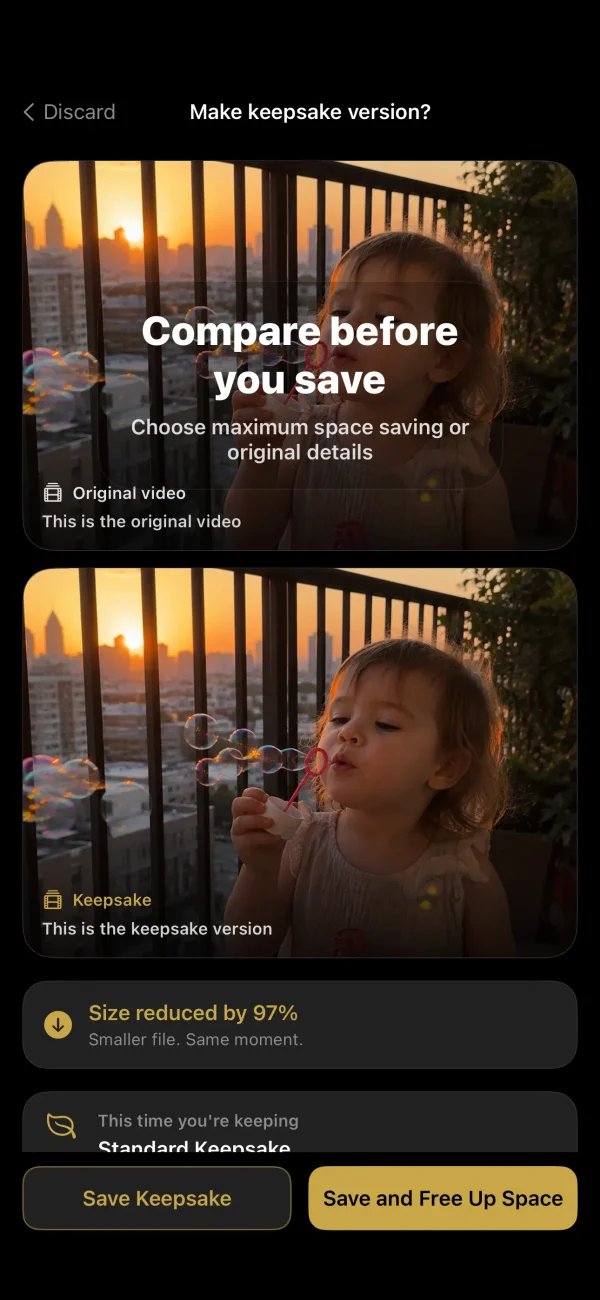
Compare the original and your keepsake side by side, and see the actual change in file size.
Play or scrub through either video independently for a closer look. With one tap, realign them and play both together. Only one audio source plays at a time, so you can hear it clearly.
Save to Photos when you’re happy. Keep the original alongside your keepsake, or choose to delete it when saving. That choice is always yours.
◆ Still that day. Still that place.
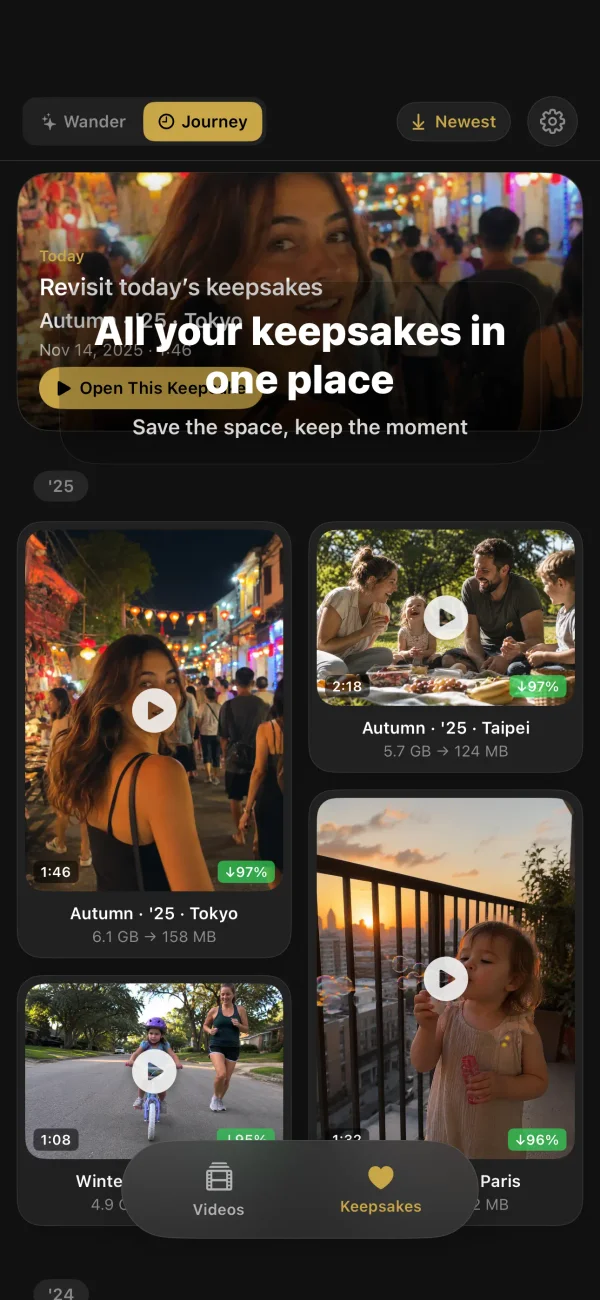
Saved keepsakes carry over the original capture date and location when available. A trip from years ago still belongs to that day and that place.
Finished videos can wait in your review list until you have time to decide. Once saved, browse them by year in Keepsakes. Collapse years you’re not looking at, or use the index to jump straight to one you remember.
Making room can be a chance to rediscover what you’ve kept.
◆ Work through more than one video
Came home from a trip with dozens of clips? Pro lets you choose multiple videos, process them in sequence, and review each result.
The screen stays awake while Remory processes in the foreground. Version 1.1 improves task retention after interruptions and recovery across app updates for videos awaiting review, helping you come back to unfinished work.
◆ Personal videos, processed on your device
No account required. Compression happens locally, and Remory does not upload your videos to its own servers. You save the finished keepsakes to your own Photos library.
◆ Start with a free keepsake
Create and preview Standard Keepsakes for free, with 5 keepsake slots.
A one-time Remory Pro lifetime purchase unlocks more slots, batch processing, HD Keepsake, and Original Size Keepsake. Try Standard first, see how it works with your videos, and decide whether you’d like more options.
Keep the moments you don’t want to delete.
Save the space you still need.
——
Practical details: All modes use lossy compression; Original Size retains dimensions. Quality and file size depend on the source and mode. iCloud-only videos must first be downloaded by Photos. Background processing depends on your device and iOS. Interrupted videos restart when you resume in the foreground; completed results are retained. Deleting an original requires iOS confirmation.
What’s new
Version 1.1 · Sep 14, 2026
For this update, we took another look at how you make, review, and revisit your keepsakes. The aim is simple: clearer choices and a smoother experience.
• New Original Size Keepsake mode, alongside Standard and HD.
• Saved keepsakes retain the original capture date and location when available.
• Control either comparison preview independently, or realign and play both with one tap. Audio plays from one source at a time and transitions smoothly as you swipe between videos.
• Expand or collapse keepsake options to give your video room. Fold saved videos by year or jump straight to a year. Settings now expand on the same page.
• Improved HDR processing and fixes for some reading failures and issues when starting again after cancellation.
• The screen stays awake during foreground processing. Improved task retention after background interruptions and recovery of videos awaiting review across app updates.
App privacy
What AHAKNOW LLC declares on the App Store about how this app handles data.
-
Data not collected
The developer does not collect any data from this app.
Privacy practices may vary, for example with the features you use or your age.
Information
- Seller
- AHAKNOW LLC
- Category
- Photo & Video
- Version
- 1.1
- Updated
- Sep 14, 2026
- Released
- May 18, 2026
- Size
- 23.1 MB
- Requires
- iOS 16.0 or later
- Age rating
- 4+
- Price
- Free
- In-app purchases
- Yes
- Languages
- English, Simplified Chinese, Traditional Chinese
- Copyright
- © AHAKNOW LLC
You might also like
-
 PicKeeper: Swipe Photo CleanerSwipe to clean your library
-
 LumaShrink: Video CompressorSave space, keep your filters
-
 TinyVid - Video CompressorVideo Compression Made Easy
-
 MarkCam: timestamp & watermarkPhoto overlay: date, text, GPS
-
 AI Video Generator - StorioFace swap, image & art maker
-
 Compress: Photo & VideoShrink Files, Keep Your Dates
-
 VideoSlim - Reduce Video SizeVideo Compressor, No Payment
-
 Datestamp - Photo Date StampAdd beautiful date stamps t...
-
 Pickora: Photo CleanerSwipe, Sort Photos & Videos
-
 Restore Old Photos - RemoryColorize & Revive Pictures