
RemoStation: Remote Play
Stream console games anywhere
Designed for iPhone, iPad
Free · In-app purchases
- Age rating4+
- CategoryEntertainment
- Developer纯沁 吴
- LanguagesEnglish+ 4 more
- Size9.0 MB
Links to the official App Store page
Download.org hosts no file of RemoStation: Remote Play. The button opens its official App Store page, published by 纯沁 吴. Listing last checked on Nov 28, 2026.
Screenshots

About
Stream your PS5 to iPhone or iPad and keep playing from the couch, the bedroom, or anywhere else in the house, and once your router is set up, even when you're away from home.
ULTRA-CLEAR STREAMING
Up to 1080p with H.265 / H.264 hardware decoding for a crisp, detailed picture. Turn on HDR when your PS5 is connected to an HDR TV, and on supported iPhones turn on Super Resolution to keep 540p and 720p sharp.
SILKY SMOOTH
Up to 120 fps on supported iPhones, with game audio in sync and responsive Bluetooth and touch controls.
NO STUTTER, NO DROPPED FRAMES
Error correction and picture recovery when the network hiccups, and automatic reconnection if the connection drops. Choose from three smoothing levels, and get tips for your router and phone when Wi-Fi keeps dropping.
FREE TO TRY
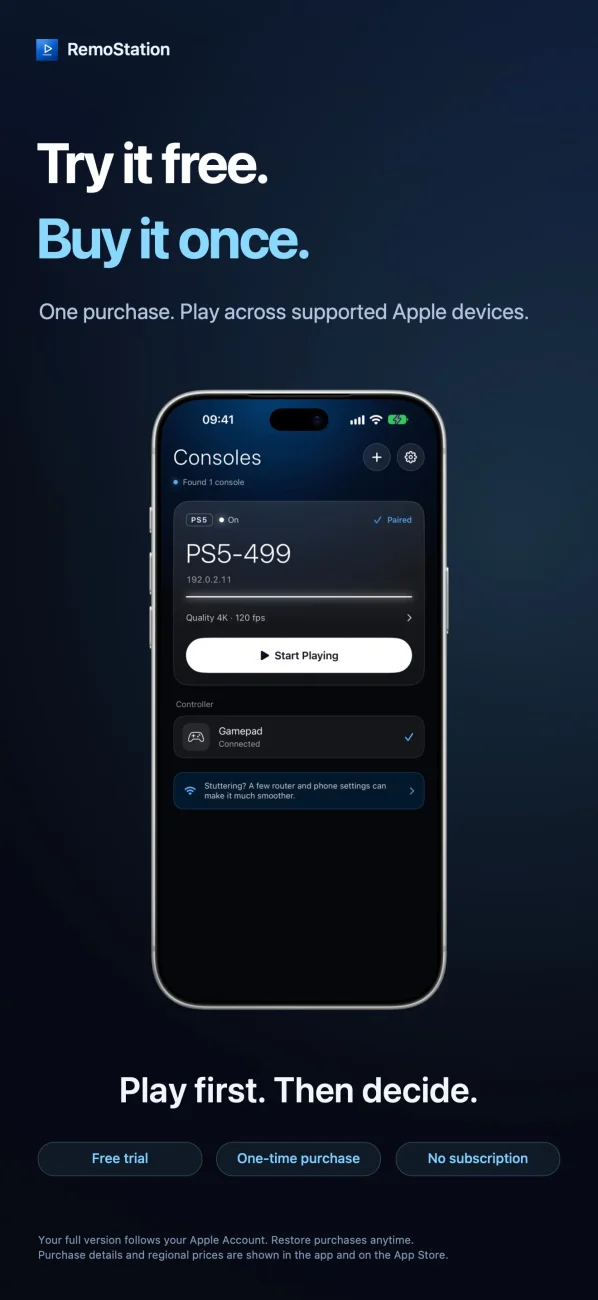
Free to download: play first, then decide. Only time with the picture playing counts toward the trial, stutter doesn't count, and you can spread it over several sessions. If you like it, a one-time purchase of the Full Version unlocks unlimited play. No subscription.
FEEL EVERY PART OF THE CONTROLLER
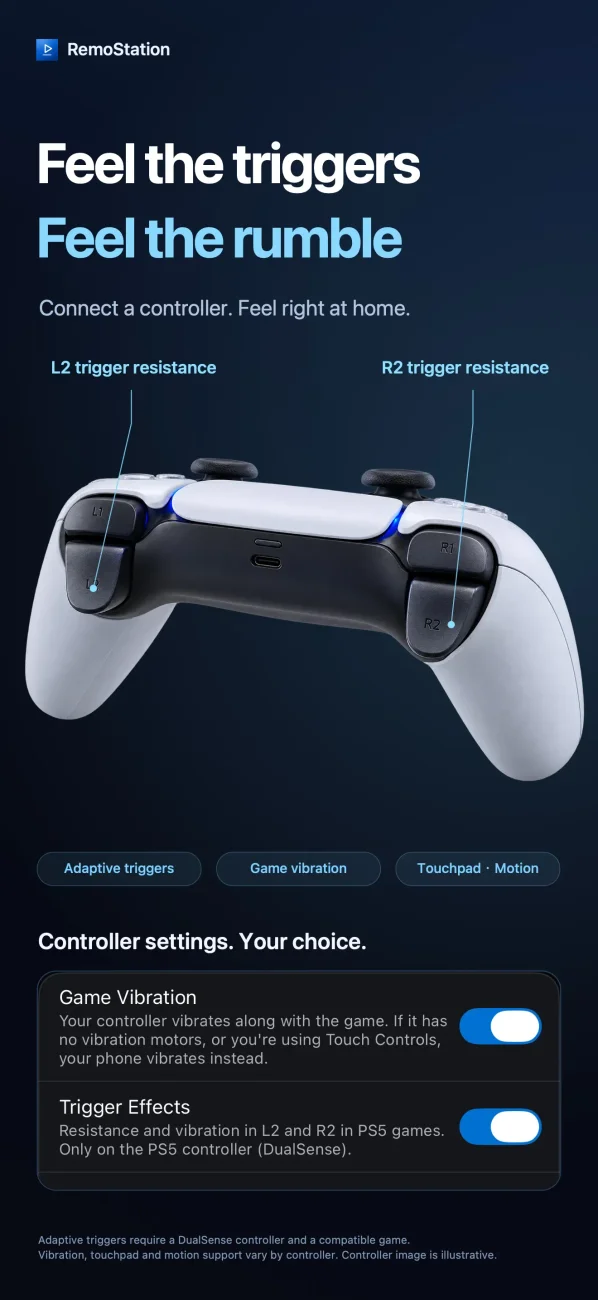
- Game Vibration: your controller rumbles with the game; with touch controls or a controller without motors, your iPhone vibrates instead
- Trigger Effects: resistance and vibration on L2 and R2 in PS5 games, on DualSense
- Touchpad: swipe and click your controller's touchpad; touch controls in the PS button style have a touchpad you can swipe on too
- Motion: your controller's motion sensors just work; with no PlayStation controller connected, turn and tilt your iPhone instead
- Mic: use your iPhone's microphone for in-game voice chat and games where you blow into the mic
- The PS and Create buttons go straight to your PS5, just like in front of the TV
PLAY AWAY FROM HOME
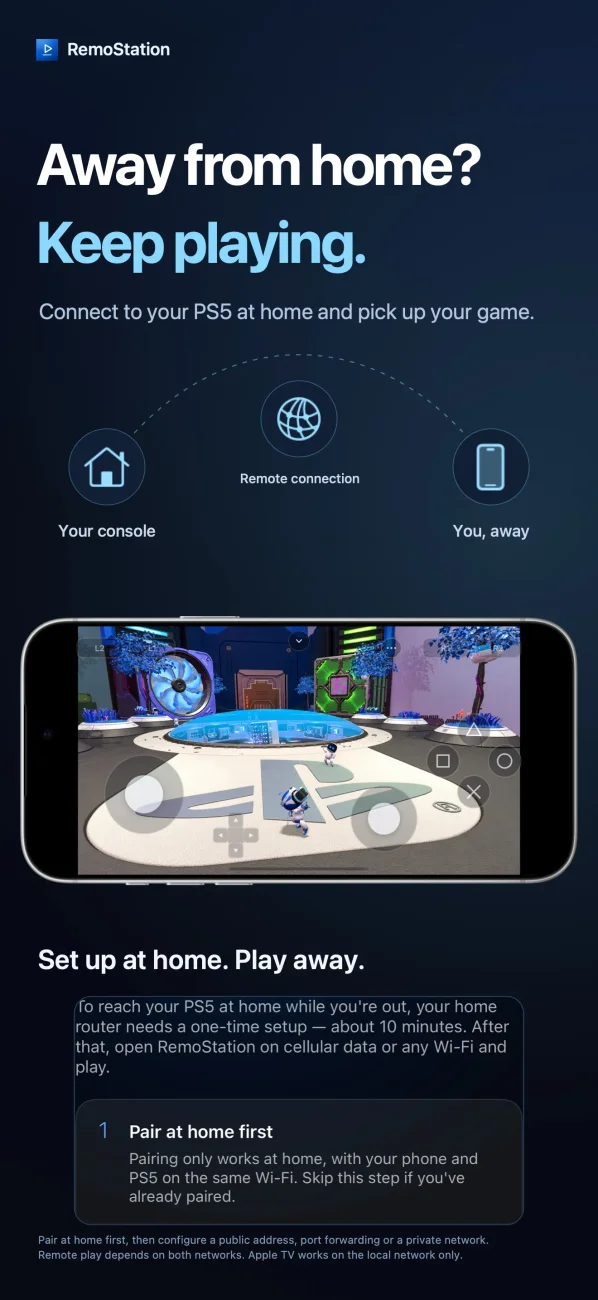
If your home internet has a public IP address (or you use a virtual private network) and your router forwards the right ports, enter the address under Play Away from Home on the console's page and connect to your PS5 at home over cellular or another Wi-Fi network.
HOW IT WORKS
1. Put your iPhone and your PS5 on the same Wi-Fi and turn on Remote Play on the PS5.
2. Sign in to PSN once in RemoStation (on Sony's official sign-in page; your password is only ever entered on Sony's site), then enter the 8-digit code shown on the console.
3. From then on, just open the app and tap Start Playing. A console in Rest Mode can be woken up from the app.
MORE FEATURES
- Works with Bluetooth controllers such as DualSense, DualShock 4 and Xbox controllers
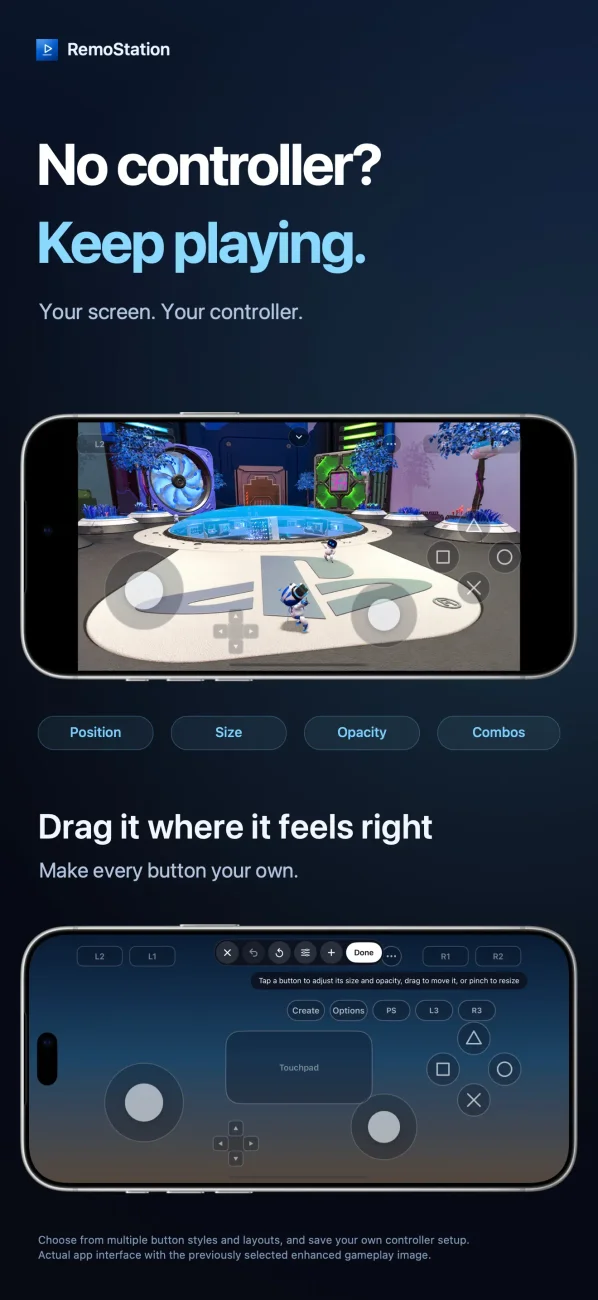
- Touch controls: PS, Xbox or Switch button styles in Compact, Full or Floating layouts; adjust every button's position, size and opacity, and set up combos and turbo
- Play history: what you played and for how long
- Questions? Write to the developer right from Settings
PLEASE NOTE
- PS5 only for now; PS4 is not supported yet
- Remote Play must be turned on on the PS5
- 120 fps and Super Resolution need an iPhone with iOS 26 or later, and 120 fps also needs a 120 Hz display; HDR, 120 fps and Super Resolution work one at a time
- Playing away from home over cellular at 720p and 5 Mbps uses about 2.2 GB per hour
- For the steadiest picture, connect the console to your router with a cable and your iPhone to 5 GHz Wi-Fi
PlayStation, PS5 and DualSense are trademarks or registered trademarks of Sony Interactive Entertainment Inc. RemoStation is a third-party app and is not affiliated with, endorsed by or licensed by Sony Interactive Entertainment.
What’s new
Version 2.9.1 · Nov 27, 2026
What's new in 2.9.1
· QR Config Sync over local network: show a QR code in Onboarding, Add Console, Settings, or on Apple TV and scan with another configured iPhone or iPad to transfer paired PS5 credentials, remote addresses, accounts, and video/controller settings directly over LAN—no PS5 code needed
· Lower controller latency & stuck-key fixes: reworked physical and virtual controller event delivery to prevent stuck keys on simultaneous releases and missed slow-trigger releases; added Analog Trigger Slide on the virtual pad (hold L2 or R2 and slide down for smooth partial throttle, toggleable in Settings)
· Dual-band haptics tuning: splits low-frequency impacts and high-frequency ripples/gear clicks cleanly across left and right motors with crisper stops
· More stable remote & weak-network streaming: added packet-reordering window, faster frame-loss recovery, tuned PSN direct network parameters, and fixes for HDR whiteout flashes and H.265 stalls after packet loss
· Foldable stand-mode layout: keeps video cleanly in the upper half when partially folded in portrait, with both physical and touch controls
Improvements and bug fixes.
App privacy
What 纯沁 吴 declares on the App Store about how this app handles data.
-
Data not collected
The developer does not collect any data from this app.
Privacy practices may vary, for example with the features you use or your age.
Information
- Seller
- 纯沁 吴
- Category
- Entertainment
- Version
- 2.9.1
- Updated
- Nov 27, 2026
- Released
- Sep 26, 2026
- Size
- 9.0 MB
- Requires
- iOS 17.0 or later
- Age rating
- 4+
- Price
- Free
- In-app purchases
- Yes
- Languages
- English, Japanese, Korean, Simplified Chinese, Traditional Chinese
- Copyright
- © 2026 吴纯沁
You might also like
-
 PS RemoterYour console, within reach
-
 Play View - Remote Play ClientRemote Play Game Stream Client
-
 Pylux - Remote PlayStream PS4 & PS5 Anywhere
-
 XBX Play & Remote ControllerGamepad Tools & Game Discovery
-
 POK PS2 Emulator: Delta SkinsRediscover the classics!
-
 Midori: Remote PlayRemote Play & Cloud Gaming
-
 Portal: Remote PlayConsole, Cloud Gaming & HDMI
-
 Haptic Emulator – PSP & GBAPS1, NES, SNES, N64, Gameboy
-
 Game Tracker: Play & LogOrganize Your Gaming Backlog