- Age rating4+
- CategoryPhoto & Video
- DeveloperBrent Gaddis
- LanguagesEnglish
- Size14.0 MB
Links to the official App Store page
Download.org hosts no file of RemoteLens Pro. The button opens its official App Store page, published by Brent Gaddis. Listing last checked on Nov 12, 2026.
Screenshots

About
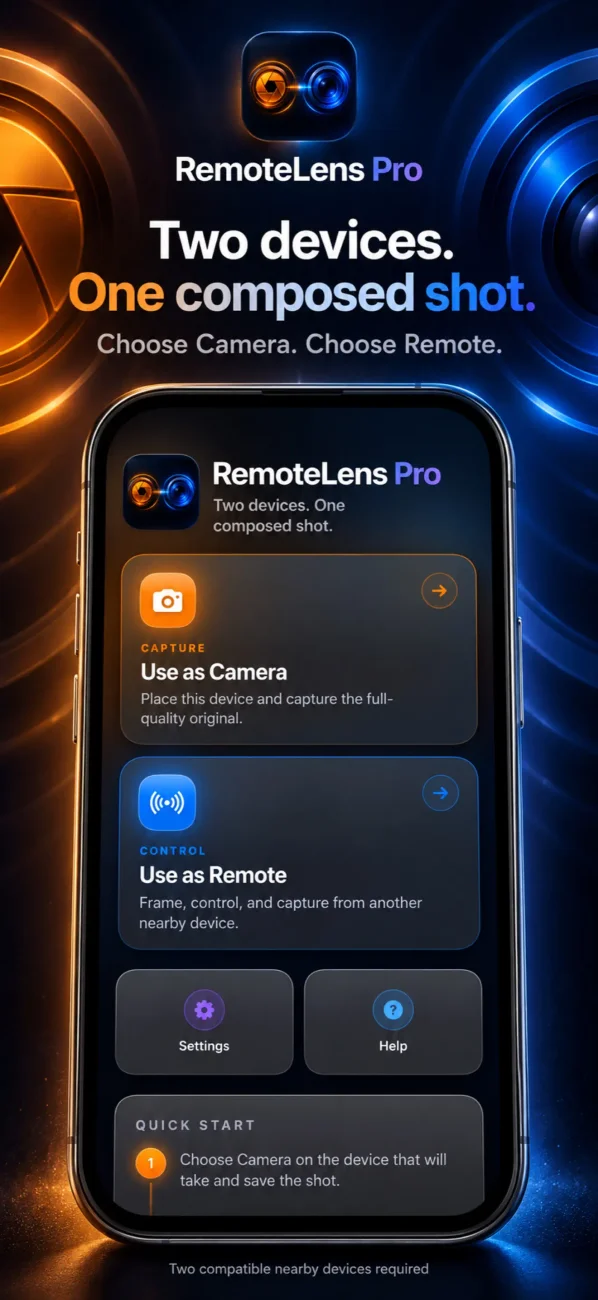
Turn two nearby iPhones or iPads into a camera and remote.
Place one device where the shot looks best. Use the other to see the view, adjust the camera and capture photos or video without touching the camera device. RemoteLens Pro is useful for group photos, self-portraits, overhead setups, product photography and content creation.
CAMERA AND REMOTE
• Choose Camera on the device that takes and saves the original.
• Choose Remote on your second nearby device to frame and control the shot.
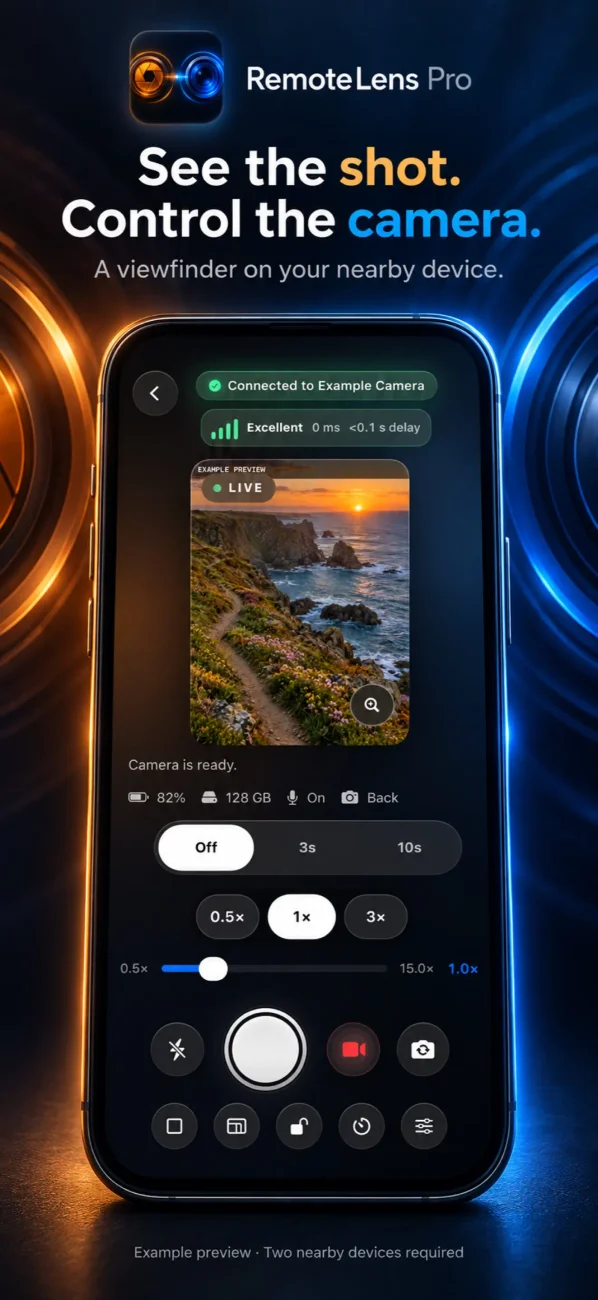
• Trigger photos, start or stop video, and use timer and interval controls.
• Adjust zoom, select available lenses, and change supported camera controls.
COMPOSE WITH MORE INFORMATION
• Live viewfinder with connection quality and estimated picture-delay indicators.
• Framing guides, optional exposure histogram and Focus Check magnification.
• Session Review for reviewing captures on the Remote.
• Flexible controls for compact windows and wider iPhone Duo and iPad layouts.
KEEP YOUR ORIGINALS
Full-quality originals remain on the Camera device, with options for saving to Photos and recovering originals that still need saving. Approve each connection on the Camera. Manage remembered devices in Settings and forget one without clearing the others. No account is required.
OPTIONAL USAGE SHARING
Usage analytics starts off. Choose Yes, Share Usage or No Thanks, and change your choice in Settings. Returning-use measurement requires a separate opt-in. Analytics excludes photos, video, audio, private content and nearby-device information. It does not provide automatic crash uploads.
RemoteLens Pro requires two compatible nearby iPhones or iPads for the camera-and-remote workflow. Allow Local Network access and keep Wi-Fi and Bluetooth available for discovery. Camera access is required on the Camera device; microphone access is used when recording with audio. Lens choices and capture capabilities depend on the Camera device. Connection conditions affect preview quality and delay.
What’s new
Version 9 · Oct 27, 2026
Version 9 updates capture, preview and recovery handling, with clearer privacy choices.
• Refined preview buffering, freshness indicators and recovery behavior.
• Improved capture and recording completion handling, including preserving originals that still need saving.
• More consistent camera controls, zoom, focus and exposure interactions.
• Refined sharing, diagnostic exports and sheet navigation.
• Clearer remembered-device management. Approve each connection on the Camera device.
• Optional usage sharing with a one-time Yes/No choice and editable Settings controls. Collection starts off; returning-use measurement requires a separate opt-in.
• Accessibility, layout and readability refinements for iPhone and iPad.
Two nearby compatible devices are required for the camera-and-remote workflow. Available lenses and controls depend on the Camera device.
App privacy
What Brent Gaddis declares on the App Store about how this app handles data.
-
Data linked to you
May be collected and linked to your identity.
- Identifiers
- Usage data
- Diagnostics
Privacy practices may vary, for example with the features you use or your age.
Information
- Seller
- Brent Gaddis
- Category
- Photo & Video
- Version
- 9
- Updated
- Oct 27, 2026
- Released
- Jul 14, 2026
- Size
- 14.0 MB
- Requires
- iOS 17.0 or later
- Age rating
- 4+
- Languages
- English
- Copyright
- Copyright © 2026 Brent Gaddis. All rights reserved.
You might also like
-
 BGAway: AI Background RemoverOne-Tap Photo Cutouts
-
 TAME Video CompressorShrink clips, save space
-
 VRL CamVTubing meetings IRL. Go VRL!
-
 GridlaiBeautiful photo grids
-
 ZOMO: Disposable CameraRetro Film Effects & 90s Style
-
 WirelessMic - Video & AudioPro wireless mic & camera sync
-
 ComeCloser CameraPhotos nobody else can take
-
 unPi SelfieDual Camera, One Shot
-
 Stillora: MP4 Video MakerPhoto & Audio to MP4 Slideshow
-
 SellShot: Product Photo EditorRemove Backgrounds, Batch Edit