
Remove Objects. Photo Eraser
Editor App. Cut Out Background
Designed for iPhone, iPod touch
Free · In-app purchases
- Age rating4+
- CategoryUtilities
- DeveloperToni Pessey
- LanguagesEnglish
- Size14.3 MB
Links to the official App Store page
Download.org hosts no file of Remove Objects. Photo Eraser. The button opens its official App Store page, published by Toni Pessey. Listing last checked on Nov 17, 2026.
Screenshots


About
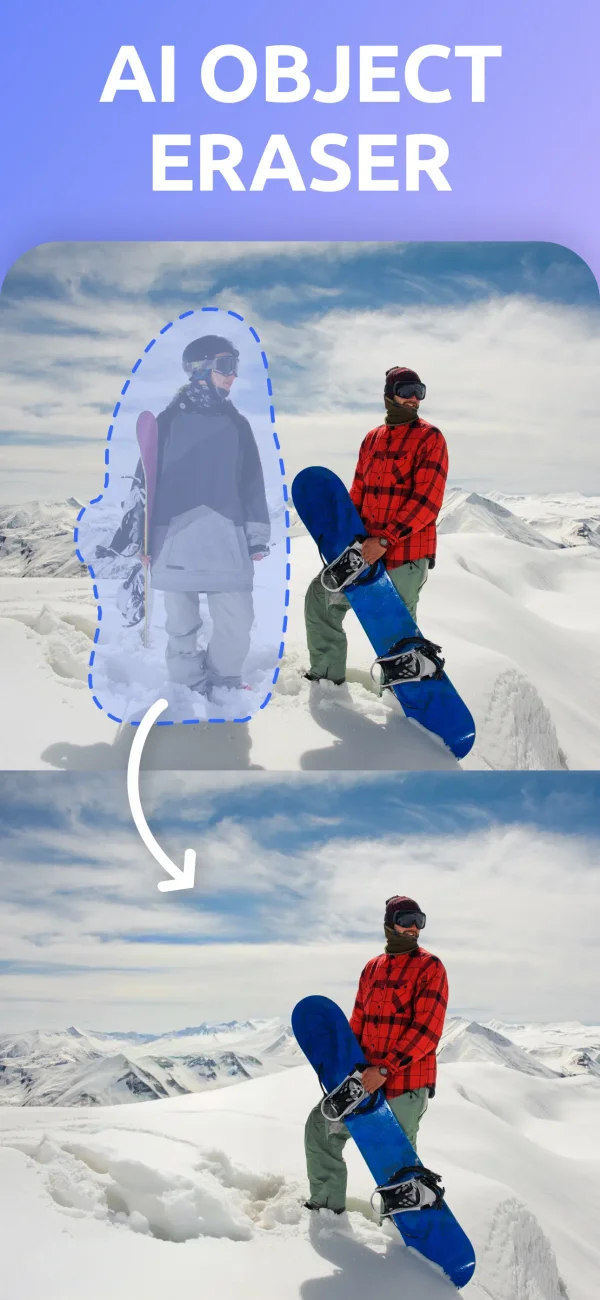
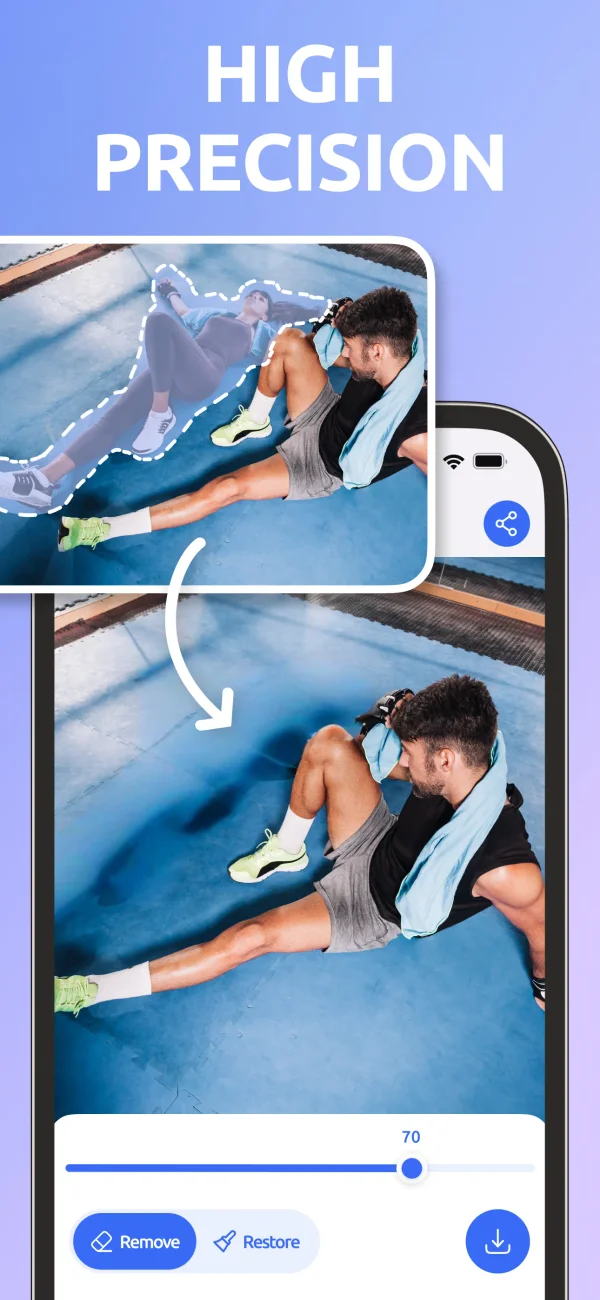
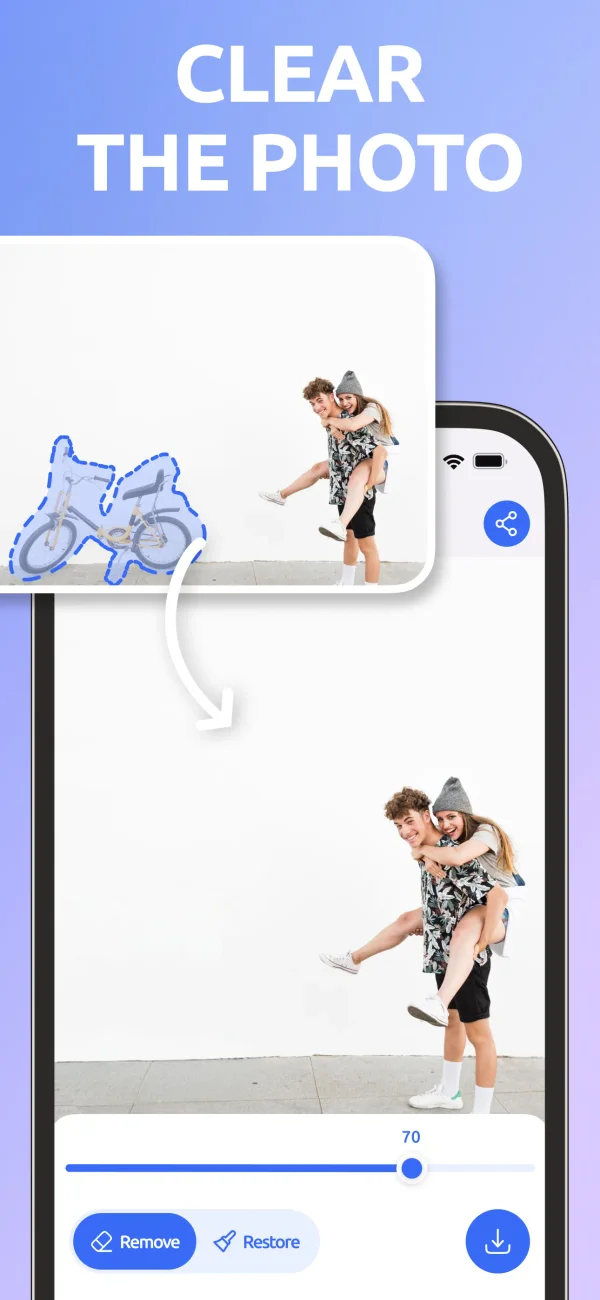
Looking for an online tool to effortlessly remove unwanted objects from your photos? Our app is the perfect solution. Quickly eliminate backgrounds from your images while preserving transparency. Create your ideal picture by removing the background, highlighting the subject, and overlaying it onto a new image.
Our background remover tool allows you to focus on your photo's subject by creating a transparent backdrop, enabling you to place your new image in various styles and settings. Whether you want to add a vibrant background or completely change your subject's environment, this app has you covered.
Features include:
- Background Eraser: Remove the background from any photo and replace it with a new one.
- Object Remover: Effortlessly remove unwanted objects from your image's background.
- Blur Background: Apply a blur effect to the background of your photo with just a few taps.
- Splash Tool: Emphasize or adjust specific colors in your images to create stunning splash effects.
- Blend Tool: Create blends by merging colors and elements between multiple selected objects.
- Professional Photo Filters: Apply unique, high-quality filters to your photos for striking effects.
- Background Opacity Adjustments: Fine-tune the opacity of filters, layers, and effects to your liking.
Mix and match your cropped images for optimal results. Enhance your photos further by adding artistic overlays.
Subscription for premium features:
The app offers auto-renewing subscription option:
- The subscription will automatically renew unless you disable auto-renewal at least 24 hours before the current period ends.
- Your account will be charged for renewal within 24 hours before the end of the current period, with the renewal cost clearly identified.
- You can manage your subscriptions and turn off auto-renewal in your Account Settings after purchase.
- Any unused portion of a free trial period will be forfeited upon purchasing a subscription, where applicable.
Privacy Policy: https://docs.google.com/document/d/1aryGEBaex1fyNLq-MjfN2uGiG9la5qyIakRnhpf_Ihw/edit
Terms of Use: https://docs.google.com/document/d/1MkISjeHFhc56x-jBaLv1qFldyqE0lr1Y3_s91rFTJEk/edit
What’s new
Version 1.1 · Feb 27, 2025
Improvements in removal algorithm, more cute animations and fixing of some bugs
App privacy
What Toni Pessey declares on the App Store about how this app handles data.
-
Data not linked to you
May be collected but is not linked to your identity.
- User content
- Diagnostics
Privacy practices may vary, for example with the features you use or your age.
Information
- Seller
- Toni Pessey
- Category
- Utilities
- Version
- 1.1
- Updated
- Feb 27, 2025
- Released
- Aug 29, 2024
- Size
- 14.3 MB
- Requires
- iOS 15.0 or later
- Age rating
- 4+
- Price
- Free
- In-app purchases
- Yes
- Languages
- English
- Copyright
- © Fonso Enders
You might also like
-
 Remove It - Object Eraser.AI Photo Retouch & Editor Tool
-
 Remove Objects: Photo RetouchCut Out Background, Eraser
-
 Photo Eraser. Remove ObjectsCut Out Background. Retouch
-
 Remove Objects: Magic Cut OutImage Editor & Photo Eraser
-
 Remove Objects. Edit PhotoAI Retouch. Delete Background
-
 Remove Objects. Image EditorMagic Cut Out, Photo Eraser
-
 WiFi & Hidden Camera DetectorSpeed Test: Spy Cam Finder
-
 Home Monitor:Hidden Spy CameraHome Protection - Anti-Spyware
-
 WIFI Speed Test & Internet MapNetwork Analyzer Hidden Device
-
 Plant and Coin Identifier ScanID Cam Scanner: Identification