Resonote - Save Quotes
Commonplace Book & Reflections
Designed for iPhone
In-app purchases
- Age rating4+
- CategoryProductivity
- LanguagesEnglish+ 1 more
- Size30.3 MB
Links to the official App Store page
Download.org hosts no file of Resonote - Save Quotes. The button opens its official App Store page, published by . Listing last checked on Nov 10, 2026.
Screenshots



About
Some words are worth keeping.
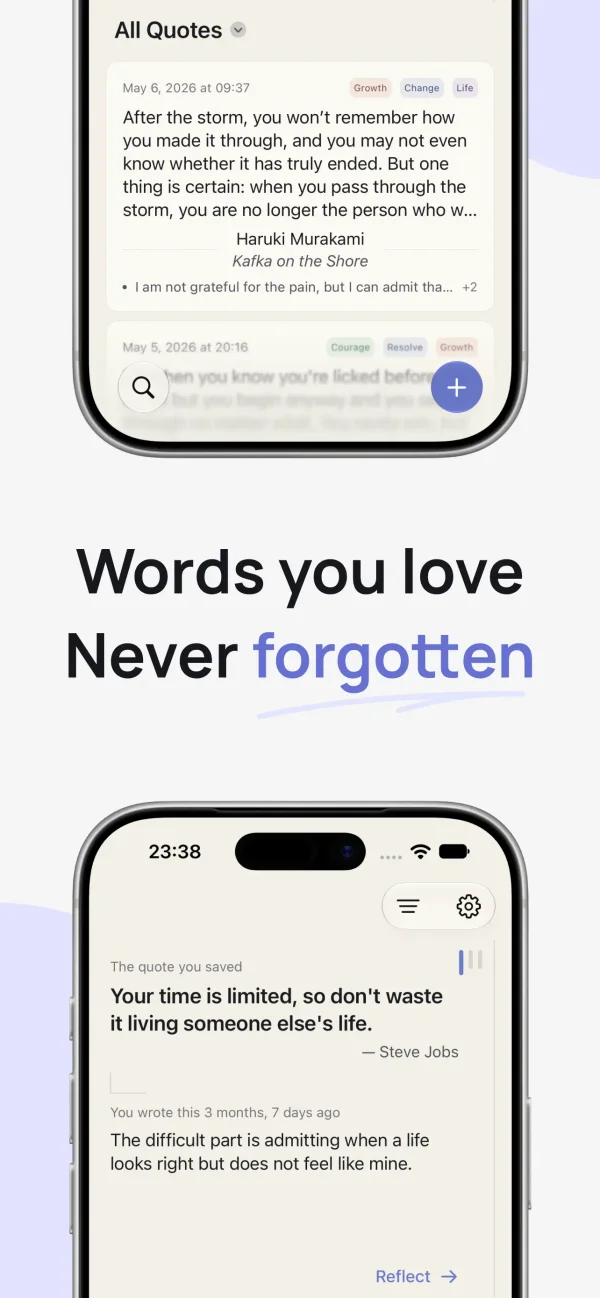
Resonote is a calm, focused place to collect the words that move you—and return to them when the time is right. Save memorable lines from books, articles, conversations, films, and everyday life, together with their author, source, tags, and your own reflections.
Capture words in context
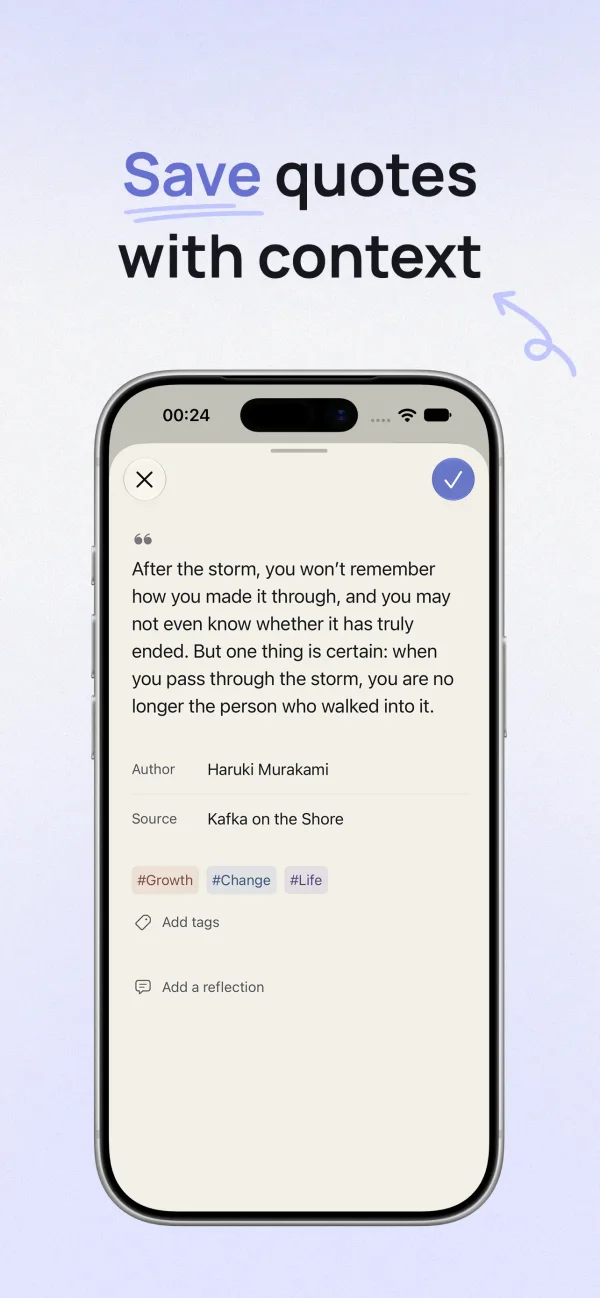
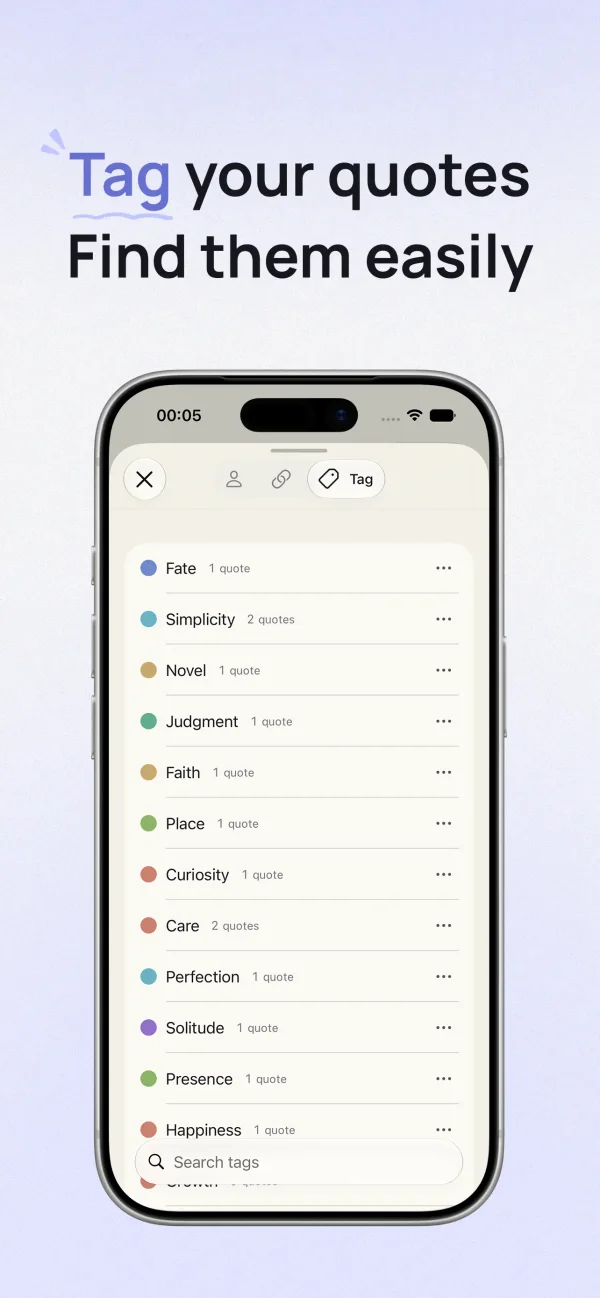
Save quotes, excerpts, dialogue, and anything else that makes you pause. Type directly, paste from your clipboard, or select text from a photo, then add an author, source, and tags to preserve the context around it.
Return to what moved you
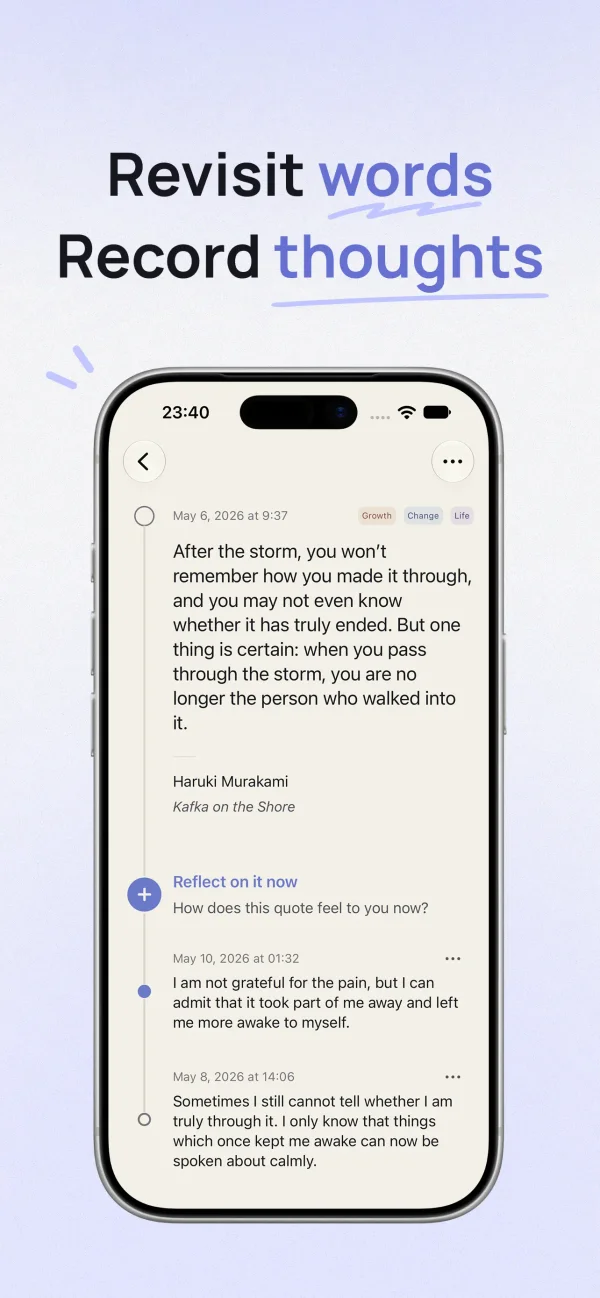
Daily Review brings back a few quotes that have had time to settle. Add new reflections as your perspective changes, then revisit the timeline to see how your thoughts have evolved.
Organize and rediscover
Browse by tag, author, or source. Search quote text, authors, sources, and reflections, return to recent searches, and sort your collection by date added or last updated. Pin one quote you want to keep especially close.
Keep meaningful words close
Add light or dark widgets to your Home Screen. Show a random quote, one you choose, or your pinned quote, and decide how often random selections refresh.
Read and share your way
Follow your system appearance or choose a light or dark theme, and decide whether quote cards show authors, sources, tags, and reflections. When sharing, choose a reflection and a light or dark card, or copy the quote in a clean, ready-to-share format. Pro users can also remove the Resonote watermark.
Your words, your data
Your data is stored on your device by default. Import or export your collection at any time, and manually create or restore backups in iCloud Drive. Pro users also get daily automatic iCloud backups.
Start free with up to 20 quotes. Resonote Pro unlocks unlimited quotes, Home Screen widgets, automatic iCloud backups, and watermark-free sharing.
Keep what resonates. Return whenever you need it.
Choose a monthly or yearly subscription, or make a one-time purchase for lifetime access. Payment is charged to your Apple Account when you confirm your purchase. Monthly and yearly subscriptions renew automatically unless canceled at least 24 hours before the end of the current billing period. You can manage or cancel your subscription at any time in your App Store account settings. Lifetime access is a one-time purchase and does not renew.
Privacy Policy:
https://resonote-privacy-policy.notion.site/Resonote-Privacy-Policy-36a9ee4003ee80c4a839ff033eed2368
Terms of Use:
https://www.apple.com/legal/internet-services/itunes/dev/stdeula/
What’s new
Version 1.0.11 · Oct 30, 2026
- A brand-new Live Text screen: tap text blocks or long-press and drag to select text in your images.
- Added in-app feedback so you can share your thoughts directly.
- Fixed various minor issues.
App privacy
What declares on the App Store about how this app handles data.
-
Data not linked to you
May be collected but is not linked to your identity.
- Purchases
- Usage data
Privacy practices may vary, for example with the features you use or your age.
Information
- Seller
- 潇怀 朱
- Category
- Productivity
- Version
- 1.0.11
- Updated
- Oct 30, 2026
- Released
- Aug 13, 2026
- Size
- 30.3 MB
- Requires
- iOS 26.0 or later
- Age rating
- 4+
- In-app purchases
- Yes
- Languages
- English, Simplified Chinese
- Copyright
- © 2026 Saul Zhu
You might also like
-
 QuickSave - Links, ScreenshotsSave links, images & notes
-
 EverGrow: Daily Habit TrackerThe Minimalist Habit Tracker
-
 Sorven: Home Asset InventoryKnow what you own.
-
 ShowProject: Livestock LogFeed, weight & show records
-
 Flash Notes-Idea Cards & MemoQuick Capture, Voice & Widget
-
 微书笔记-微信读书笔记管理微信读书笔记同步,碎片化时间阅读笔记,温故笔记
-
 insighto 洞见笔记-闪念·回顾·待办·洞察Productivity
-
 WhisperVoice - AI KeyboardVoice to Text, Effortlessly
-
 Habit Heatmap: Year in PixelsMood Grid & Streak Tracker
-
 一账一算 - 聊天式计算器个体户记账自动求和Productivity