- Age rating4+
- CategoryProductivity
- DeveloperAndrei Dziamyanau
- LanguagesEnglish
- Size1.7 MB
Links to the official App Store page
Download.org hosts no file of REWIND: ADHD Time Blindness. The button opens its official App Store page, published by Andrei Dziamyanau. Listing last checked on Nov 17, 2026.
Screenshots

About
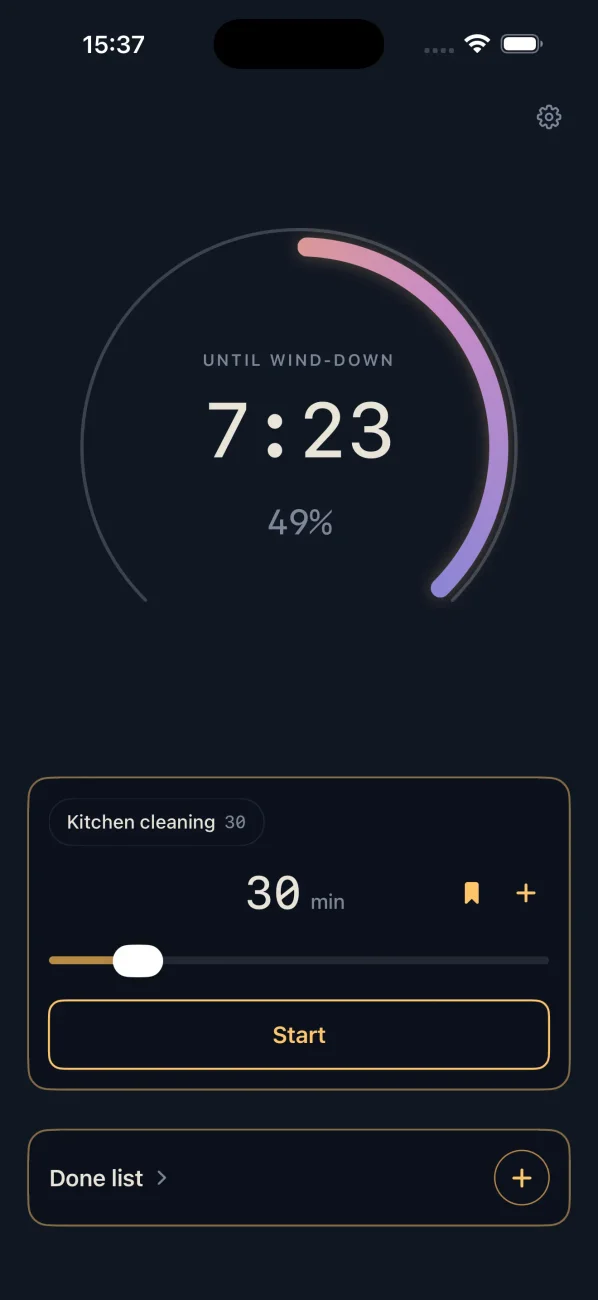
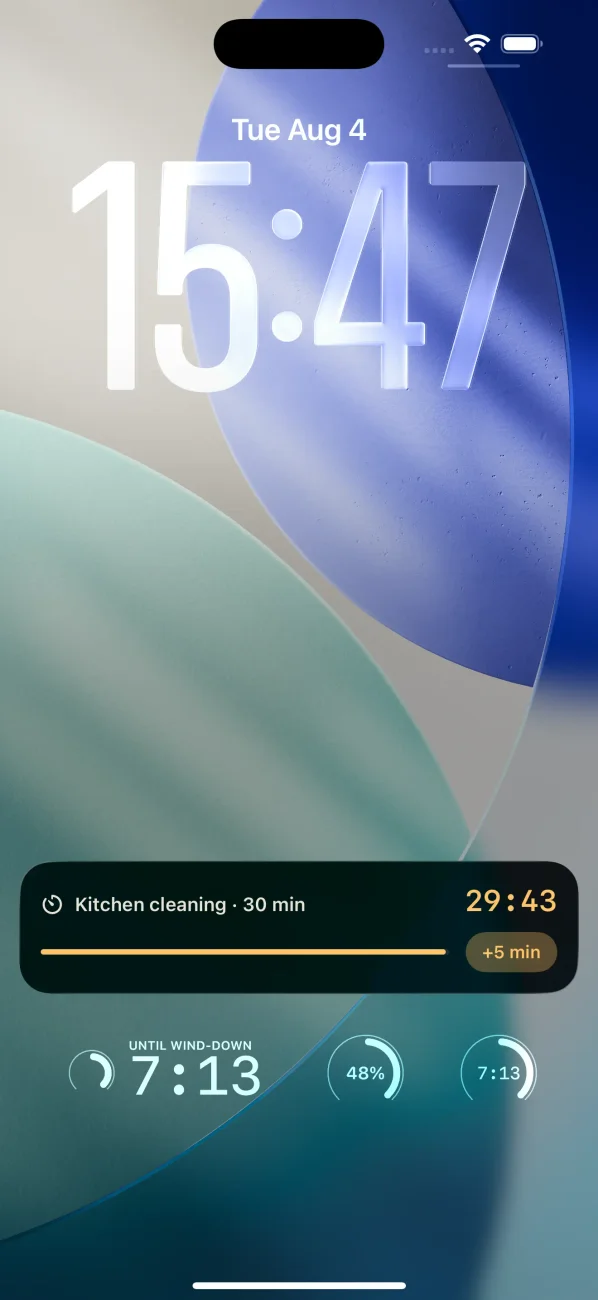
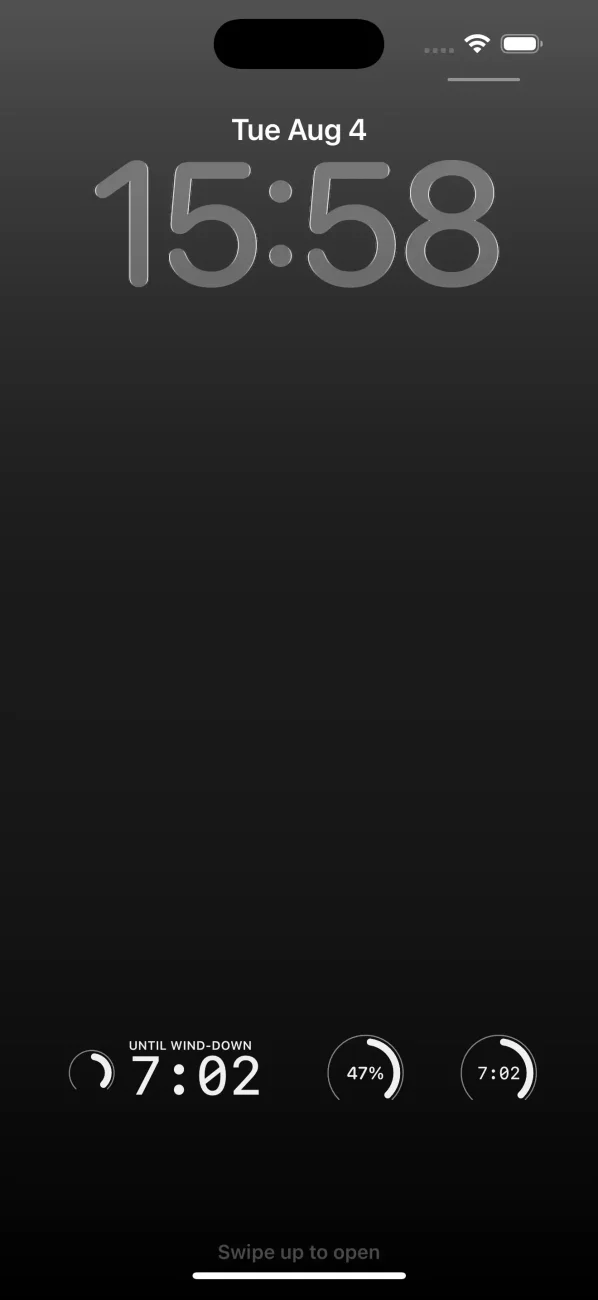
An ADHD app for time blindness. Not a clock one arc that shows how much of your day is left, right on your Lock Screen.
I'm 45 and I have ADHD for all of my life. 'What's wrong with you? This is so simple' - I heard it seven million times. And I just wanted to download an app which tells me how much time left instead of how much time has passed since midnight.
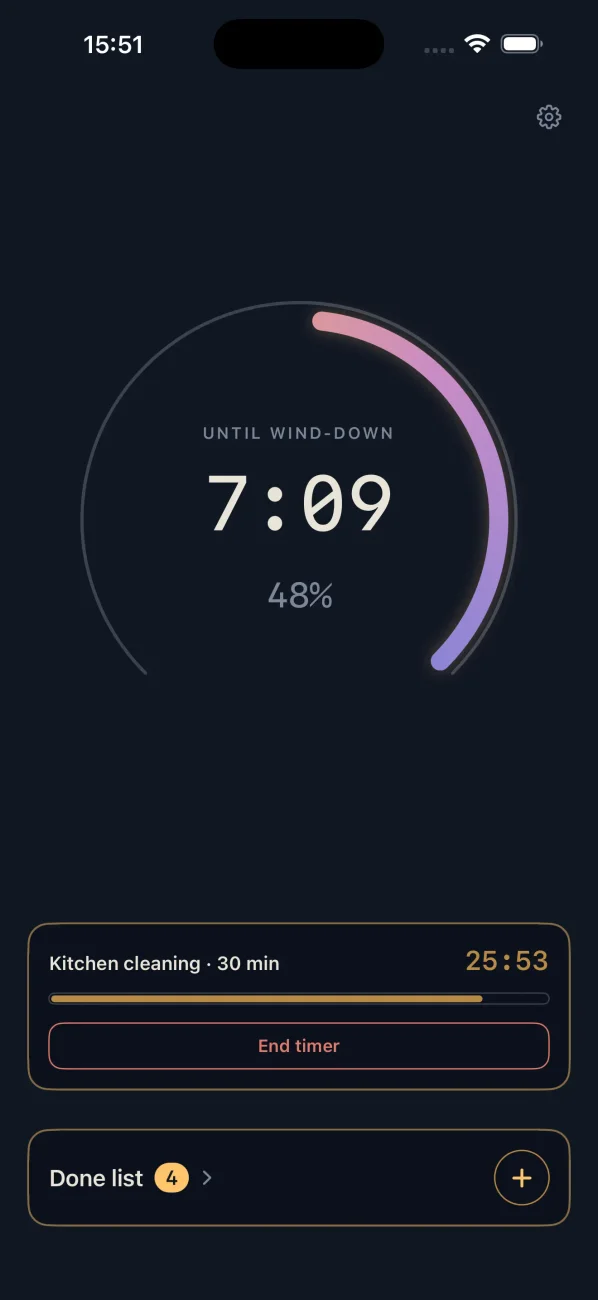
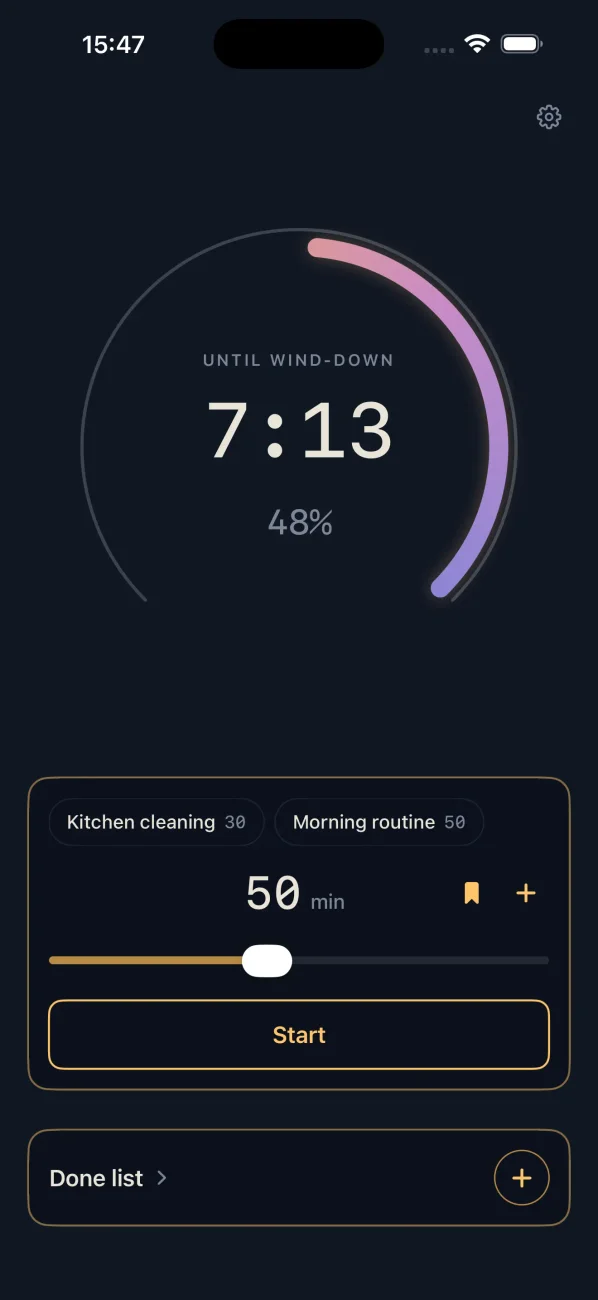
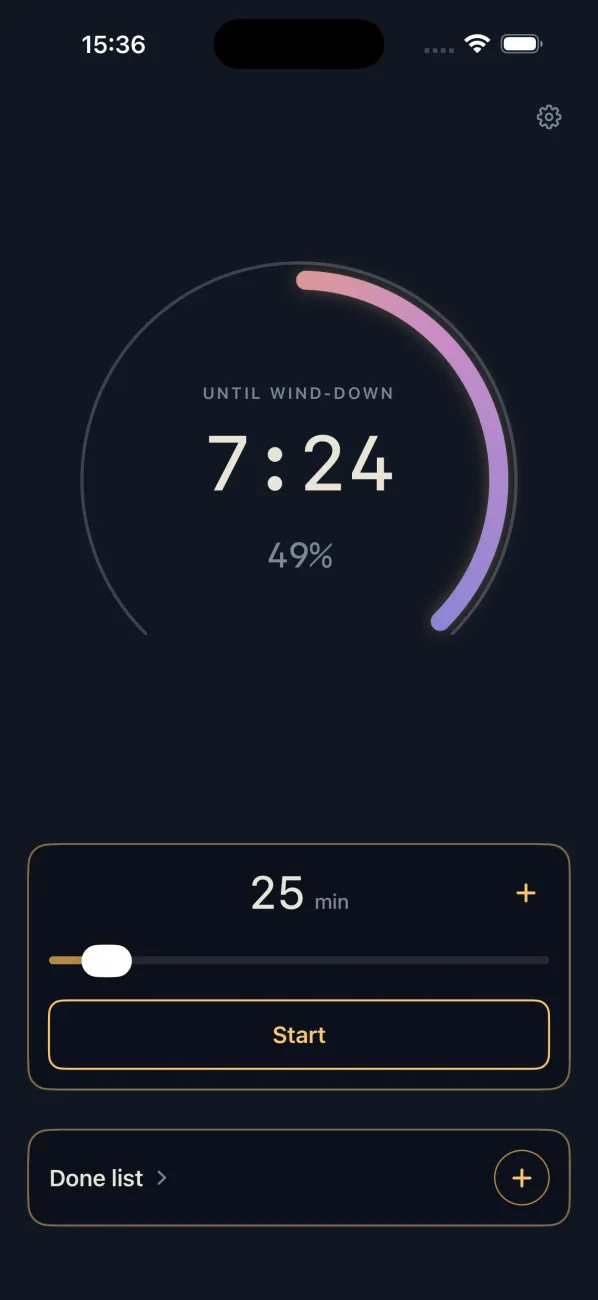
So REWIND shows an arc instead of clocks. It empties from the time you get going to the time you want to stop, and it sits on your Lock Screen, so you can read it without opening anything.
Made for adults with ADHD, by someone who kept losing afternoons.
THE ARC
Set two times once: when your day starts, when you want to stop. After midnight is fine. The arc cools from amber to purple as the hours go.
WIDGETS
Put one on your Lock Screen and you barely need the app. Four kinds: a ring with the time left, a percentage, a small card, and a line above the clock.
FOCUS TIMER
Drag the slider, 20 to 90 minutes, hit Start. Two moves, on purpose: every extra step is another way to not begin.
Use the same length often? Save it with a name — "Morning routine" — and it's one tap.
If it ends mid-thought, there's a +5 min button on the Lock Screen. No unlocking.
There's a metronome too: one slow click every few seconds. Off unless you want it.
EVENINGS
For the last hours before bedtime a ring shows up on the Lock Screen and slowly cools. It won't lock your phone or tell you off. It's just there, so the evening doesn't pass unnoticed.
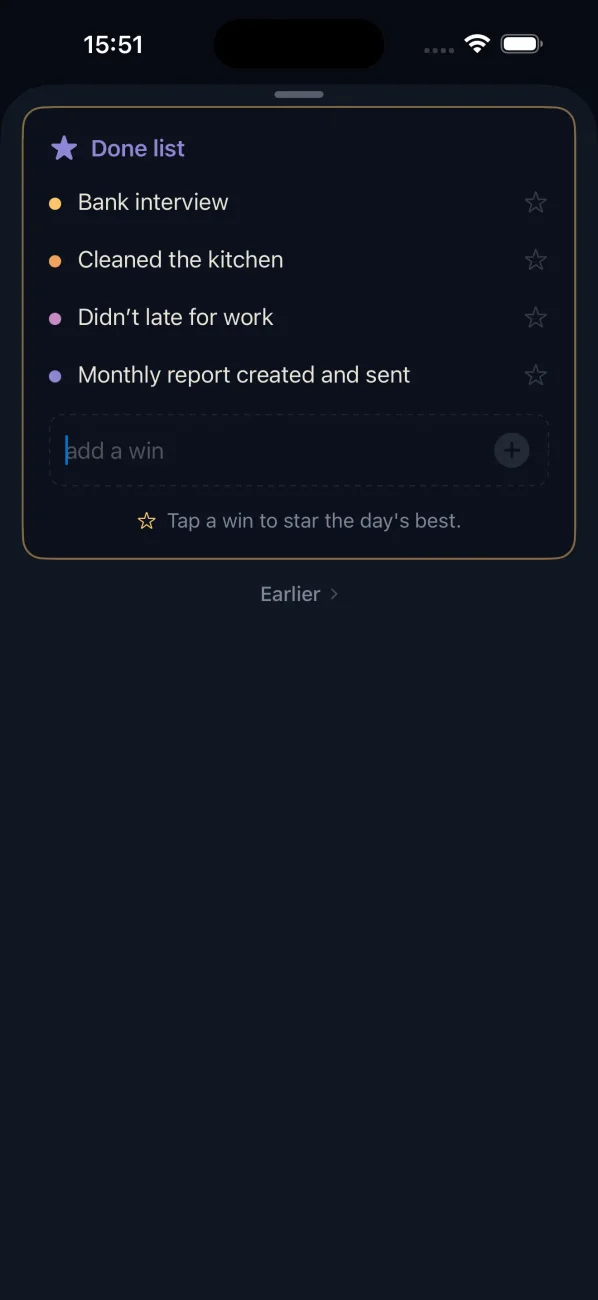
DONE LIST, NOT A TO-DO LIST
Type what you did. Two words is plenty. Nothing lands there by itself — a timer counting 25 minutes isn't the same as you deciding something mattered. Star the best one. The list only grows.
WHAT'S NOT HERE
No streaks. Skip a day or a month, it looks the same when you're back. No red when time runs low. No counting how late you are: past your end time it just tells you when tomorrow starts.
PRIVACY
No account, no servers, no analytics. Works in airplane mode. Delete the app and the data goes with it.
What’s new
Version 1.3 · Oct 13, 2026
Two fixes around the +5 min button.
Adding five minutes from the Lock Screen moved the ring but not the sound, so the timer still announced itself at the old time. It now ends when it says it will.
A timer started from a preset also used to lose its name when extended. It keeps it.
App privacy
What Andrei Dziamyanau declares on the App Store about how this app handles data.
-
Data not collected
The developer does not collect any data from this app.
Privacy practices may vary, for example with the features you use or your age.
Information
- Seller
- Andrei Dziamyanau
- Category
- Productivity
- Version
- 1.3
- Updated
- Oct 13, 2026
- Released
- Aug 18, 2026
- Size
- 1.7 MB
- Requires
- iOS 26.5 or later
- Age rating
- 4+
- Price
- Free
- Languages
- English
- Copyright
- © 2026 Andrei Dziamyanau
You might also like
-
 QRat - QR Code GeneratorMake attractive QR codes
-
 Timeline Journal – Daily DiaryPrivate Notes, Photos & Voice
-
 Notestudio: note taking, pdfFor Study & Work. Pen & Pencil
-
 AI Journal & Diary - ReflectrOrganize your mind with AI
-
 Daybase — Habit TrackerMinimalist, Focus & Discipline
-
 Loggd: Habit Tracker & PlannerStreaks & Reminders
-
 ADHD Planner and CalendarAnd Notification Reminders
-
 Think DivergentFor creatives. By creatives.
-
 Exoplan: AI Energy PlannerSmart Calendar & Time Blocking
-
 Daily Journal Log, PrivateNotes, Photos, Scans & Diary