- Age rating4+
- CategoryEntertainment
- DeveloperSachin Agrawal
- LanguagesEnglish
- Size2.7 MB
Links to the official App Store page
Download.org hosts no file of RGB Lights Control. The button opens its official App Store page, published by Sachin Agrawal. Listing last checked on Nov 16, 2026.
Screenshots

About
RGB Lights turns your iPhone into a proper remote for the inexpensive Bluetooth LED strips sold under names like LEDBLE, ELK-BLE, and Triones. Pick a color, run a scene, sync the lights to your music, or put the whole thing on a schedule.
PICK ANY COLOR
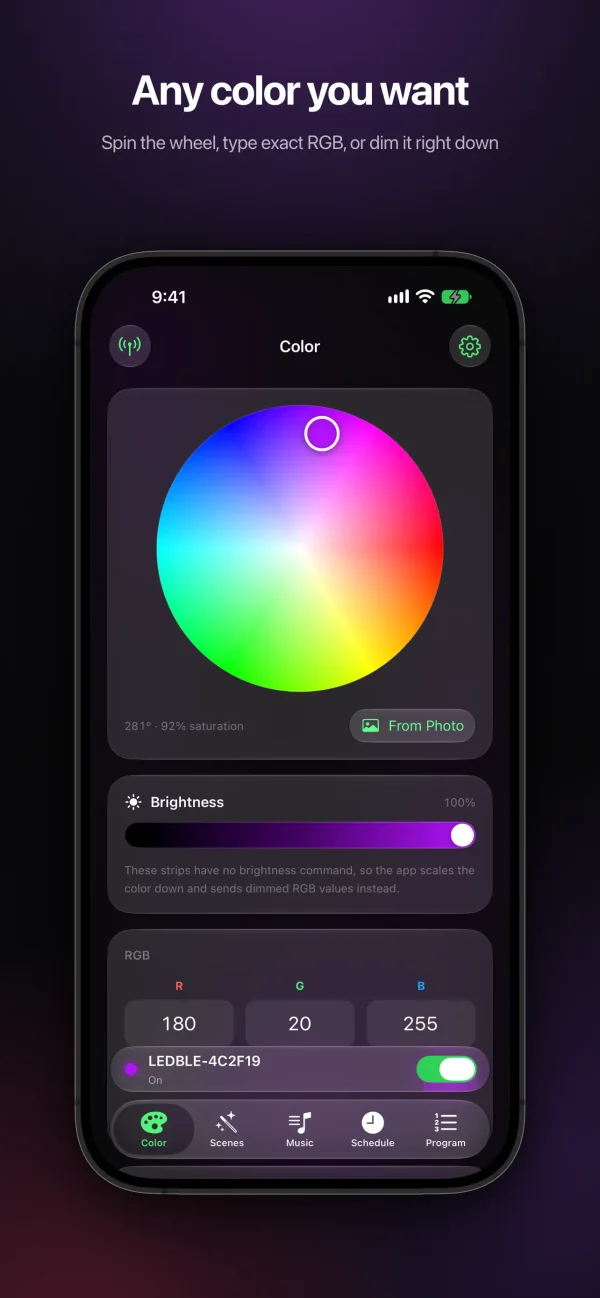
Spin the color wheel, type exact RGB values, or pull a color straight out of a photo. Brightness has a slider of its own. These strips have no brightness command, so the app scales the color down and sends dimmed values instead.
TWENTY BUILT IN SCENES
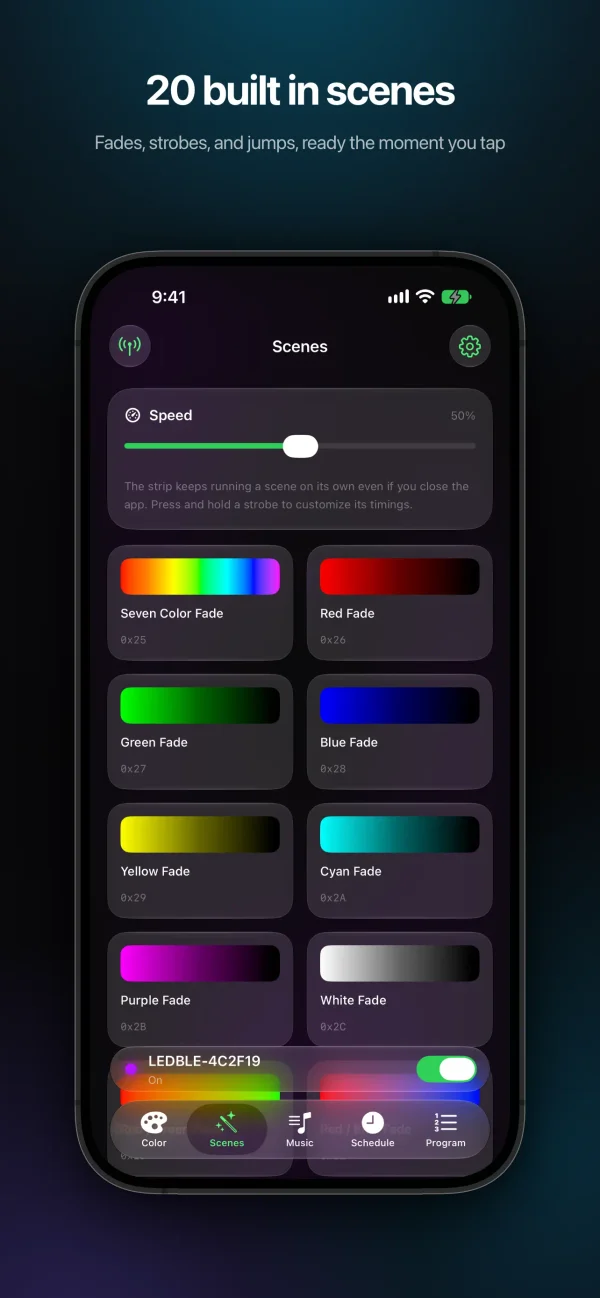
Fades, strobes, and jumps, in single colors or the full rainbow. Set the speed once and the strip keeps running the scene on its own, even after you close the app. Press and hold a strobe to set exactly how long it stays lit and how long it stays dark.
SYNC TO MUSIC
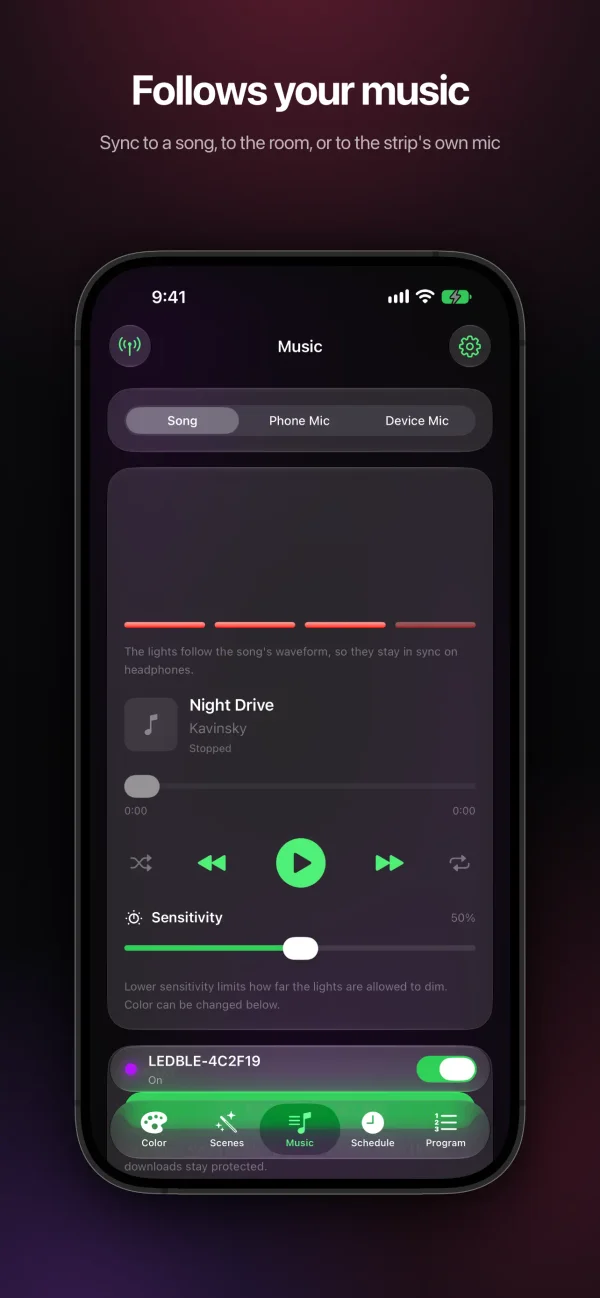
Play a song from your library and the lights follow its waveform, so they stay in time even through headphones. Or let the phone microphone listen to the room. Strips with a microphone of their own can run in that mode too.
BUILD YOUR OWN PROGRAMS
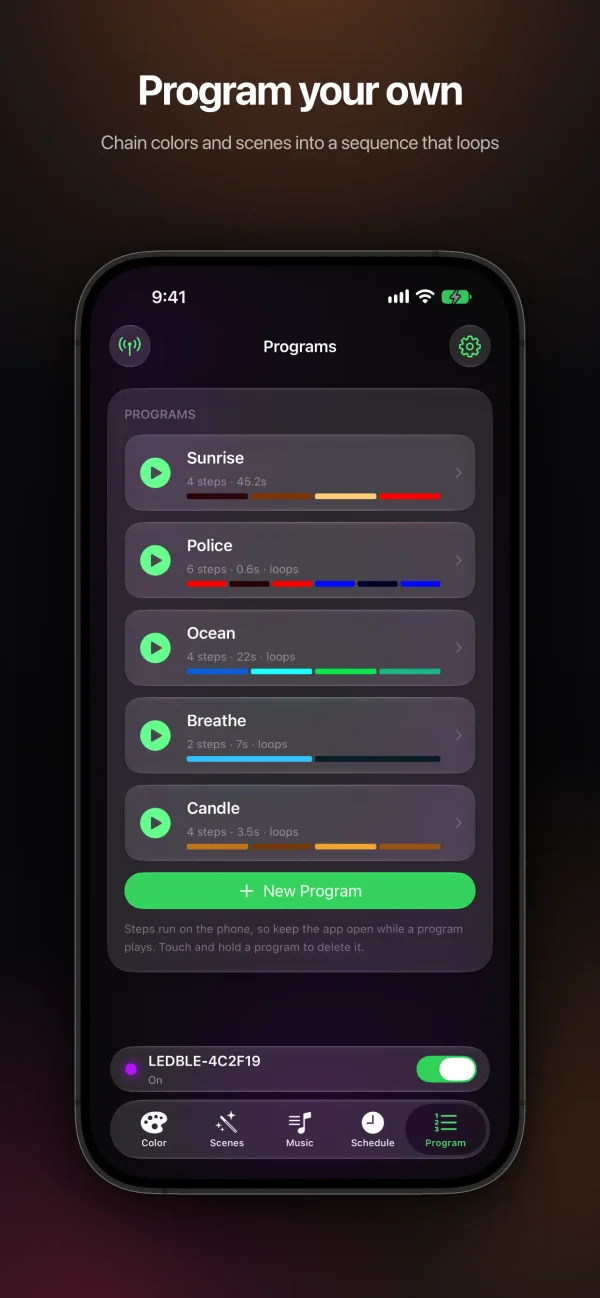
Chain colors and scenes into a sequence, give each step a hold time, and loop it. Sunrise, Police, Ocean, Breathe, and Candle are there from the start.
SCHEDULES AND TIMERS
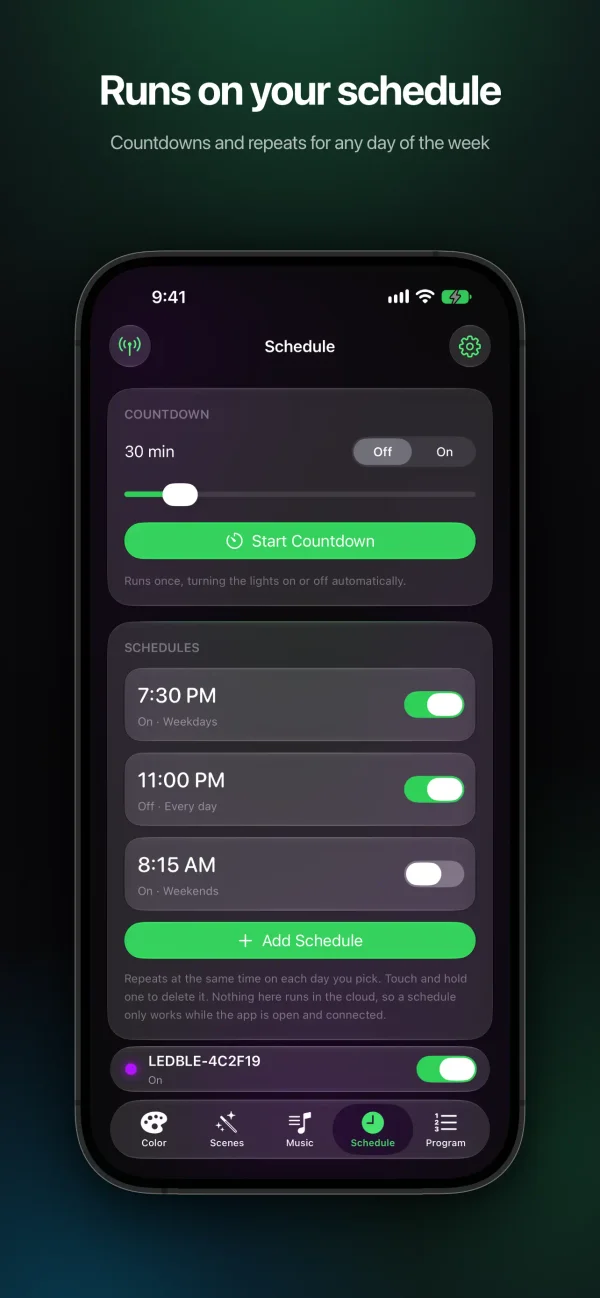
Turn the lights on or off at a set time on the days you choose. Start a countdown when you want them to shut themselves off after a while.
SIRI AND SHORTCUTS
Ask Siri to set a color, change the brightness, run a scene, start a program, or say what the lights are doing. All seven actions work in the Shortcuts app too, so they can drop into any automation you build.
EVERY LIGHT REMEMBERED
Connect more than one strip and each keeps its own color, brightness, and scene. Reconnect later and it comes back exactly the way you left it.
SHAKE FOR A COLOR
Turn it on in Settings and a shake jumps the lights to a random color, with sensitivity you can set yourself.
TRY IT WITHOUT A STRIP
No hardware yet? Open Devices and tap Demo Light. Every control works on screen, so you can see the whole app before you buy anything.
RGB Lights talks to your strip directly over Bluetooth. There is no account, no sign in, no cloud, and no data collection of any kind.
App privacy
What Sachin Agrawal declares on the App Store about how this app handles data.
-
Data not collected
The developer does not collect any data from this app.
Privacy practices may vary, for example with the features you use or your age.
Information
- Seller
- Sachin Agrawal
- Category
- Entertainment
- Version
- 1.0
- Updated
- Sep 17, 2026
- Released
- Sep 16, 2026
- Size
- 2.7 MB
- Requires
- iOS 26.0 or later
- Age rating
- 4+
- Price
- Free
- Languages
- English
- Copyright
- © 2026 Sachin Agrawal
You might also like
-
 Areena: IPTV Player, M3UIPTV Player for M3U & Xtream
-
 XtazConnect. Enjoy.
-
 Party Lights - Disco LEDMusic Strobe Light Show
-
 SnowtalesEntertainment
-
 Movie Stream GuideStreaming Movies & TV Finder
-
 Wallpaper for iPhone!Wallpapers for iOS
-
 Spin the Wheel: Random ChoiceName Picker & Decision Maker
-
 Spin the Wheel・Random Picker& Finger Chooser For Decisions
-
 ImagiPortal: AI CompanionChat, call, and remember
-
 KZNN 105.3 FMKZNN 105.3 FM