RigClock: WOD Timer
AMRAP, EMOM, Tabata, For Time
Designed for iPhone, iPad, iPod touch
Free · In-app purchases
- Age rating4+
- CategoryHealth & Fitness
- DeveloperVINCLI LTD
- LanguagesEnglish+ 2 more
- Size47.7 MB
Links to the official App Store page
Download.org hosts no file of RigClock: WOD Timer. The button opens its official App Store page, published by VINCLI LTD. Listing last checked on Nov 24, 2026.
Screenshots

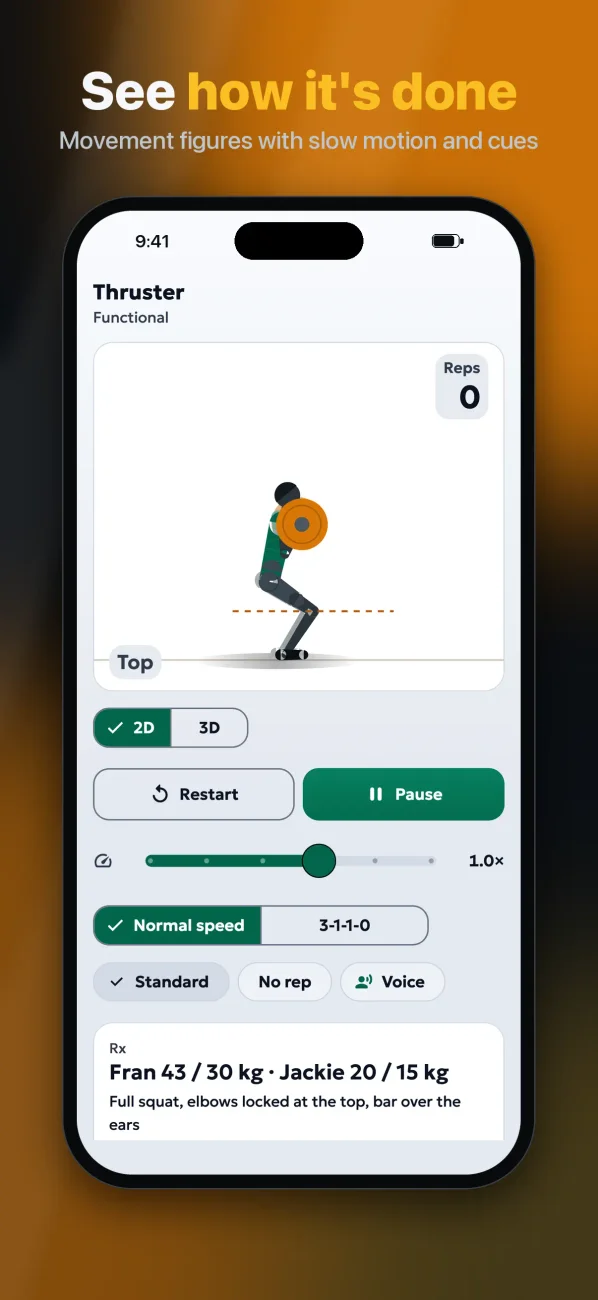
About
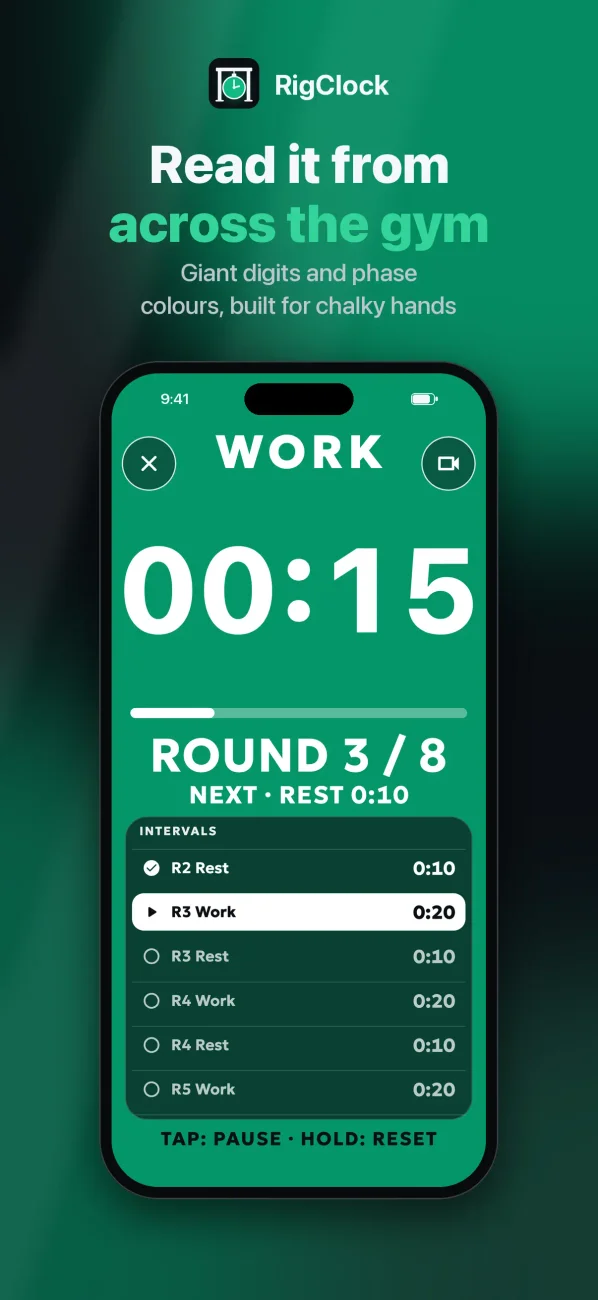
RigClock is a workout timer made for functional fitness: big, high-contrast digits you can read from across the gym, controls you can hit with chalky hands, and every format you train.
TIMERS
• For Time, AMRAP, EMOM and Tabata, plus a plain stopwatch and countdown
• Sets with rest between them, for any format
• Prep countdown, round counter and split times for every round
• Beeps for every phase; recorded voice cues in Azerbaijani, your device's voice in other languages (spoken countdown and coach calls are Pro)
• Keeps the screen awake; control it with headphone buttons or a Bluetooth clicker (Pro)
WORKOUT LIBRARY AND PRs
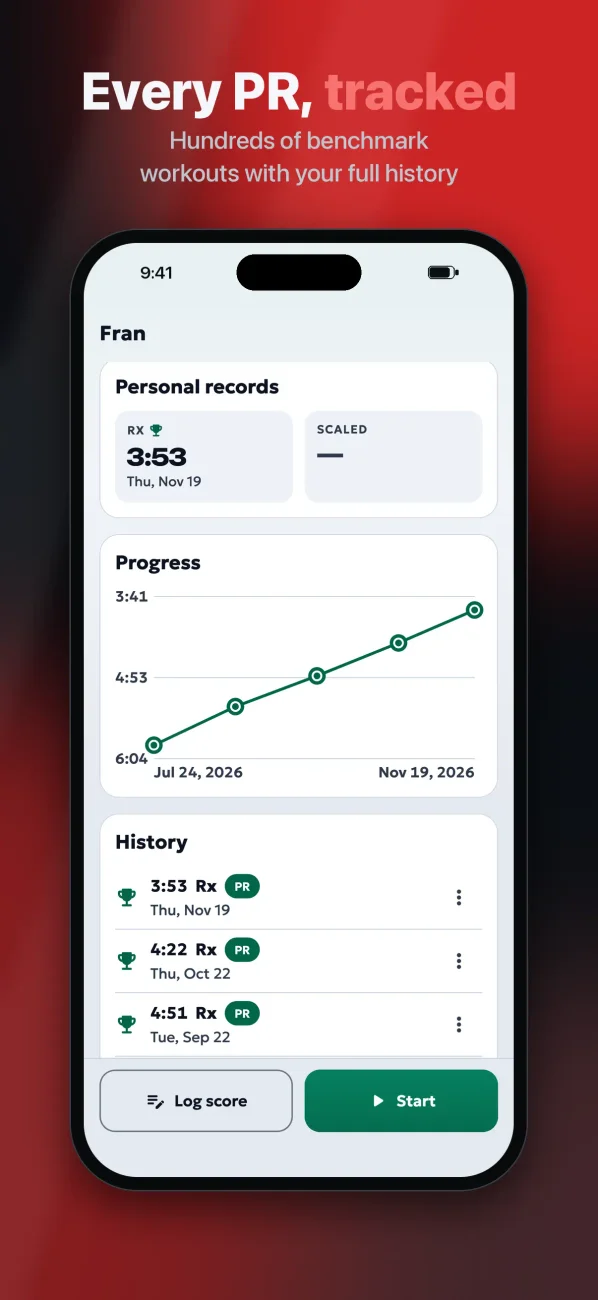
• Hundreds of benchmark workouts, ready to start in one tap
• Log your scores with Rx+, Rx or Scaled and see every PR
• Lift records, plate calculator, strength plans and tempo work
• Paste a workout as text and RigClock turns it into a timer
• Share workouts with a QR code or link
SHARE YOUR RESULTS
• Story-ready result cards with your score, splits and division
• Put your result on your own photo
FOR COACHES
• Heats with lanes and staggered starts
• Judge mode: count reps lane by lane and sign off the score
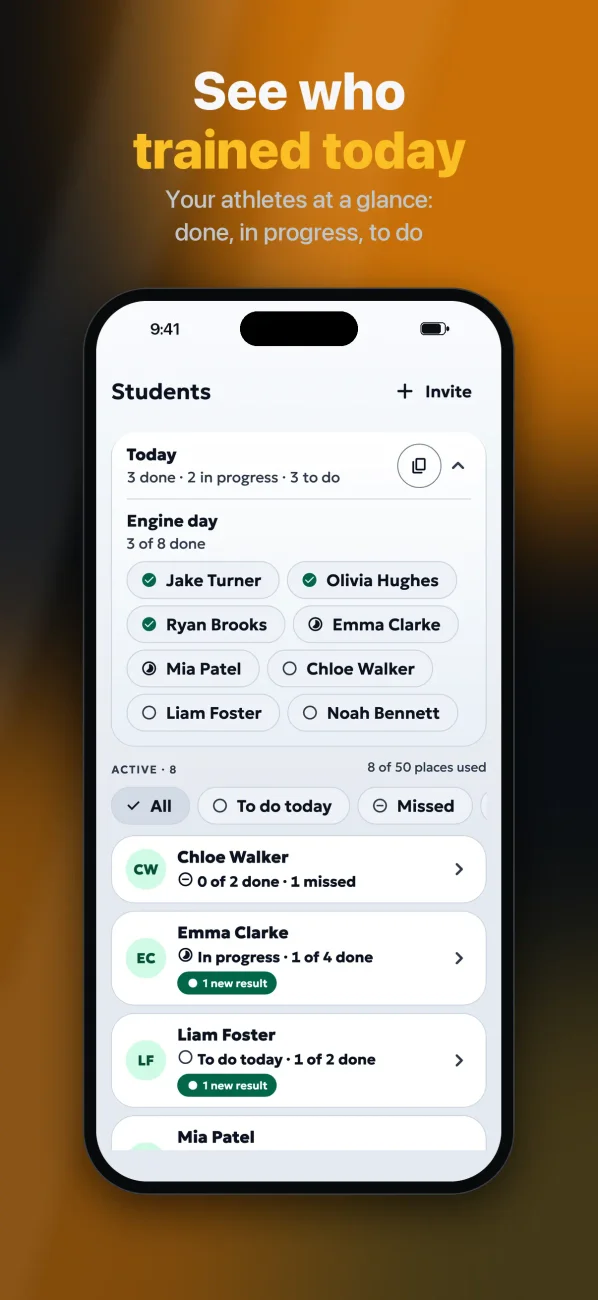
• Classes, stations and a live leaderboard
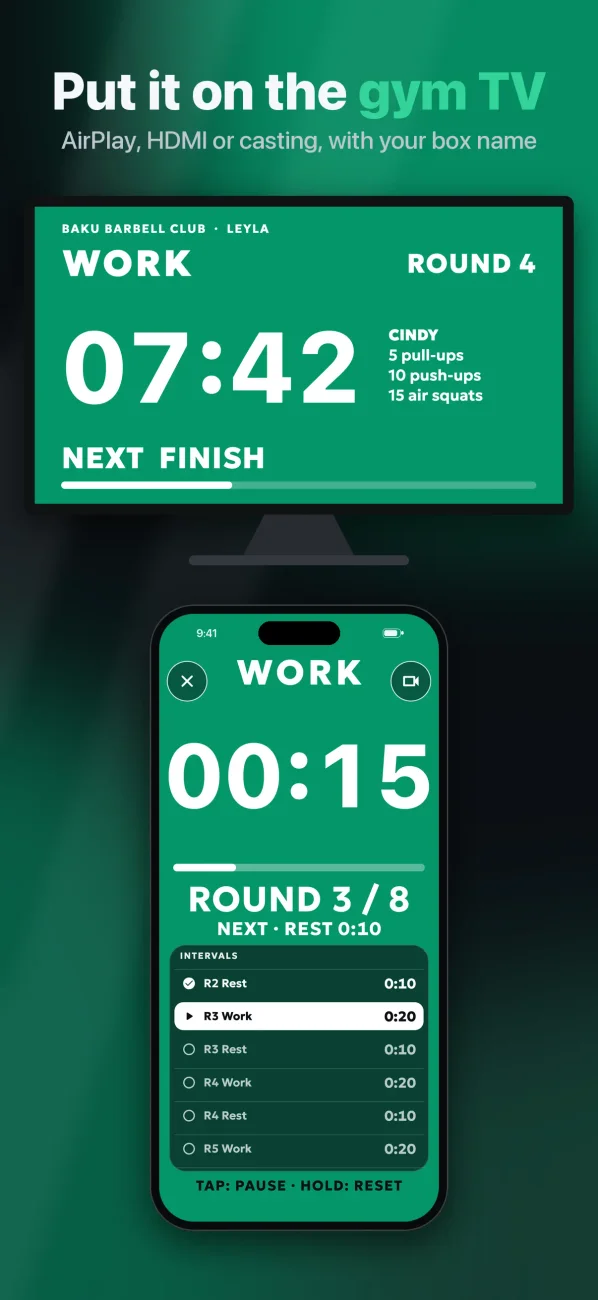
• Gym TV: show a giant timer on a TV over AirPlay, HDMI or screen casting, (box name, coach name and workout text on the TV are Pro)
WATCH AND HEALTH
• Apple Watch companion: see and control the timer from your wrist
• Live heart rate from a Bluetooth strap or your watch, with heart-rate zones (Pro)
• Save finished workouts to Apple Health (optional, Pro)
YOUR DATA STAYS YOURS
• Works fully offline, no account needed (an account is only needed for coach and student lessons)
• Optional backup to the cloud with just your email, and you can delete your account in the app at any time
• No ads, no tracking
RIGCLOCK PRO
The timers, the workout library and the PR log are free. RigClock Pro unlocks Auto-Rest, the Hybrid builder, saved workouts, spoken countdown and coach calls, coach tools, heart rate, hands-free control, sound packs, a history of up to 1000 workouts (10 are free), progress charts, CSV import, cloud backup and gym-TV branding. Coaches can invite up to 5 students for free, 30 with a subscription and 50 with Lifetime. SUBSCRIPTION DETAILS
• RigClock Pro Weekly: $1.99 per week
• RigClock Pro Monthly: $2.99 per month
• RigClock Pro Annual: $19.99 per year
• RigClock Pro Lifetime: $39.99 one-time purchase, no renewal
Prices are in US dollars and vary by country; the App Store shows your local price before you buy. Weekly, monthly and annual plans start with a 3-day free trial for new subscribers. When the trial ends, the plan's price is charged to your Apple ID unless you cancel at least 24 hours before the trial ends. Subscriptions renew automatically at the same price and period unless cancelled at least 24 hours before the end of the current period. Manage or cancel in Settings > [your name] > Subscriptions. Restore purchases from the Pro screen.
Privacy Policy: https://vincli.com/docs/rigclock-privacy.pdf
Terms of Use: https://vincli.com/docs/rigclock-terms.pdf
Apple Standard EULA: https://www.apple.com/legal/internet-services/itunes/dev/stdeula/
RigClock is an independent app. It is not affiliated with, endorsed by or sponsored by CrossFit, LLC. CrossFit® is a registered trademark of CrossFit, LLC. Other workout and event names may be trademarks of their owners and are used only to identify the workouts.
What’s new
Version 1.2.0 · Nov 23, 2026
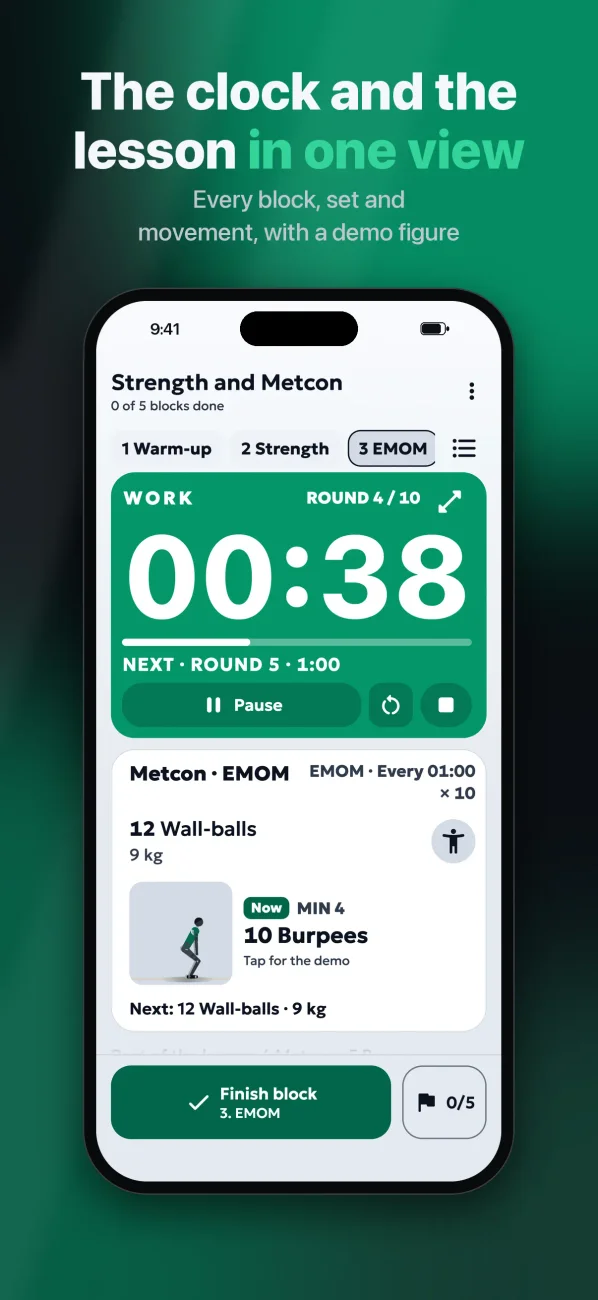
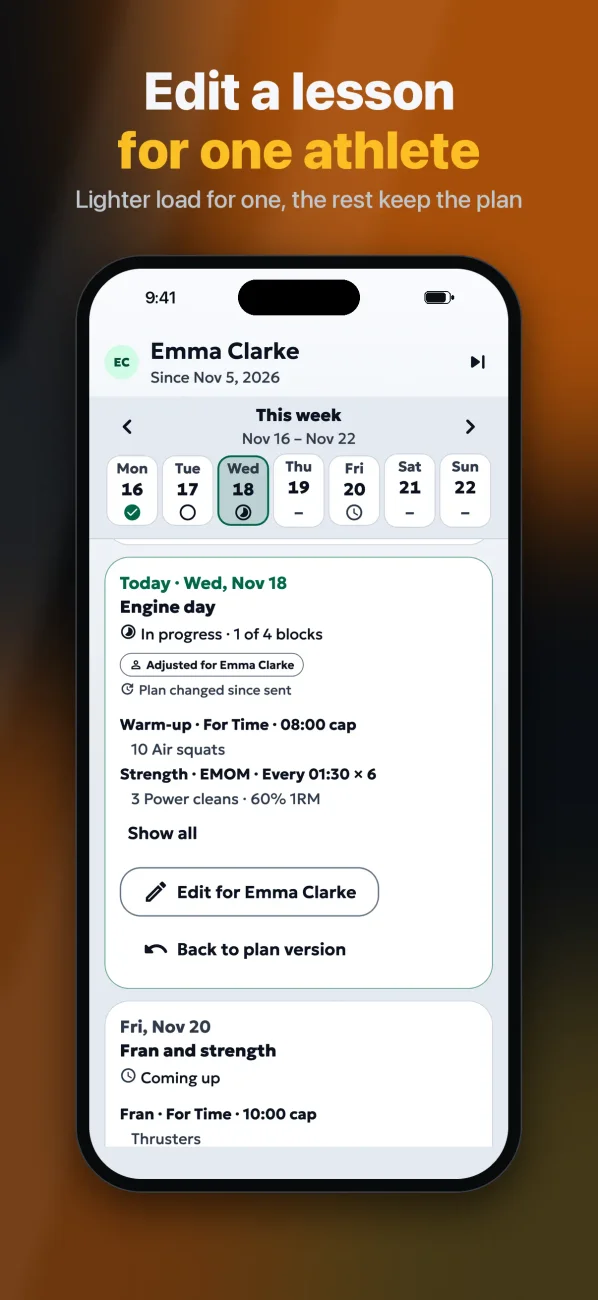
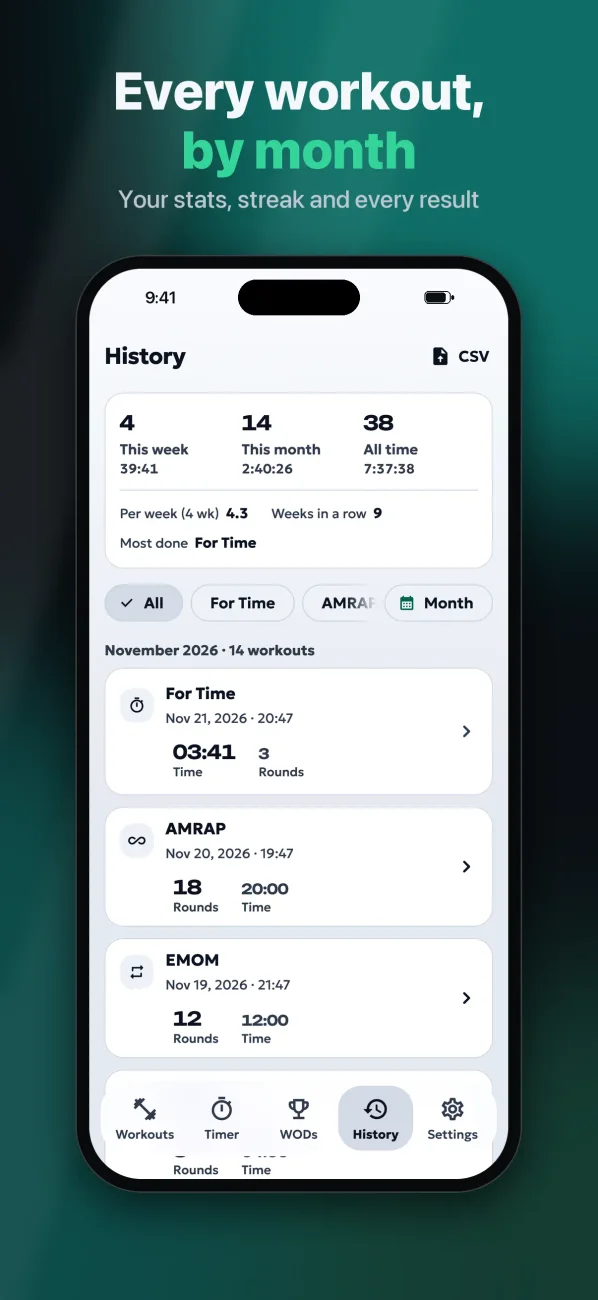
New design, with a light theme by default (Night is still in Settings). New Home: pick For Time, AMRAP, EMOM or Tabata and press Start. Lessons now show the clock and the lesson in one view, with movement demos. Coaches can edit one athlete's lesson without changing the plan for the others. Repeat a past workout in one tap with Again, and History is grouped by month.
App privacy
What VINCLI LTD declares on the App Store about how this app handles data.
-
Data linked to you
May be collected and linked to your identity.
- Health and fitness
- Contact info
- User content
- Identifiers
Privacy practices may vary, for example with the features you use or your age.
Information
- Seller
- VINCLI LTD
- Category
- Health & Fitness
- Version
- 1.2.0
- Updated
- Nov 23, 2026
- Released
- Nov 7, 2026
- Size
- 47.7 MB
- Requires
- iOS 15.0 or later
- Age rating
- 4+
- Price
- Free
- In-app purchases
- Yes
- Languages
- English, Azerbaijani, Russian
- Copyright
- © 2026 Vincli Ltd
You might also like
-
 Avago+ PartnerTrainer Handbook
-
 FitadoraHealth & Fitness
-
 TrainerHub - Training ManagerPersonal Training Business App
-
 LeoFit ProCoaching CRM for Trainers
-
 LeoFit :Workouts and Nutritionworkouts, nutrition & coach
-
 Liftrix: WOD & Workout TimerEMOM, AMRAP, race sim, gym log
-
 AdactivAI Training for Every Sport
-
 MovestartTrain. Eat. Live Better.
-
 Drink Water RemainderStay Hydrated. Stay Healthy
-
 SESS: Calorie & WorkoutAI Fitness & Calorie Tracker