
- Age rating4+
- CategoryProductivity
- DeveloperJoel Marambaia
- LanguagesEnglish
- Size32.2 MB
Links to the official App Store page
Download.org hosts no file of RigSync Calendar. The button opens its official App Store page, published by Joel Marambaia. Listing last checked on Nov 12, 2026.
Screenshots

About
Master your rotation and take control of your finances with RigSync Calendar. designed specifically for the demanding schedules of oilfield professionals, working both offshore and onshore.
RigSync Calendar eliminates the guesswork from your complex roster. Forget spreadsheets and manual calculations; effortlessly track your hitch, manage your time off, and estimate your monthly earnings in one secure place.
Key Features:
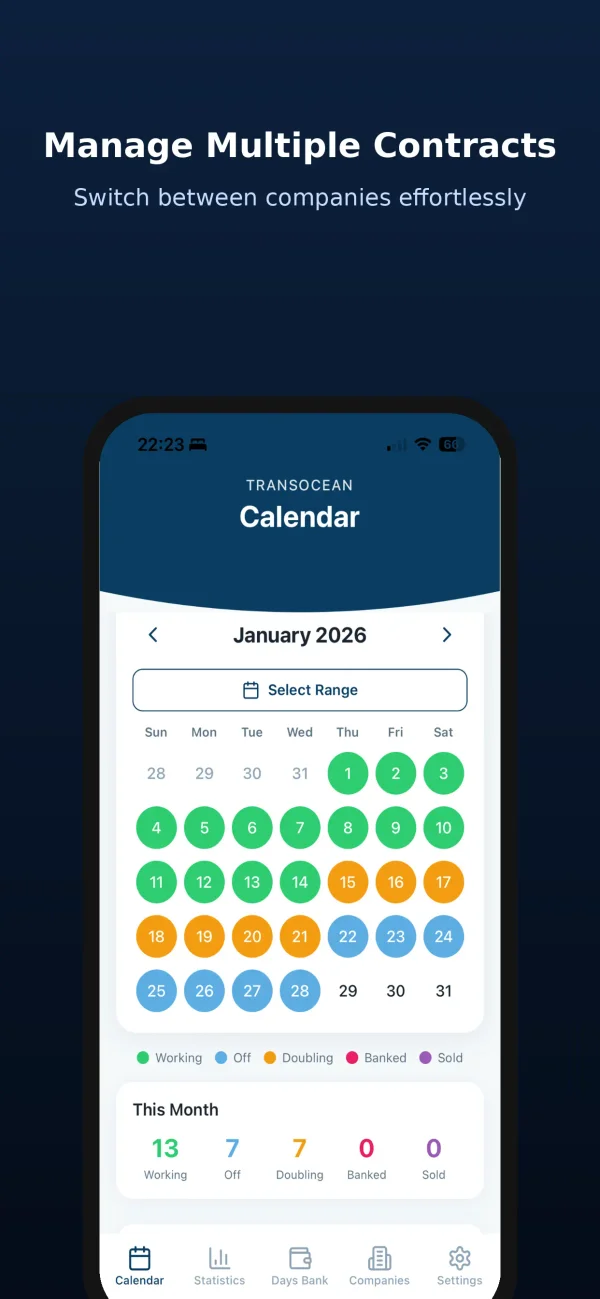
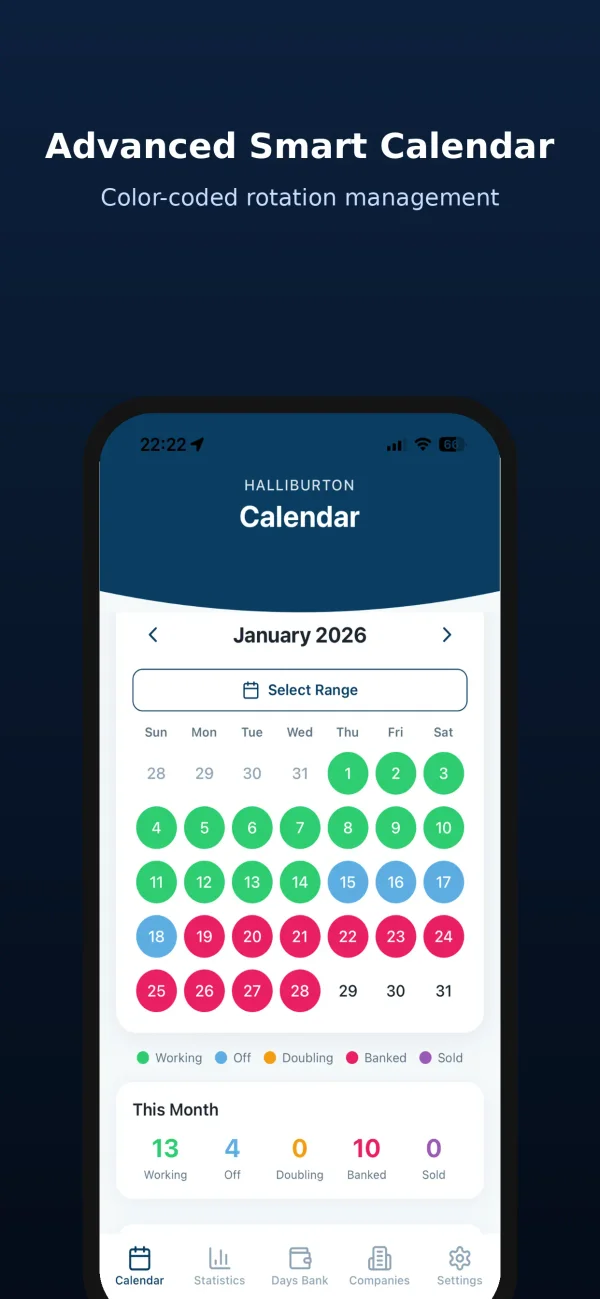
Smart Roster Management: Simply select the days you are onboard or on-site. The app automatically calculates your upcoming days off based on your rotation.
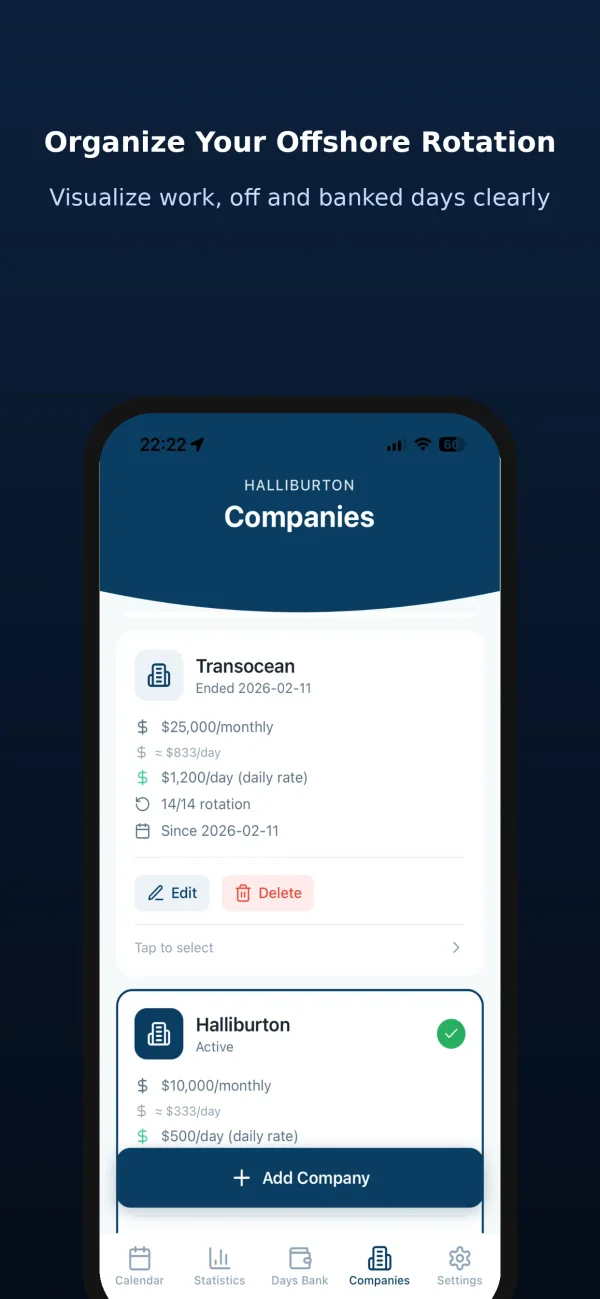
Financial Clarity: Input your base salary and daily rates for precise income tracking.
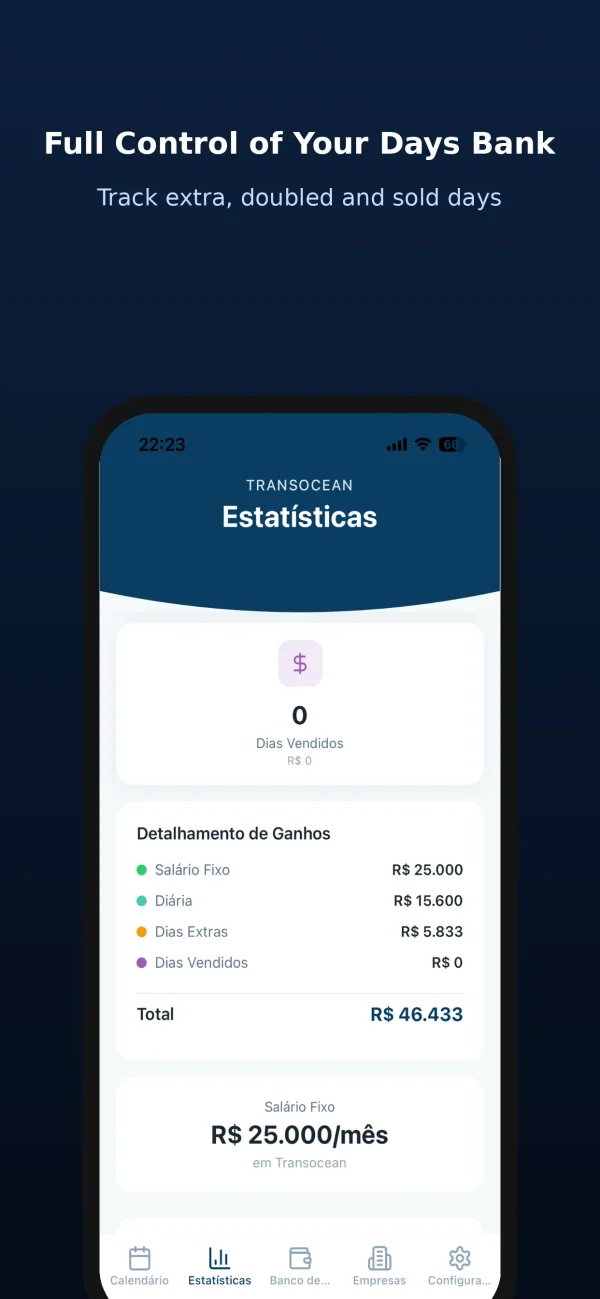
Track Sold Days Off: Easily log "sold days" (buybacks) and set custom values per day to see how extra work impacts your final paycheck.
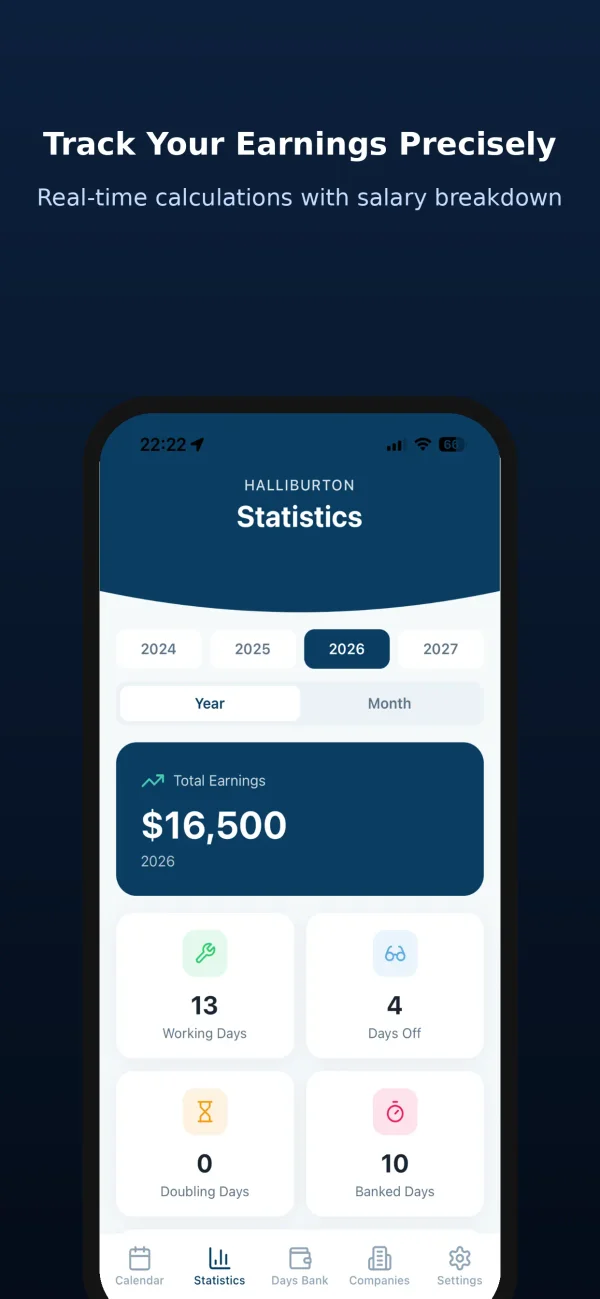
Real-Time Income Estimator: Get an instant overview of your estimated payout at the end of the month based on your logged shifts and extras.
Work History: Maintain a comprehensive log of your time onboard/on-site. View summaries of total days worked monthly and yearly.
Multi-Profile Support: Manage details for different companies or contracts if you switch jobs.
Download RigSync Calendar today and keep your work life and your wallet perfectly aligned.
What’s new
Version 1.6.4 · Jun 7, 2026
New in this version:
In the Calendar view:
- Month view now only shows days belonging to the current month
- New standard color for day classification. Some colors were similar and could cause confusion.
In the Statistics page:
- New color also applied to this page to match calendar
Bug Fix:
- Bug fix: Day displayed on calendar popup now matches the selected day correctly.
- Bug fix: Bonus now only applies to months with at least one working day
- Minor bug fixes
App privacy
What Joel Marambaia declares on the App Store about how this app handles data.
-
Data not collected
The developer does not collect any data from this app.
Privacy practices may vary, for example with the features you use or your age.
Information
- Seller
- Joel Marambaia
- Category
- Productivity
- Version
- 1.6.4
- Updated
- Jun 7, 2026
- Released
- Feb 14, 2026
- Size
- 32.2 MB
- Requires
- iOS 15.1 or later
- Age rating
- 4+
- Price
- $5.99
- Languages
- English
- Copyright
- © Joel Marambaia
You might also like
-
 ABB CLOSERProductivity
-
 Derrick: Oilfield RotationHitch calendar & crew change
-
 ACJ CondomíniosProductivity
-
 Pontual - Clube de BenefíciosProductivity
-
 Oilfield Calendar for HitchOrganize and Schedule Hitches!
-
 BCF CondomíniosProductivity
-
 Mesh++Brings the internet anywhere
-
 Mob ControleProductivity
-
 Tungsten Business Connect™Productivity
-
 Tungsten Power PDF MobileProductivity