
Rilio: Expense Tracker
Budget & Spending, Auto-Logged
Designed for iPhone, iPad
In-app purchases
- Age rating4+
- CategoryFinance
- DeveloperRaja Niketh Reddy Nallapareddy
- LanguagesEnglish
- Size82.9 MB
Links to the official App Store page
Download.org hosts no file of Rilio: Expense Tracker. The button opens its official App Store page, published by Raja Niketh Reddy Nallapareddy. Listing last checked on Nov 15, 2026.
Screenshots
About
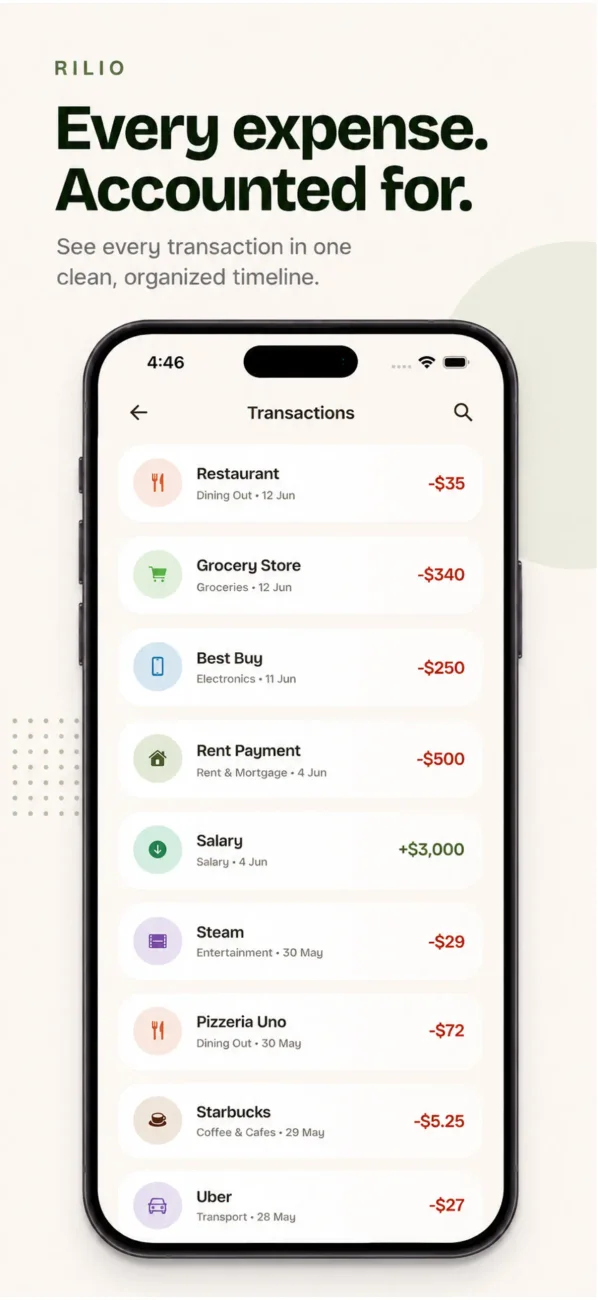
Rilio logs your spending for you.
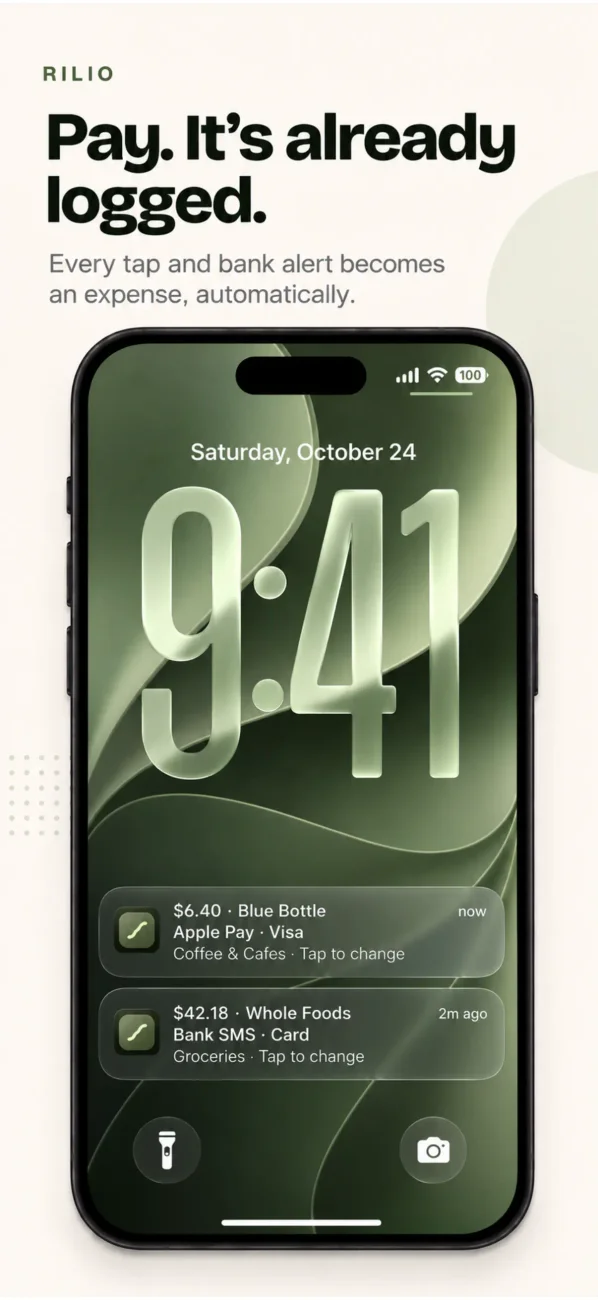
Pay with Apple Pay and the expense is saved before you put your phone away, with the amount, merchant and category already filled in. Bank SMS alerts are picked up the same way. A notification on your Lock Screen confirms each one, and a single tap fixes anything you want to change.
No bank login. No spreadsheets. No end-of-month catch-up.
LOGGED AUTOMATICALLY
• Apple Pay: every tap is logged the moment you pay
• Bank SMS alerts from supported banks are read and saved for you
• One payment, one transaction: a tap and its matching bank alert never double up
• Refund alerts are matched to the original purchase
• One-time setup with Apple Shortcuts, guided step by step in the app
OR JUST SAY IT
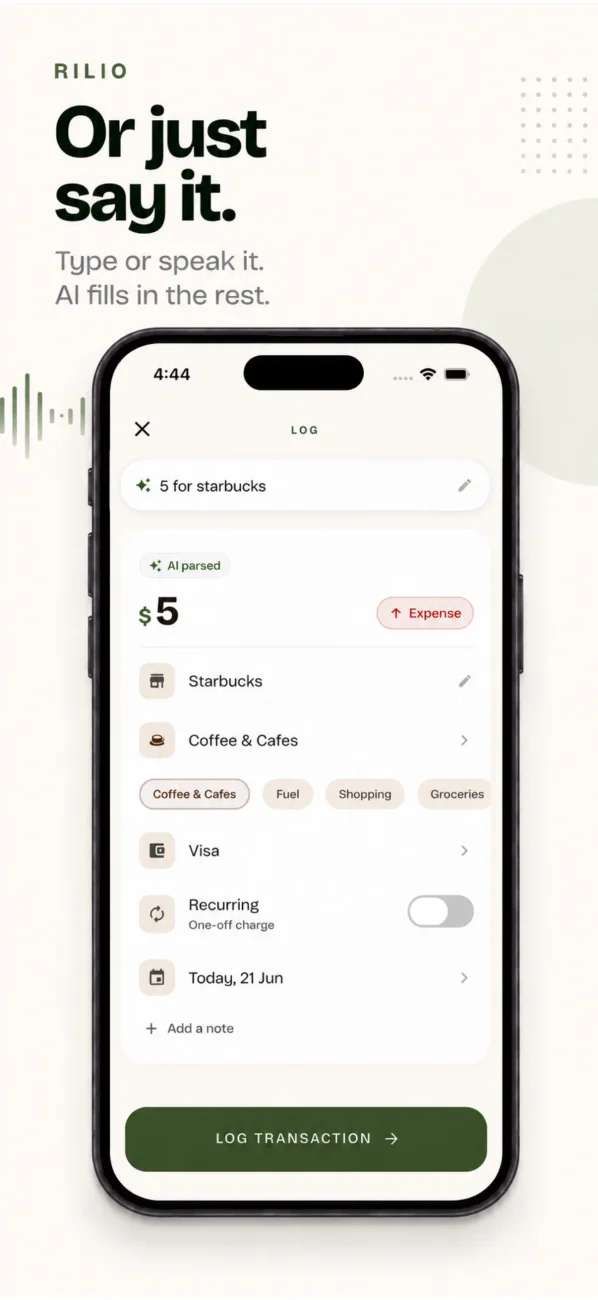
• Type or speak "12 for lunch at Chipotle" and AI fills in the amount, merchant and category
• Double-tap the back of your iPhone to log an expense without opening the app
• Import a bank statement PDF to bring in your past transactions
KNOW WHERE YOUR MONEY GOES
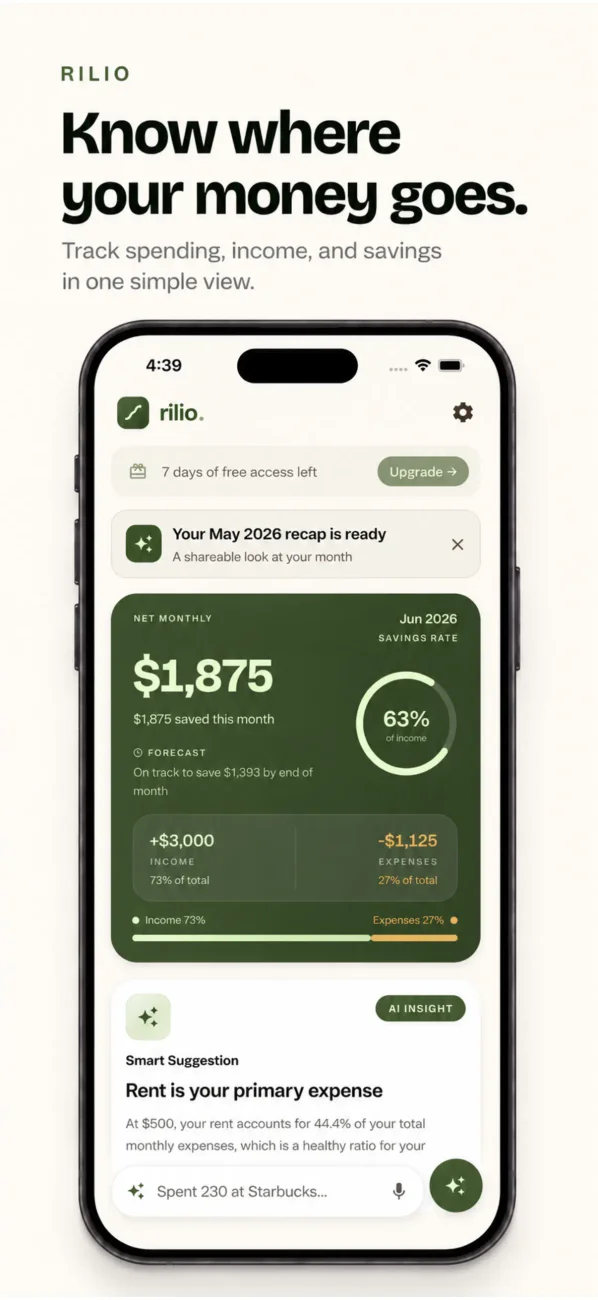
• Income, spending and savings rate for the month at a glance
• A forecast of where the month will land
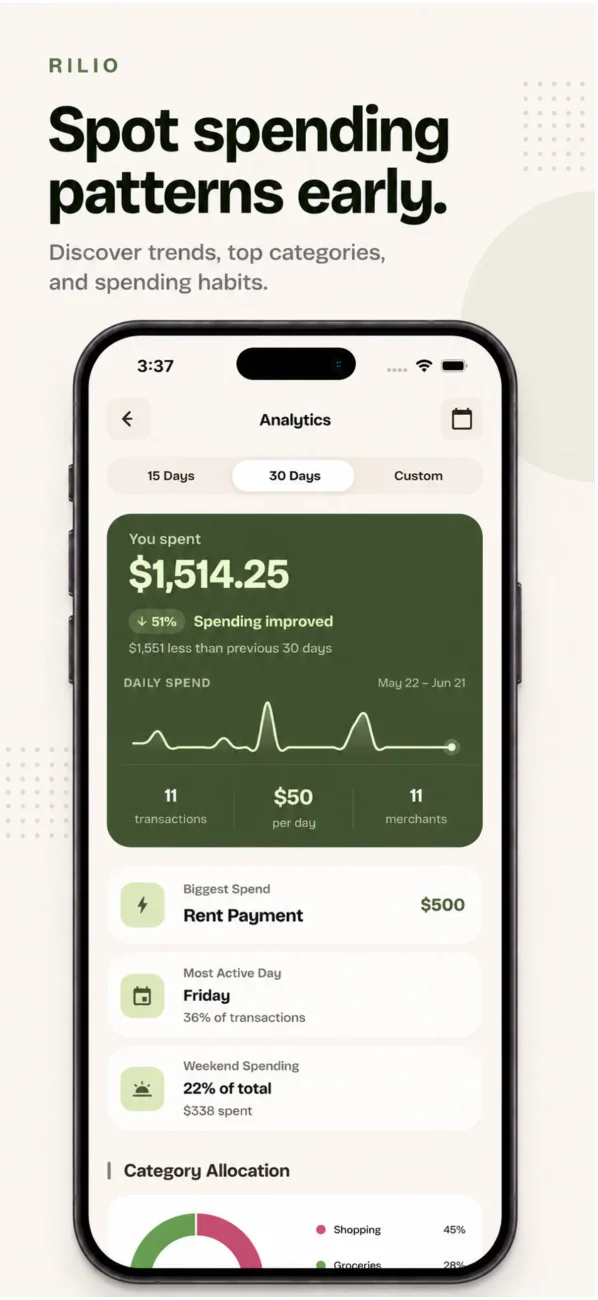
• Daily spending, biggest purchases, top categories and weekend habits
• Ask Rilio anything, like "How much did I spend on food this month?"
• A monthly recap you can share
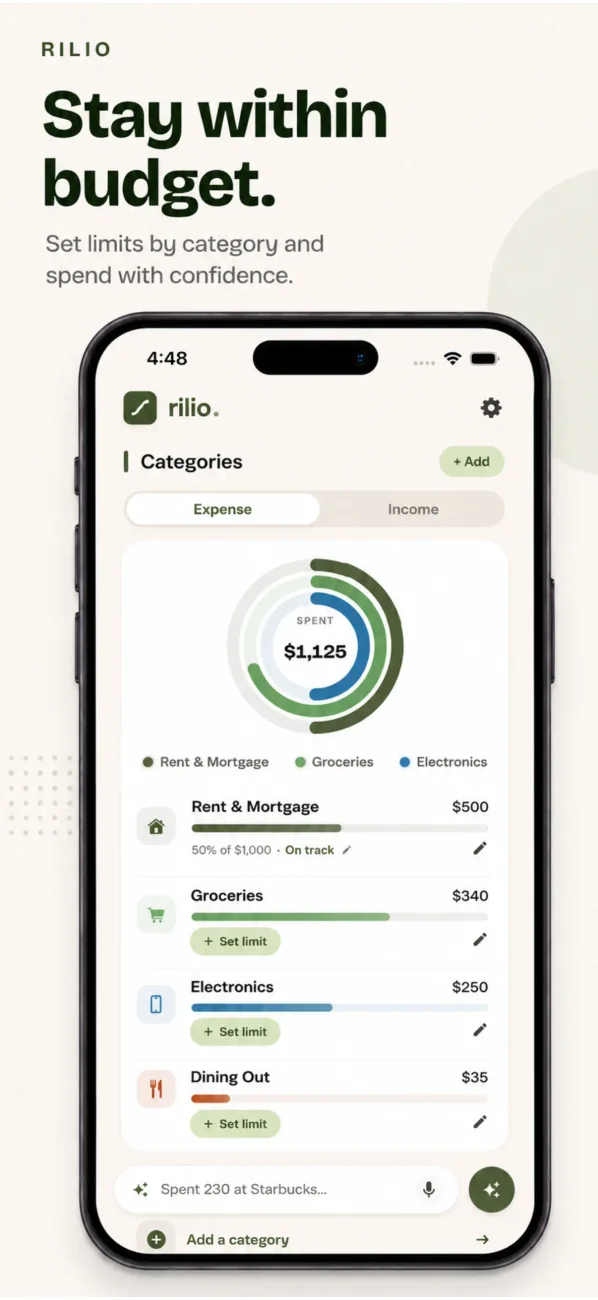
STAY ON BUDGET
• Set limits by category and see what's on track and what's close
• Home Screen and Lock Screen widgets for this month's spending and budgets
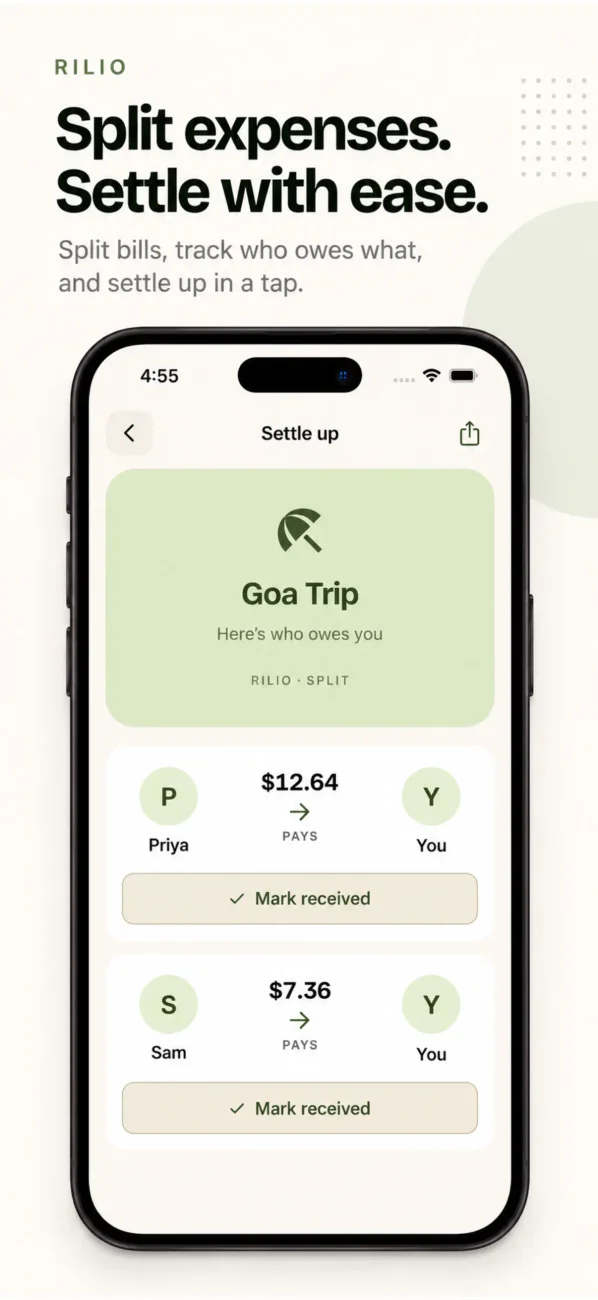
SPLIT WITH FRIENDS
• Groups for trips, roommates and dinners, with invites by link
• See who owes what and settle up in a tap
YOUR DATA, YOUR CALL
• Rilio never asks for your bank password
• Only messages that match your payment keywords are sent to Rilio
• Delete your account and data from Settings at any time
SUBSCRIPTION
Rilio requires a Rilio Pro subscription. New subscribers start with a free trial. Payment is charged to your Apple ID when you confirm the purchase. The subscription renews automatically unless you cancel at least 24 hours before the end of the current period. Manage or cancel it in your App Store account settings.
Terms of Use: https://getrilio.com/terms
Privacy Policy: https://getrilio.com/privacy
What’s new
Version 2.0.0 · Oct 24, 2026
New in Rilio: pay with Apple Pay or get a bank alert, and the expense is already logged. No typing, no forgetting. Just a notification to say it's done.
App privacy
What Raja Niketh Reddy Nallapareddy declares on the App Store about how this app handles data.
-
Data linked to you
May be collected and linked to your identity.
- Contact info
- User content
Privacy practices may vary, for example with the features you use or your age.
Information
- Seller
- Raja Niketh Reddy Nallapareddy
- Category
- Finance
- Version
- 2.0.0
- Updated
- Oct 24, 2026
- Released
- Jun 6, 2026
- Size
- 82.9 MB
- Requires
- iOS 17.0 or later
- Age rating
- 4+
- In-app purchases
- Yes
- Languages
- English
- Copyright
- © 2026 Raja Niketh Reddy
You might also like
-
 Spendsy: Flexible BudgetingBudgets That Bend, Not Break
-
 Pace: Budget & Expense TrackerMoney Manager: Bills & Savings
-
 SpendSmartAI - Expense TrackerNo-bank-login expense tracker
-
 Moniva: AI Expense TrackerSmart Budget & Freelance Money
-
 Ledger: AI Money TrackerKnow what's safe to spend
-
 Vault AI by NagisaFinancial clarity, simplified
-
 ToSpend: Expense TrackerOnly the expenses that matter
-
 Recontrol: Plan, Budget, SplitFor couples, family and trips
-
 Money Flow: Budget PlannerFinance
-
 Lunor Expense & Budget TrackerSplit bills, budgets, offline