RingGauge: Ring Sizer
Calibrated ring size chart
Designed for iPhone
Free · In-app purchases
- Age rating4+
- CategoryProductivity
- DeveloperJhomar Maravillas
- LanguagesEnglish+ 5 more
- Size671.0 KB
Links to the official App Store page
Download.org hosts no file of RingGauge: Ring Sizer. The button opens its official App Store page, published by Jhomar Maravillas. Listing last checked on Nov 18, 2026.
Screenshots

About
Buying a ring online or as a surprise and not sure of the size? RingGauge finds the size of a ring that already fits, using a true-size printable chart or circles on your iPhone screen.
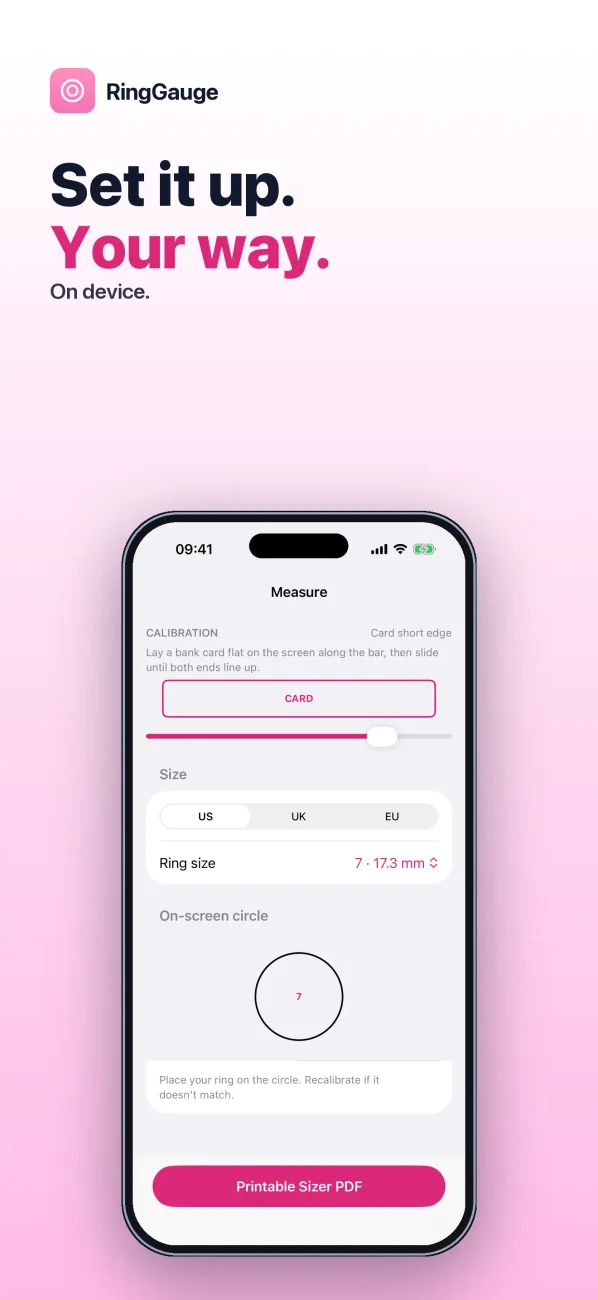
Print the ring size chart at 100%, check the scale against a real credit card, then lay the ring on the circles and pick the one that matches its inside edge. You can also calibrate your screen with a credit card and compare the ring against an on-screen circle.
• PRINTABLE SIZER PDF — a US Letter page with circles for 20 common sizes, from US 3 to 13, drawn at their true inside diameter.
• US, UK OR EU LABELS — switch the size system and the chart labels follow: US 3–13, UK F–Z1 or EU 44–70; the app also shows each size's diameter in mm.
• BUILT-IN SCALE CHECK — a true-size credit card outline on the chart shows at a glance whether your printer scaled the page.
• ON-SCREEN SIZER — slide a bar until it matches a real card's edge, then place the ring on the circle for the size you pick.
• PRINT, SHARE OR SAVE — print with AirPrint, share the PDF or save it to Files.
Honest scope: RingGauge measures a ring you already have; it does not measure a finger. Print with "fit to page" turned off and check the card outline — if it doesn't match a real card, the circles aren't true size. On screen you match the card's short edge, and the bar starts close to your iPhone's real scale, so a small nudge is usually all it takes. Sizes follow common retail charts and can differ slightly between jewelers and ring widths, so confirm with your jeweler before ordering something valuable.
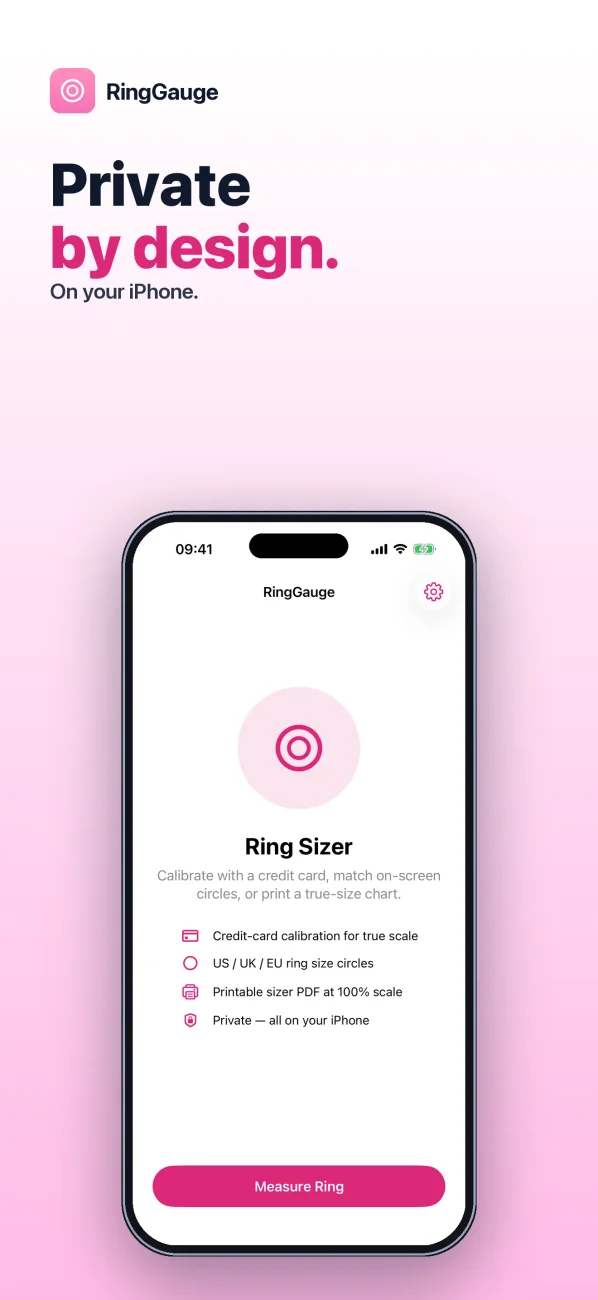
Everything runs on your iPhone. Nothing is uploaded and no account is needed.
The on-screen sizer is free to use, and you can make 3 printable sizer PDFs for free. A one-time $4.99 purchase unlocks unlimited PDFs. No subscription, no ads.
Questions: overlapmarr@gmail.com
What’s new
Version 1.0.7 · Sep 26, 2026
Localized App Store screenshots for every language.
App privacy
What Jhomar Maravillas declares on the App Store about how this app handles data.
-
Data not collected
The developer does not collect any data from this app.
Privacy practices may vary, for example with the features you use or your age.
Information
- Seller
- Jhomar Maravillas
- Category
- Productivity
- Version
- 1.0.7
- Updated
- Sep 26, 2026
- Released
- Jul 30, 2026
- Size
- 671.0 KB
- Requires
- iOS 16.0 or later
- Age rating
- 4+
- Price
- Free
- In-app purchases
- Yes
- Languages
- English, French, German, Japanese, Portuguese, Spanish
- Copyright
- © 2026 RingGauge
You might also like
-
 Ring Sizer : Finger SizeRing Size & Finger Measure
-
 Nordic Calendar · AlmanacHolidays, name days & weeks
-
 Canvass: Sales ToolProductivity
-
 iCV - Curriculum VitaeEasiest way to create your CV
-
 digihosp PATIENTProductivity
-
 Big Days - Event CountdownHome Widget and Reminders
-
 Voice Recorder, Voice Memos ®Speech to Text & Transcription
-
 All Document Reader - Read PDFPDF Reader,Excel,PPT,Word,Doc
-
 All Document ReaderAll Document Editor and Viewer
-
 Week Calendar - Smart PlannerSync Agenda Tasks & Reminders