RingPop: Ringtone Maker
Video to ringtone, 173 sounds
Designed for iPhone, iPad
Free · In-app purchases
- Age rating4+
- CategoryMusic
- DeveloperLaurent ABITBOL
- LanguagesEnglish+ 23 more
- Size47.8 MB
Links to the official App Store page
Download.org hosts no file of RingPop: Ringtone Maker. The button opens its official App Store page, published by Laurent ABITBOL. Listing last checked on Nov 23, 2026.
Screenshots

About
88 free sounds, 173 in all, and any video turned into an iPhone ringtone in under 60 seconds. Ringtones, alarms, notification tones — pick one from the library or make your own.
No GarageBand. No computer. No tutorials.
---
A LIBRARY OF ORIGINAL SOUNDS
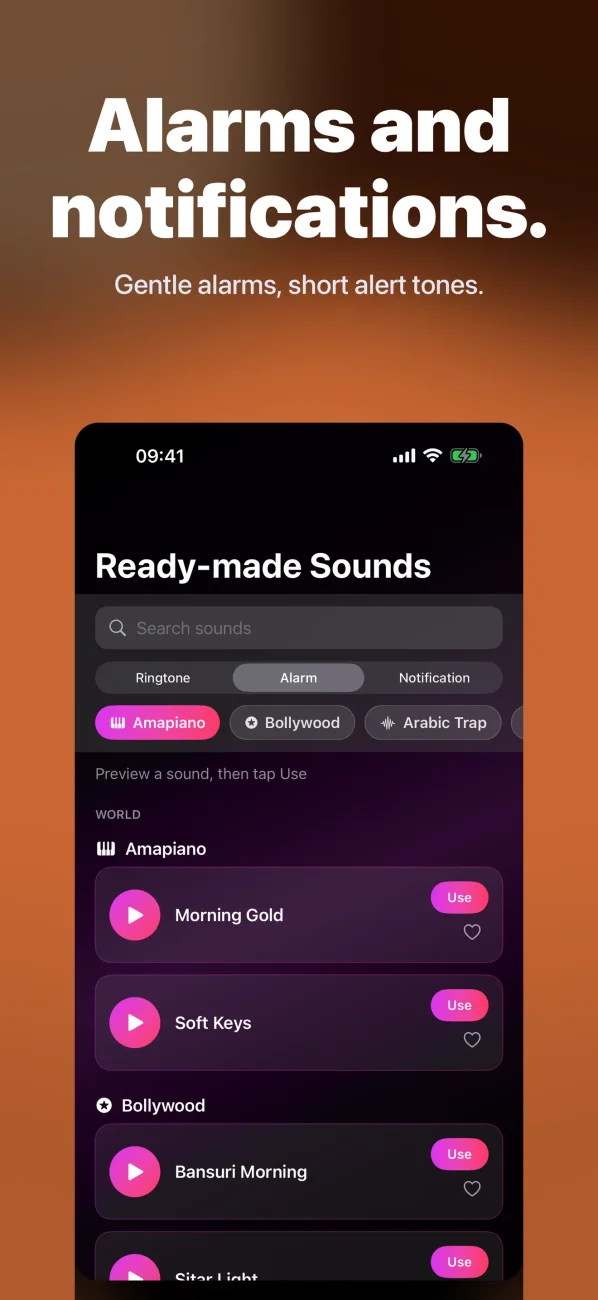
173 original sounds created for RingPop, 88 of them free, across 32 styles: lo-fi, phonk, hyperpop, cinematic, y2k, chillwave, vaporwave, chiptune, synthwave, pop-punk, Christmas, nature, nasheed, marimba, retro bell, Lunar New Year, fun, plus Middle Eastern, Indian, Turkish and North African styles, and many more.
> THREE USES, NOT ONE
A 30-second ringtone, an alarm for waking up, a short tone for messages. Almost every style has its ringtone and its notification tone; 17 styles also have an alarm.
> LISTEN BEFORE YOU CHOOSE
One tap to preview. Installing then goes through the iOS share sheet: four steps, guided inside the app.
> BUILT FOR THE IPHONE SPEAKER
Every sound is mastered to stay crisp and audible on a noisy street, where an ordinary track simply disappears.
---
OR MAKE YOUR OWN, FROM A VIDEO
> 60 SECONDS FLAT
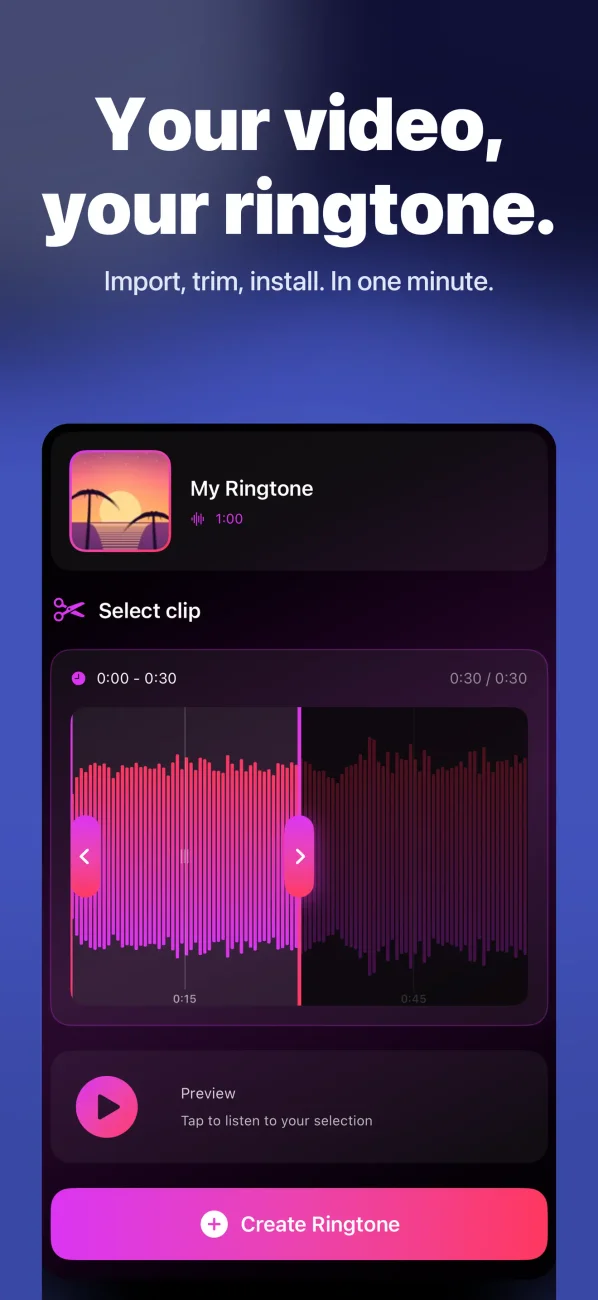
Pick the video. Trim the audio. Export. Done.
> WORKS WITH EVERYTHING
Short videos, clips, voice memos, screen recordings, MP3s — 13 formats supported.
> A SIMPLE, PRECISE EDITOR
- Visual waveform: see exactly where to cut
- Drag to select, tap the waveform to move through the track
- Live preview with fades: hear the result before you export
- Automatic fades: no abrupt cut at the end
- Clips from 1 to 30 seconds, the limit iOS imposes
---
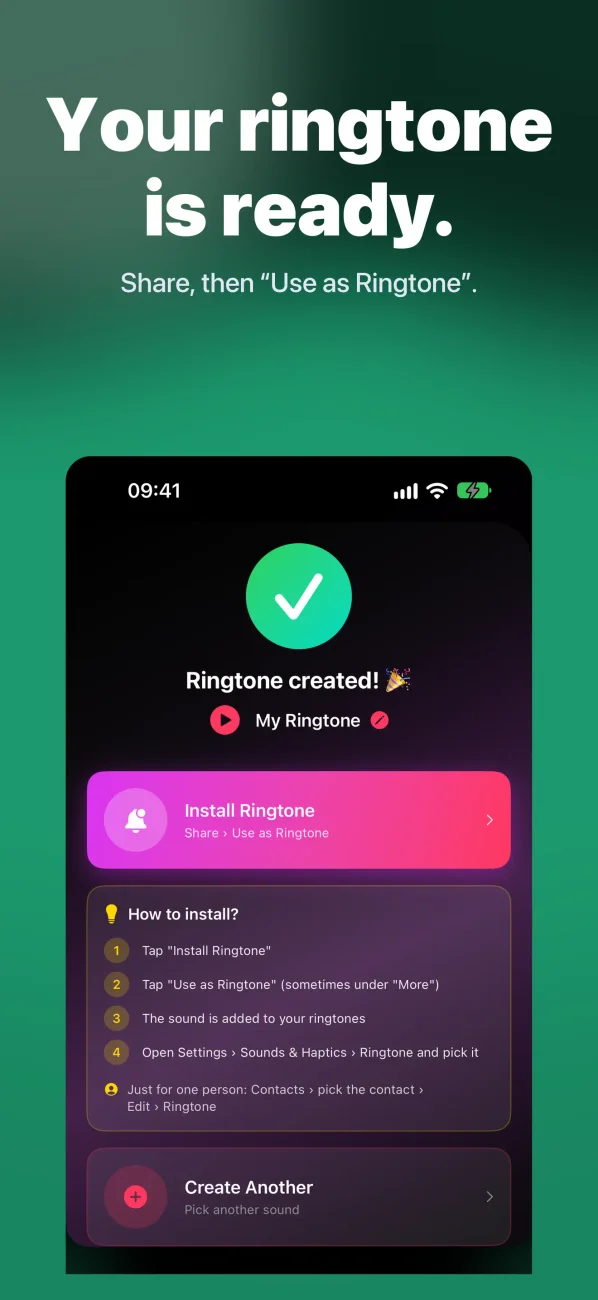
INSTALLING A RINGTONE
1. Export your sound from RingPop
2. Tap Share, then "Use as Ringtone" (sometimes tucked under "More")
3. The sound joins your iPhone's ringtone list
4. Turn it on in Settings › Sounds & Haptics › Ringtone
For a message tone, pick Settings › Sounds & Haptics › Text Tone instead.
An illustrated guide is built into the app, one tap away at every step.
---
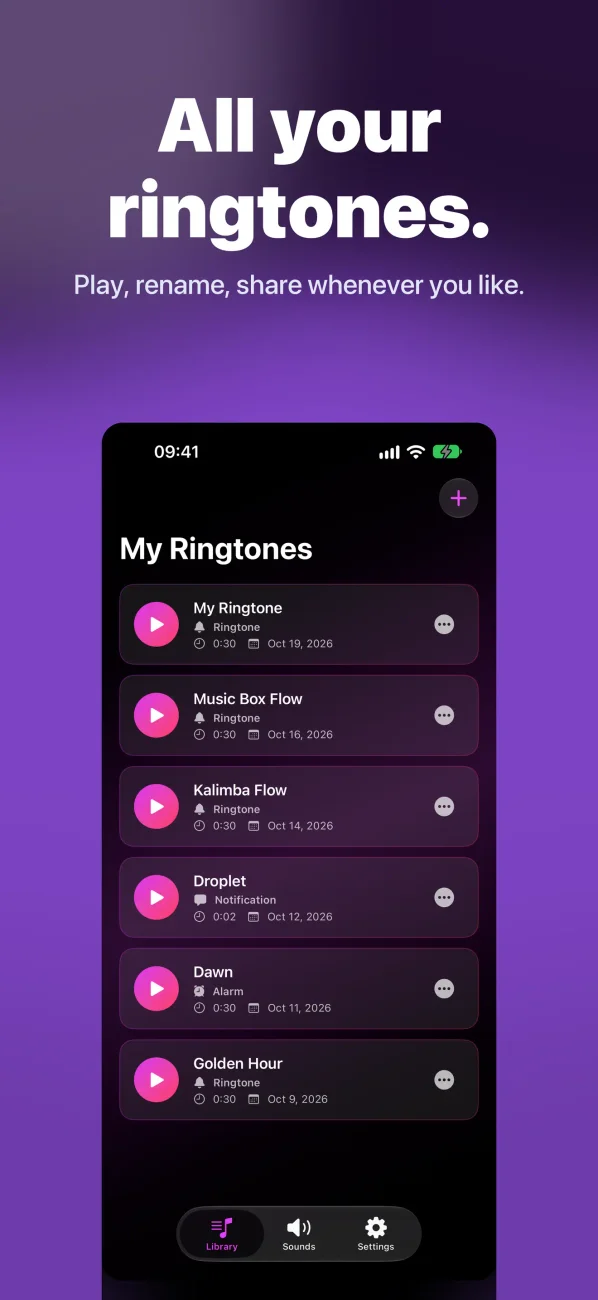
YOUR LIBRARY
- Every creation in one place
- Rename them whenever you like
- Instant playback
- Share to any iOS app
---
SUPPORTED FORMATS
Video: MP4, MOV, M4V, AVI, WebM, QuickTime, Live Photos
Audio: MP3, M4A, AAC, WAV, AIFF, FLAC
Import from Photos, Files, iCloud or any app.
---
FREE, WITH PRO IF YOU WANT IT
- Unlimited importing, trimming and exporting, for free
- The full editor, no restrictions
- Instant export: no ad before your export
- RingPop Pro, a single purchase: removes every ad and unlocks all the premium sounds in the library
BUILT WITH CARE
- Translated into 24 languages, including right-to-left Arabic and Hebrew
- iPhone and iPad, one app
- Fully offline: all 173 sounds ship inside the app, nothing to download
- VoiceOver, Dynamic Type up to the largest sizes, Reduce Motion
---
YOUR PRIVACY MATTERS
- Your media stays on your device
- Your videos are never sent to a server
- Non-personalized ads, no ad tracking
- Your files stay yours. Always.
---
Stop having the same ringtone as everyone else.
Download RingPop and make your iPhone sound like you.
What’s new
Version 2.159 · Oct 23, 2026
• Your videos now make ringtones you can actually hear: volume is optimised automatically, even for a voice recorded from afar.
• The editor opens straight on the best part, and the preview plays at the final volume.
• 12 new sounds made for RingPop: Lunar New Year, Fun and two nasheed notifications.
• Clearer: a waveform of the whole video, silent files explained instead of failing, better VoiceOver everywhere.
App privacy
What Laurent ABITBOL declares on the App Store about how this app handles data.
-
Data not collected
The developer does not collect any data from this app.
Privacy practices may vary, for example with the features you use or your age.
Information
- Seller
- Laurent ABITBOL
- Category
- Music
- Version
- 2.159
- Updated
- Oct 23, 2026
- Released
- Jan 20, 2026
- Size
- 47.8 MB
- Requires
- iOS 26.0 or later
- Age rating
- 4+
- Price
- Free
- In-app purchases
- Yes
- Languages
- English, Arabic, Czech, Danish, Dutch, Finnish, French, German, Hebrew, Indonesian, Italian, Japanese + 12 more
- Copyright
- © 2026 Waikuu
You might also like
-
 Ringtone Maker & Extract Audioconvert video to ringtone, mp3
-
 Ringtone Maker - Extract MusicCreate Ringtones with Music
-
 VC AI Ringtone MakerMP3 Ringtone Maker for iPhone
-
 MP3 Ringtone Maker for iPhoneCustom Alarm Tones From Video
-
 RingMix: Ringtone MakerVocal Remover, No Ads
-
 RinglyCut: Ringtone Maker MP3Cut songs, set tones & alerts
-
 XTune : Ringtone Makermake ringtone & Custom Tones
-
 AI Ringtone MakerMake Ringtone from Songs
-
 Ringtones Maker - Music EditorVideo to MP3 cutter for iphone
-
 Garage Ringtone Maker RingtunaCustom Music Ringtones Creator