
- Age rating4+
- CategoryHealth & Fitness
- DeveloperD-Parts GmbH
- LanguagesGerman+ 36 more
- Size97.1 MB
Links to the official App Store page
Download.org hosts no file of Rivon. The button opens its official App Store page, published by D-Parts GmbH. Listing last checked on Nov 12, 2026.
Screenshots

About
Rivon is an easy-to-use companion app for the Fontastic Rivon smart band.
The app offers basic functions that record and evaluate your daily activities.
Functions:
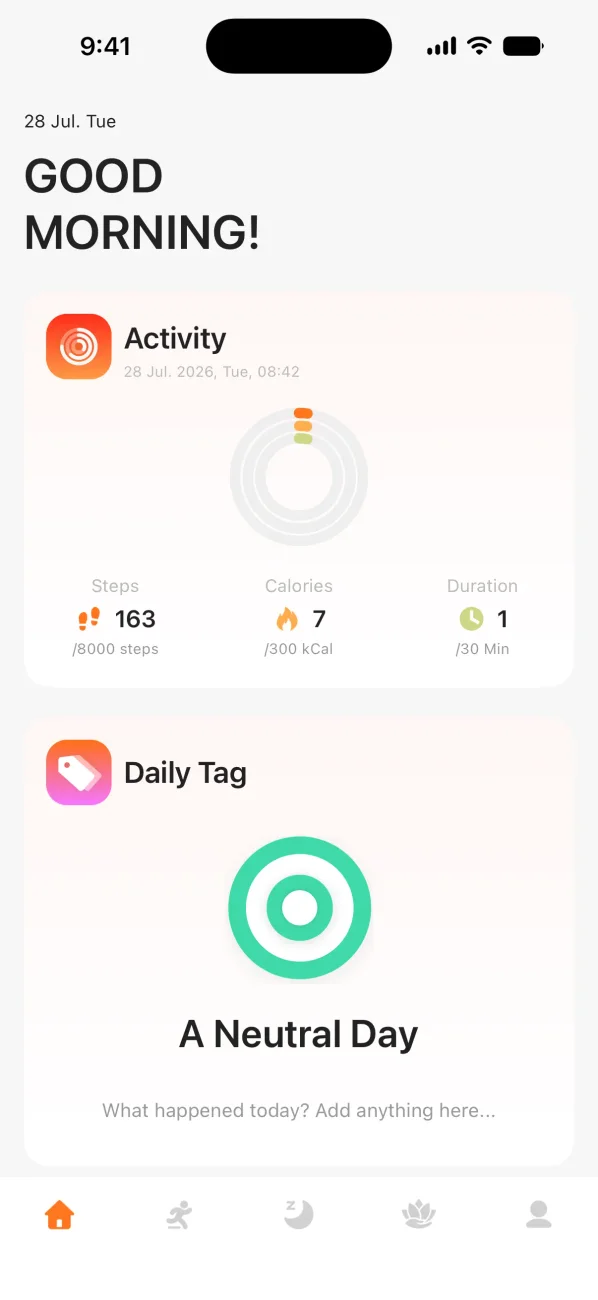
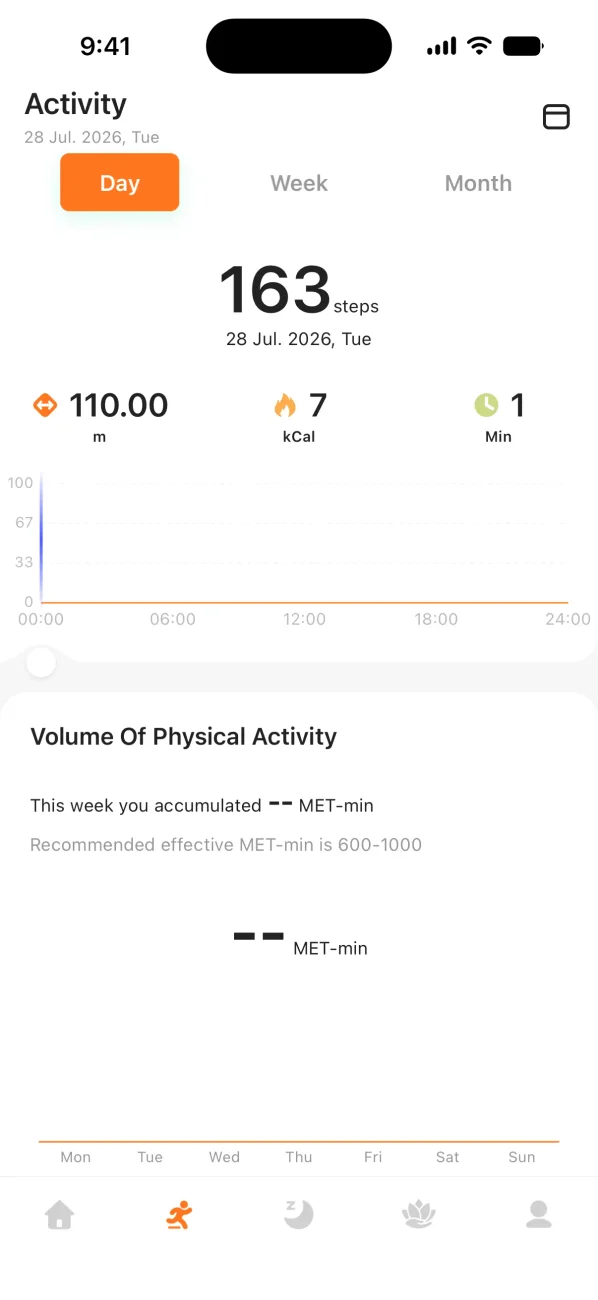
• The Status view gives you a quick overview of your sporting activities, such as steps, distance, calories, daily goal, as well as sleep, heart rate and more.
You will find further information if you tap on the individual sections (steps, sleep, etc.).
• Training: Whenever you start a training, all fitness data from the Rivon smart band will be automatically transferred to your Smart Phone. When you take your Smart Phone with you during sports, you can even see the your walking route within the app. ⁴
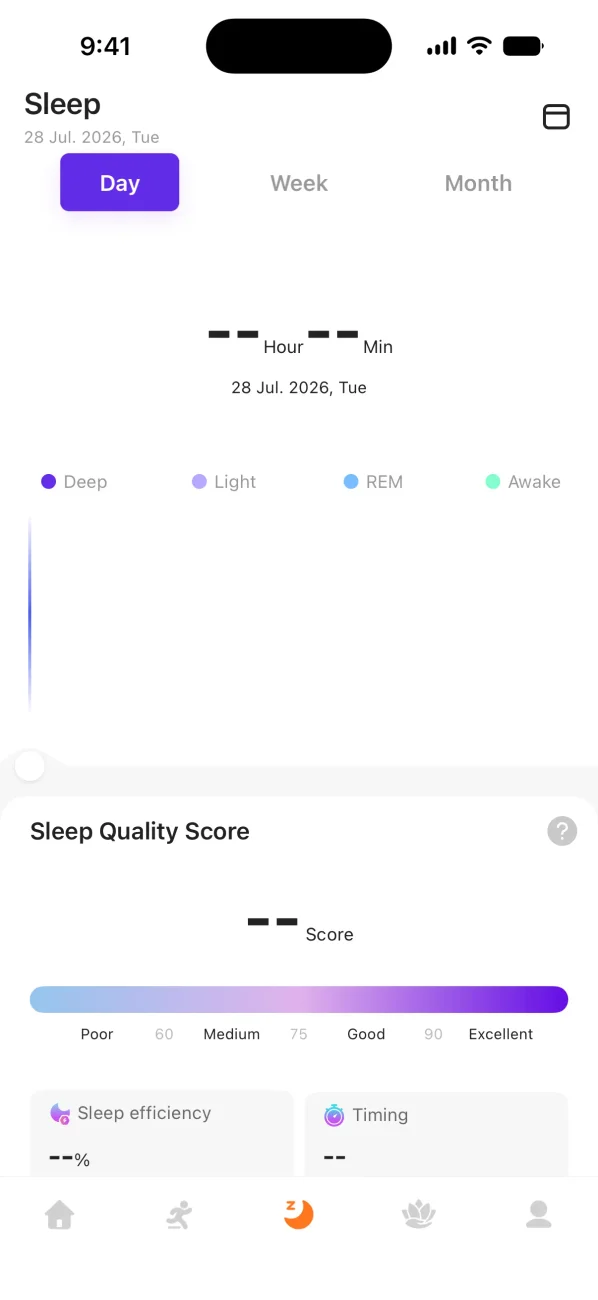
• Sleep: Track your sleep habits and sleep duration. The app shows you the duration of light sleep, deep sleep and restless phases. ¹
• Notifications: Select which app you want to use to receive vibration alarms when getting a new notification. You decide which apps are allowed to forward notifications.
• Alarms: Let the Rivon smart band wake you up or remind you by vibrating at certain times.
• Camera: Take photos remotely with your Rivon smart band using the built-in photo trigger feature. This feature is especially useful if you don't have a free hand to press the shutter button. ²
• Find device: Use this function if you can't find your connected Rivon smart band. The band vibrates so you can easily find it again.
• Reminder: If you have not actively moved for a long time or have not drunk water for a long time, the Smart Band will remind you.
• Continuous fitness heart rate tracking: When activated, the Smart Band automatically measures your heart rate every 30 minutes.
¹ Sleep analysis only works if the Smart Watch is worn while sleeping. The time when falling asleep must be within 10:00 PM and 06:00 AM. The wake-up time can be after this time period.
² This function is only available when the app is running in the background.
³ This function is only available when the Always-On mode is not active.
⁴ Recording of the route required location to be set to "Always allow the time" in order to track your movement while the app is running in the background.
⁵ This function requires the use of background audio on your phone.
IMPORTANT:
The Rivon App and the Rivon Smart Band are consumer fitness products intended solely for wellness and activity tracking. They are not medical devices and must not be used for the diagnosis, monitoring, treatment, mitigation or prevention of any disease or medical condition.
Heart rate, sleep and activity information are estimated fitness metrics only.
If you are concerned about your health, please consult a doctor.
A connected device must be used with the app. The app cannot be used without a connected device.
App privacy
What D-Parts GmbH declares on the App Store about how this app handles data.
-
Data not collected
The developer does not collect any data from this app.
Privacy practices may vary, for example with the features you use or your age.
Information
- Seller
- D-Parts GmbH
- Category
- Health & Fitness
- Version
- 1.0
- Updated
- Aug 19, 2026
- Released
- Aug 19, 2026
- Size
- 97.1 MB
- Requires
- iOS 13.0 or later
- Age rating
- 4+
- Languages
- German, Arabic, Bulgarian, Danish, English, Finnish, French, Greek, Hebrew, Hindi, Indonesian, Italian + 25 more
- Copyright
- ©2026 D-Parts GmbH
You might also like
-
 FitLybHealth & Fitness
-
 Tooth Brushing Timer - BristlFloss, Streak & Habit tracker
-
 Enjoy WerderHealth & Fitness
-
 TAGESFORM – Your Gym CoachPrivate Workout on Apple Watch
-
 kCalCowDer KI Kalorien Tracker
-
 FitAndEat: Workout & CalorieWorkout & Diet Diary
-
 Run4ZonesHealth & Fitness
-
 MAXINAHealth & Fitness
-
 Ondi: Private Period TrackerCycle diary, symptoms & mood
-
 World Of FitnessHealth & Fitness