
- Age rating4+
- CategoryEntertainment
- DeveloperDigio Corp.
- LanguagesJapanese+ 1 more
- Size2.1 MB
Links to the official App Store page
Download.org hosts no file of RIZIN COMMENTARY LIVE. The button opens its official App Store page, published by Digio Corp. Listing last checked on Nov 26, 2026.
Screenshots



About
Listen to the live commentary from the RIZIN venue on your own smartphone.
The audio is delivered with only about one second of latency, so it stays closely in sync with the fight in front of you for a more immersive experience.
[How to use]
1) Install the RIZIN COMMENTARY LIVE app.
2) Sign in using one of the methods a) to c) below.
a) If you have received an "access code URL" by e-mail or on social media, tap the link.
(If you are asked which app to open the link with, choose the RIZIN app. If the RIZIN app is not listed, choose a web browser, and you will then be able to choose RIZIN.)
b) If you have received an "access QR code" image, launch the RIZIN COMMENTARY LIVE app, tap "QR Connection" and scan the QR code.
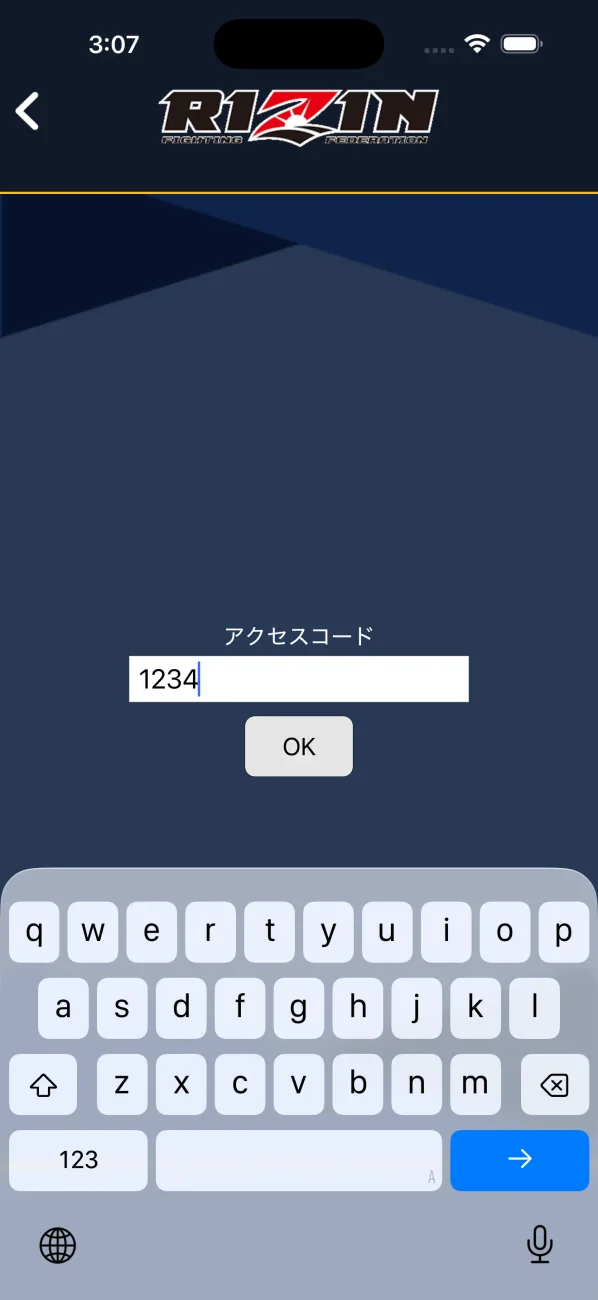
c) If you have received an "access code" as text, launch the RIZIN COMMENTARY LIVE app, tap "Access Code Connection" and enter the code.
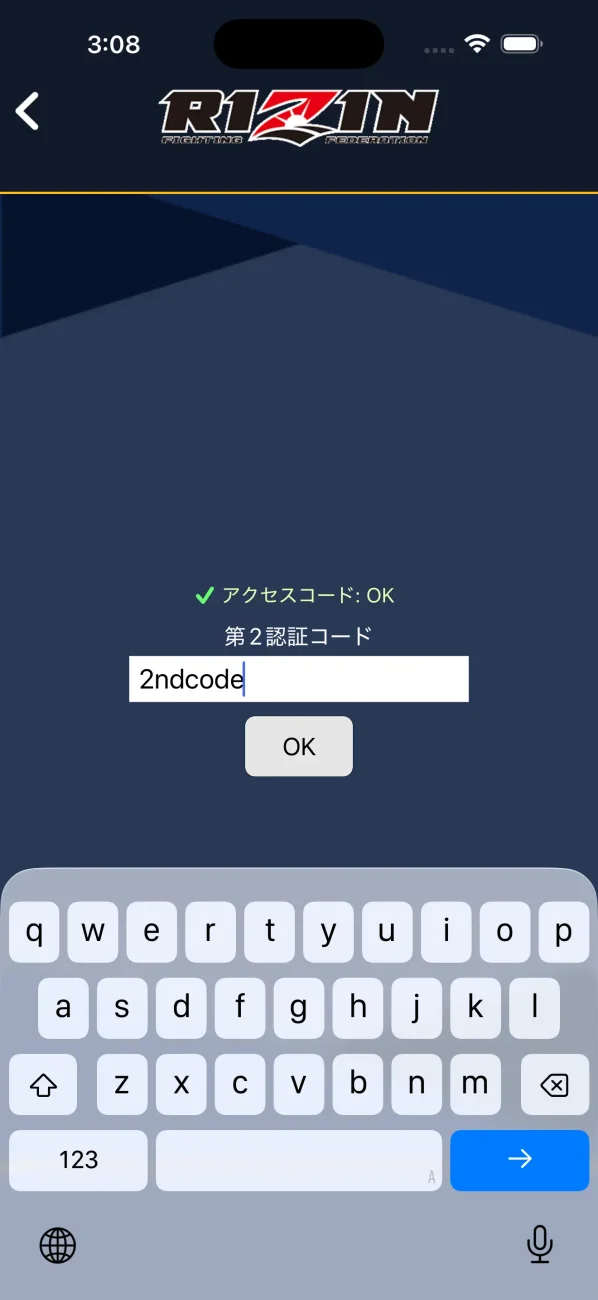
3) A screen for the "Secondary Code" will then appear. Have your Secondary Code ready and enter it.
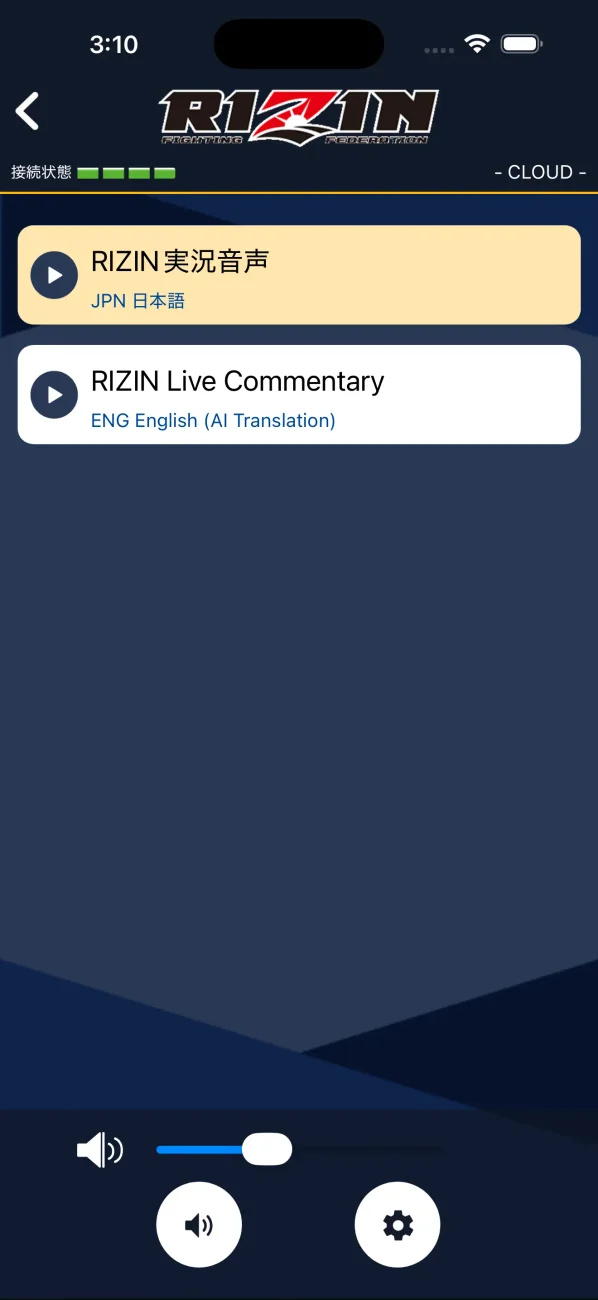
4) Once you are signed in, the list of programs currently on air will be shown. Tap the one you would like to listen to.
If the list of programs does not appear, please follow the instructions on the screen.
[Before you start]
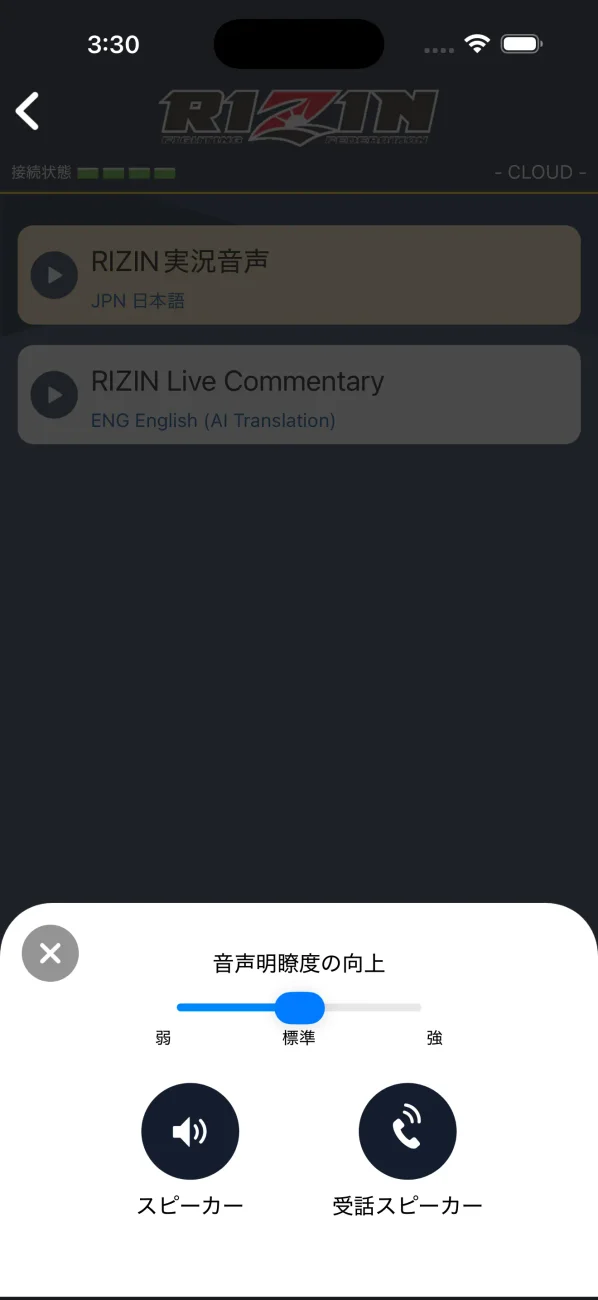
- Please connect earphones or headphones. If you do not have earphones with you, tap the speaker icon near the bottom of the screen and select "Receiver". You can then hold the phone to your ear and listen as you would during a phone call. (The receiver is not available on some devices.)
- You can use either the Wi-Fi at the venue or your carrier's mobile network (4G/5G). If the audio breaks up frequently or is hard to hear, please switch to whichever has the better reception.
- The access code and the Secondary Code are distributed by the event organizer. You cannot use this app without them.
This app uses "Recot" and "Recolis", the audio distribution systems of Hoso Service Center, Inc.
Powered by Recolis
https://www.hoso.co.jp/
- Privacy Policy: https://dgo.xsrv.jp/rizinstreaming/privacypolicy.html
What’s new
Version 4.3.8 · Nov 25, 2026
Supports iOS27
Supports iPhone Duo
App privacy
What Digio Corp. declares on the App Store about how this app handles data.
-
Data not linked to you
May be collected but is not linked to your identity.
- Diagnostics
- Other data
Privacy practices may vary, for example with the features you use or your age.
Information
- Seller
- DIJIO, K.K.
- Category
- Entertainment
- Version
- 4.3.8
- Updated
- Nov 25, 2026
- Released
- Sep 4, 2026
- Size
- 2.1 MB
- Requires
- iOS 15.0 or later
- Age rating
- 4+
- Languages
- Japanese, English
- Copyright
- © 2026 Hoso Service Center, Inc. All rights reserved
You might also like
-
 鈴木千裕オフィシャルApp 天下無双Entertainment
-
 格闘配信NaviEntertainment
-
 篠塚辰樹のPOWPOWPOW !!Entertainment
-
 RIZINEntertainment
-
 WAVERS〜革命の海〜Entertainment
-
 強者理論Entertainment
-
 Ototouch SAMPLERInstant audio for live events.
-
 multicounter / Score TrackerMultiplayer game score tracker
-
 THE ART OF PLATEEntertainment
-
 森道26仮Entertainment