Roachy: AI Cockroach Video
Talking Roach Meme Maker
Designed for iPhone, iPod touch
Free · In-app purchases
- Age rating17+
- CategoryPhoto & Video
- DeveloperYIGIT SAMET OLMEZ
- LanguagesEnglish+ 14 more
- Size98.1 MB
Links to the official App Store page
Download.org hosts no file of Roachy: AI Cockroach Video. The button opens its official App Store page, published by YIGIT SAMET OLMEZ. Listing last checked on Nov 28, 2026.
Screenshots

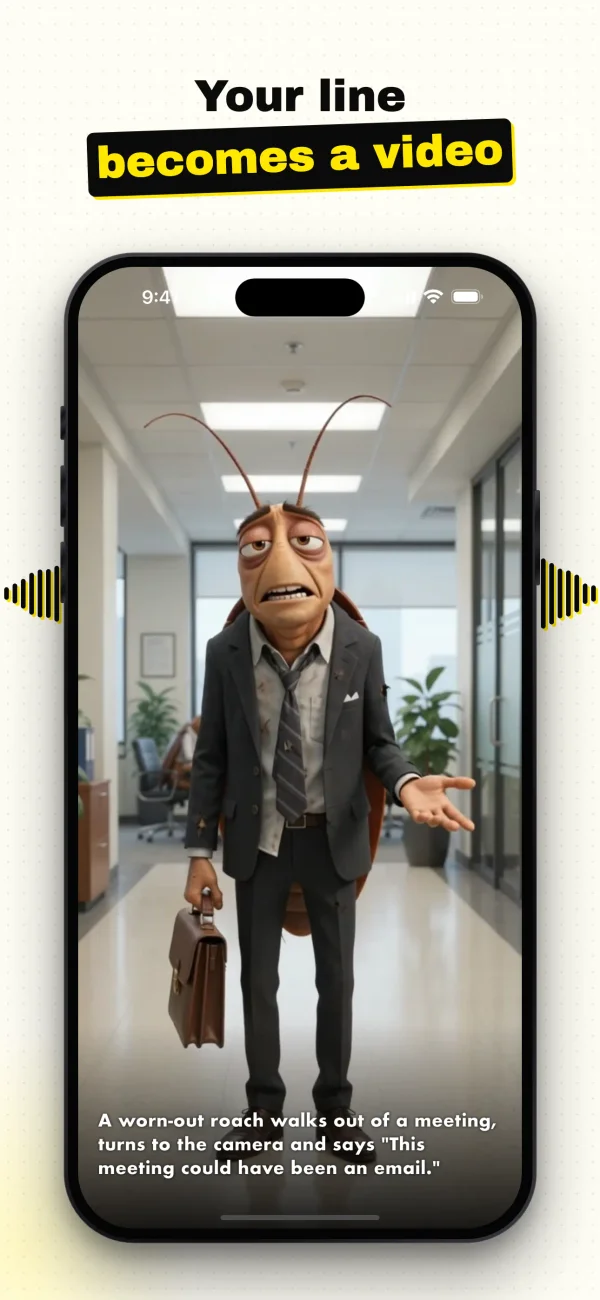

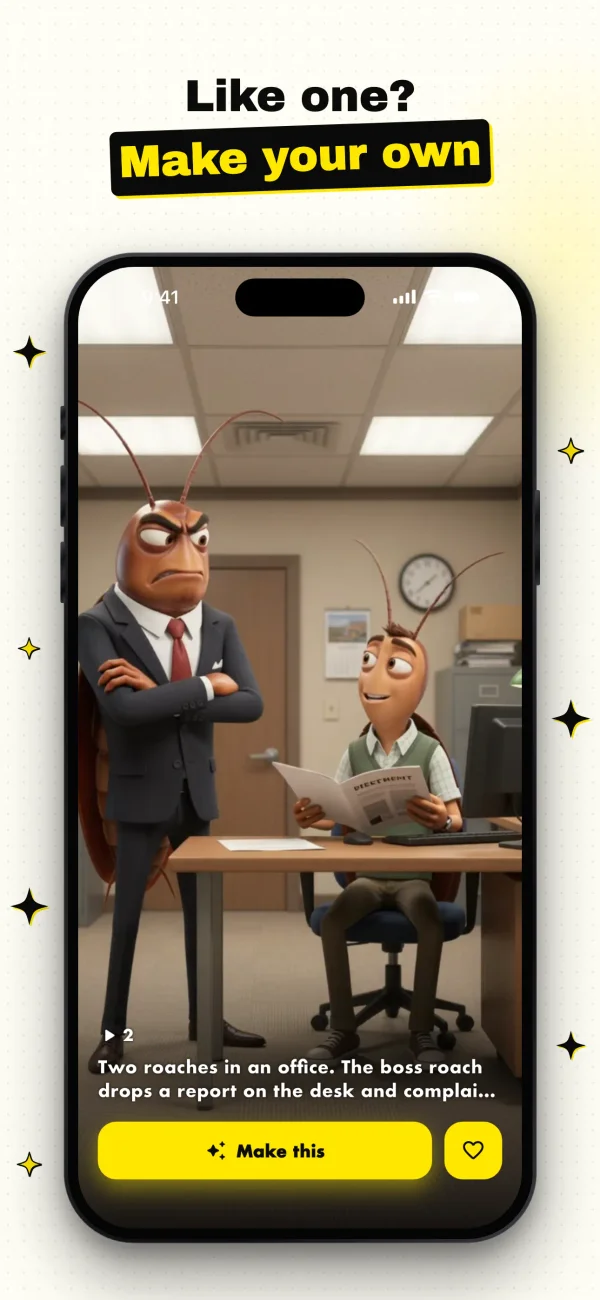
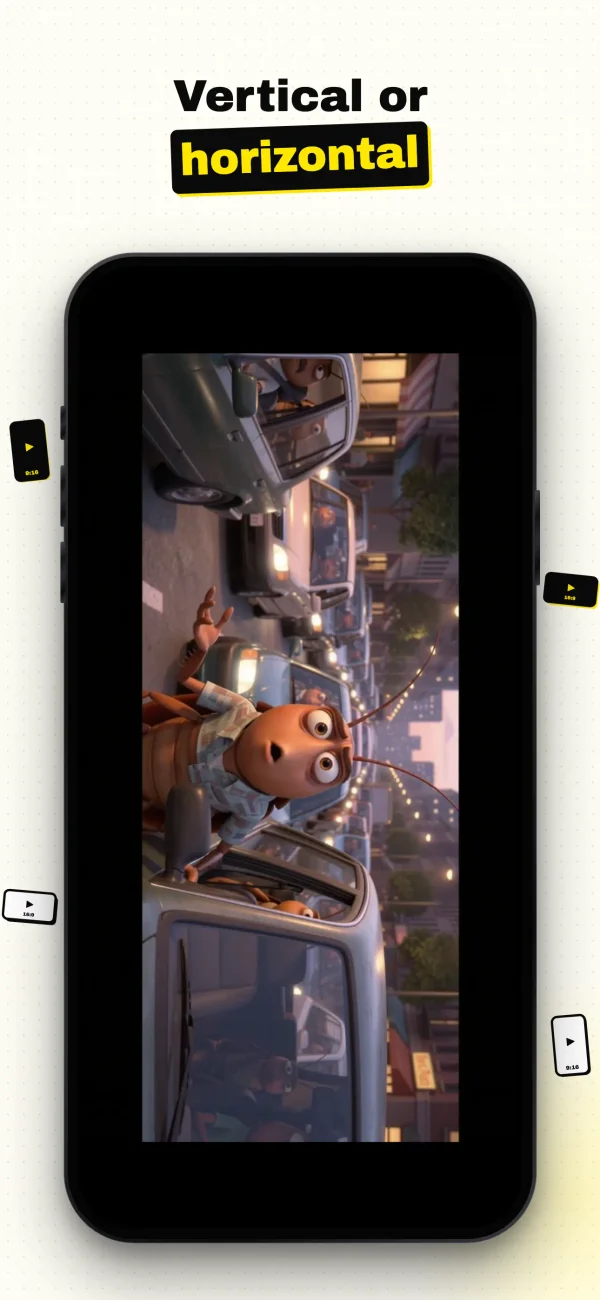
About
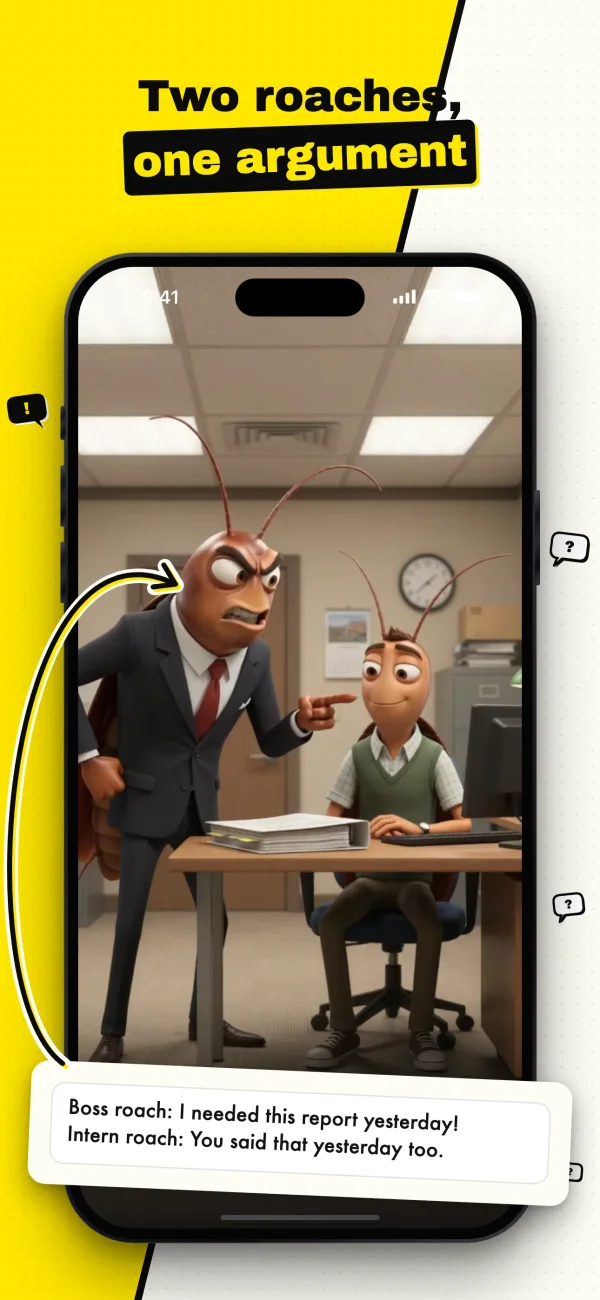
Roachy is an AI cockroach video app: type a line, and a cartoon roach turns to the camera and says it out loud, lip-synced, in the language you type. A single line, a short scene or a two-roach argument, all from a few words.
Roachy (also known as Roachy AI) works like an AI cartoon video maker built around one star. Write a line, describe a short scene, or write a back-and-forth in the "Who: line" format. Every character in your text becomes an animated roach that speaks the exact words you wrote. No editing timeline, no long prompts, no hopping between apps: it's text to video with a punchline, and the talking cockroach does the acting.
HOW IT WORKS
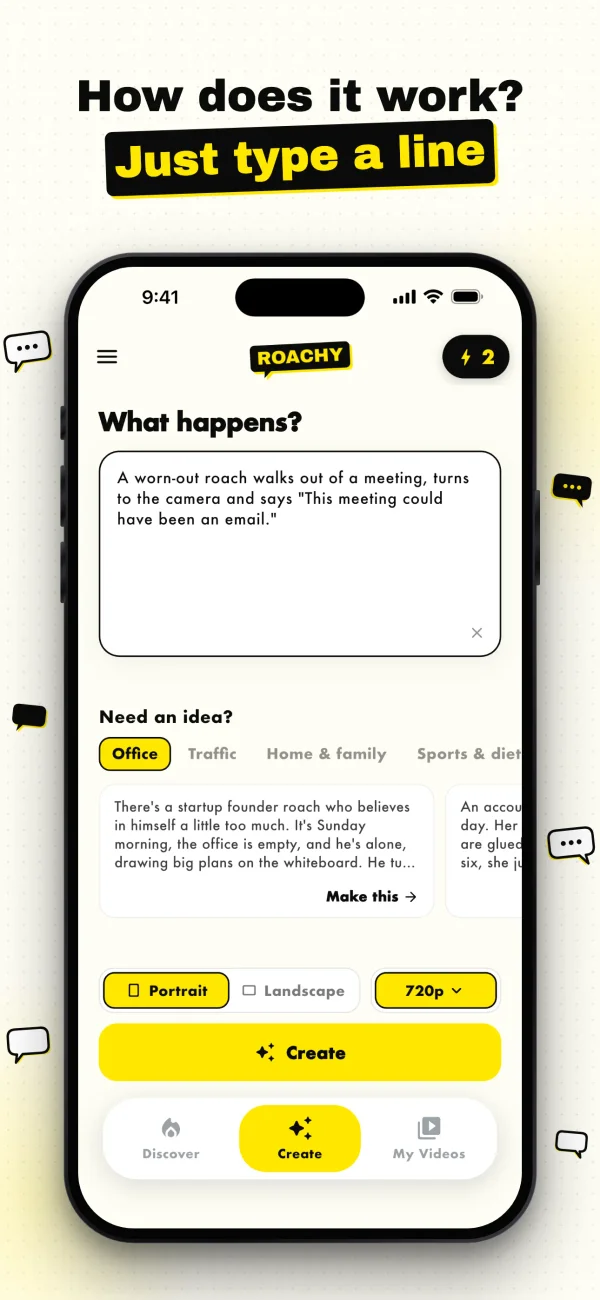
• Write the line your roach should say, or describe a short scene
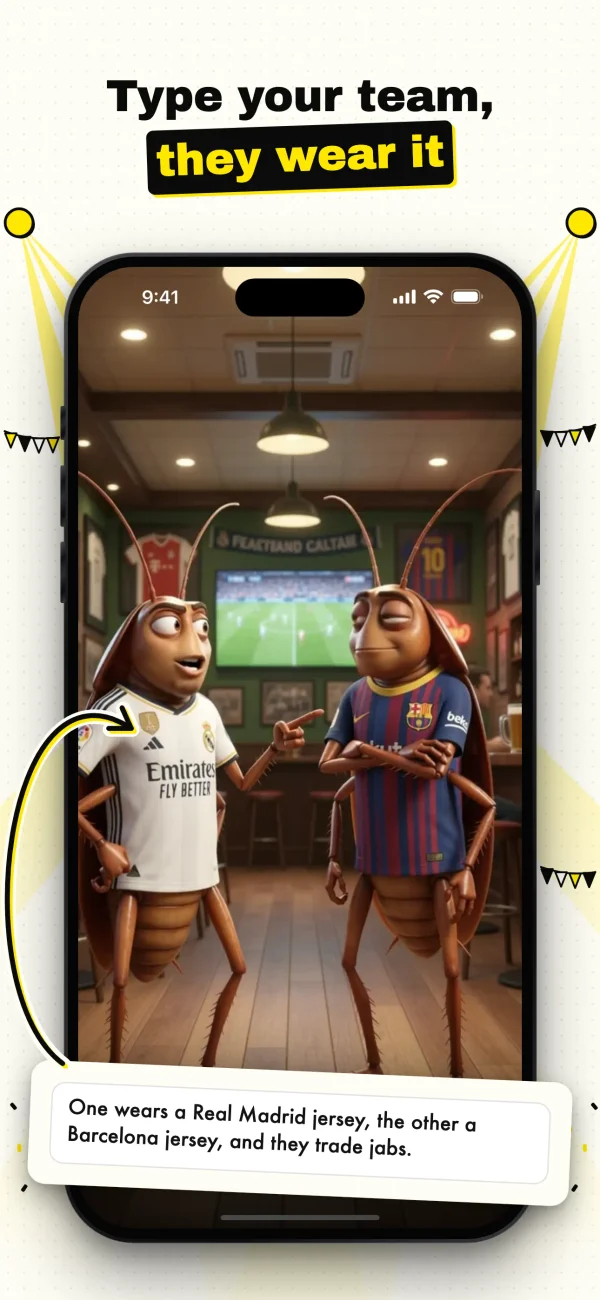
• Set it anywhere you like: at the office, in traffic, on the couch, in the stands…
• Pick portrait (9:16) or landscape (16:9)
• The length follows your text, about 5 to 10 seconds
• Tap Create; you can close the app and get a notification when your video is ready
• Find it in My Videos, then save it to your gallery or share it right away
NEED AN IDEA?
Not sure what to write? The Create screen has a "Need an idea?" section with ready-made ideas sorted by category. Tap one, tweak the words, and let your roach take it from there.
TWO CHARACTERS, ONE ROAST
Write each line as "Who: what they say" and two cockroaches trade jabs:
Red roach: The cup is ours!
Blue roach: Keep dreaming.
Each character says its own line with its own mouth movements, so a two-line argument turns into a tiny comedy skit.
DISCOVER
Browse videos other users made in Discover. See one you like? Tap "Make this" and its text lands in your box, ready to change into your own version. Tap the heart to like a video and find it again later under Liked videos in the menu. If something isn't for you, report the video or block its creator.
WHAT PEOPLE MAKE WITH IT
• A birthday message delivered by a roach instead of another plain text
• Football banter between rival fans before the big match
• Office jokes, meeting moments and inside jokes from work
• Family moments: the holiday plan debate, the group chat drama, a greeting for mom
• Funny cockroach videos and reaction clips for the group chat, with Roachy as your meme maker
• Cockroach prank videos for the friend who can't stand bugs
Holidays, anniversaries, Monday mornings: if it fits in a few lines, a roach can say it.
HIGHLIGHTS
• Talking cockroach videos with lip-sync, in the language you type
• Portrait or landscape
• Ready-made ideas by category whenever you're stuck
• A Discover feed with likes and your own Liked videos list
• Your videos stay in My Videos; save or share them anytime
• Report an inappropriate result from My Videos; in Discover, report a video or block its creator
Videos are generated by AI and may not always turn out as expected. Roachy is for users 18 and older.
SUBSCRIPTION
• A subscription is required to create videos. There is no trial period.
• The subscription is weekly or yearly and renews automatically. The current price is shown in the app.
• With a subscription, your video allowance refreshes every day.
• Daily allowance does not carry over to the next day.
• Subscribers can also buy add-on packs of +5 or +15 extra videos that never expire.
• Payment is charged to your Apple Account at confirmation of purchase. The subscription renews automatically unless cancelled at least 24 hours before the end of the current period, and the renewal is charged within 24 hours before the period ends.
• Manage or cancel your subscription in your App Store account settings.
Terms of Use: https://roachy.web.app/kosullar
Privacy Policy: https://roachy.web.app/gizlilik
What’s new
Version 1.1.1 · Nov 25, 2026
New: "How?" videos. Tap "How?" on the Create and Characters screens and our mascot shows you how to write a good video idea and how to create and use your own character. When your character is ready, you can tell us whether it looks like you. Portrait/landscape is now a single tap and error messages are clearer.
App privacy
What YIGIT SAMET OLMEZ declares on the App Store about how this app handles data.
-
Data linked to you
May be collected and linked to your identity.
- Purchases
- Location
- Contact info
- User content
- Identifiers
- Usage data
- Diagnostics
-
Data not linked to you
May be collected but is not linked to your identity.
- User content
- Search history
Privacy practices may vary, for example with the features you use or your age.
Information
- Seller
- YIGIT SAMET OLMEZ
- Category
- Photo & Video
- Version
- 1.1.1
- Updated
- Nov 25, 2026
- Released
- Nov 2, 2026
- Size
- 98.1 MB
- Requires
- iOS 13 or later
- Age rating
- 17+
- Price
- Free
- In-app purchases
- Yes
- Languages
- English, Arabic, Dutch, French, German, Hindi, Indonesian, Italian, Korean, Portuguese, Russian, Simplified Chinese + 3 more
- Copyright
- © 2026 Ginowl
You might also like
-
 hippist AIhippist AI
-
 Dali: AI Image & Art GeneratorPhoto to Anime & Cartoon Maker
-
 AI Video Generator: Ginly AIPhoto to Video - Movie Maker
-
 Declutr: AI Photo CleanerDelete & Free iCloud Storage
-
 AI Video Generator: MythShotAnimation, Story & Movie Maker
-
 BG EraserRemove Background
-
 Cutaway: Video Editor with AIAI makes the cut. You edit it.
-
 ArtPromt: AI Video GeneratorPhoto to Video & AI Art Maker
-
 Tofu AI: Video GeneratorText & Photo to Video Stories