Roll Clock: Gym Round Timer
Your logo, loud bells, on TV
Designed for iPhone, iPad
Free · In-app purchases
- Age rating4+
- CategoryHealth & Fitness
- DeveloperCLEMENS SCOTT TUCKER
- LanguagesEnglish
- Size5.7 MB
Links to the official App Store page
Download.org hosts no file of Roll Clock: Gym Round Timer. The button opens its official App Store page, published by CLEMENS SCOTT TUCKER. Listing last checked on Nov 25, 2026.
Screenshots
About
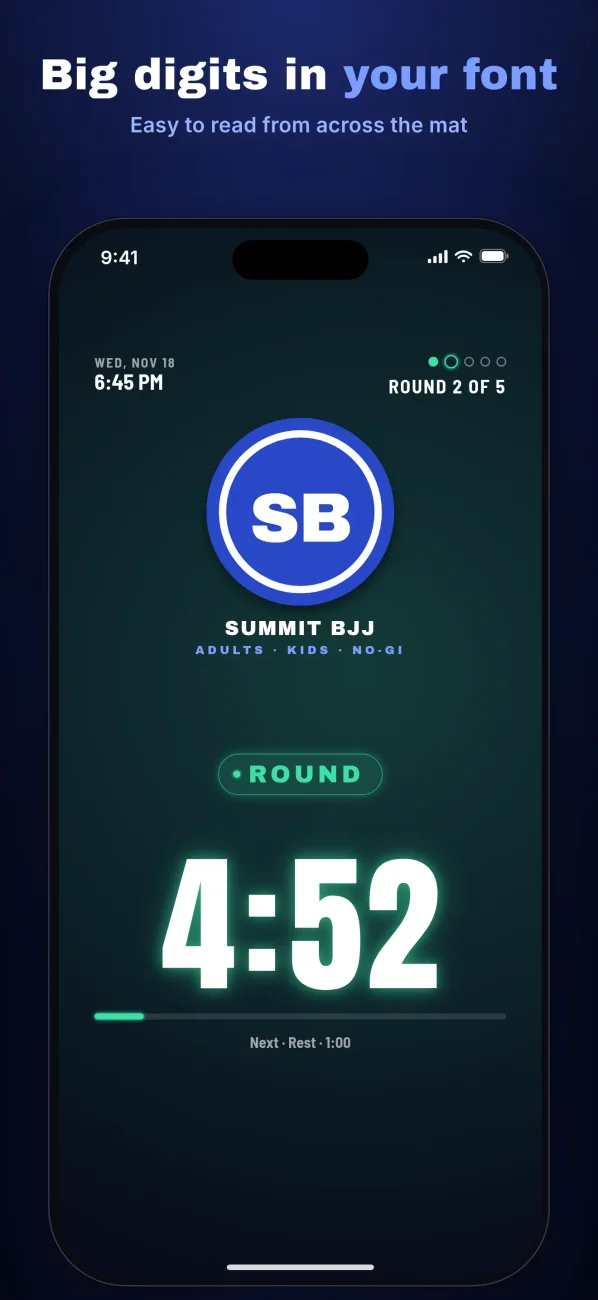
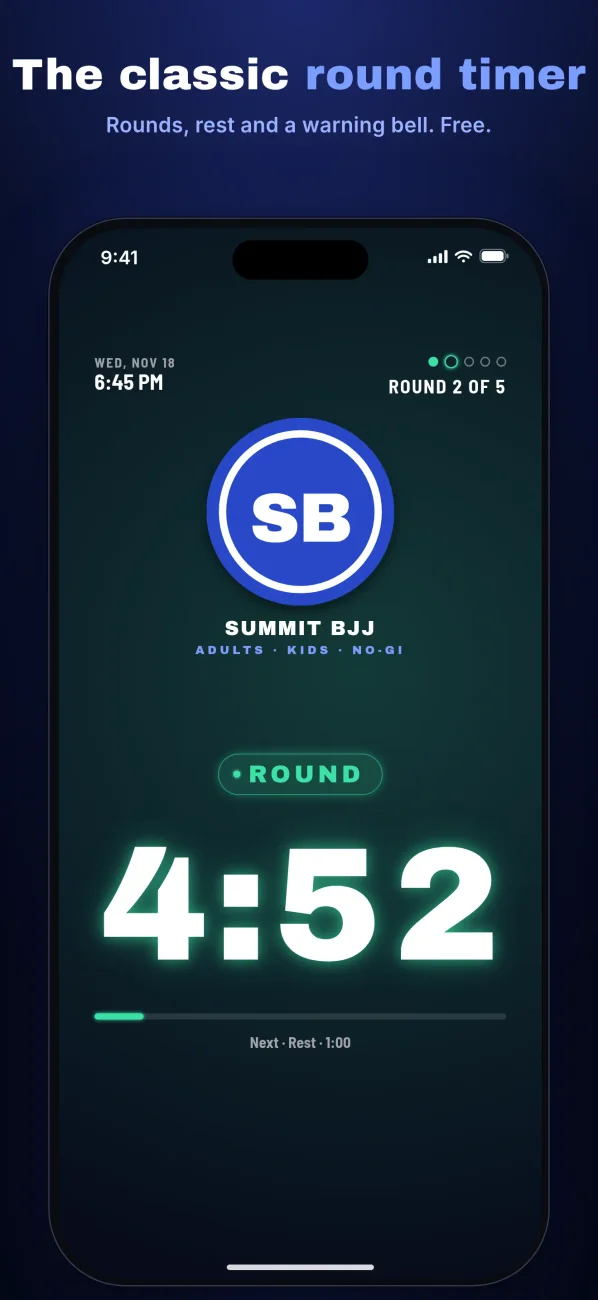
Roll Clock is the round timer for gyms, dojos and training rooms. One big, clear clock that everyone can read from across the mats, with rounds, rest and a warning before the bell. Runs on iPhone, iPad and Apple TV.
THE FULL TIMER IS FREE
• Rounds, round length, rest and a warning time, set with big + and − buttons or typed exactly
• Open mat mode: unlimited rounds that keep going until you stop them
• Get-ready countdown before round 1
• 28 loud sounds: bells, horns, whistles, beeps, chimes and hits. 12 are free and all 28 can be previewed. Defaults: a single bell ring to start, a triple bell to end, a hand clap warning. Pick one for round start, round end, the warning and when rest is about to end, plus volume
• Bells play even when the iPhone silent switch is on, and can mix with your music
• Time of day and date on the screen, 12 or 24 hour
• Ready-made presets: BJJ 5:00, Muay Thai 3:00, Boxing 3:00, HIIT / Tabata, Comp 6:00, Open Mat
• Save your own presets (2 free)
• Color changes for round, warning and rest
• The screen stays on while the timer runs
PUT IT ON THE TV
• Apple TV app included: the same purchase works on iPhone, iPad and Apple TV. Control the timer with the Siri Remote (swipe to move, swipe up or down to change a time, Play/Pause to start).
• Your logo, gym name, colors and presets are set up on your iPhone or iPad and show up on the Apple TV through your own iCloud (same Apple Account, iCloud turned on).
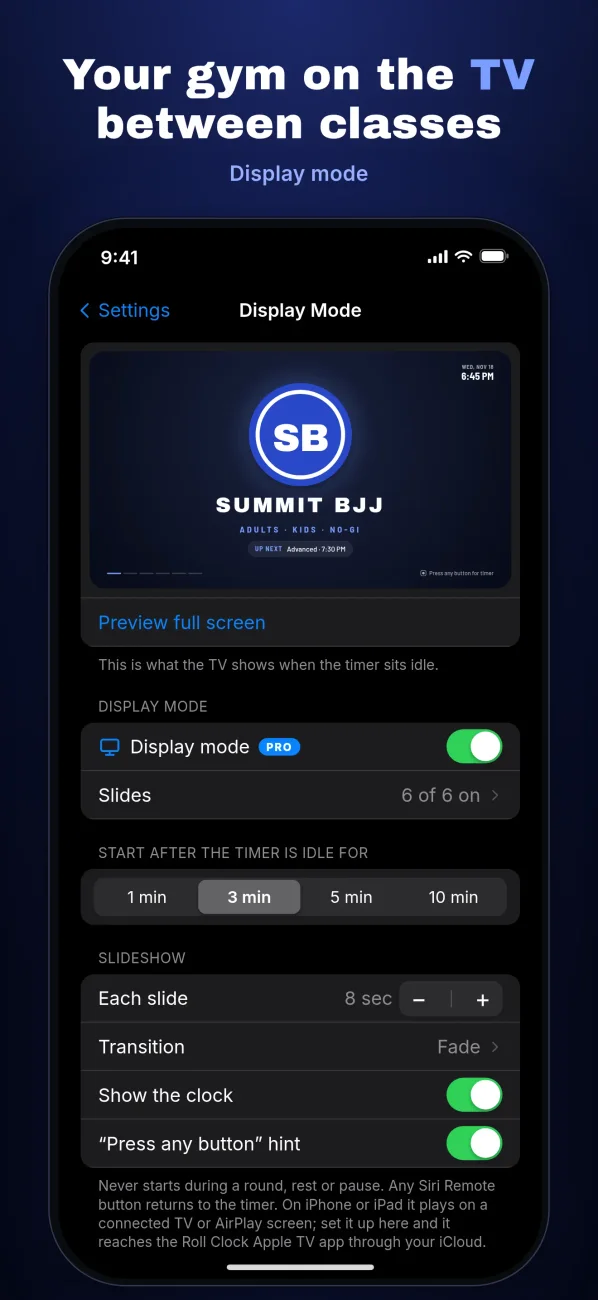
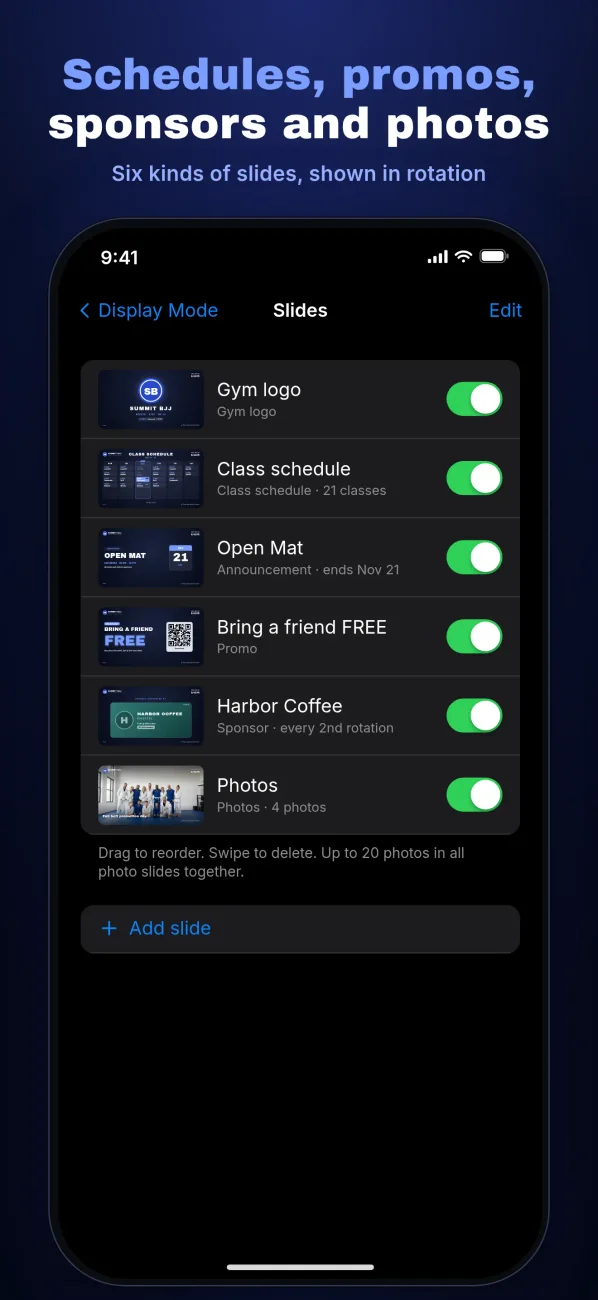
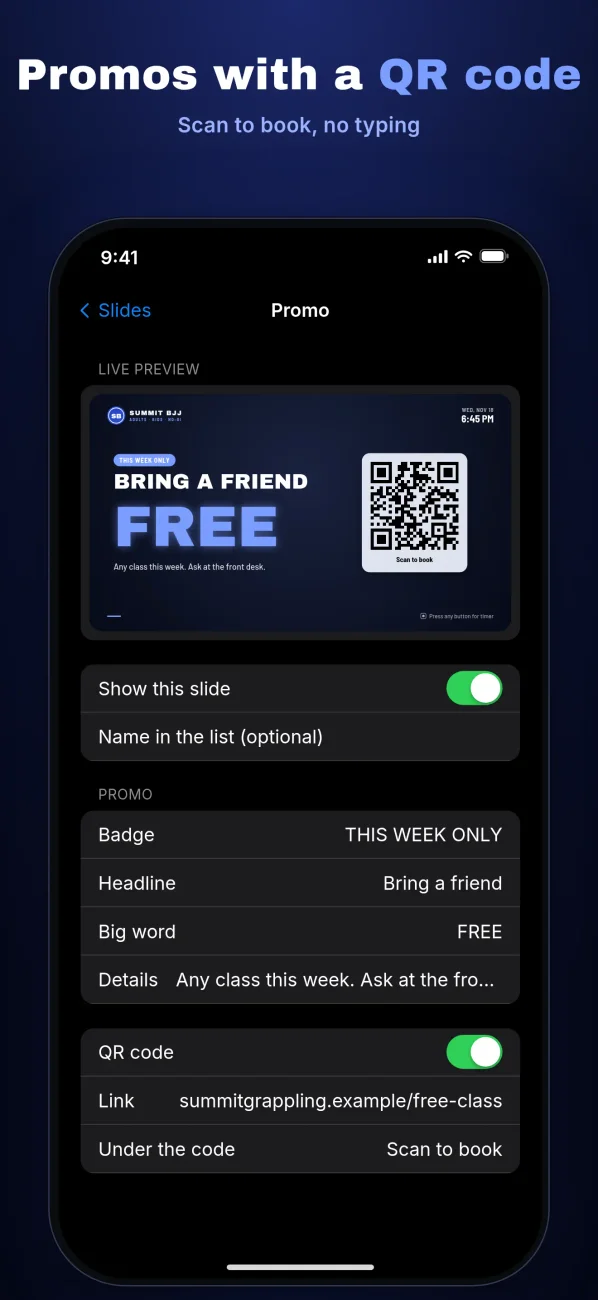
• Display mode (Pro): when the timer is idle, the TV rotates your class schedule, promo QR codes, photos and sponsor slides. Set it up on your iPhone. Press any button to return to the timer.
• Or connect your iPad or iPhone to any TV with AirPlay or an HDMI adapter. The TV shows only the clean, full-screen timer, and your iPad stays in your hand as the remote.
MAKE IT YOUR GYM'S WITH ROLL CLOCK PRO
• Your logo, picked from Photos or Files, with crop, zoom and shape options
• Your gym name and tagline
• Your brand colors (accent, background, round, warning, rest) or one-tap themes
• Style your gym name word by word: font, color, size
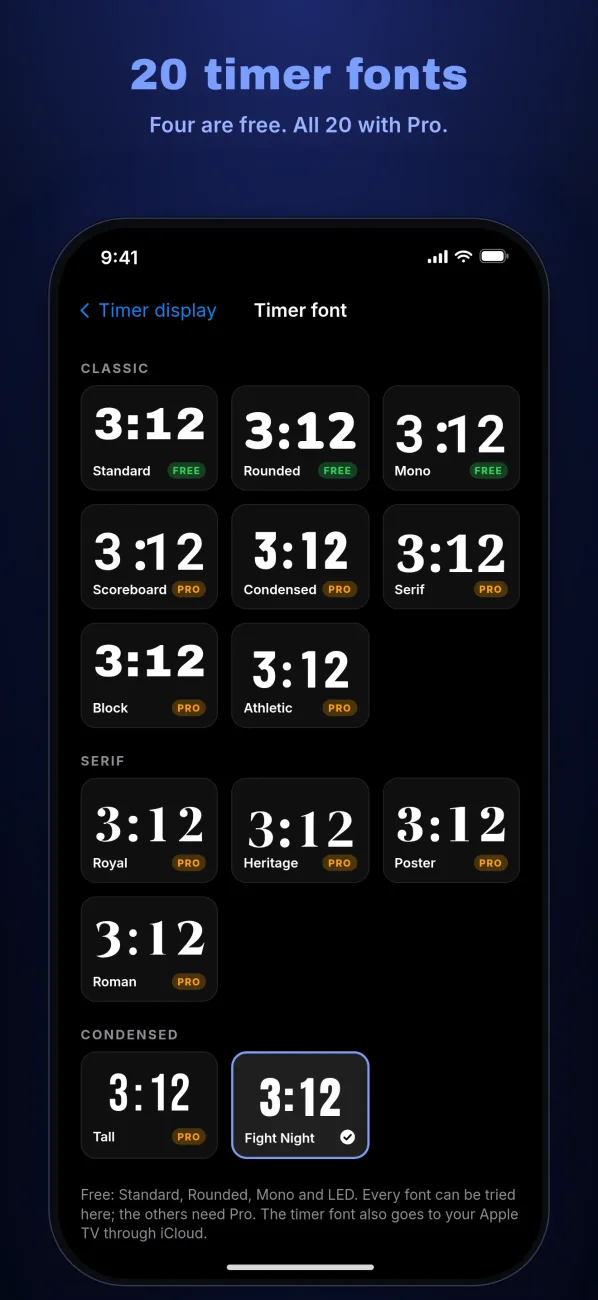
• Timer digit fonts and colors
• Unlimited saved presets
• 16 more sounds: fight bell, gong, air horn, buzzer, referee whistle, ring bell, ship's bell, tower bell, siren, tweet, triple beeps, rising beeps, soft chime, taiko drum and tick-tock
• Add your own sounds from Files
You can try every customization option for free. Pro shows your look on the timer and on the TV. One subscription covers iPhone, iPad and Apple TV.
PRIVATE BY DESIGN
No account. No sign-up. No ads. No tracking. Your logo, name and presets stay on your devices; if you use the Apple TV app they are copied between your own devices through your own iCloud, which the developer cannot see. Roll Clock does not collect any personal data.
ROLL CLOCK PRO SUBSCRIPTION
• Roll Clock Pro is an auto-renewing subscription with two plans: Yearly (with a 7-day free trial for new subscribers) or Monthly (no free trial). Prices are shown in the app and on the product page, and may vary by country.
• You are not charged during the trial.
• Payment is charged to your Apple Account at confirmation of purchase, or at the end of the free trial.
• The subscription renews automatically unless it is canceled at least 24 hours before the end of the current period. Your account is charged for renewal within 24 hours before the end of the current period.
• One subscription is shared by iPhone, iPad and Apple TV (same Apple Account).
• Manage or cancel any time in Settings > your name > Subscriptions (on Apple TV: Settings > Users & Accounts > your account > Subscriptions).
• If you stop subscribing, the timer keeps working with the standard look. Your logo, name and colors are kept and come back if you resubscribe.
Terms of Use: https://www.apple.com/legal/internet-services/itunes/dev/stdeula/
Privacy Policy: https://rollclock.gentleartgoods.workers.dev/privacy
Support: https://rollclock.gentleartgoods.workers.dev/support
What’s new
Version 1.3 · Nov 24, 2026
• Fixed Display mode photos and custom sounds so they sync to your Apple TV through iCloud, without using your iCloud storage.
• In Settings, pick the sound that plays when rest is about to end, or turn it off.
• Small fixes and polish.
App privacy
What CLEMENS SCOTT TUCKER declares on the App Store about how this app handles data.
-
Data not linked to you
May be collected but is not linked to your identity.
- User content
Privacy practices may vary, for example with the features you use or your age.
Information
- Seller
- CLEMENS SCOTT TUCKER
- Category
- Health & Fitness
- Version
- 1.3
- Updated
- Nov 24, 2026
- Released
- Nov 5, 2026
- Size
- 5.7 MB
- Requires
- iOS 17.0 or later
- Age rating
- 4+
- Price
- Free
- In-app purchases
- Yes
- Languages
- English
- Copyright
- © 2026 Gentle Art Goods
You might also like
-
 Diamond Grappling AcademyHealth & Fitness
-
 BiohaxYour biology. One daily pod.
-
 Let's Roll: BJJ & Open MatsFind Jiu Jitsu Gyms & Classes
-
 SENSAYReal-Time Sports Analytics
-
 Roll Time - BJJ Round TimerLogo • Score • TV Display
-
 Rings+: Activity RingsClose Rings Without a Watch
-
 Silver Fox BJJHealth & Fitness
-
 Competo: Fitness ChallengeActivity Rings with Friends
-
 Academy Four ElevenHealth & Fitness
-
 103 Hot Pilates & YogaHealth & Fitness