
Rounder: Circle Crop
Round photos, borders & PNG
Designed for iPhone, iPad
Free · In-app purchases
- Age rating4+
- CategoryPhoto & Video
- DeveloperWonyoung Jang
- LanguagesEnglish+ 10 more
- Size16.8 MB
Links to the official App Store page
Download.org hosts no file of Rounder: Circle Crop. The button opens its official App Store page, published by Wonyoung Jang. Listing last checked on Nov 24, 2026.
Screenshots
About
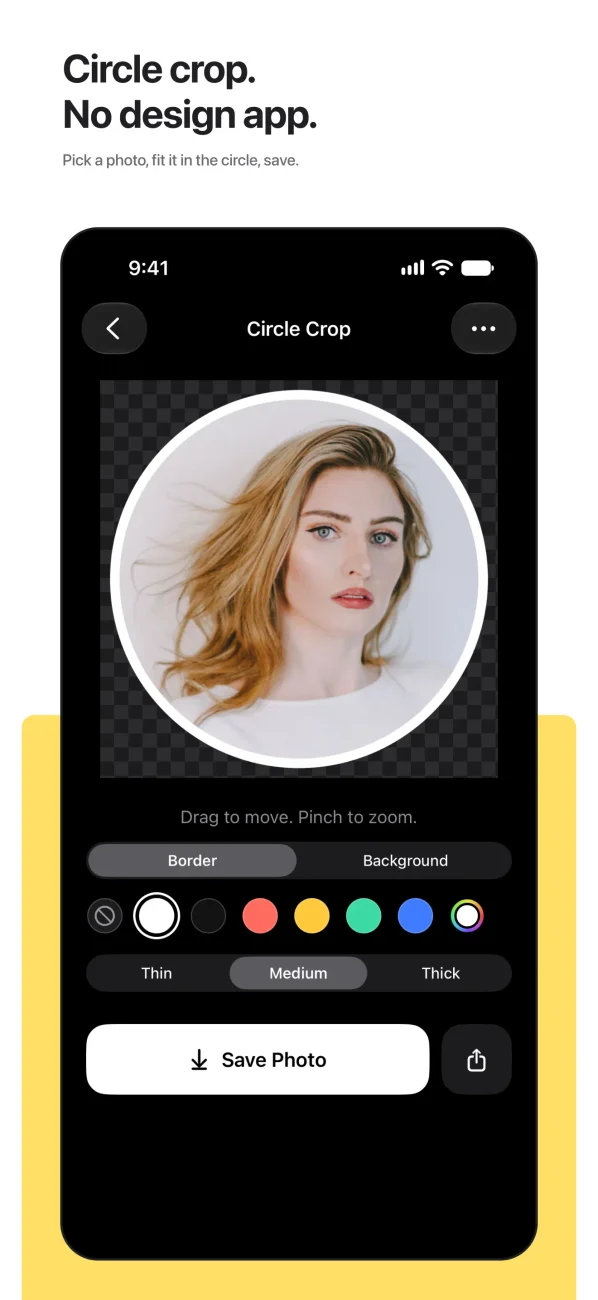
Rounder does one thing: it turns your photos into circles.
Making a round image shouldn't mean opening a design app, finding a frame template, learning layers or writing a prompt. With Rounder you pick photos, fit them in the circle and save. That's it.
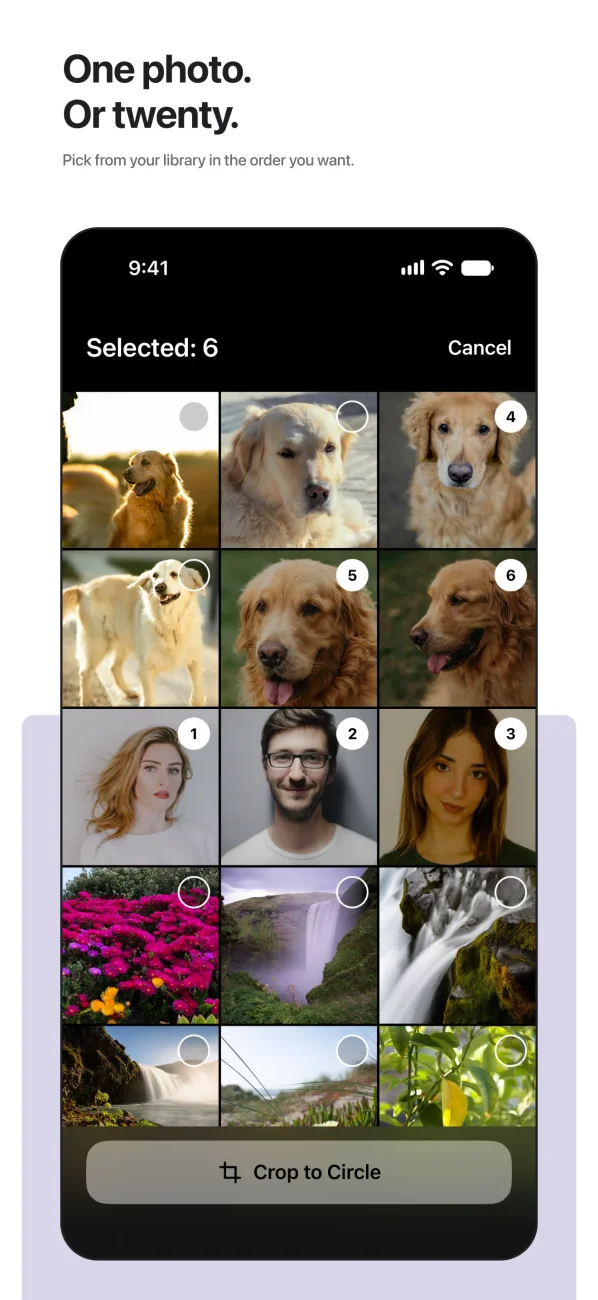
PICK ONE OR TWENTY
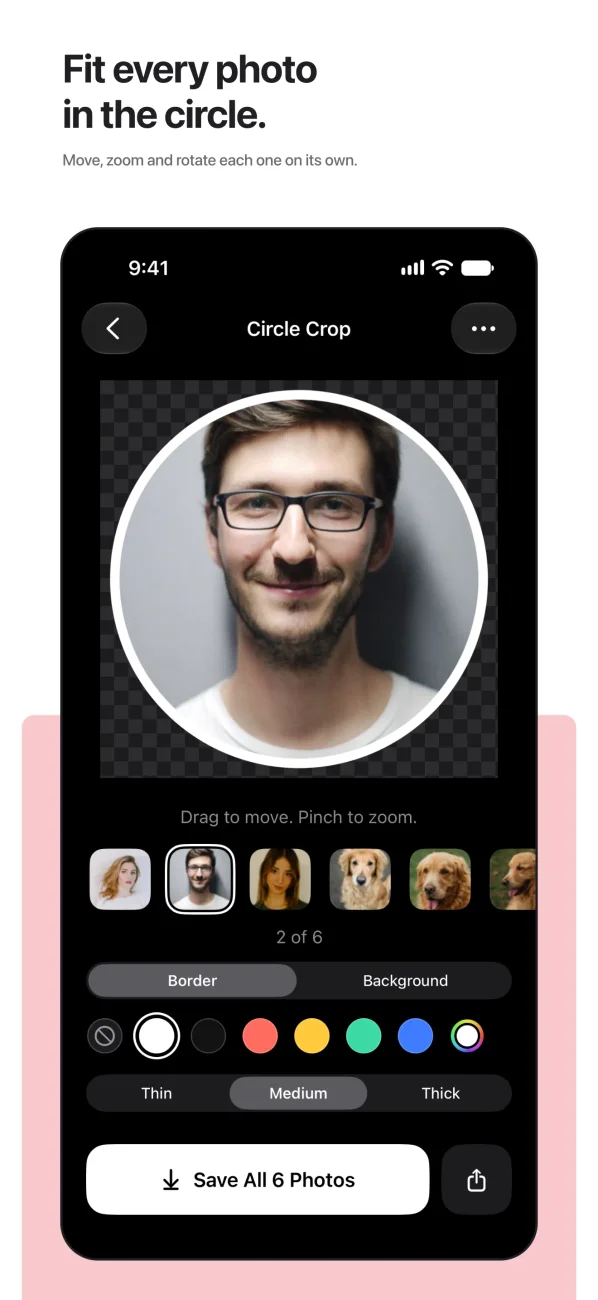
Select photos straight from your library. One photo and a whole set use the same simple screen. Adjust each photo's position, zoom and rotation on its own.
SIZE THE CIRCLE, ADD A BORDER
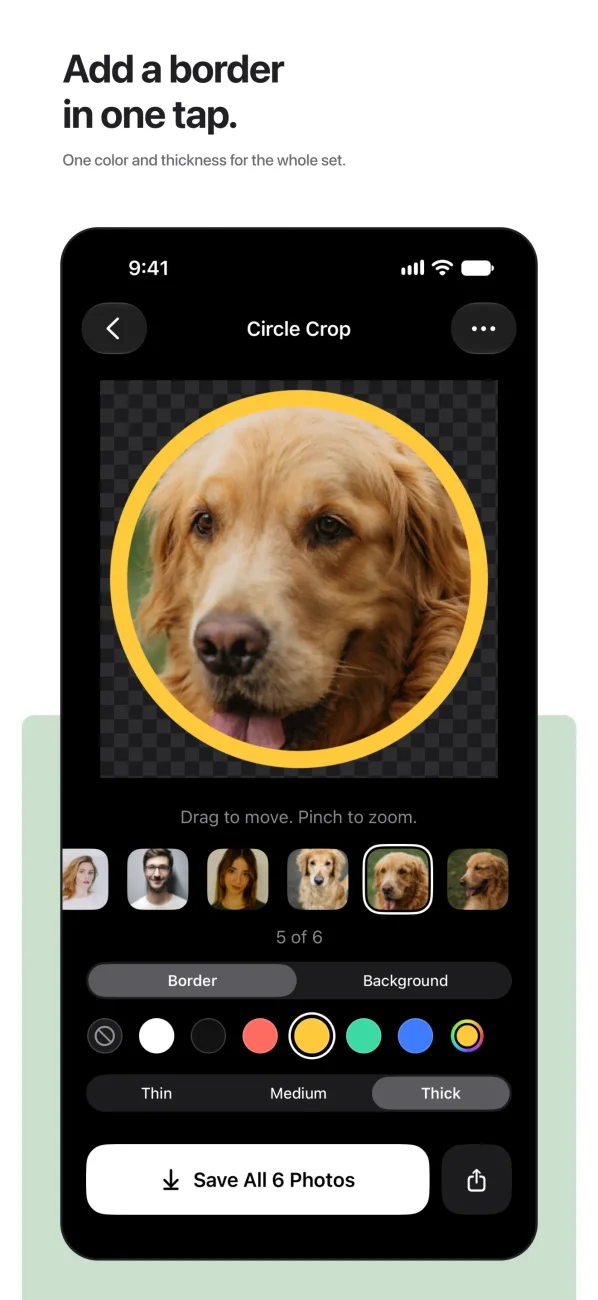
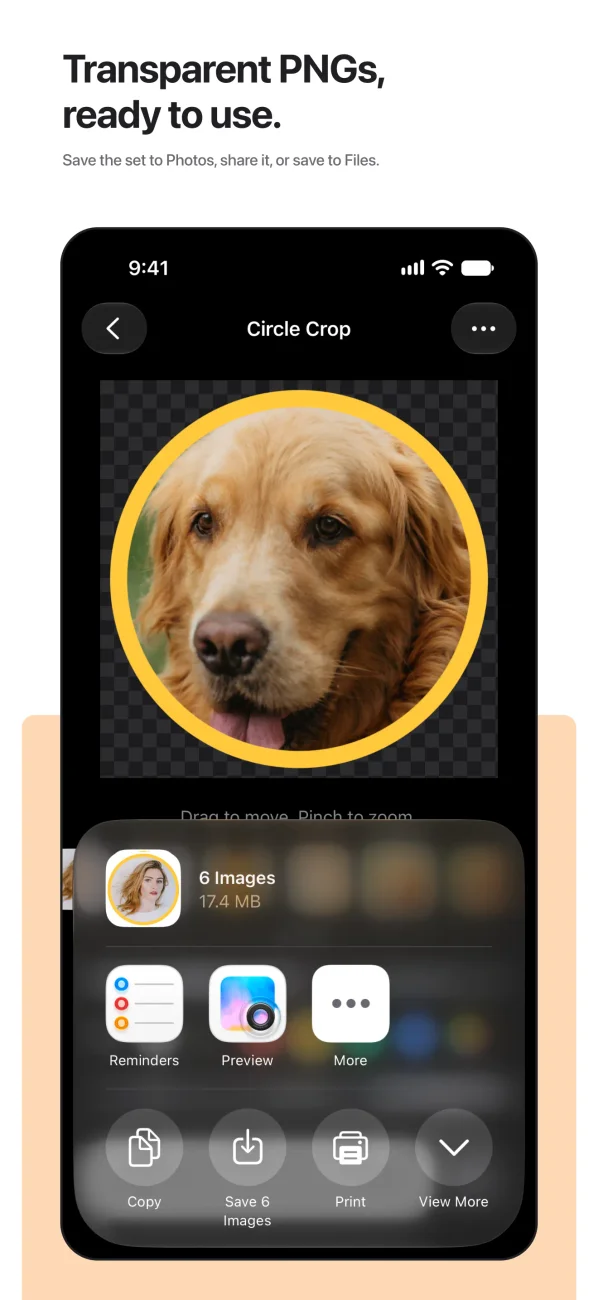
Make the circle smaller and place it anywhere on the square, or keep it full size. Choose a border color and set its thickness with a slider. Keep the outside transparent, fill it with a color, or pick a frame or background image. The same style applies to every photo, so a team page or a set of stickers looks consistent. Rounder remembers your last style for next time.
SAVE IT, USE IT ANYWHERE
Save to Photos, share the whole set at once, or save to Files. Free saves are JPEG; Rounder PRO saves transparent PNG and WebP. Ready for profile pictures, slides, team pages, websites and stickers.
SHOOT IN A CIRCLE
Prefer to take a new photo? The circle camera shows the crop while you shoot.
Works on iPhone and iPad.
Rounder is free with ads. Rounder PRO removes ads, saves transparent PNG and WebP, and lets you save with every frame and background image.
ROUNDER PRO SUBSCRIPTION
Rounder PRO is available as an optional auto-renewing weekly subscription with a 3-day free trial, an auto-renewing yearly subscription, or a one-time lifetime purchase. Payment is charged to your Apple Account when you confirm the purchase, or when a free trial ends. The subscription renews automatically unless canceled at least 24 hours before the end of the current period. You can manage or cancel it in your App Store account settings.
Terms of Use (EULA): https://www.apple.com/legal/internet-services/itunes/dev/stdeula/
Privacy Policy: https://sites.google.com/view/rounderprivacy/
What’s new
Version 3.2.0 · Nov 23, 2026
What's new in 3.2
• Resize and move the circle itself: switch to Circle, then drag it, pinch it or pull its edge.
• Set the border thickness with a slider.
• Frames and background images are back, built into the app — no download needed.
• New Rounder PRO plans: weekly with a 3-day free trial, yearly, or a one-time lifetime purchase. PRO saves transparent PNG and WebP and lets you save with every frame and background. Free saves are JPEG.
• Swipe between Edit Photos and Camera, a cleaner camera screen, and a short intro on first launch.
• Save and Share stay at the bottom of the editor.
App privacy
What Wonyoung Jang declares on the App Store about how this app handles data.
-
Data not collected
The developer does not collect any data from this app.
Privacy practices may vary, for example with the features you use or your age.
Information
- Seller
- Wonyoung Jang
- Category
- Photo & Video
- Version
- 3.2.0
- Updated
- Nov 23, 2026
- Released
- Jan 8, 2023
- Size
- 16.8 MB
- Requires
- iOS 26.0 or later
- Age rating
- 4+
- Price
- Free
- In-app purchases
- Yes
- Languages
- English, French, Hebrew, Indonesian, Italian, Japanese, Korean, Russian, Simplified Chinese, Spanish, Ukrainian
- Copyright
- © 2023 Youngs Inc.
You might also like
-
 Circle Crop - RoundCropRound Photo & PFP Maker
-
 Profile Picture Maker & CircleAI Background Eraser & Border
-
 Circle PhotoPhoto & Video
-
 Profile Picture Border EditorMake Round Photo Circle Avatar
-
 Circle Photo - Crop & FramePhoto & Video
-
 Discy - Circle Cut PicturePhoto & Video
-
 Profile Picture Maker: PFP KitCustom Open To Work Frames
-
 Profile picture maker - ProPicPhoto circle frame & avatar
-
 Circular Photo Cropping ToolCrop pictures into shapes!
-
 Profile Border: Picture MakerPFP, Round Photo, Avatar Frame