
Routerdesk: Router Admin
WiFi Speed Test & Router Login
Designed for iPhone, iPad
Free
- Age rating4+
- CategoryUtilities
- Developertanzsoft
- LanguagesEnglish+ 29 more
- Size22.8 MB
Links to the official App Store page
Download.org hosts no file of Routerdesk: Router Admin. The button opens its official App Store page, published by tanzsoft. Listing last checked on Nov 27, 2026.
Screenshots

About
Routerdesk finds your router address (like 192.168.1.1) and opens its admin login page right in the app. Run a WiFi speed test, change your Wi-Fi password with step guides, and follow a step-by-step fix when the internet is down.
New in 1.1: compare with your internet plan. Enter the speed you pay for, and every test shows how much of it you actually get. Your history also shows a plan line and a count of tests below 80%. It's in the outage report you can send to your provider, too. Each test now shows how much data it used, and your history remembers your internet provider (and Wi-Fi name, if you turned Wi-Fi info on). The CSV export includes all of this. Thanks for using Routerdesk!
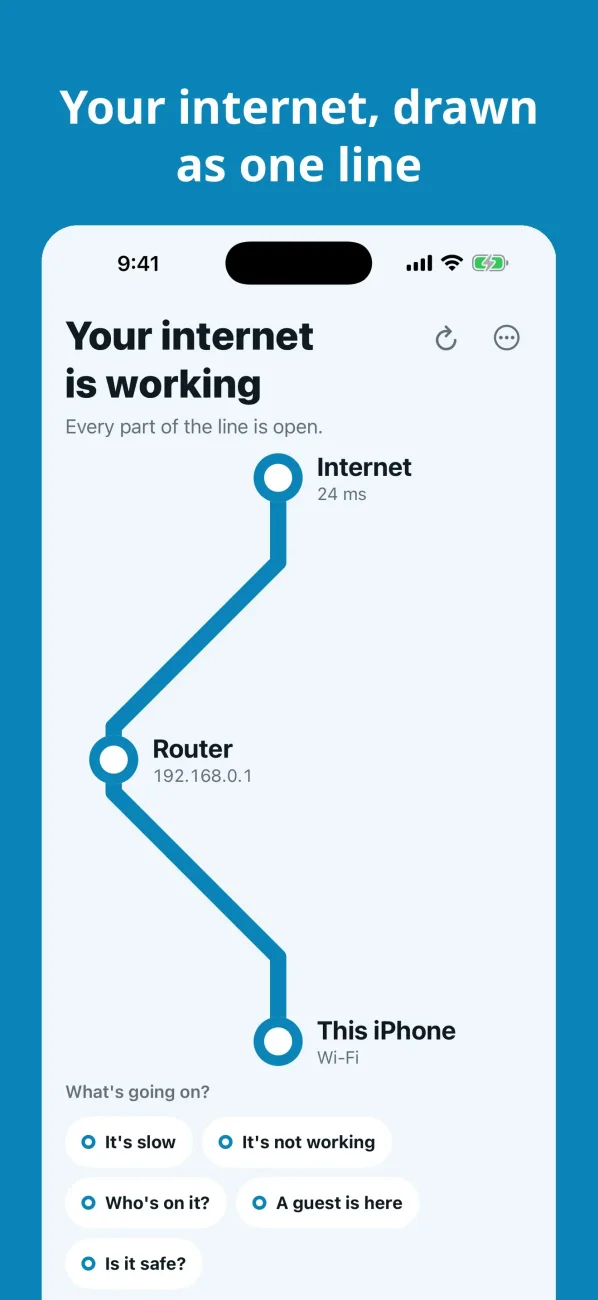
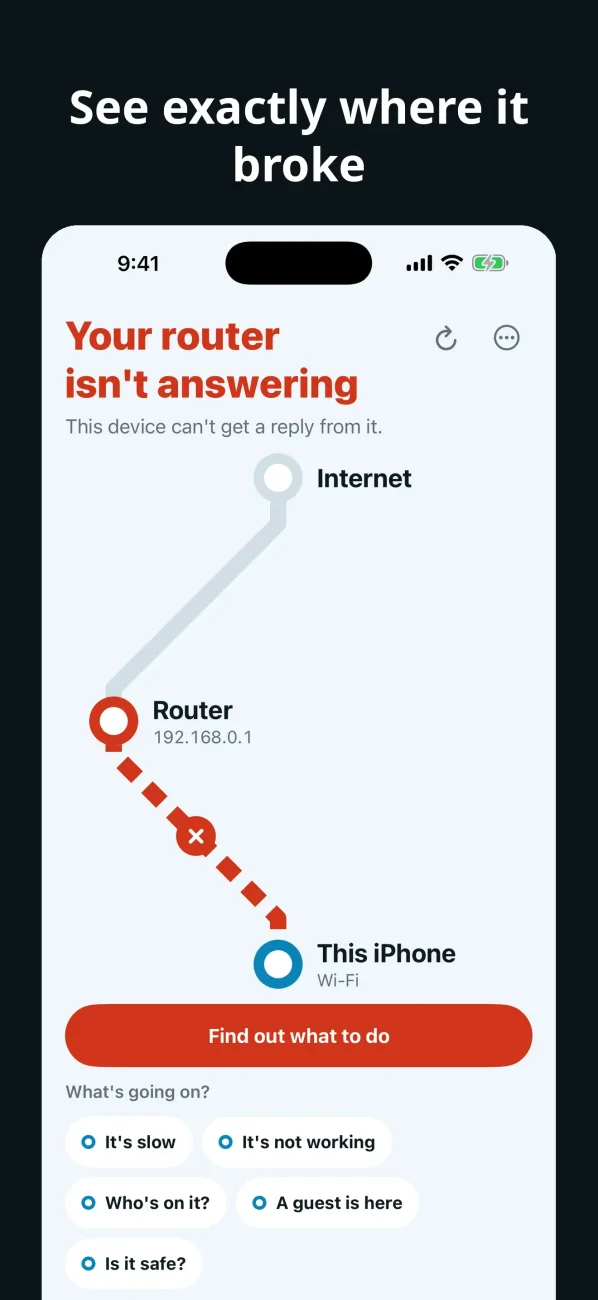
When the internet drops, open Routerdesk. The home screen is a live line map, drawn like a metro map: this iPhone, your router, the internet. If the line breaks, the map shows which stop is the problem and gives a one-sentence verdict: the router, something outside the home, DNS, a sign-in page, or mobile data.
Then the app walks you through the fix, one question at a time. The guided fix works offline, and it includes a restart timer so you know how long to wait before checking again.
Routerdesk is for your own router and your own network.
Five places to start
• It's slow
• It's not working
• Who's on it
• A guest is here
• Is it safe
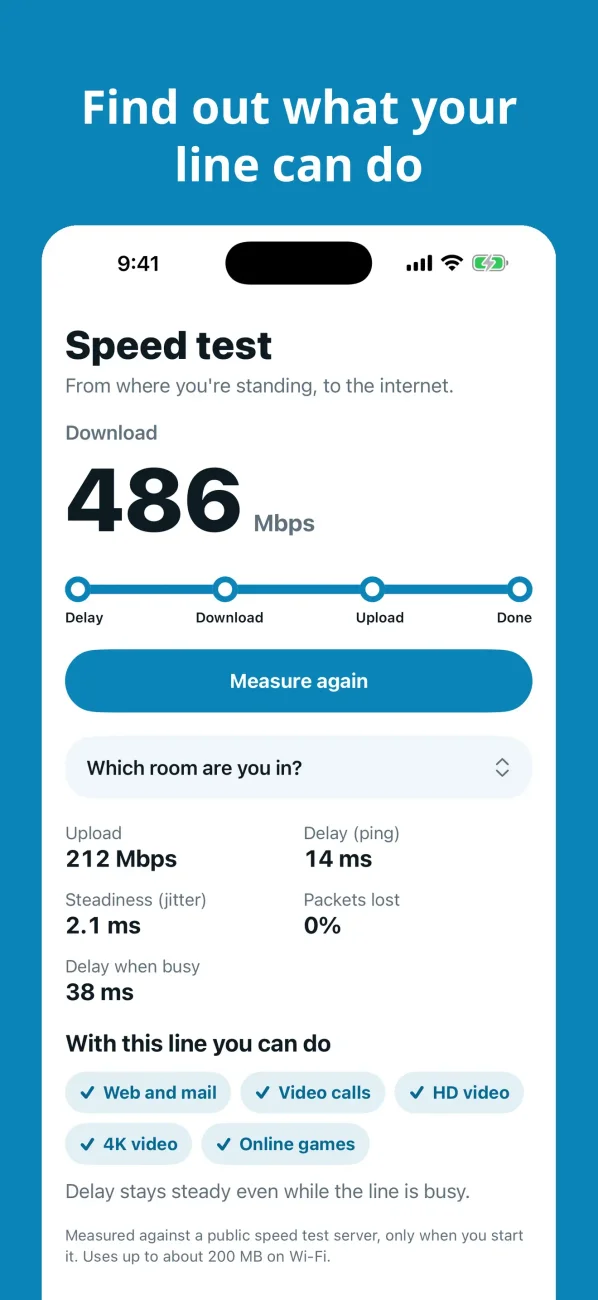
Speed test that explains itself
• Download, upload, delay, jitter and packet loss
• Delay when the line is busy
• A plain answer on whether calls, HD, 4K and online games will run well
• A history chart of past measurements, with CSV export
Room by room
Measure from each room, place the rooms on a simple home plan, and see where the weak spot is.
Keep watch and report
• Keep watch logs connection drops while the app stays open on screen
• Make a PDF report of outages and speeds to send to your internet provider
Your router's admin page
• Open the admin page inside the app, with desktop view and find on page
• Step-by-step guides sit beside it
• A maker list of more than 60 home router brands with common addresses
• Guides for changing the Wi-Fi password or name, guest Wi-Fi, blocking a device, restarting, firmware, router password, WPS, remote management, DNS and Wi-Fi channel
• Router sign-in notes stay on this device in Keychain behind Face ID and are never synced
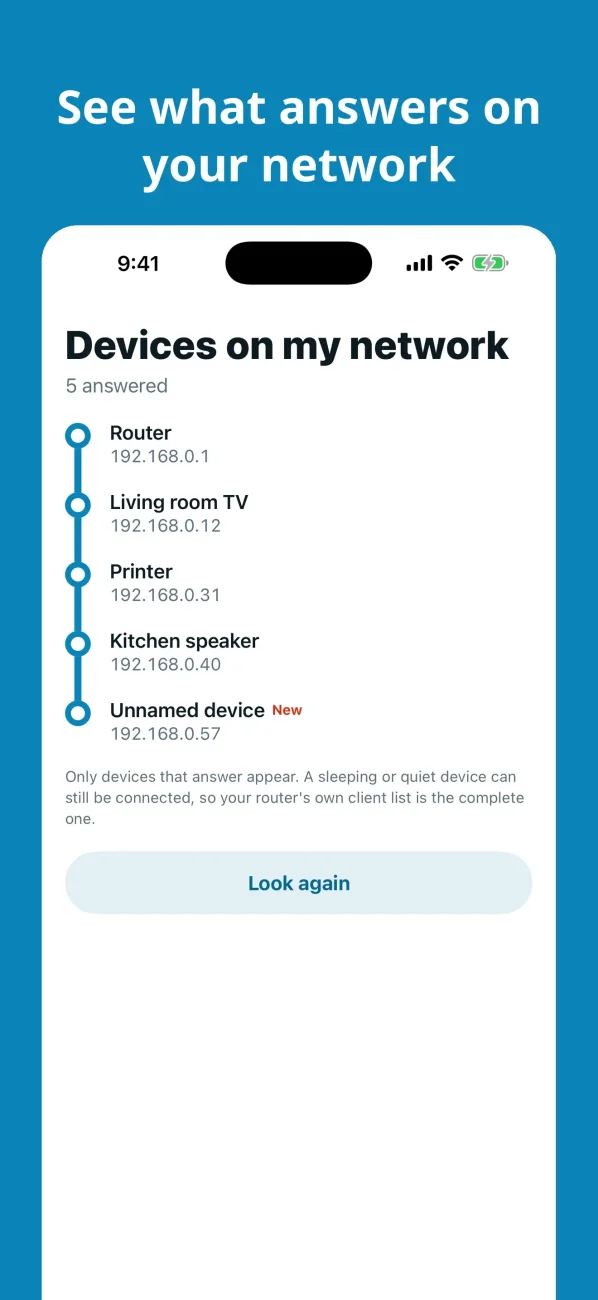
Devices on your network
See the devices that answer on your network, give them names and rooms, and spot new ones. Ping a device or check its ports. Only devices that answer will appear, so the list may not include everything.
Guests and passwords
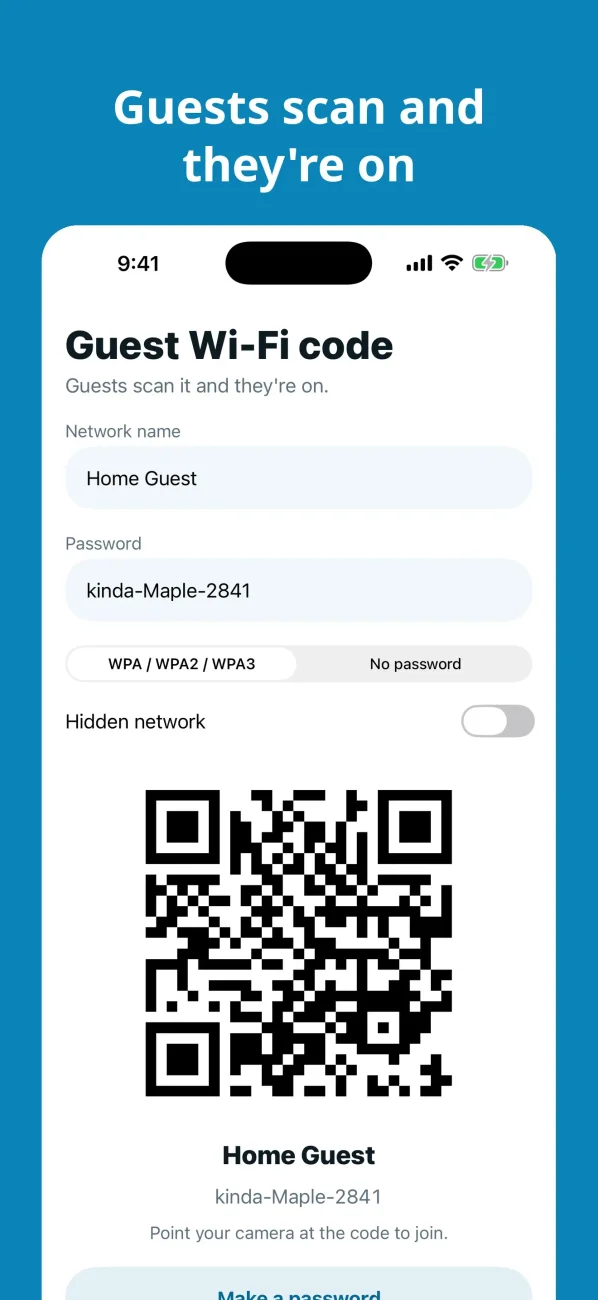
• Guest Wi-Fi QR code and a card you can share
• Password maker and password strength check
• A safety list of nine things to check on your router
Tools for when you want detail
• Compare DNS speed and get a recommendation
• Check whether DNS answers look altered
• DNS lookup by record type
• Ping, traceroute and a site-down check with timing
• Website certificate check and registration lookup (whois)
• Subnet calculator and IPv6 check
• Your public address and provider
Optional Wi-Fi details
If you give permission, Routerdesk shows the current Wi-Fi name, security type and likely maker. Location is not used or kept.
Always close by
• Home Screen and Lock Screen widgets
• Siri and Shortcuts actions: check internet, test speed, open my router, show guest code
• Optional reminders
• An iPad layout with the map beside the content
No ads, no account, nothing collected.
Compatibility
Works with home routers from TP-Link, NETGEAR, ASUS, Linksys and many more. Brand names belong to their owners, and Routerdesk is not affiliated with them.
What’s new
Version 1.3.0 · Nov 27, 2026
After a speed test, you’ll now see how your download compares with your last test on the same kind of connection (for example, +12% vs. Nov 25). Plus a few small fixes.
App privacy
What tanzsoft declares on the App Store about how this app handles data.
-
Data used to track you
May be used to track you across apps and websites owned by other companies.
- Identifiers
- Usage data
-
Data linked to you
May be collected and linked to your identity.
- Purchases
- Location
- Identifiers
- Usage data
- Diagnostics
- Other data
-
Data not linked to you
May be collected but is not linked to your identity.
- Usage data
Privacy practices may vary, for example with the features you use or your age.
Information
- Seller
- tanzsoft
- Category
- Utilities
- Version
- 1.3.0
- Updated
- Nov 27, 2026
- Released
- Nov 2, 2026
- Size
- 22.8 MB
- Requires
- iOS 17.0 or later
- Age rating
- 4+
- Price
- Free
- Languages
- English, Arabic, Czech, Danish, Dutch, Finnish, French, German, Hebrew, Hindi, Hungarian, Indonesian + 18 more
- Copyright
- © 2026 TanzSoft
You might also like
-
 network tools ultraAll-in-One Network Toolkit
-
 CPE小助手Utilities
-
 PassKeep GeneratorStrong random passphrase maker
-
 DNXTRouter and Wi-Fi management
-
 SpeedScope: WiFi Speed TestInternet, Ping & Latency Check
-
 IVE-50Utilities
-
 Infinitum LIVE Creator NetworkTikTok Creator Network App
-
 iLook MaxUtilities
-
 Router Watch: WiFi ScannerWho’s on my network? IP scan
-
 OniNetwork: Network AnalyzerPing, Traceroute & LAN Scanner