RoveDesk
Control your computer remotely
Designed for iPhone, iPad
Free · In-app purchases
- Age rating4+
- CategoryUtilities
- DeveloperBhanu Mahesh
- LanguagesEnglish
- Size45.6 MB
Links to the official App Store page
Download.org hosts no file of RoveDesk. The button opens its official App Store page, published by Bhanu Mahesh. Listing last checked on Nov 20, 2026.
Screenshots



About
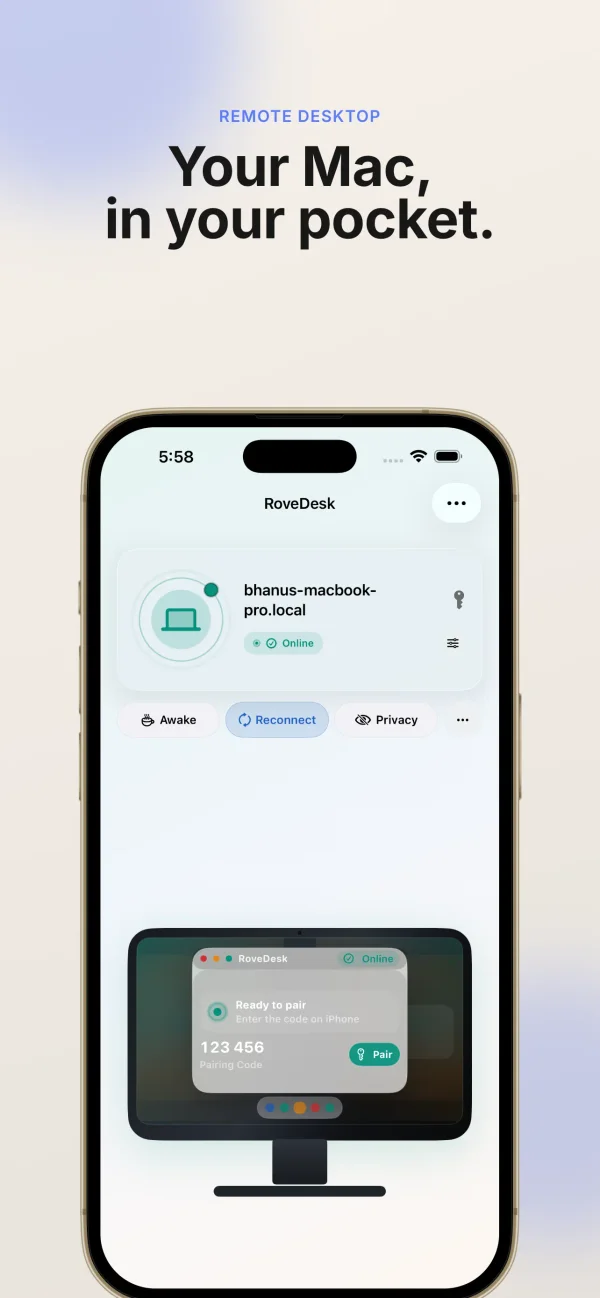
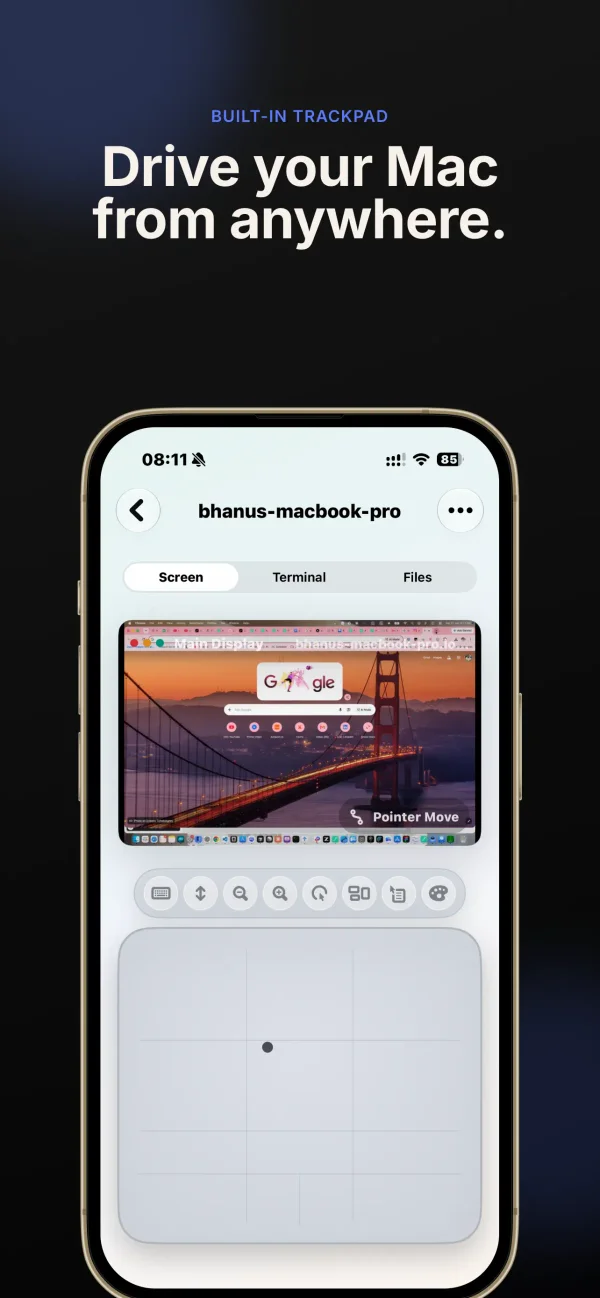
RoveDesk lets you control your Mac from iPhone, iPad, and Apple Watch. Pair with a six-digit code on the same Wi-Fi network, then see your Mac’s screen, move the pointer, type, use Terminal, and work with files from your mobile device.
EVERYDAY MAC CONTROL
• Live screen view with responsive pointer control
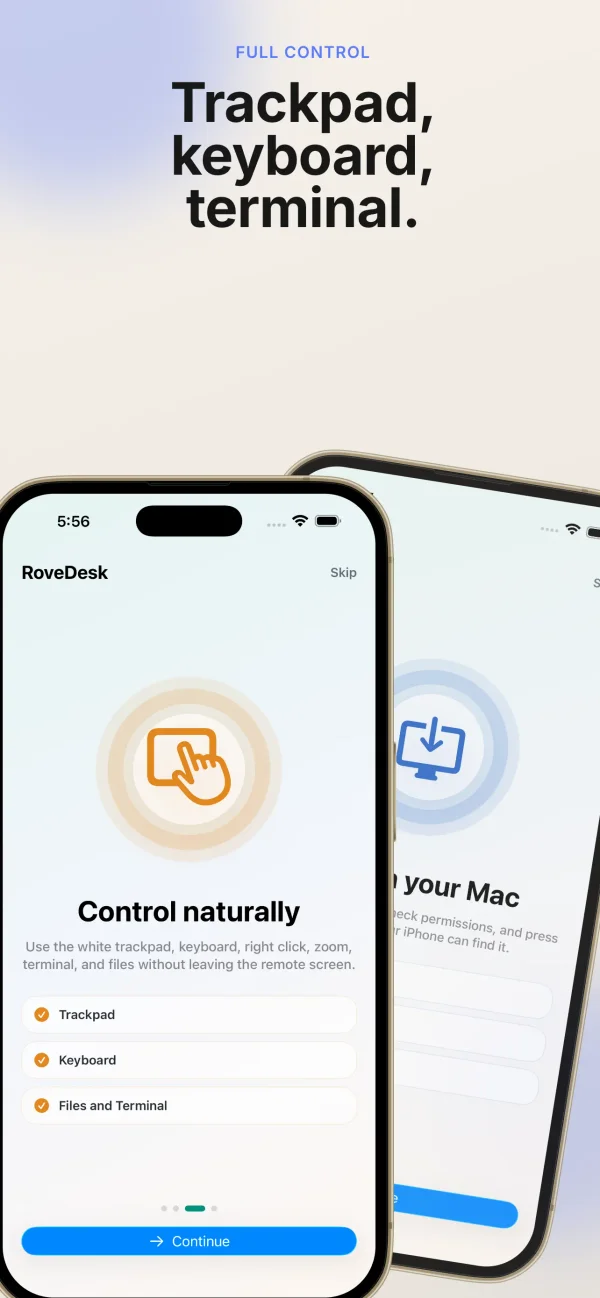
• Multi-touch trackpad with click, right-click, drag, scroll, and zoom
• Full keyboard and useful Mac shortcuts
• Real zsh terminal for commands and scripts
• File browser for opening, downloading, and managing files
RELIABLE LOCAL CONNECTIONS
• Discovers nearby Macs automatically on the same network
• Keeps permission status in sync after Screen Recording or Accessibility access is already granted
• Reconnects cleanly and shows clear connection state
• Uses direct local networking for low latency and privacy
FREE AND PRO
Start without an account. Free sessions include up to 15 minutes of Mac control. RoveDesk Pro removes the session limit. Monthly, yearly, and lifetime options may be available in the app, including a limited-time lifetime offer. Restore Purchases is available from the upgrade screen.
REMOTE ACCESS
Sign in with Apple to use remote connections when supported by your network and Mac host setup.
APPLE WATCH
Use quick actions, pointer controls, shortcuts, and Siri from your wrist.
HOW TO START
1. Install RoveDesk Host on your Mac from https://plugai.in/apps/rovedesk/
2. Grant the permissions shown by the host and choose Start Host.
3. Open RoveDesk on iPhone or iPad, select the Mac, and enter its pairing code.
Terms of Use (EULA): https://www.apple.com/legal/internet-services/itunes/dev/stdeula/
Privacy Policy: https://plugai.in/apps/rovedesk/privacy/
What’s new
Version 2.1.0 · Sep 15, 2026
This update focuses on connection reliability and security.
• Pairing between your iPhone/iPad and your Mac is now verified in both directions, closing a gap that could let an untrusted device on your network impersonate your Mac.
• Fixed a bug that could freeze the app during large file transfers.
• Terminal sessions now handle heavy output (large file listings, verbose commands) smoothly instead of slowing down your connection.
• Improved reconnect behavior after your Mac sleeps, wakes, or briefly drops off the network.
• Fixed an issue where RoveDesk Pro subscribers could be incorrectly shown the free-session limit while entitlement info was still loading.
• Clearer messages when a Mac permission (like Screen Recording) needs to be re-granted.
• Numerous other stability and security fixes throughout the app.
Note: this release requires the matching update to RoveDesk Host on your Mac. If pairing fails with an "update required" message, update the Mac app first.
App privacy
What Bhanu Mahesh declares on the App Store about how this app handles data.
-
Data used to track you
May be used to track you across apps and websites owned by other companies.
- Identifiers
- Usage data
-
Data linked to you
May be collected and linked to your identity.
- Contact info
- Identifiers
- Usage data
-
Data not linked to you
May be collected but is not linked to your identity.
- Diagnostics
Privacy practices may vary, for example with the features you use or your age.
Information
- Seller
- Bhanu Mahesh
- Category
- Utilities
- Version
- 2.1.0
- Updated
- Sep 15, 2026
- Released
- Jul 3, 2026
- Size
- 45.6 MB
- Requires
- iOS 26.0 or later
- Age rating
- 4+
- Price
- Free
- In-app purchases
- Yes
- Languages
- English
- Copyright
- © 2026 PlugAI
You might also like
-
 SMSNodeUtilities
-
 DigiDFUfor DigiBall and DigiCue
-
 Yedi PartnerUtilities
-
 RTL Couch Surfer TrackpadYour iDevice to Full Trackpad
-
 Holyiot-DFUUtilities
-
 Vision SmartsBarcode Scanner SDK since 2009
-
 Longer StudioLaser & UV Print Studio
-
 DFU PlusUtilities
-
 HTML Sandbox³Design Your Lock- & Homescreen
-
 DisplayPass ReceiverUtilities