Rowmark – Knitting Counter
Row Tracker & PDF Patterns
Designed for iPhone, iPad
Free · In-app purchases
- Age rating4+
- CategoryLifestyle
- DeveloperMinari Taniguchi
- LanguagesEnglish+ 17 more
- Size2.8 MB
Links to the official App Store page
Download.org hosts no file of Rowmark – Knitting Counter. The button opens its official App Store page, published by Minari Taniguchi. Listing last checked on Nov 25, 2026.
Screenshots


About
Rowmark counts rows without opening the app. Put +1 on your Lock Screen, in the Dynamic Island, on the Action Button or on a Home Screen widget — and keep your hands on the needles.
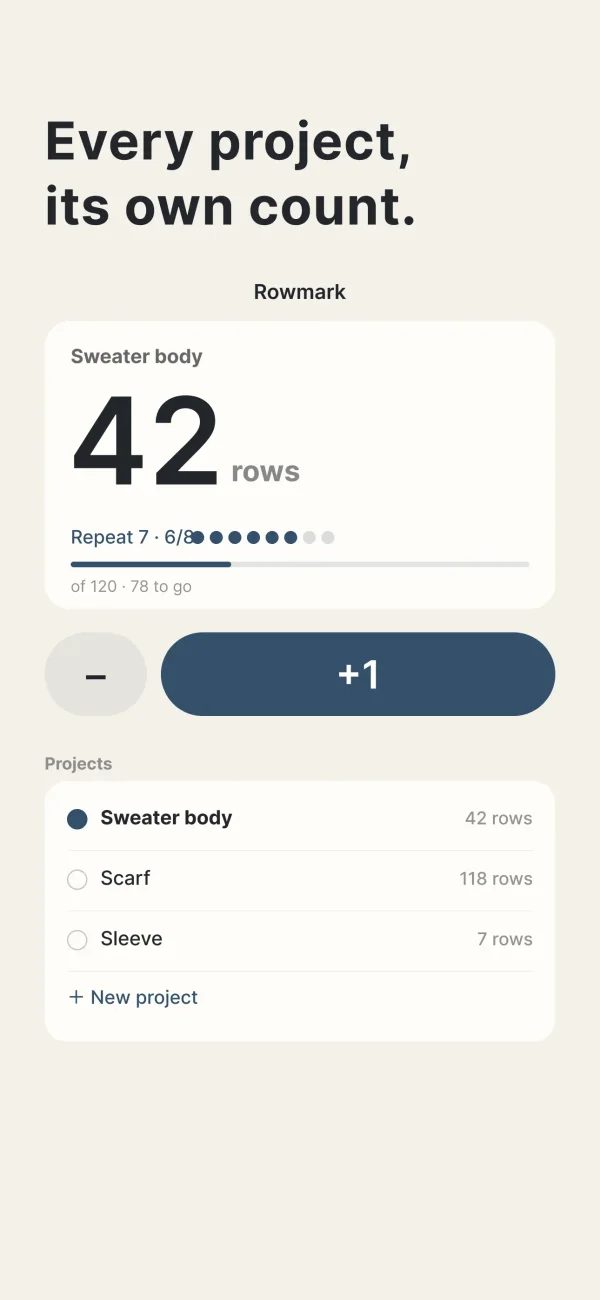
No account, no ads, no subscription. Just your projects, the row you're on, and a big +1. The app, the Home Screen widgets and the Lock Screen counter all have −1 too, for the row you counted twice.
FREE
• Small Home Screen widget with +1 and −1 — tap it without opening the app
• As many projects as you like
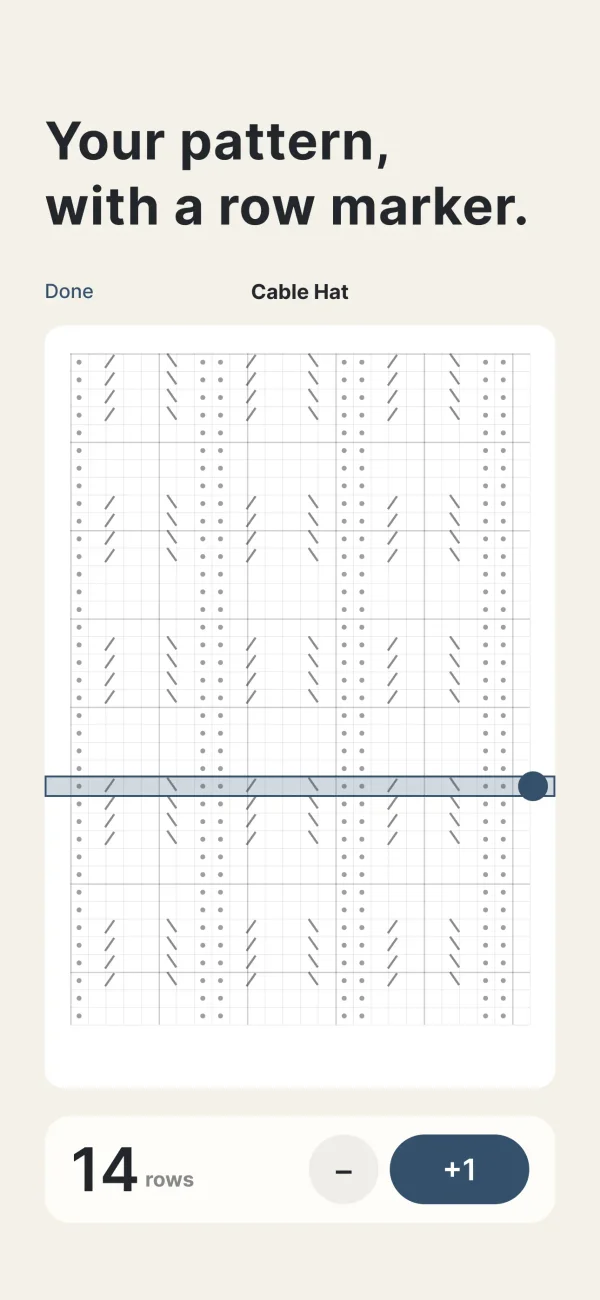
• Attach a pattern (PDF or a photo of a paper chart) to a project and keep a row marker on it while you count — the marker moves with +1
• In the app: a target ("78 rows to go") and a repeat counter ("every 6 rows" — where you are in the repeat)
ROWMARK PRO — one-time purchase, no subscription
• Lock Screen counter (Live Activity): your count with +1 and −1 on the Lock Screen, in the Dynamic Island and in StandBy. iOS keeps it running for up to 8 hours at a time; start it again from the app.
• Controls (iOS 18 or later): "+1 row" in Control Center, as a Lock Screen button, or on the Action Button (iPhone 15 Pro and later)
• Medium and Large widgets: where you are in the repeat and progress to your target, with +1 and −1
• Lock Screen widgets: your count and a gauge to your target
PRIVATE BY DESIGN
• No account. Your projects stay on your devices. With iCloud sync (Pro) on, they also go to your own iCloud so your iPhone and iPad match — never to us. Patterns stay on each device.
• Only anonymous usage counts are sent (which parts of the app are used) — never project names or row counts. You can turn this off in Settings.
Rowmark is a counter first: no pattern shop, no community.
What’s new
Version 1.5 · Nov 24, 2026
• iPhone Duo: unfold to keep your row count and +1 on the left, and your pattern with its row marker on the right.
App privacy
What Minari Taniguchi declares on the App Store about how this app handles data.
-
Data not linked to you
May be collected but is not linked to your identity.
- Usage data
Privacy practices may vary, for example with the features you use or your age.
Information
- Seller
- Minari Taniguchi
- Category
- Lifestyle
- Version
- 1.5
- Updated
- Nov 24, 2026
- Released
- Sep 29, 2026
- Size
- 2.8 MB
- Requires
- iOS 17.0 or later
- Age rating
- 4+
- Price
- Free
- In-app purchases
- Yes
- Languages
- English, Dutch, French, German, Indonesian, Italian, Japanese, Korean, Polish, Portuguese, Russian, Simplified Chinese + 6 more
- Copyright
- © 2026 Minari Taniguchi
You might also like
-
 Knit & Crochet: PurlRow counter & pattern library
-
 BlavelersTravel For The Culture
-
 PurlsonaLifestyle
-
 Ullie: Knitting Row CounterYour patterns, your files
-
 RowCounter: Row & StitchKnit & Crochet Tracker
-
 jiosgThis week's best in Singapore
-
 Woolly: Organize ProjectsOrganize knitting projects
-
 Easy Knit Row CounterSimple lock screen tally
-
 AmiLog - Knitting Row CounterCharts, repeats & project log
-
 Simple row counterKnitting, crochet & stitches