RRS PUNCH
Channel Strip
Designed for iPhone, iPad, iPod touch
Free · In-app purchases
- Age rating4+
- CategoryMusic
- DeveloperRRS, OOO
- LanguagesEnglish
- Size18.8 MB
Links to the official App Store page
Download.org hosts no file of RRS PUNCH. The button opens its official App Store page, published by RRS, OOO. Listing last checked on Nov 16, 2026.
Screenshots
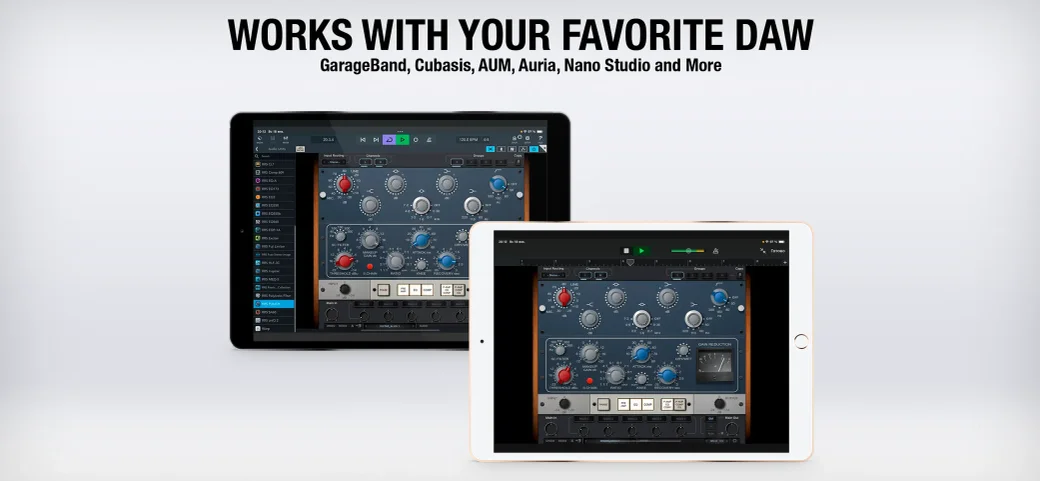
About
RRS PUNCH AUv3 plug-in — comes as time-limited Demo-version for you to try. It gives you 5 minutes of Free play time. (You can reload the RRS PUNCH AUv3 plug-in as many times as you want, thereby you get the Demo period again and again.) Unlimited version of RRS PUNCH AUv3 plug-in comes as In-App Purchase.
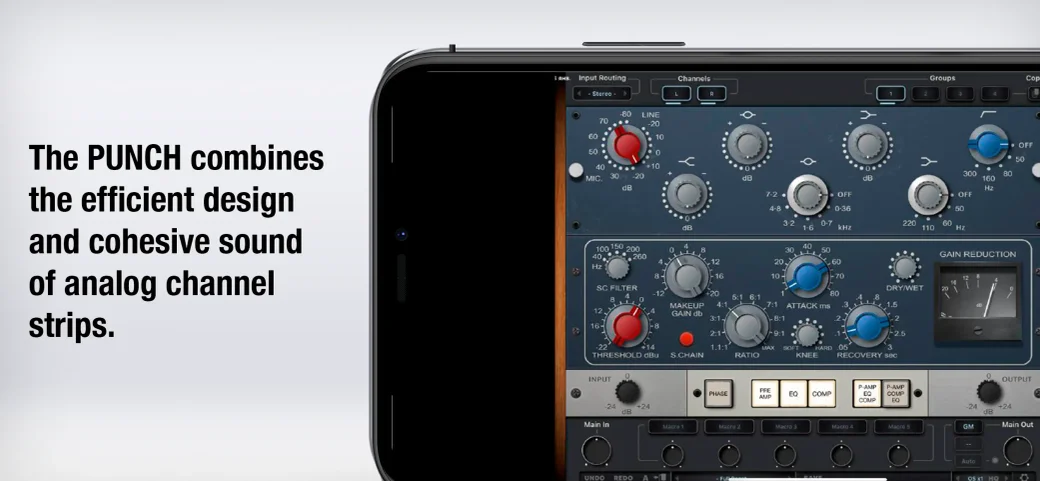
The PUNCH combines the efficient design and cohesive sound of analog channel strips with the diverse sonic color and flexible sound-shaping possibilities available only in digital.
Features:
• Standalone and AUv3 plug-in;
• Modeled vintage PreAmp, EQ and Compressor;
• Stereo, Mono, Dual Mono and Mid/Side modes;
• Undo/Redo;
• A/B comparison;
• 2x/4x/8x Upsampling;
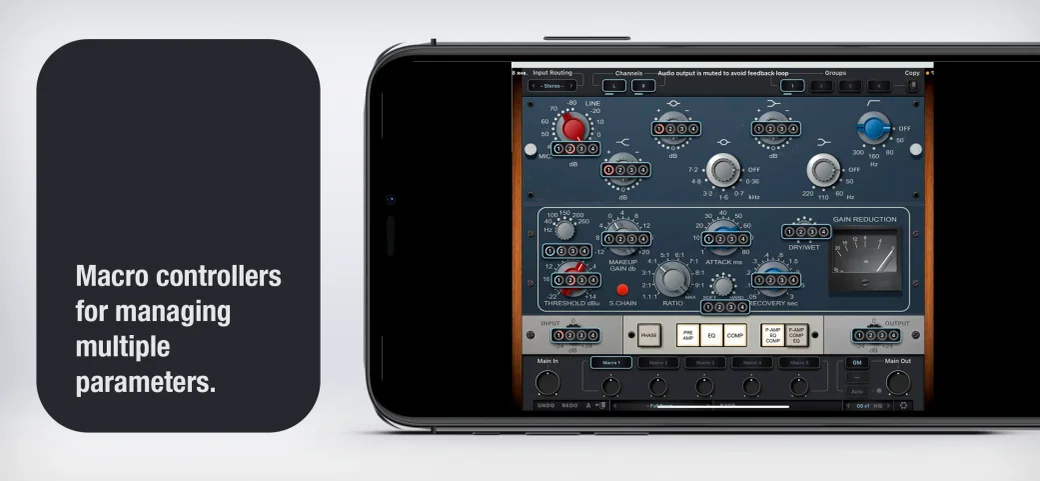
• Macro controllers;
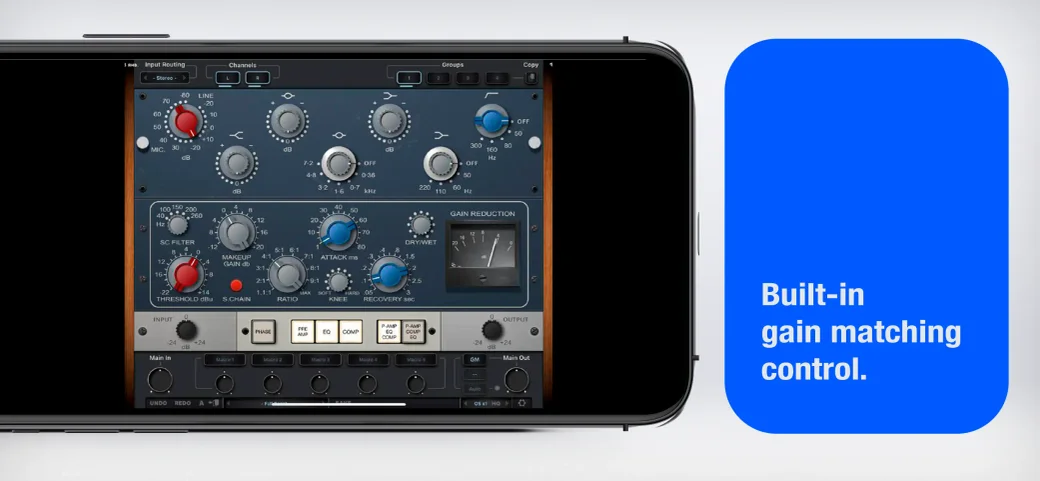
• Built-in Gain Match;
• Scalable GUI.
PREAMP SECTION:
• Line Gain — line drive is increased as the knob is rotated counter-clockwise;
• Mic Gain — to increase the mic drive, rotate the knob clockwise. PreAmp will not increase gain, just harmonic distortion. The distortion is mild and adds some coloration.
EQ SECTION:
• High Band — the High Shelf knob offers approximately ±15 dB of smooth fixed frequency shelving equalization at 12 kHz. Rotate the control clockwise to add the famous high-end sheen or counter-clockwise to reduce the treble response;
• Midrange Band — the midrange band is controlled by two knobs, delivering smooth semi-parametric midrange equalization. The right knob controls the band gain and the left knob selects the band frequency or band disable. The response for this band has a dependence on the bandwidth as the gain is adjusted. At higher center frequencies the Q goes up for a more focused peak;
• Low Band — the low band delivers smooth low frequency shelving equalization, controlled by two knobs. The right knob controls the band gain and the left knob selects the shelf frequency or band disable. The available range is approximately ±15 dB. The band gain is zero when the knob position indicator is pointing straight down;
• Low Cut — this knob specifies the fixed frequency of the low cut (high pass) filter. This filter has an 18 dB per octave slope.
COMPRESSOR SECTION:
• SC Filter (Sidechain filter) — allows removal of low-frequency content from the control sidechain, reducing excessive gain reduction and/or «pumping» on bass-heavy audio signals without reducing bass content of the audio signal itself;
• Threshold — determines how much compression will occur. When the input signal exceeds the threshold level, the compressor engages. A smaller value results in more compression;
• Makeup — increases the signal level out of the compressor to compensate for reduced levels as a result of compression;
• Ratio — this control determines the compressor ratio;
• Knee — this control determines the compressor knee;
• Attack — determines how fast compression will engage when the signal exceeds the compressor threshold;
• Recovery (Release) — is the time it takes for the compressor to stop processing after the signal drops below the threshold value;
• Dry/Wet — the output balance between the signal processed by selected compressor and the original dry source signal can be adjusted with Dry/Wet control;
• Gain Reduction Meter — indicates the amount of gain reduction that is occurring, in dB.
MASTER SECTION:
• Input — adjusts the signal level at the input of the plug-in without affecting the sonic character of the signal;
• Phase — this button inverts the polarity of the signal. When the switch is engaged, the phase is inverted. Leave the switch in the disengaged for normal phase;
• Output — adjusts the signal level at the output of the plug-in without affecting the sonic character of the signal.
To use RRS PUNCH as a plug-in, you need an AUv3-compatible host app like GarageBand, Auria, AUM, Cubasis and more — RRS PUNCH will appear in the list of Audio Unit extensions for effect plug-ins in the host app.
App privacy
What RRS, OOO declares on the App Store about how this app handles data.
-
Data not collected
The developer does not collect any data from this app.
Privacy practices may vary, for example with the features you use or your age.
Information
- Seller
- RRS, OOO
- Category
- Music
- Version
- 1.0.0
- Updated
- Jan 20, 2026
- Released
- Jan 20, 2026
- Size
- 18.8 MB
- Requires
- iOS 10.0 or later
- Age rating
- 4+
- Price
- Free
- In-app purchases
- Yes
- Languages
- English
- Copyright
- © Red Rock Sound, LLC
You might also like
-
 SGA Phoenix LTMusic
-
 Space StripModular Channel Strip
-
 GSDSP Quantum Delay LiteStereo Delay / Echo
-
 jAmplerAUv3 Sampler & Granular Synth
-
 jAmp ConvolveAUv3 impulse response engine
-
 Descent GranulatorReal-Time Granular Effect
-
 tapewormA Wiggly, Dirty Tape Delay!
-
 Nugget 01 - Lil' DocDetroit-style compressor
-
 Ascent ReverbShimmer + Space
-
 ArchersPlayerAudio File Playlist Player AU