- Age rating4+
- CategoryEducation
- Developerkoji kamogawa
- LanguagesEnglish
- Size35.8 MB
Links to the official App Store page
Download.org hosts no file of RST 599TK. The button opens its official App Store page, published by koji kamogawa. Listing last checked on Nov 18, 2026.
Screenshots


About
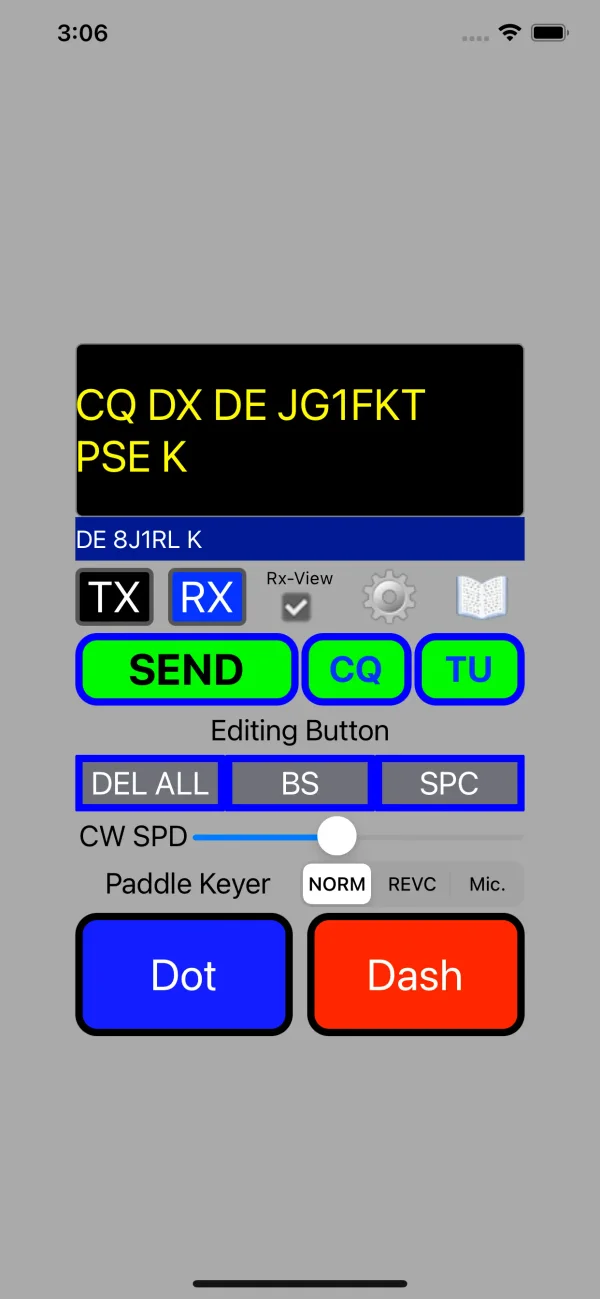
This app is a real CW QSO simulator for Amateur Radio.
"599BK & AADX Contest type QSO" is supported.
Input of Morse Codes are by using Electric Touch Keyer.
Changing of TX/RX is by SEND button.
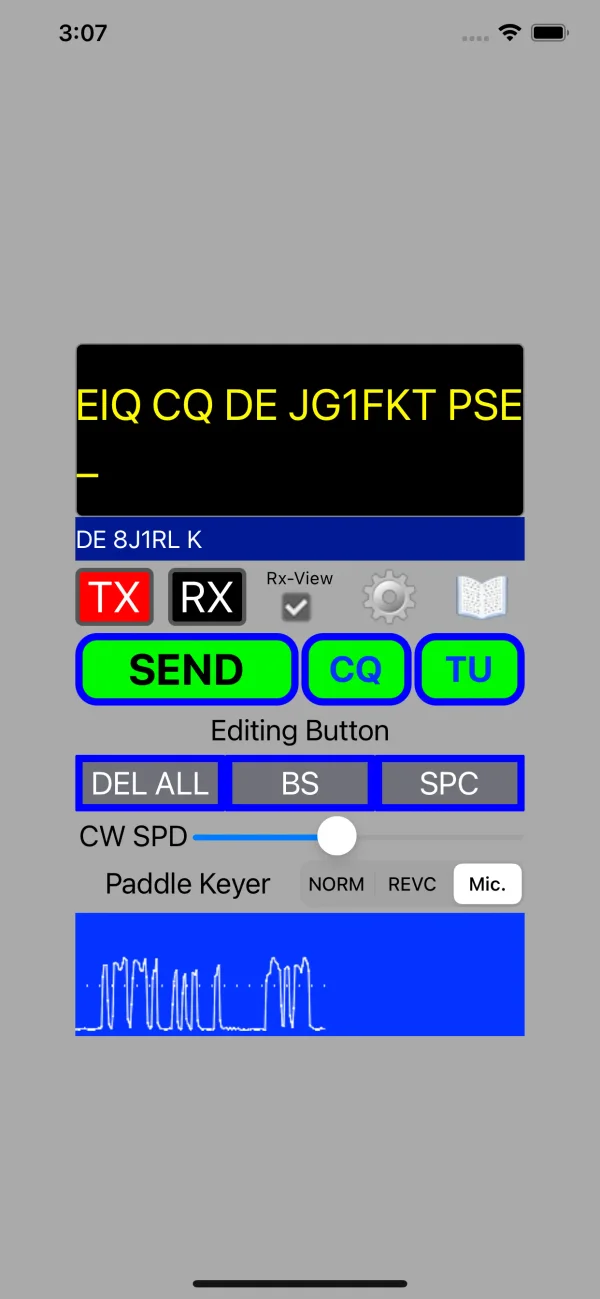
Supported Min-in CW Decoder too.
【Characteristic】
1. "599BK" and "Contest" style support.
2.Support the CW Speed Control, Reverse of Dot/Dash pad.
3.Status display showing TX / RX operation.
4.Support the space insertion operation both automatic and manual.
5.Support the Min-in CW Decoder function.
6.Support the shortcut-key of CQ and TU.
CQ Button function can be set by setting menu.
7.Support the repeat-call function.
It works only when the TU button is pressed at the end of the QSO.
8.Support input function by key button
【How to use】
1.The case of CQ Calling
Press SEND button
Input "CQ CQ DX DE (YOUR CALLSIGN) PSE K" by Touch Keyer.
Press SEND button again
2.The case of CQ Answering
Press SEND button
Input "QRZ DX" by Touch Keyer or Straight Key.
Press SEND button again
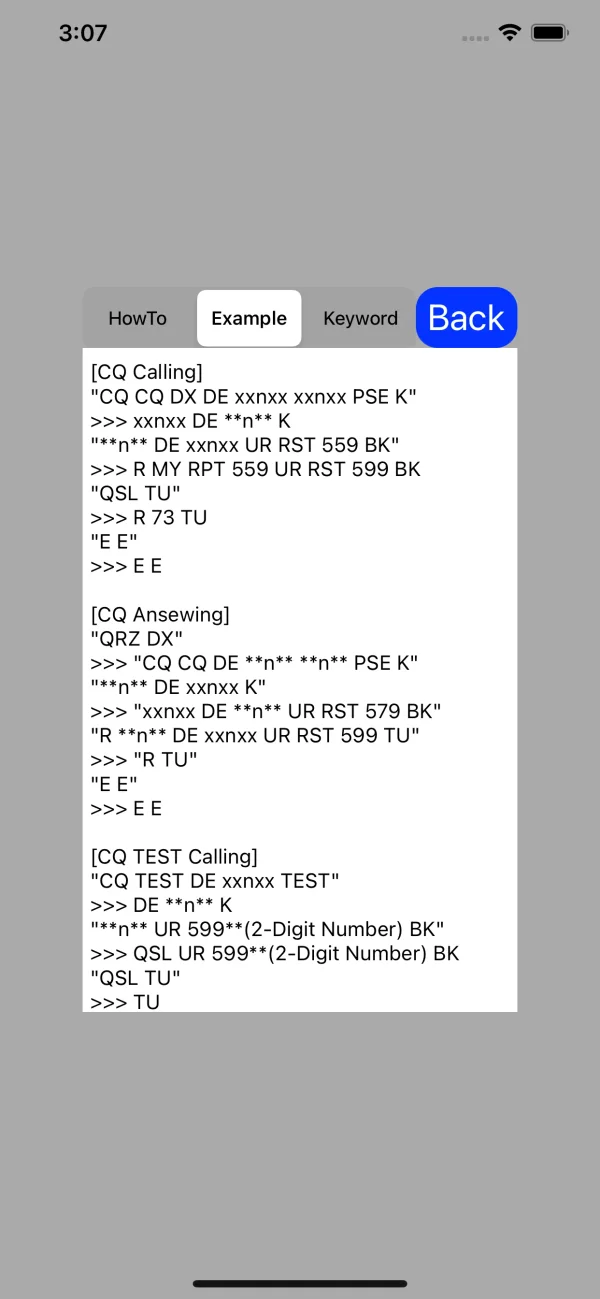
--- Examples of QSO ---
[CQ Calling]
"CQ CQ DX DE xxnxx xxnxx PSE K"
>>> xxnxx DE **n** K
"**n** DE xxnxx UR RST 559 BK"
>>> R MY RPT 559 UR RST 599 BK
"QSL TU"
>>> R 73 TU
"E E"
>>> E E
[CQ Ansewing]
"QRZ DX"
>>> "CQ CQ DE **n** **n** PSE K"
"**n** DE xxnxx K"
>>> "xxnxx DE **n** UR RST 579 BK"
"R **n** DE xxnxx UR RST 599 TU"
>>> "R TU"
"E E"
>>> E E
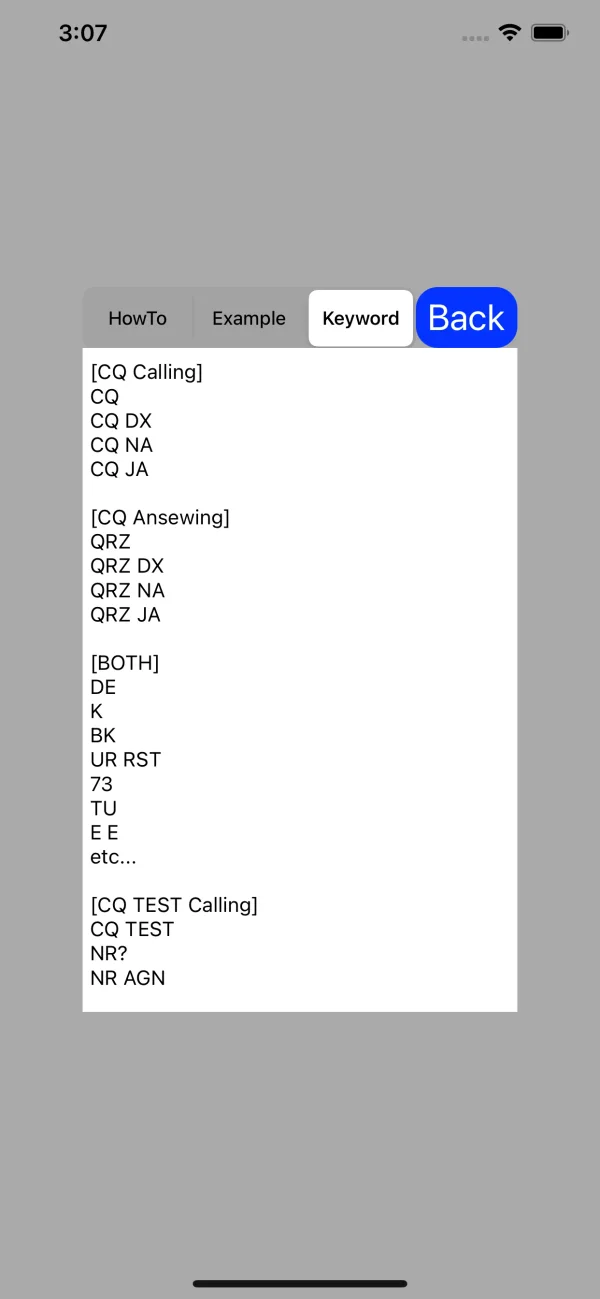
--- DETEC WORDS ---
[CQ Calling]
CQ
CQ DX
CQ NA
CQ JA
[CQ Ansewing]
QRZ
QRZ DX
QRZ NA
QRZ JA
[BOTH]
DE
K
BK
UR RST
73
TU
E E
etc...
【Example usage video】
- Touch Keyer -
https://www.youtube.com/watch?v=CuSEaJtD3KQ
- Microphone IN Mode -
https://www.youtube.com/watch?v=goN9hVDEGnM
What’s new
Version 2.8.0 · Aug 13, 2026
Supported the Iambic Mode A.
App privacy
What koji kamogawa declares on the App Store about how this app handles data.
-
Data used to track you
May be used to track you across apps and websites owned by other companies.
- Location
- Identifiers
- Usage data
- Diagnostics
-
Data linked to you
May be collected and linked to your identity.
- Location
- Identifiers
- Usage data
- Diagnostics
Privacy practices may vary, for example with the features you use or your age.
Information
- Seller
- koji kamogawa
- Category
- Education
- Version
- 2.8.0
- Updated
- Aug 13, 2026
- Released
- May 1, 2020
- Size
- 35.8 MB
- Requires
- iOS 15.0 or later
- Age rating
- 4+
- Price
- Free
- Languages
- English
- Copyright
- © 2026, koji kamogawa
You might also like
-
 QRQ CWImprove your Morse Code speed!
-
 Morse ICRInstant Character Recognition
-
 HamOperatorsReference
-
 Learn Morse Code - CW TrainerHam Radio CW & Decode Practice
-
 SatNOGSNetwork of sat ground-stations
-
 DX SpotsDX Cluster Amateur radio
-
 Morse DecodedLearn & practice Morse Code
-
 MorseCode MentorLearn Translate Morse Code
-
 Amateur Radio HAM Exam3-in-1: Tech, General, Extra
-
 Head CopyMaster Morse Code Like a Pro