
- Age rating4+
- CategoryProductivity
- DeveloperRunReady Systems LLC
- LanguagesEnglish
- Size54.7 MB
Links to the official App Store page
Download.org hosts no file of Run Ready Fire/EMS. The button opens its official App Store page, published by RunReady Systems LLC. Listing last checked on Nov 21, 2026.
Screenshots
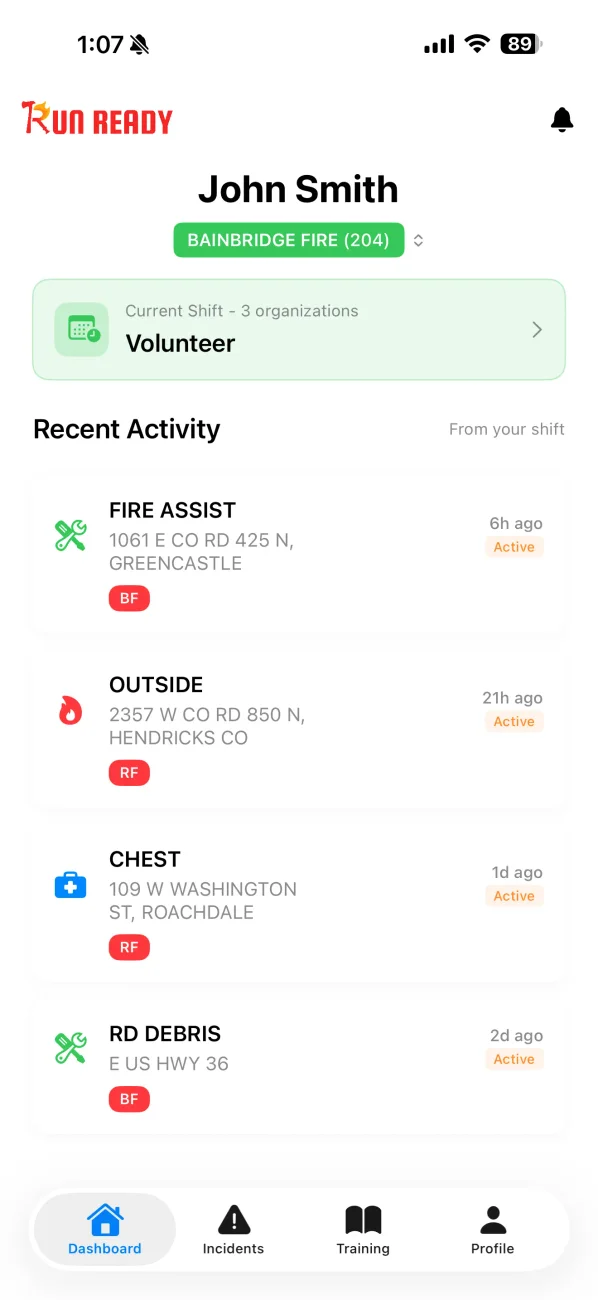
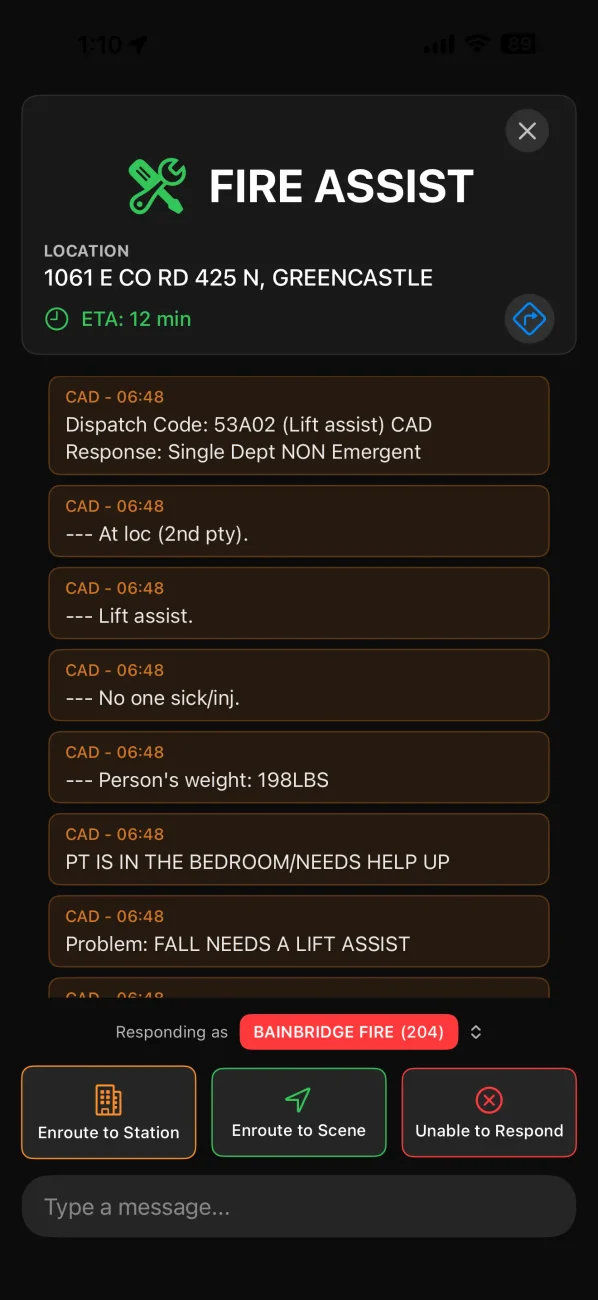
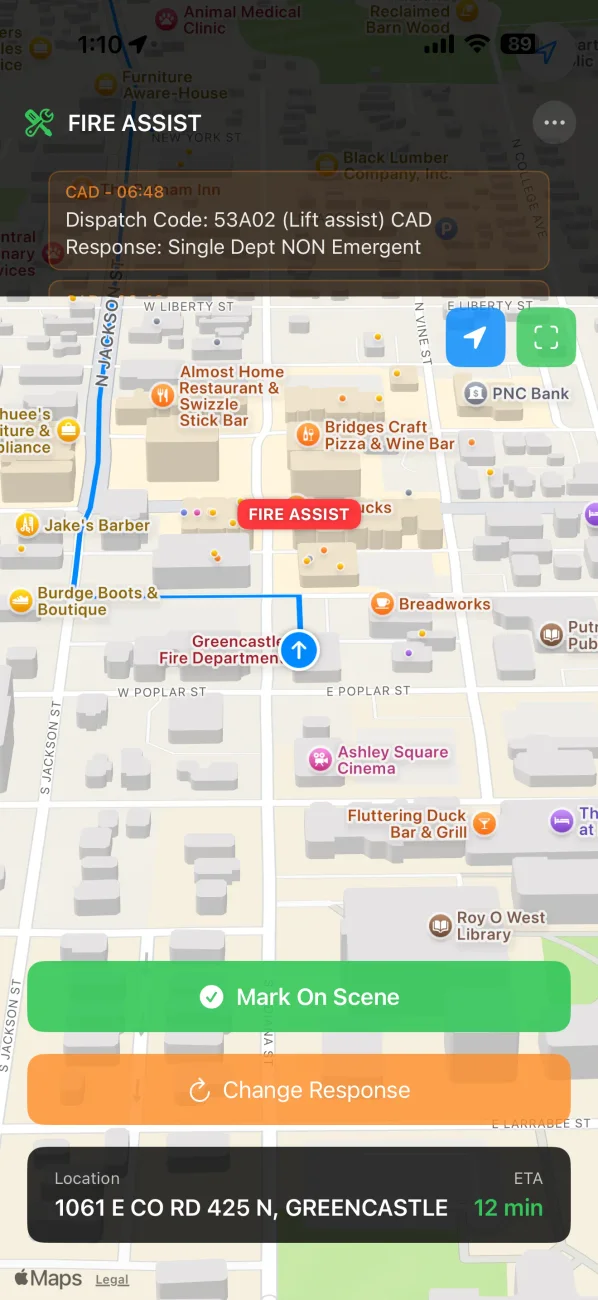
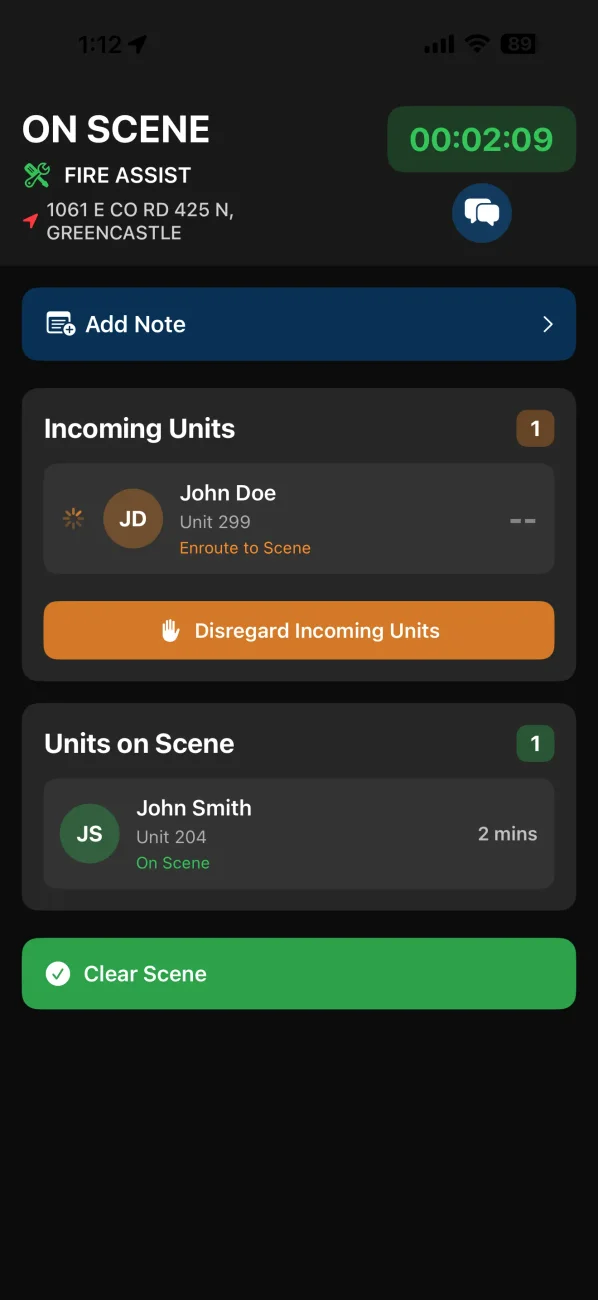

About
RunReady is the essential coordination tool for emergency responders. Built by first responders, for first responders, RunReady streamlines incident management and helps teams respond faster and more effectively.
REAL-TIME INCIDENT TRACKING • Receive instant push notifications for new incidents • View incident details including location, type, and caller information • See GPS coordinates and get directions to the scene • Track incident timeline and status updates
RESPONDER COORDINATION • Indicate your availability: Responding, On Scene, or Unable to Respond • See who else is responding in real-time • View incoming units and their estimated arrival • Disregard incoming units when sufficient resources are on scene • Acknowledge disregard notifications with one tap
SHIFT MANAGEMENT • Set up on-call shifts for your organization • Receive notifications only during your scheduled shifts • Manage multiple shifts across different organizations • Quick shift switching for cross-coverage
COMPREHENSIVE INCIDENT LOGGING • Log patient assessments and vital signs • Document stroke assessments with FAST protocol • Record owner/occupant details for property incidents • Take photos and videos for documentation • Add free-text notes for additional information • Create detailed 360-degree walkaround assessments
MULTI-ORGANIZATION SUPPORT • Manage membership in multiple departments • Respond as different organizations for mutual aid • View incidents specific to your selected organization • Coordinate with other departments on joint responses
SMART NOTIFICATIONS • Actionable push notifications with quick response options • Background notifications even when app is closed • Acknowledge requests directly from notifications • Customizable notification preferences
SAFETY & RELIABILITY • Secure authentication with Google, Facebook, or Apple • Encrypted data transmission • Real-time data synchronization • Offline incident viewing • Demo mode for training and demonstrations
DESIGNED FOR EMERGENCY SERVICES RunReady is purpose-built for: • Fire Departments • Emergency Medical Services (EMS) • Rescue Squads • First Response Teams • Volunteer Emergency Services
Whether you're a career firefighter, volunteer EMT, or rescue squad member, RunReady helps you stay informed, coordinate effectively, and respond safely.
RunReady integrates with dispatch systems to deliver incident information directly to your device. Stay connected with your team and respond with confidence.
Note: RunReady requires your dispatch center to be configured in our system. Contact your department leadership for access.
What’s new
Version 1.2.13 · Nov 19, 2026
• Swipe an incident card for Complete, More, or Run a Test.
• Patient Demographics tab with driver's license scan, plus gender, phone, SSN, and advance directive.
• Incident Details adds Report and Feed tabs, crew, location and incident type, a timeline, and the NERIS narrative.
• Signatures open full screen, in landscape on phones.
• Tap-only fire and rescue size-ups, sized for tablets.
• Page the admin on call from chat, Personnel, or Broadcasts. The alert repeats until they acknowledge, then escalates if they miss it.
• On the way to a call, swipe down the location details to close them and see the map again.
• Scan an NFC tag from Assets to open the linked equipment. Your organizations open the full record; others show limited details and the organization name.
• Add an asset tag. The camera reads a barcode or the printed number.
• Scan manufacturer, model, serial number, and description one field at a time.
• Duplicate a location and its assets from the location menu. Any member can do this.
• Menu → Authorize web app signs the Ops Web browser in from a QR code on the sign-in page.
• Added Location Type to the Wrap up screen.
• Incident report clocks and generated NERIS narratives use the account time zone. Account management has a Report time zone setting.
• Ops incident list cards now show the same status steps as the incident report header: Incident Response, Awaiting Report, Awaiting Review, Finalized.
• Contraction Timer is a patient-hub tab, not an On Scene Add Note type. Open a patient and use Timer.
• Ops incident timeline header drops the Incident Report title, Reset, and Edit. An X at the top-right returns to the incident list.
App privacy
What RunReady Systems LLC declares on the App Store about how this app handles data.
-
Data linked to you
May be collected and linked to your identity.
- Location
- Contact info
- User content
- Identifiers
- Usage data
Privacy practices may vary, for example with the features you use or your age.
Information
- Seller
- RunReady Systems LLC
- Category
- Productivity
- Version
- 1.2.13
- Updated
- Nov 19, 2026
- Released
- Apr 13, 2026
- Size
- 54.7 MB
- Requires
- iOS 18.2 or later
- Age rating
- 4+
- Price
- Free
- Languages
- English
- Copyright
- © 2025-2026 RunReady Systems LLC
You might also like
-
 Priority4 GoReal-Time Fire Response
-
 Visual Pre PlansPre Plan Fast, Respond Smarter
-
 Active911 ActiveTeamProductivity
-
 IAFF Foundation Pro-CalendarCustom Colored Shift Calendar
-
 Chief Mobileby Chief 360
-
 ActiveAlertProductivity
-
 Police Scanner Radio LiveBreaking News & EMS Alerts
-
 FireSync Shift CalendarFull-Featured Calendar
-
 Tango TangoSecure, private push-to-talk
-
 First Due MobileFor a safer & faster response