Runlow: AI Usage Meter
Token limits and spend, live
Designed for iPhone, iPad, Mac
$1.99 · In-app purchases
- Age rating4+
- CategoryDeveloper Tools
- DeveloperLEON NELIO FIGUEIRA
- LanguagesEnglish+ 9 more
- Size22.2 MB
Links to the official App Store page
Download.org hosts no file of Runlow: AI Usage Meter. The button opens its official App Store page, published by LEON NELIO FIGUEIRA. Listing last checked on Nov 26, 2026.
Screenshots
About
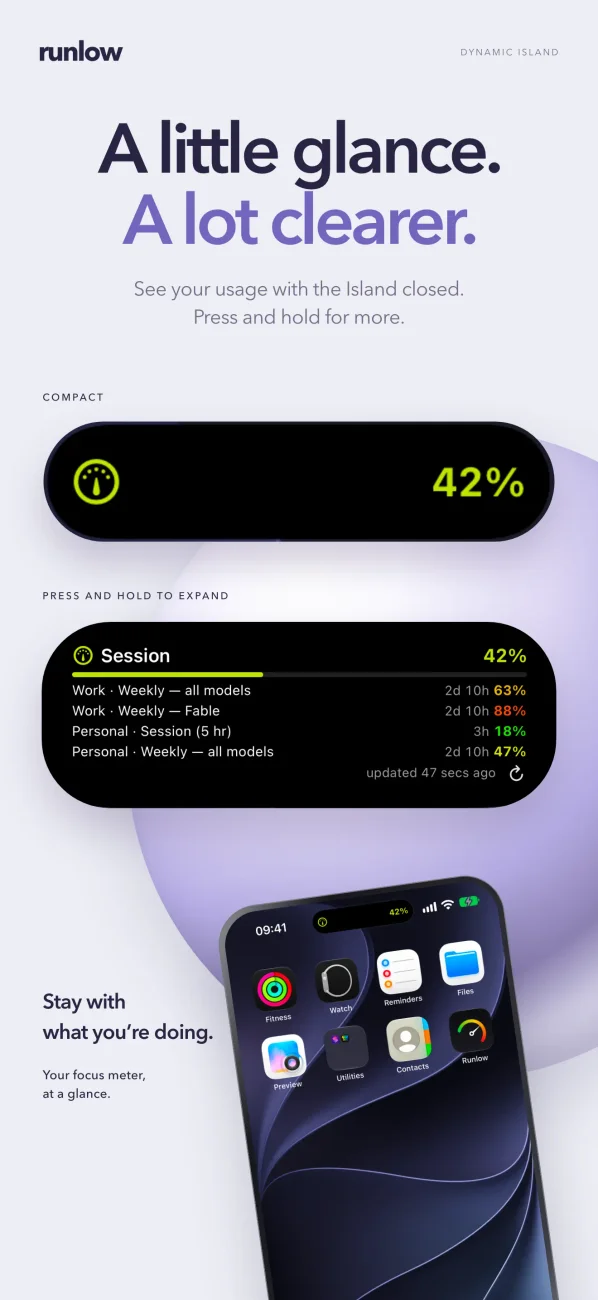
Runlow shows how much of your AI usage you have left, on your Lock Screen, in the Dynamic Island, in widgets, on your watch and in your Mac's menu bar, before you run out.
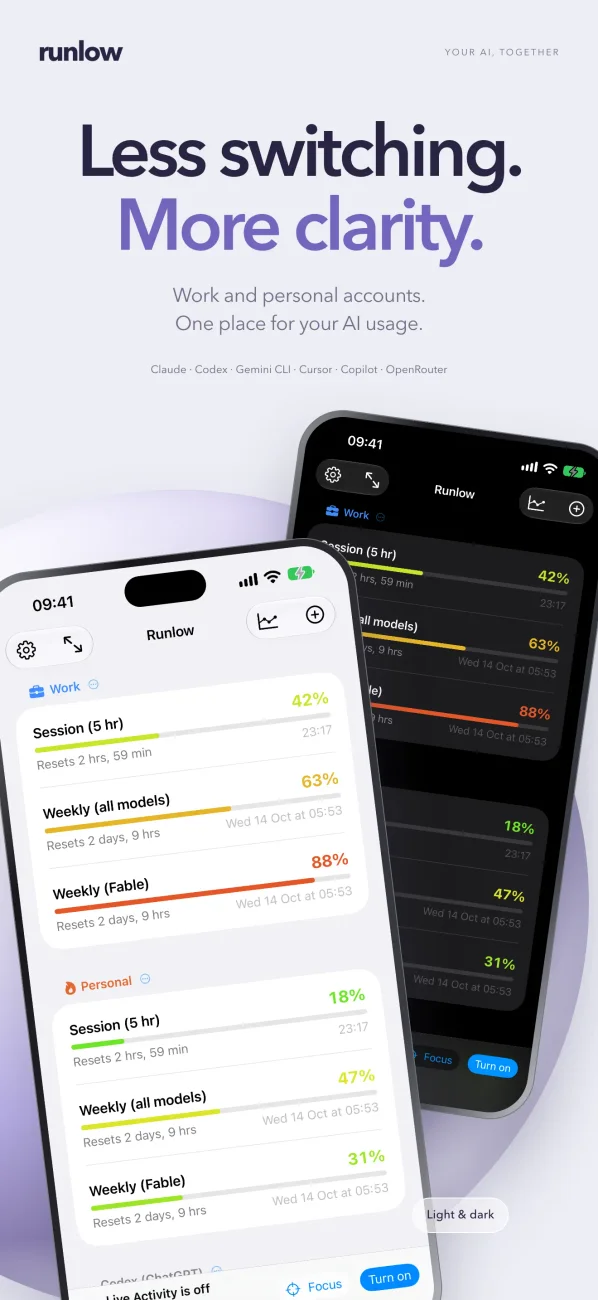
Connect the services you pay for and every limit becomes a colour-coded meter that fills from green to red as you use it, with the time until it resets beside it.
WHAT IT TRACKS
• Claude: session and weekly limits, per-model limits, multiple accounts and extra-usage credits
• Codex (ChatGPT): your plan's limits
• Gemini CLI: quota for supported work or school accounts
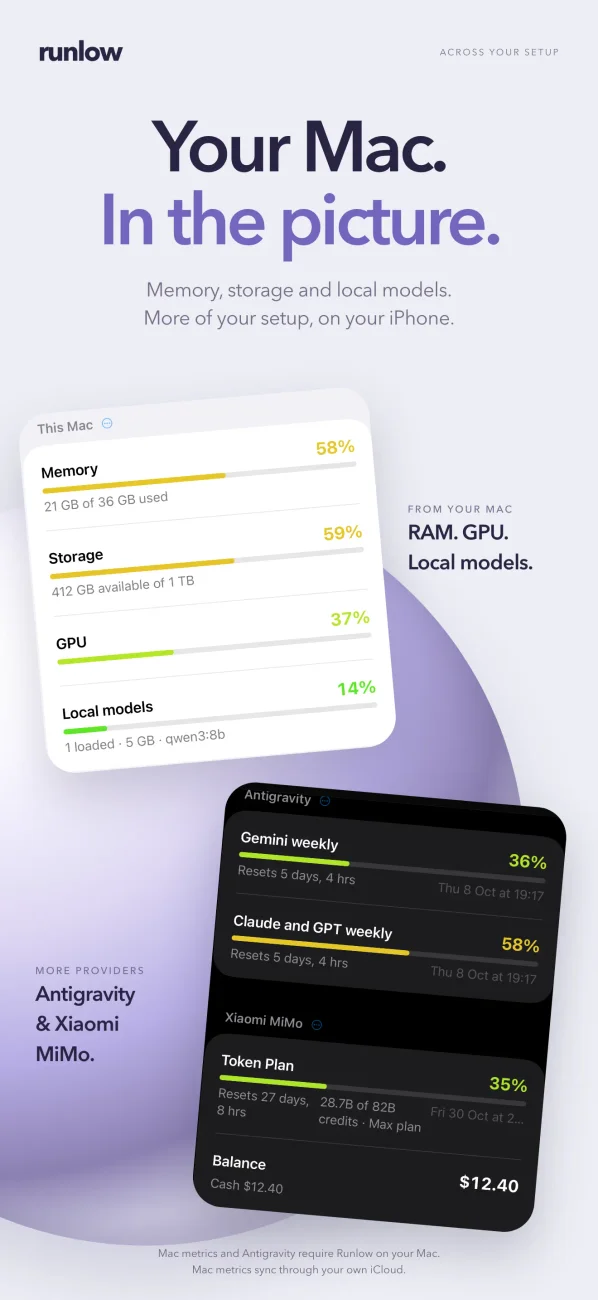
• Antigravity: Gemini and shared Claude/GPT usage limits for your plan
• Cursor: plan usage
• GitHub Copilot: premium requests
• OpenRouter: credit balance, key spend, and spending today, this week and this month
• Xiaomi MiMo: Token Plan credits used and your pay-as-you-go balance
ANTIGRAVITY SETUP
Set up Antigravity on your Mac with Google's command-line tool and Runlow's numbered guide. With iCloud sync enabled in Runlow, your Mac can share readings with iPhone and Apple Vision Pro. Fresh readings need Runlow running on an awake Mac.
THE LOCK SCREEN CARD
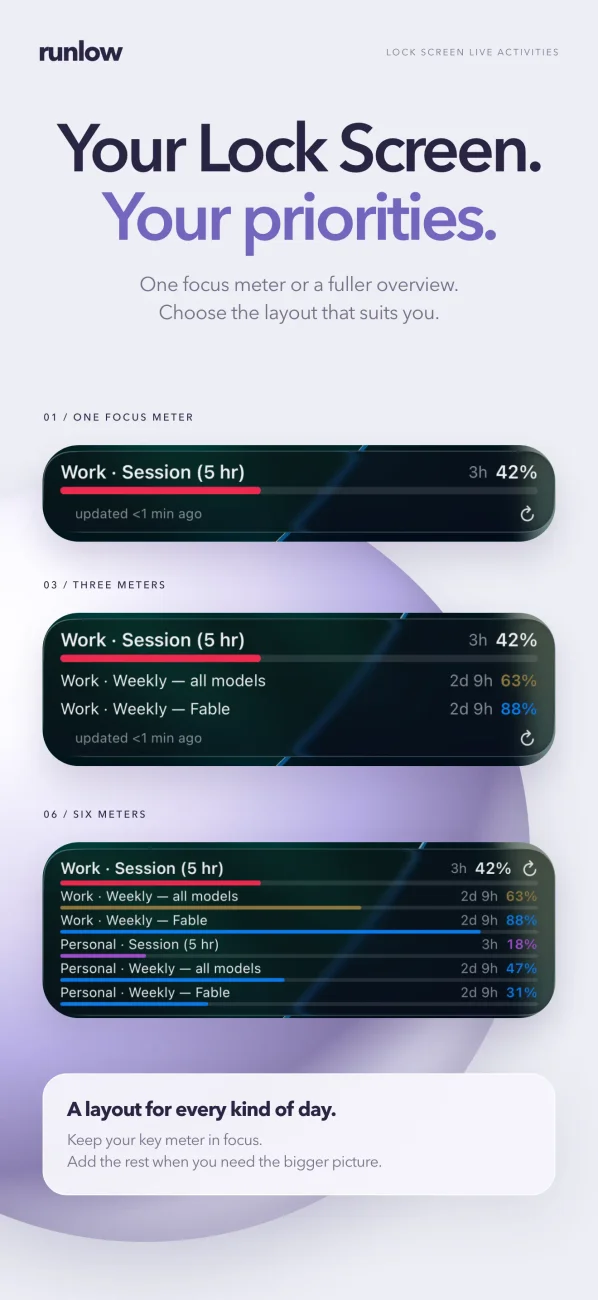
Pin up to eight meters to your Lock Screen as a Live Activity. Choose the headline meter, how big the top row is, how many meters fit, whether every meter gets a bar, and where the refresh button and the "updated" stamp sit. Reset times can count down live. The Dynamic Island shows the number you pick on each side, and expands to as many as six meters.
A SETUP WIZARD
One question at a time, with your own card in front of you the whole way: which meters, how big, the bars, the typeface, the background, how the numbers read. Cancel puts everything back.
WIDGETS
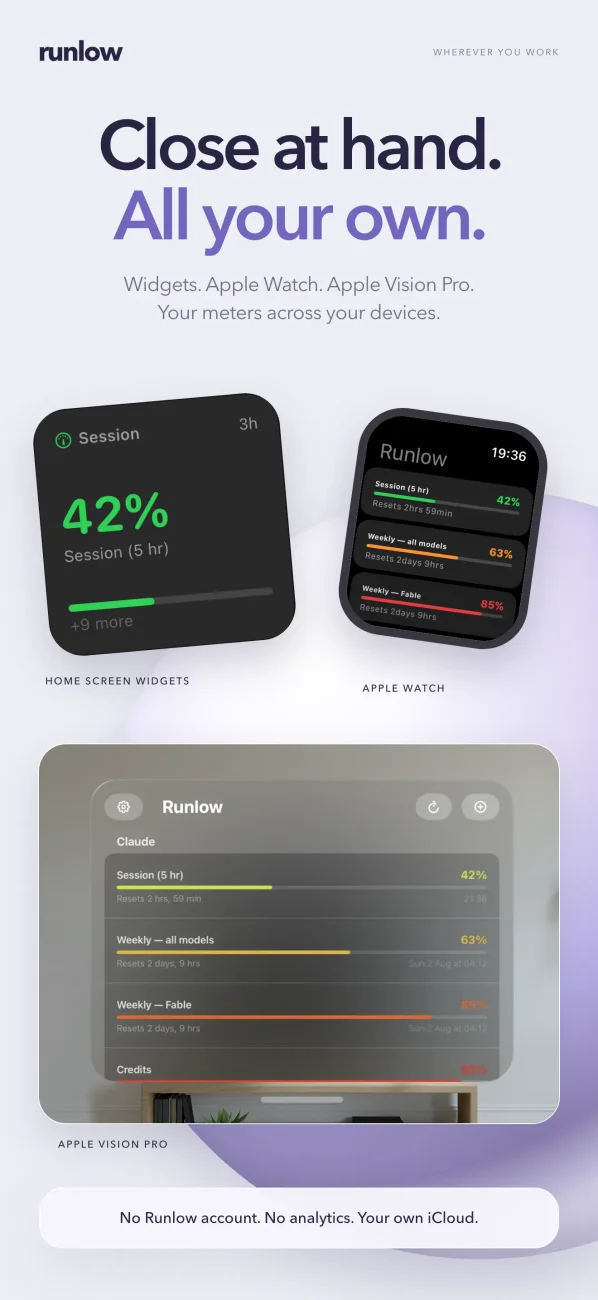
Small, medium and large Home Screen widgets, the large one holds up to twelve meters, each with its bar, and rectangular, circular and inline Lock Screen widgets. Long-press a widget to choose which meters it shows, and tap its refresh button for fresh numbers.
MAKE IT YOURS
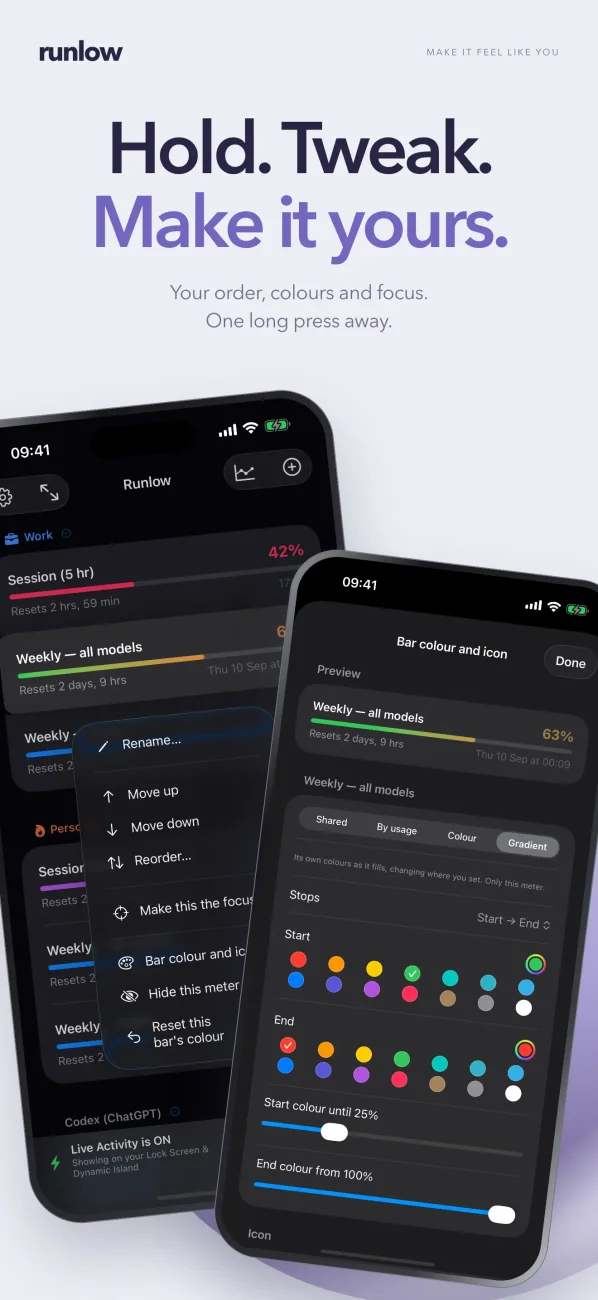
Seven themes, one tap each, that follow light and dark on their own. Nine typefaces. Bars in one piece or in blocks like a fuel gauge. Colour bars by the theme, by usage, by usage as a gradient along the bar, or give any meter its own colour and gradient. A glass, black, light or custom-coloured background. Name any meter, hide the ones you do not need, and put the rest in your order. Numbers as used or as what is left.
ON YOUR MAC
Runlow lives in the menu bar: the number sits next to the clock, and a click drops down every limit. Put as many meters in the menu bar as you like, side by side or stacked, and right-click any meter to add it or take it out. The Mac has the same themes, bars and setup wizard.
ON YOUR WRIST
Your focus meter on Apple Watch, in your theme, with its own settings page and a live preview.
THE DASHBOARD
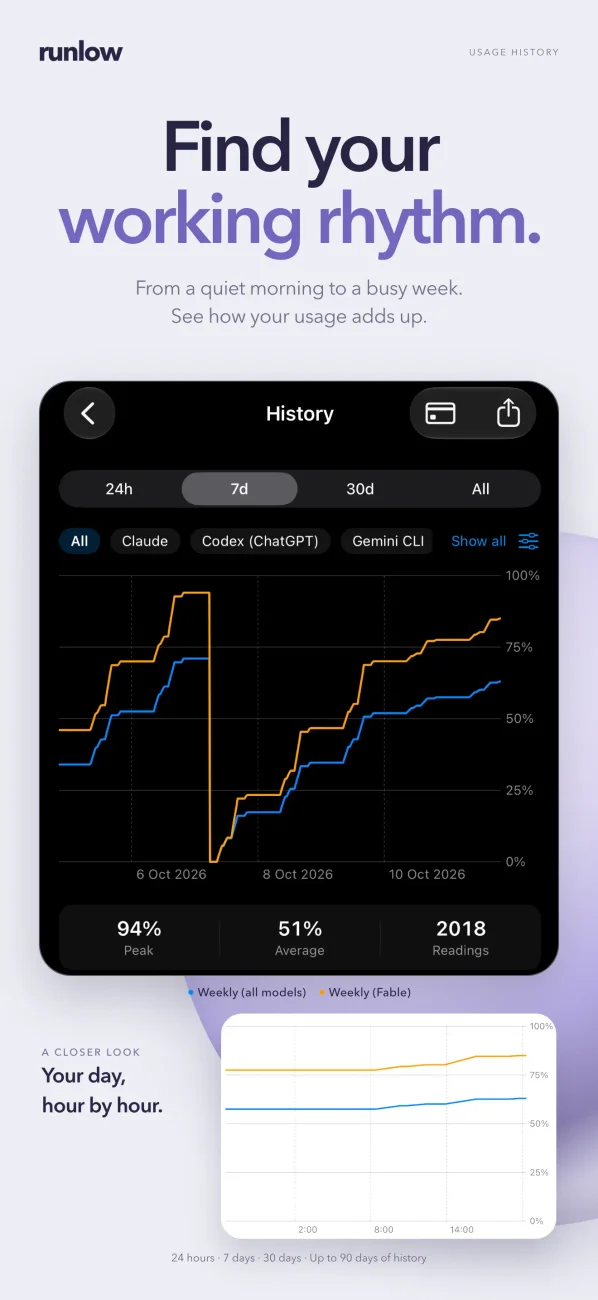
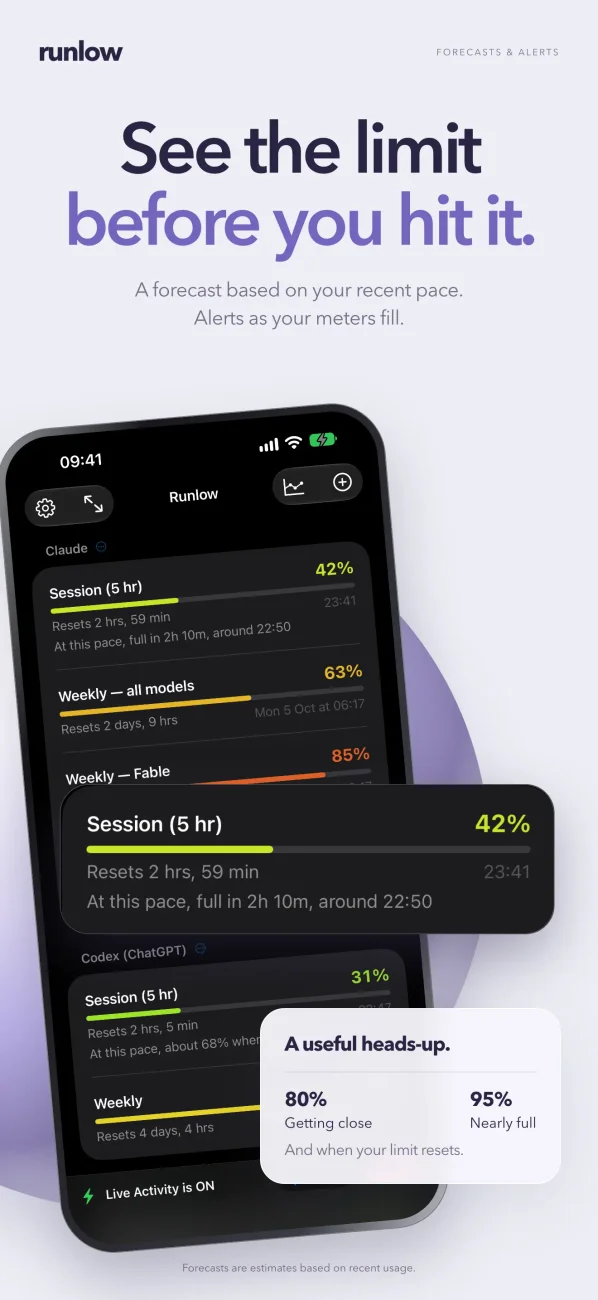
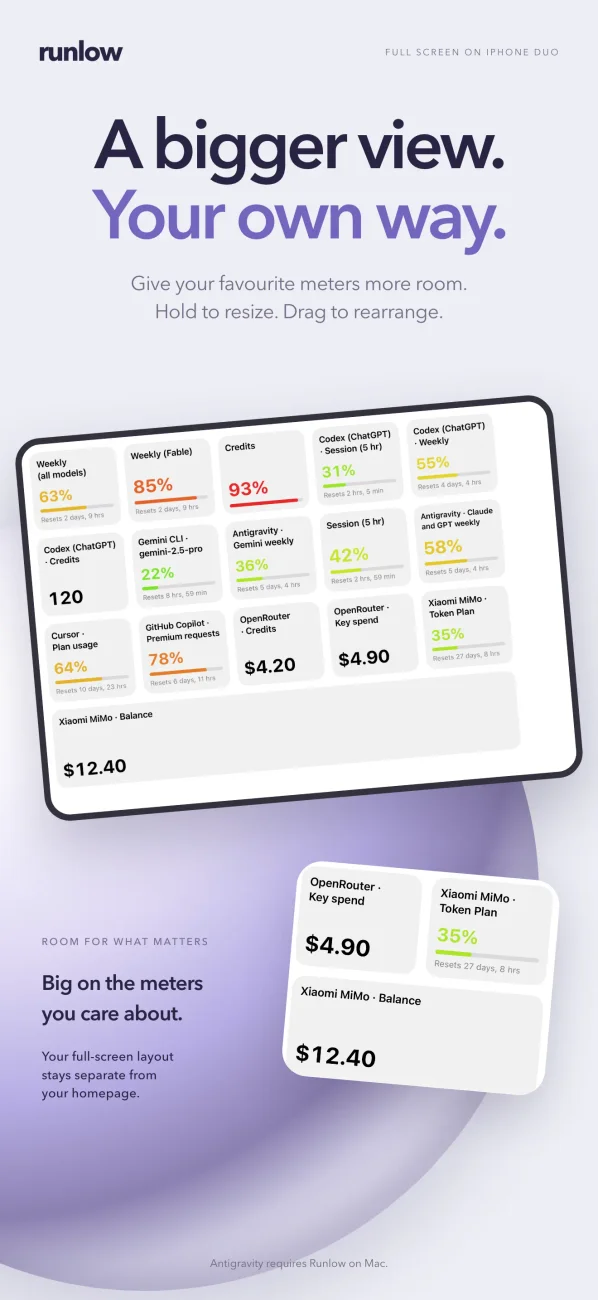
Full-screen mode turns an iPad or iPhone into a wall of live meters for the desk. Landscape lays every limit out as tiles. History charts every meter over time, with an optional forecast, "at this pace, tomorrow around 11:14", worked out from your own readings. A payments log tracks what you pay each service, with CSV export. Notifications warn you before you hit a wall and tell you the moment a limit resets, and service status flags when a provider is having an outage.
ACROSS YOUR DEVICES
Your settings can follow you to your other devices through your own iCloud, colours, themes, meter names and order, the Lock Screen layout, and you choose what travels. Off unless you turn it on.
PRIVATE BY DESIGN
Runlow has no account of its own. Saved sign-in details are stored in Keychain. Supported connections and Antigravity readings can sync through your iCloud Keychain. Your credentials and usage are not sent to us. Explore with sample data in Demo Mode.
One purchase covers your iPhone, iPad, Mac, Apple Watch and Apple Vision Pro.
Runlow is an independent app and is not affiliated with, endorsed by, or sponsored by Anthropic, OpenAI, Google, Cursor, GitHub, OpenRouter or Xiaomi.
What’s new
Version 2.2.19 · Nov 25, 2026
ONE ROW PER MAC
Put all of a Mac's numbers on one Lock Screen row, like "CPU 43 • RAM 81 • 416 GB free", and make room for more meters. Arrange the row by dragging in Settings.
EVERY BANKED RESET
History now lists each banked ChatGPT reset with its own expiry date, so you can plan around them. The usage export includes every date too.
OVER PACE, YOUR WAY
Over pace now looks the same as on pace. Want it to stand out? Turn on orange, bold, or both in Settings.
App privacy
What LEON NELIO FIGUEIRA declares on the App Store about how this app handles data.
-
Data not collected
The developer does not collect any data from this app.
Privacy practices may vary, for example with the features you use or your age.
Information
- Seller
- LEON NELIO FIGUEIRA
- Category
- Developer Tools
- Version
- 2.2.19
- Updated
- Nov 25, 2026
- Released
- Jul 28, 2026
- Size
- 22.2 MB
- Requires
- iOS 17.0 or later
- Age rating
- 4+
- Price
- $1.99
- In-app purchases
- Yes
- Languages
- English, Dutch, French, German, Italian, Japanese, Korean, Portuguese, Simplified Chinese, Spanish
- Copyright
- © 2026 Leon Figueira
You might also like
-
 systemsoundtestUnlock the Systems sound
-
 Preview App - Store Simulatordevelopers & designers
-
 Simple Code Editor for WebWrite HTML, CSS, JS and PHP
-
 YAML Tools: Editor & ValidatorJSON Schema, Convert & Diff
-
 App Icon ExtractorFind & Save Any App Icon
-
 SourceView Pro - Web InspectorProfessional HTML & Meta Tool
-
 eBook Studio: Create & PublishStart Your Publishing Career
-
 DNS Client: Lookup & QueryDig, NSLookup & DoH Resolver
-
 Logo Maker, App icon GeneratorDesign Business Card With AI
-
 iCardVerify - Card ValidatorCredit Card Generator