Runny - Quick Chat Style Notes
Capture ideas by a single tap
Designed for iPhone, iPad
Free
- Age rating4+
- CategoryProductivity
- DeveloperAlina Vetrov
- LanguagesEnglish
- Size3.5 MB
Links to the official App Store page
Download.org hosts no file of Runny - Quick Chat Style Notes. The button opens its official App Store page, published by Alina Vetrov. Listing last checked on Nov 13, 2026.
Screenshots
About
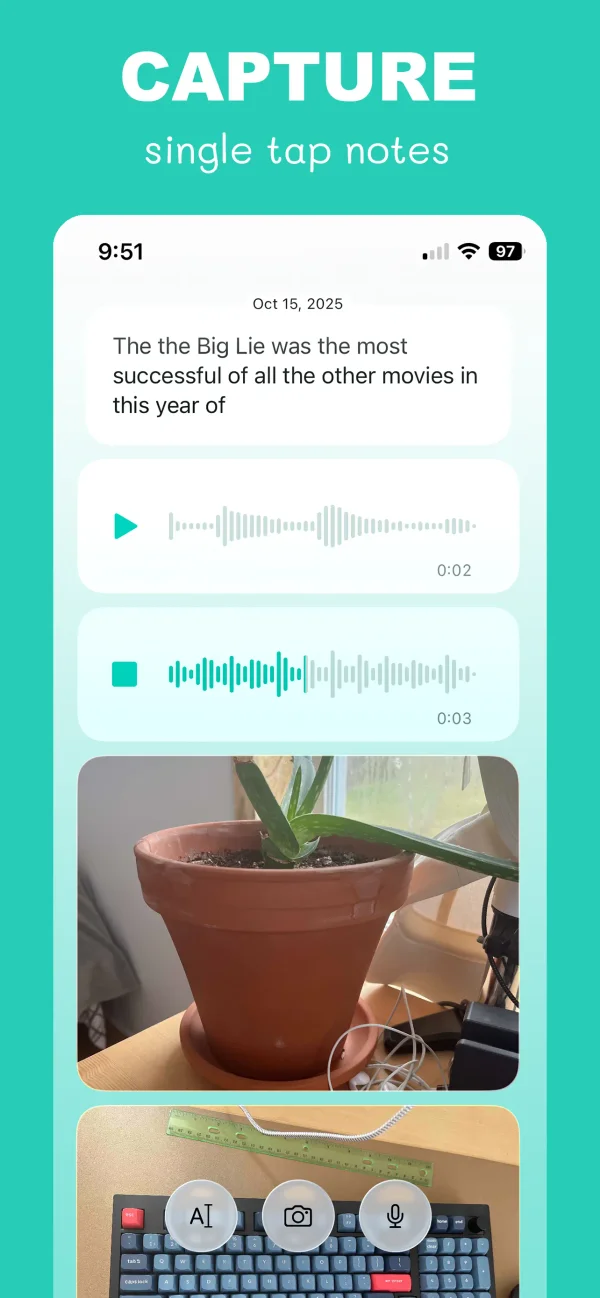
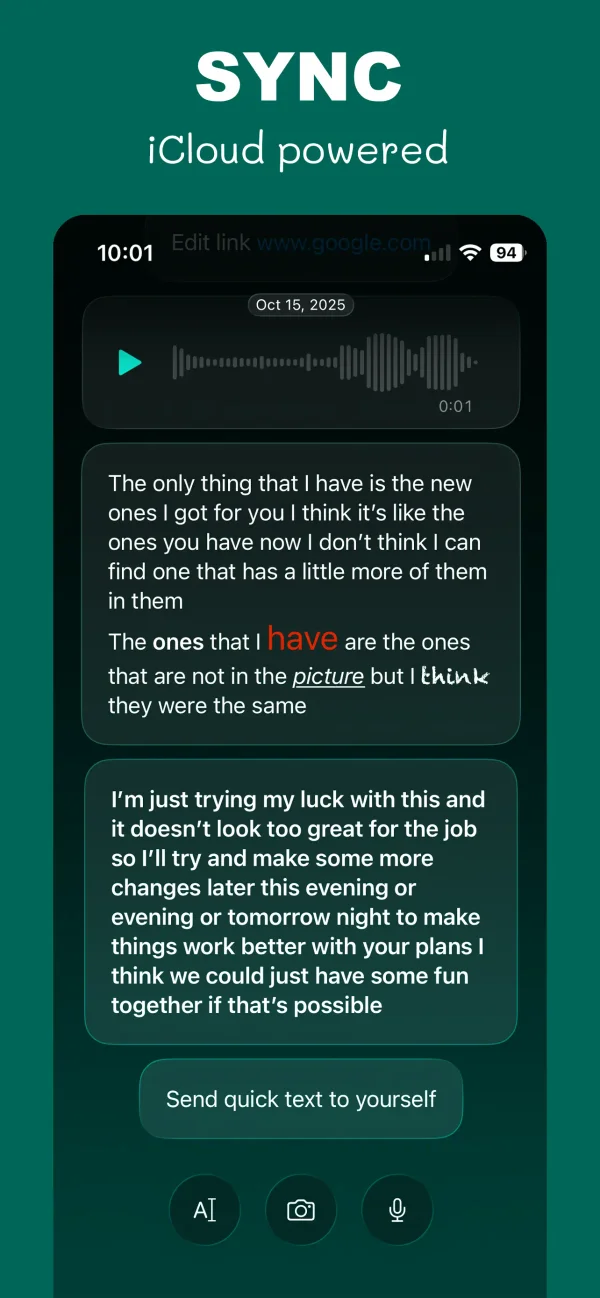
Runny is a quick and seamless chat style note taking app, that will help you capture your ideas before they disappear.
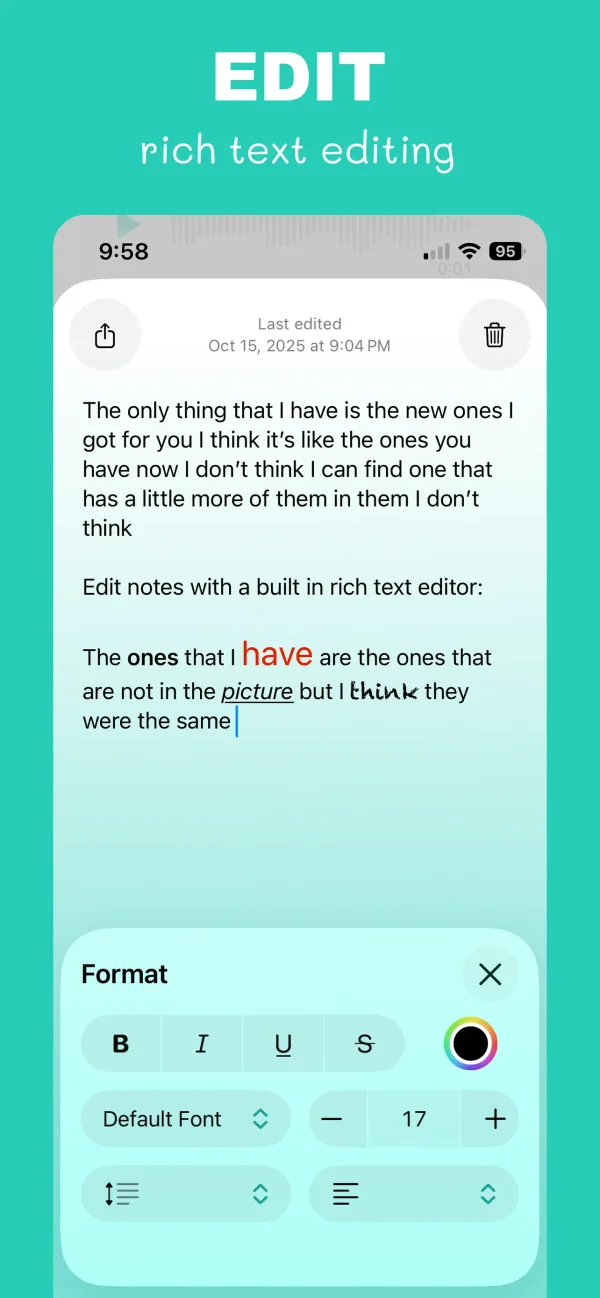
With a single tap, you will be able to take rich text notes with clickable links, record audio, and capture images.
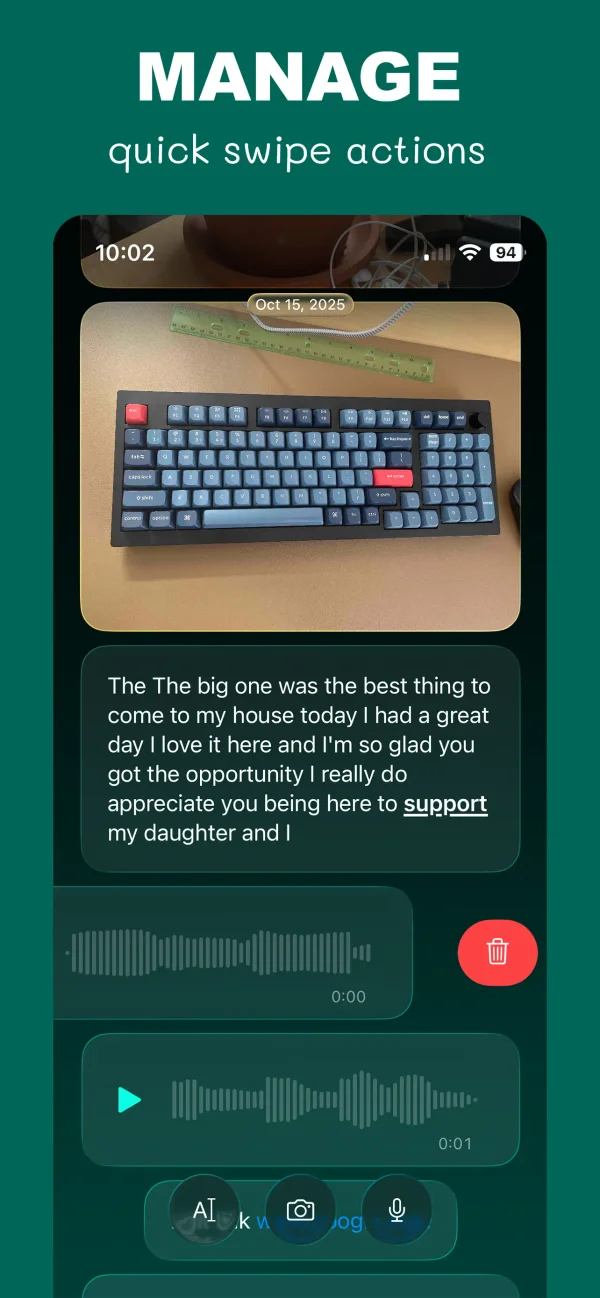
Notes can be shared or deleted with a single swipe gesture, so you could focus on your best thoughts and keep them organized and useful.
Your notes will automatically sync to your iCloud account, so that you will be able to access them on your other iCloud enabled devices, or restore your data at any time.
Simple, minimalistic design with liquid glass UI elements allows your content to shine.
No ads. One time purchase. Gain unlimited access with no hidden fees or subscriptions.
App privacy
What Alina Vetrov declares on the App Store about how this app handles data.
-
Data not collected
The developer does not collect any data from this app.
Privacy practices may vary, for example with the features you use or your age.
Information
- Seller
- Alina Vetrov
- Category
- Productivity
- Version
- 1.0
- Updated
- Oct 17, 2025
- Released
- Oct 17, 2025
- Size
- 3.5 MB
- Requires
- iOS 26.0 or later
- Age rating
- 4+
- Price
- Free
- Languages
- English
- Copyright
- © 2025 SYM Coding
You might also like
-
 Chat Notes: Threaded IdeasNote Taking like Chatting
-
 TimeWhisperer - Interval TimerCountdown Widget, Watch, Yoga
-
 Mindrafts - Local AI NotesOffline AI Writing & Knowledge
-
 toolslink: private bookmarksSimple. Private. Fully Yours.
-
 Simple Week ChecklistWeekly Checklist
-
 isagptZero AI Datacenters
-
 Quick Sticky Notes ProQuick Markdown Notes
-
 ChatikaAI Chat Freedom is All Yours.
-
 Day-Planner!Schedule tasks, track your day
-
 3 Tasks a Day: To Do ListFocus Timer & Apple Watch