
- Age rating12+
- CategoryHealth & Fitness
- DeveloperJUKI JUNG
- LanguagesEnglish+ 11 more
- Size48.0 MB
Links to the official App Store page
Download.org hosts no file of RunVue. The button opens its official App Store page, published by JUKI JUNG. Listing last checked on Nov 23, 2026.
Screenshots

About
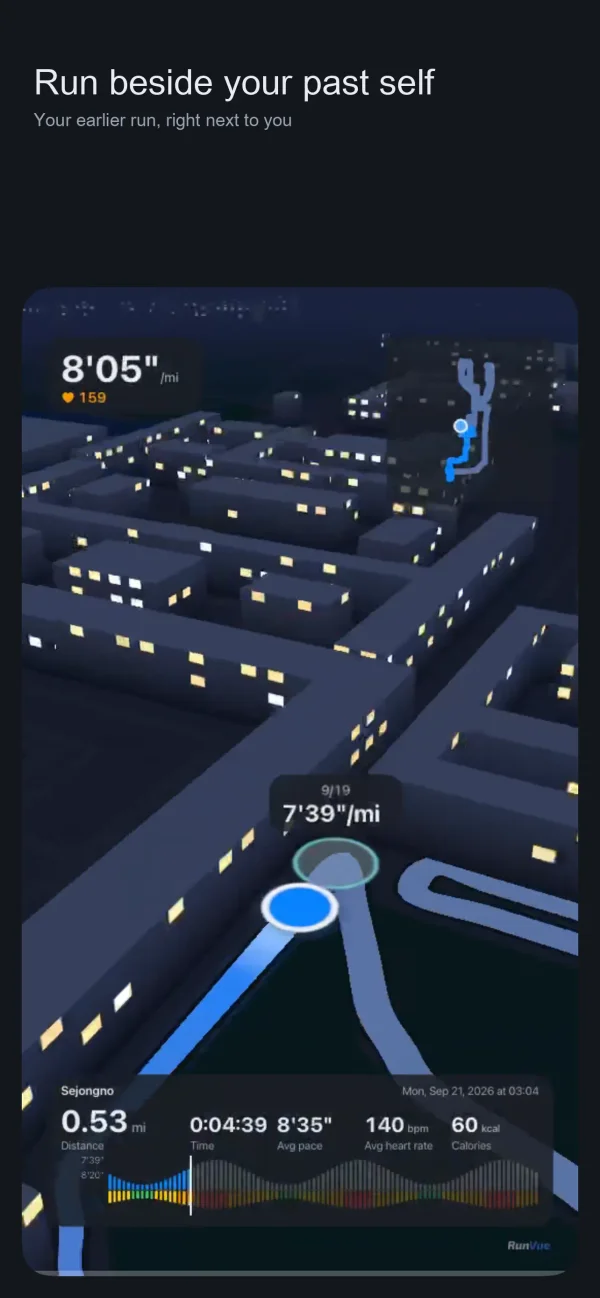
RunVue turns a run you already recorded into a short 3D video — seen along the streets you actually ran, by a camera that follows low above the road instead of a satellite far overhead.
HOW IT WORKS
Import a running workout from Apple Health (the route your Apple Watch or running app already saved there), or bring in a GPX or FIT file from a device that doesn't save routes to Health. RunVue builds a 3D scene of the streets and buildings along your route, matches your GPS track to the road, and renders a replay video — entirely on your iPhone. Maps are downloaded only in coarse regional tiles.
WHAT YOU GET
• A tracking third-person camera that follows your run down the street, low above the road
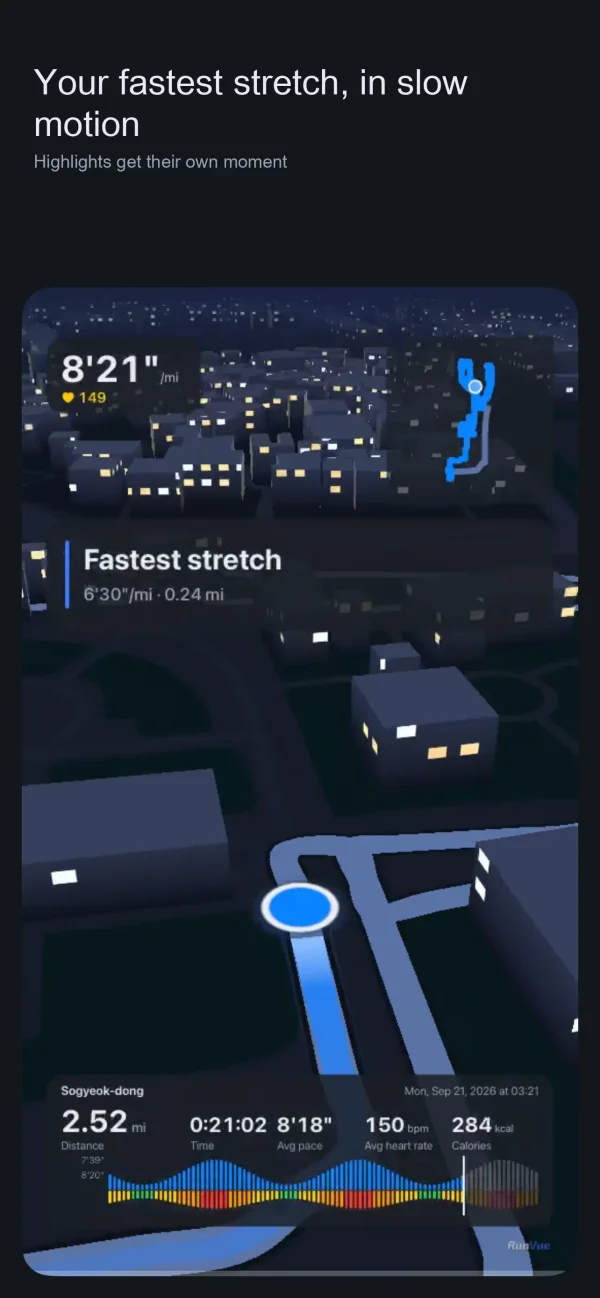
• A pace and heart rate HUD, a mini-map, and section cards with splits
• A finishing aerial sweep of your whole route with the streets and landmarks you passed
• Vertical video (9:16), ready to save to Photos or share
• Every run at 1x and Summary speed, completely free — no limit on how many videos you make
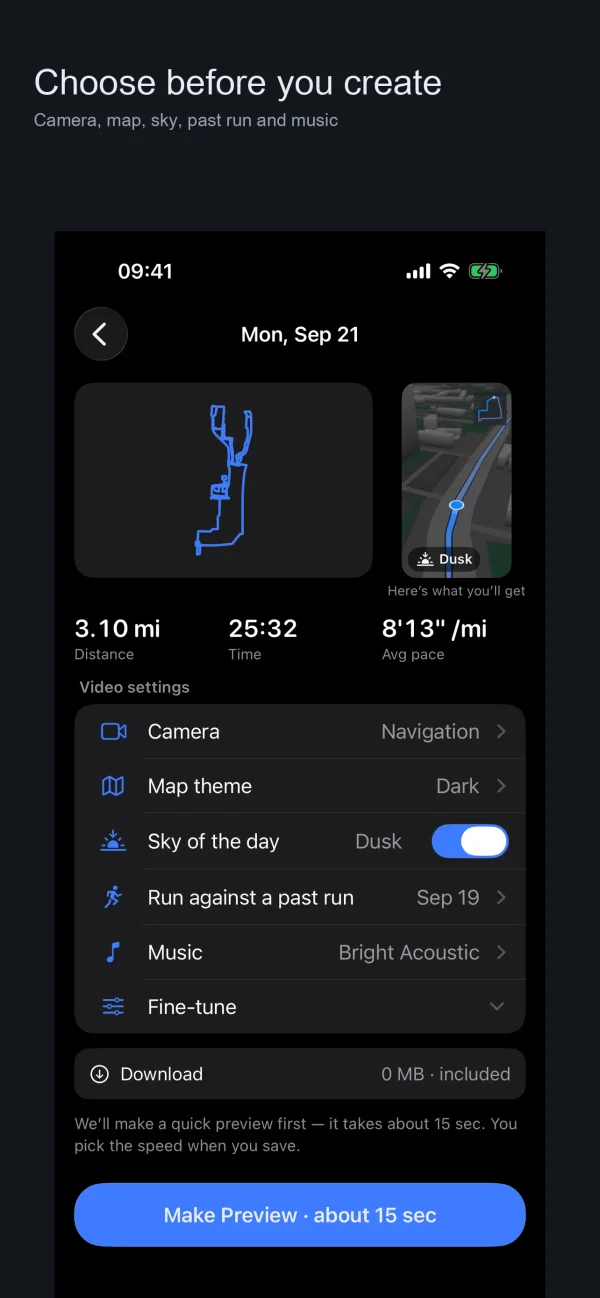
• Three map themes and five background music tracks, all free, with preview before you save
• Sky of the day — the light and weather from when you actually ran
• Ghost race — run against a past run on the same course
• Moments — slow-motion callouts for your fastest stretch, biggest climb and final push
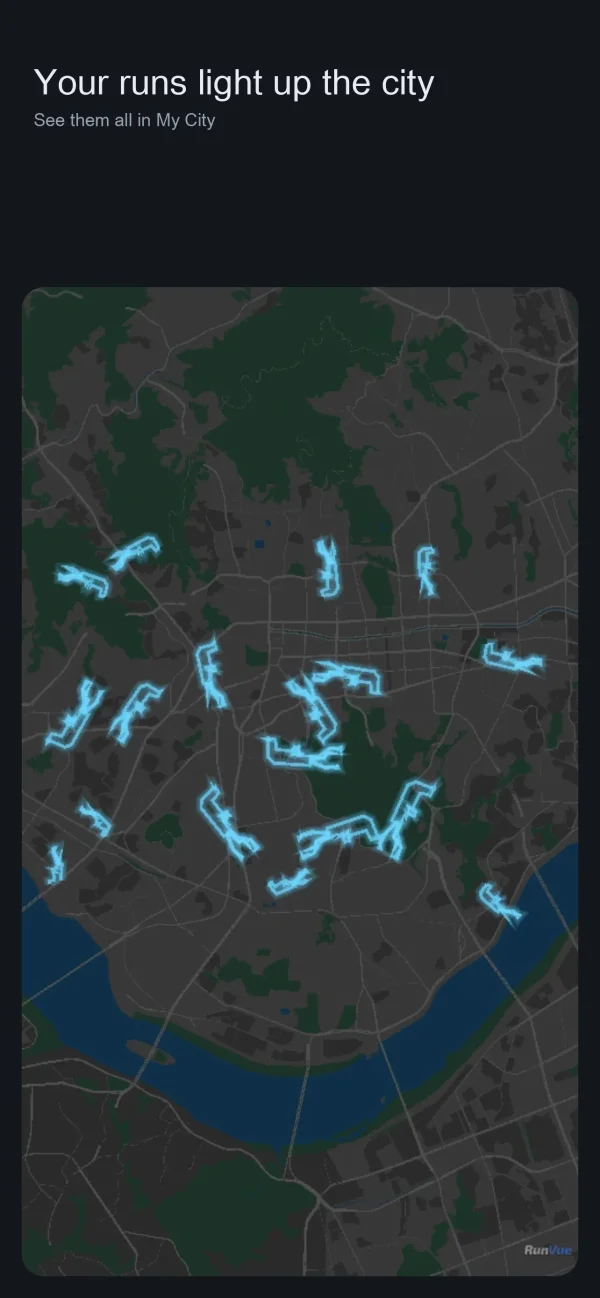
• My City — layer your runs on one city map and make monthly recap videos
• A notification when a new run is ready to replay
RUNVUE PRO
Pro unlocks every playback speed (2x up to 60x), the Cinematic, Calm, Oblique and Aerial camera presets, and adjustable camera height and zoom. Everything else — unlimited videos at 1x and Summary, the Nav camera, the pace and heart-rate waveform at the bottom of the video and in the ending, the pace badge, heart rate, mini-map and section cards — stays free. New subscribers get the first month of Pro free. The small RunVue watermark appears in every video, free or Pro. Map themes and all five background music tracks are free for everyone. Pro also lets you race any past run, including your fastest, and make Year and All-time recap videos. Racing your most recent run and This month and Last month recaps are free.
RunVue Pro is an auto-renewing subscription (Monthly or Yearly). It unlocks every playback speed, the Cinematic, Calm, Oblique and Aerial camera presets and camera height and zoom adjustment for every video you make while subscribed. Both plans include a 1-month free trial for new subscribers; unless cancelled at least 24 hours before the trial ends, it automatically converts to a paid subscription. Payment is charged to your Apple Account when you confirm purchase. Subscriptions renew automatically unless turned off at least 24 hours before the end of the current period, and you can manage or cancel anytime in Settings > [your name] > Subscriptions.
Terms of Use (EULA): https://www.apple.com/legal/internet-services/itunes/dev/stdeula/
Privacy Policy: https://juki-j.github.io/privacy-policy/runvue-en.html
PRIVACY
RunVue reads your running workouts from Apple Health (and, if you allow it, heart rate, speed, distance and calories for the HUD), but never writes to Health, never requests your location directly, and never sends your route to a server. Network use: map tiles (coarse region number only), App Store purchases, Meta's SDK (ad-install measurement), crash reports (Google Firebase Crashlytics: stack trace, error code, device model, OS/app versions and a random install ID, no route, location or Health data; turn off in Settings › Advanced › Send crash reports, off by default in the EEA, UK and Switzerland) and, for free users, Google AdMob, with consent where required (one ad after saving; personalized only if you allow tracking). Pro shows no ads. The app never sends your GPS routes, precise location or Health data to a server or any SDK (except videos you share yourself).
Map data © OpenStreetMap contributors, used under ODbL — shown automatically in every video's closing credit.
What’s new
Version 1.1.7 · Nov 18, 2026
• Pro: race up to 3 past runs at once. Each one gets its own color, with live time gaps and a per-run comparison at the end.
• More accurate videos: fixed wrong “fastest stretch” highlights after a paused section, and average pace now matches the distance and time shown.
• Imported FIT files now show the same time in the app and in the video.
• Routes that hadn’t finished syncing from your watch are fetched again instead of staying cut short.
• Finished videos go straight to your Library, so they’re not lost if the app closes.
• Notifications: a new prompt on the Runs tab, and the “video finished” setting now works.
• Compatibility mode (H.264) now works. Clearer messages for missing routes, and you can bring back runs you removed (Settings › Advanced).
• Stability improvements
App privacy
What JUKI JUNG declares on the App Store about how this app handles data.
-
Data used to track you
May be used to track you across apps and websites owned by other companies.
- Identifiers
-
Data linked to you
May be collected and linked to your identity.
- Location
- Identifiers
- Usage data
-
Data not linked to you
May be collected but is not linked to your identity.
- Diagnostics
- Other data
Privacy practices may vary, for example with the features you use or your age.
Information
- Seller
- JUKI JUNG
- Category
- Health & Fitness
- Version
- 1.1.7
- Updated
- Nov 18, 2026
- Released
- Oct 12, 2026
- Size
- 48.0 MB
- Requires
- iOS 17.0 or later
- Age rating
- 12+
- Price
- Free
- In-app purchases
- Yes
- Languages
- English, French, German, Italian, Japanese, Korean, Portuguese, Russian, Simplified Chinese, Spanish, Traditional Chinese, Turkish
- Copyright
- © 2026 Setlog
You might also like
-
 Qutit – Habit ResetBuild Discipline in 30 Days
-
 Baseline: Chronic Pain TrackerPain diary and PDF reports
-
 Trifecta TriathlonAdaptive triathlon coaching
-
 Fast Window - Fasting TrackerYour 16:8 clock on Lock Screen
-
 랭킹크루-러닝,달리기,마라톤,크루,랭킹Health & Fitness
-
 Daily Water & Coffee TrackerHydration & Caffeine Reminder
-
 PHYSIQLABHealth & Fitness
-
 NutraHealth: Longevity & BodyHealth Score, labs & AI coach
-
 ftonfHealth & Fitness
-
 MIMO Running오늘의 기록이 내일의 습관, 나의 러닝 스토리