
Rutimo: Routine Timer & Habits
Location & arrival reminders
Designed for iPhone
Free
- Age rating4+
- CategoryProductivity
- Developersanghwa park
- LanguagesEnglish+ 1 more
- Size58.1 MB
Links to the official App Store page
Download.org hosts no file of Rutimo: Routine Timer & Habits. The button opens its official App Store page, published by sanghwa park. Listing last checked on Nov 26, 2026.
Screenshots
About
A step-by-step routine timer that tells you what to do next and when you'll be done.
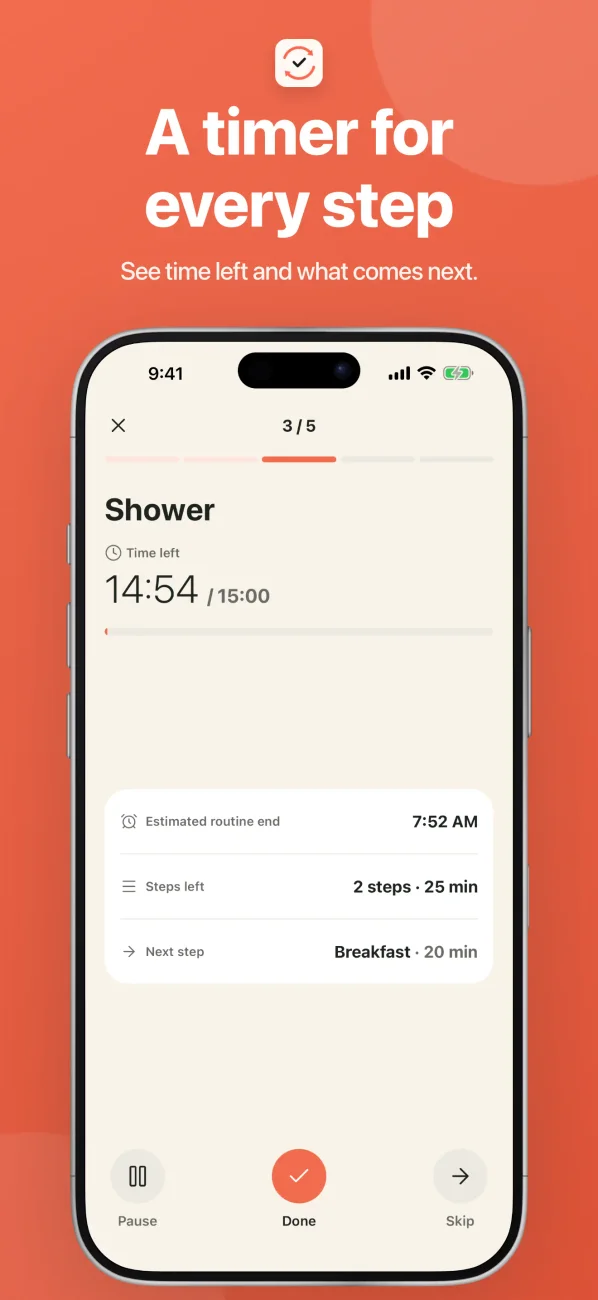
• What's next: see the current and next step on one screen, and hear the next step and its duration spoken aloud.
• When you'll finish: see your expected finish time. If a step runs long, Rutimo counts the overtime instead of skipping ahead.
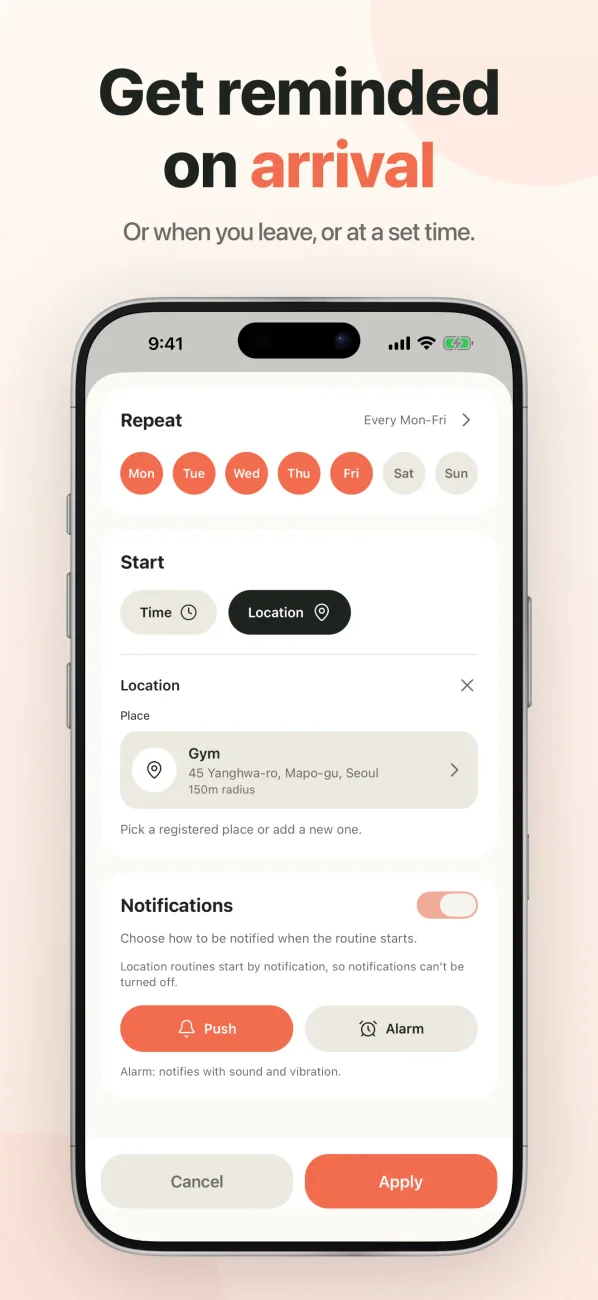
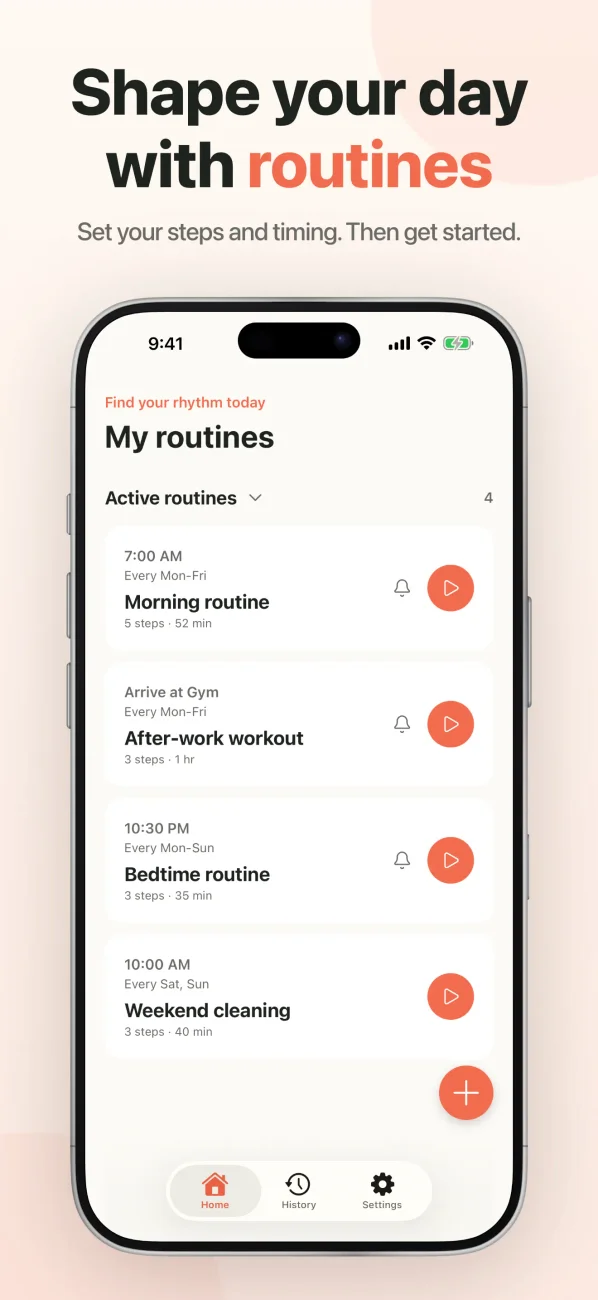
• Getting started: get a reminder at a set time, or when you arrive at or leave a place.
No account needed. Your routines and history stay on your device.
Turn morning preparation, exercise, bedtime habits, and other everyday activities into routines with a clear order and time for each step, then follow through.
STEP-BY-STEP ROUTINE TIMERS
• See remaining time, overtime, the next step, and your expected finish time.
• Complete or skip steps and pause whenever you need.
• Keep the screen awake during a routine and hear completion and pause sounds.
• Spoken guidance reads out each next step and its duration (turn it off in Settings > Sound).
• Resume an ongoing routine after the app closes.
TIME AND LOCATION REMINDERS
• Choose weekdays and a time for routine reminders.
• Receive a reminder when you arrive at or leave a saved place.
• Choose notifications or alarms. Alarm mode requires iOS 26 or later.
• Tap Start routine on a scheduled notification or alarm to open the running routine right away.
DETAILS FOR EVERY STEP
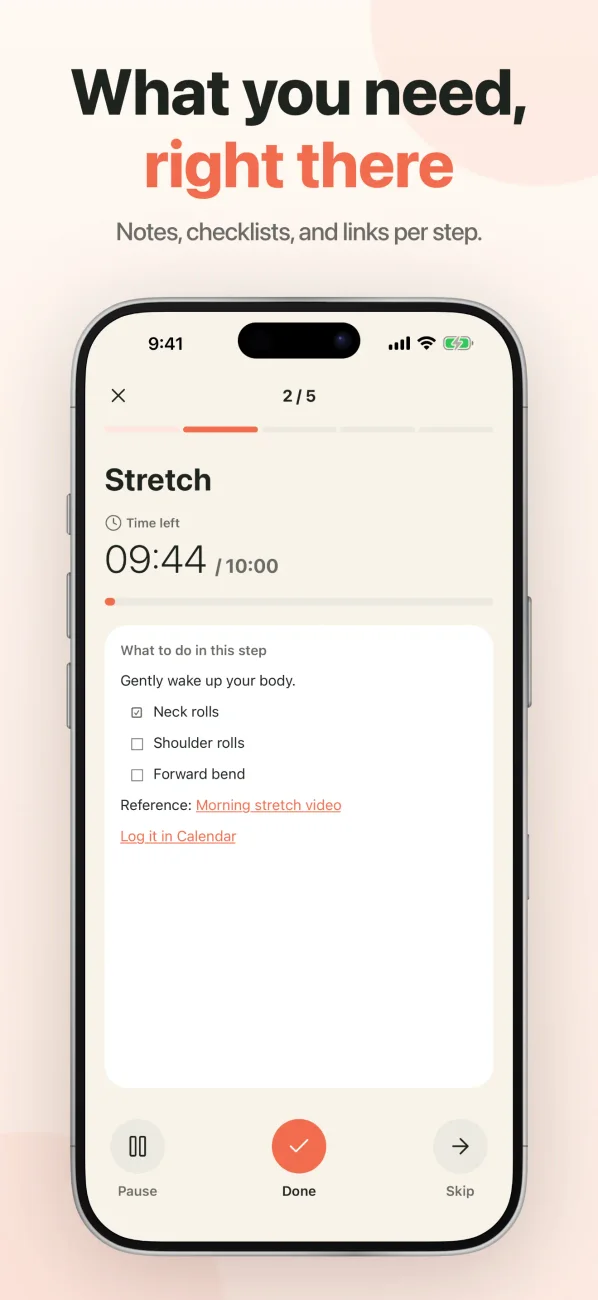
• Add an estimated duration and description.
• Use paragraphs, checklists, and links that you can view while running your routine.
LOOK BACK AT YOUR PROGRESS
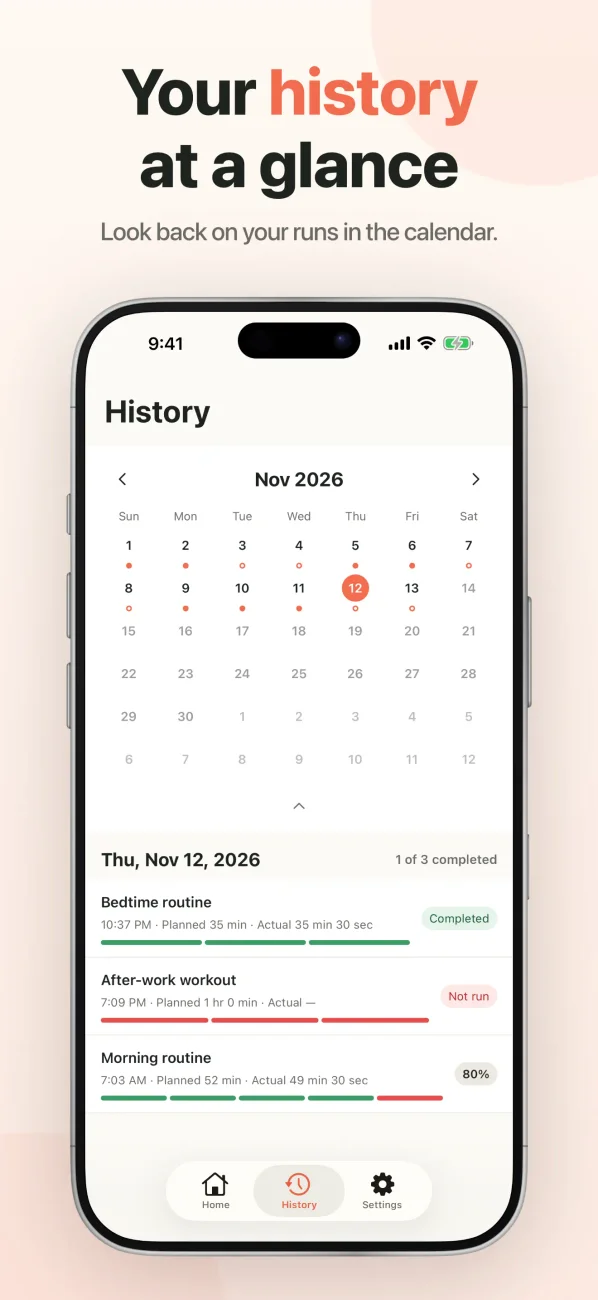
• Browse your routine history in monthly and weekly calendars.
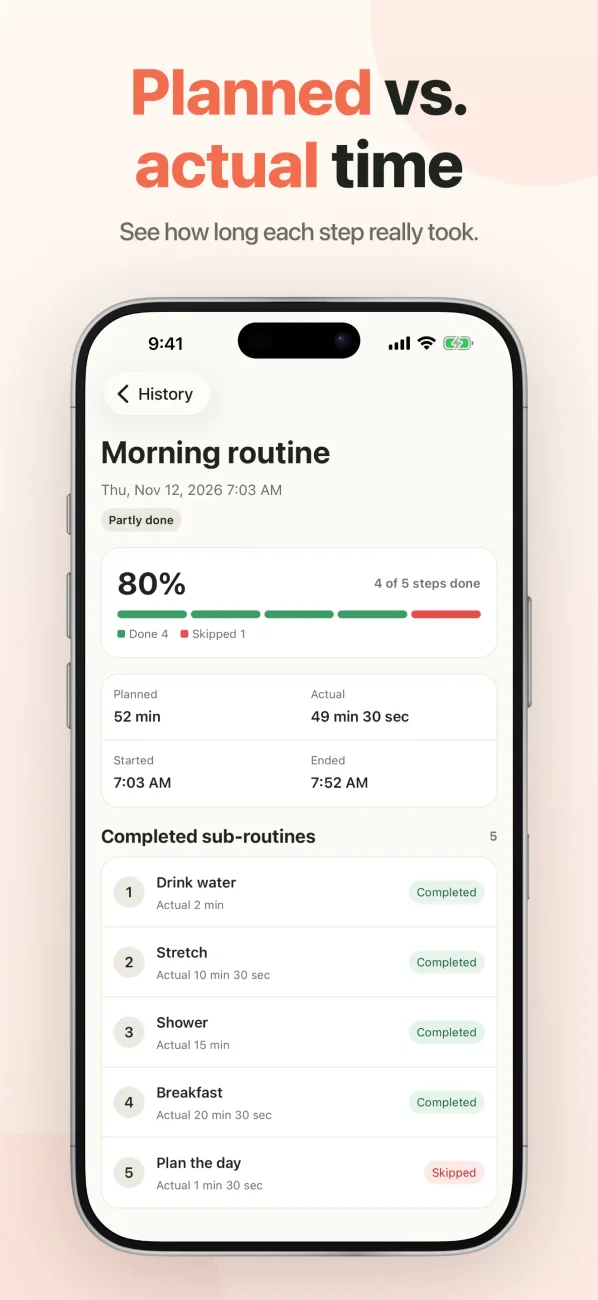
• Review start and finish times, planned versus actual duration, and completed or skipped steps.
NO ACCOUNT, ON YOUR DEVICE
• Start without signing up or logging in.
• Your routines, places, and run history are stored on your device.
• Usage analytics and diagnostics are off by default. Enable or withdraw consent in Settings > Usage & Diagnostics without affecting routine or location features.
• Export routines to a file and import them again.
MAKE IT YOURS
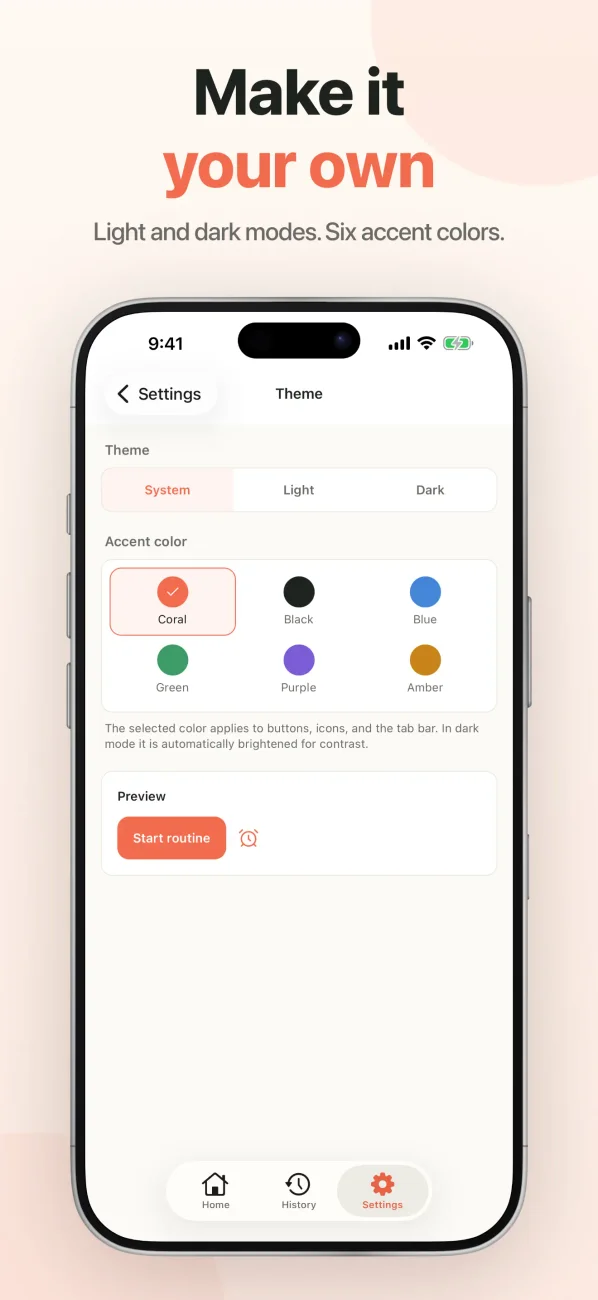
• Light, dark, and system themes with six accent colors.
• Choose step completion and pause sounds.
• Review app permissions in one place.
OPTIONAL PERMISSIONS
• Notifications: routine reminders and progress updates.
• Location: saving places and detecting arrival or departure for routines with location conditions.
• Alarms: ringing at the scheduled time for routines using alarm mode.
You can create and manually run routines without granting these permissions. Typing an address does not require location permission; selecting Use Current Location requests it.
Privacy Policy, Terms of Service, and Support are available in Settings > App Info.
What’s new
Version 1.1.6 · Nov 25, 2026
- Voice guidance reads out each step and its time. Turn it off in Settings > Sound.
- Tap an alarm to start the routine right away.
- An unanswered alarm rings once more after 10 minutes.
- Delete steps from routine details and remove single history records.
- Edit or delete saved places.
- Turn off the overtime and pause reminder sounds.
- Get notifications instead of alarms so they follow your Focus.
- Improved layout and app stability.
App privacy
What sanghwa park declares on the App Store about how this app handles data.
-
Data not linked to you
May be collected but is not linked to your identity.
- Location
- Identifiers
- Usage data
- Diagnostics
Privacy practices may vary, for example with the features you use or your age.
Information
- Seller
- sanghwa park
- Category
- Productivity
- Version
- 1.1.6
- Updated
- Nov 25, 2026
- Released
- Oct 21, 2026
- Size
- 58.1 MB
- Requires
- iOS 16.4 or later
- Age rating
- 4+
- Price
- Free
- Languages
- English, Korean
- Copyright
- © 2026 Vultor
You might also like
-
 Roundi: Visual Focus TimerSingle-Task Pomodoro for ADHD
-
 Power Focus - Work Break TimerWork smarter, work focused.
-
 Routineday Daily Habit TrackerSimple Todo & Routine Planner
-
 맞춤법 검사기 - 우리말 맞춤법 검사기빠르고 편리한 맞춤법 검사기
-
 Routine: Calendars & TasksTasks, Calendars, Notes...
-
 오늘의목표 - 목표 습관 루틴 챌린지 관리Productivity
-
 ScrivenerProductivity
-
 Goals: Goal Tracker AI PlannerDaily Routine & To Do List
-
 TextEdit - Text EditorTXT, RTF, Markdown, LaTeX & AI
-
 TimeBloc - Daily PlannerTime Block, To-Do & Routines