
Sagetech FieldLink
Field and office, connected
Designed for iPhone, iPad, iPod touch
Free
- Age rating17+
- CategoryBusiness
- DeveloperNathan Layton
- LanguagesEnglish+ 1 more
- Size93.7 MB
Links to the official App Store page
Download.org hosts no file of Sagetech FieldLink. The button opens its official App Store page, published by Nathan Layton. Listing last checked on Nov 26, 2026.
Screenshots


About
Sagetech FieldLink is built for contractors who need the field and office to stay in sync.
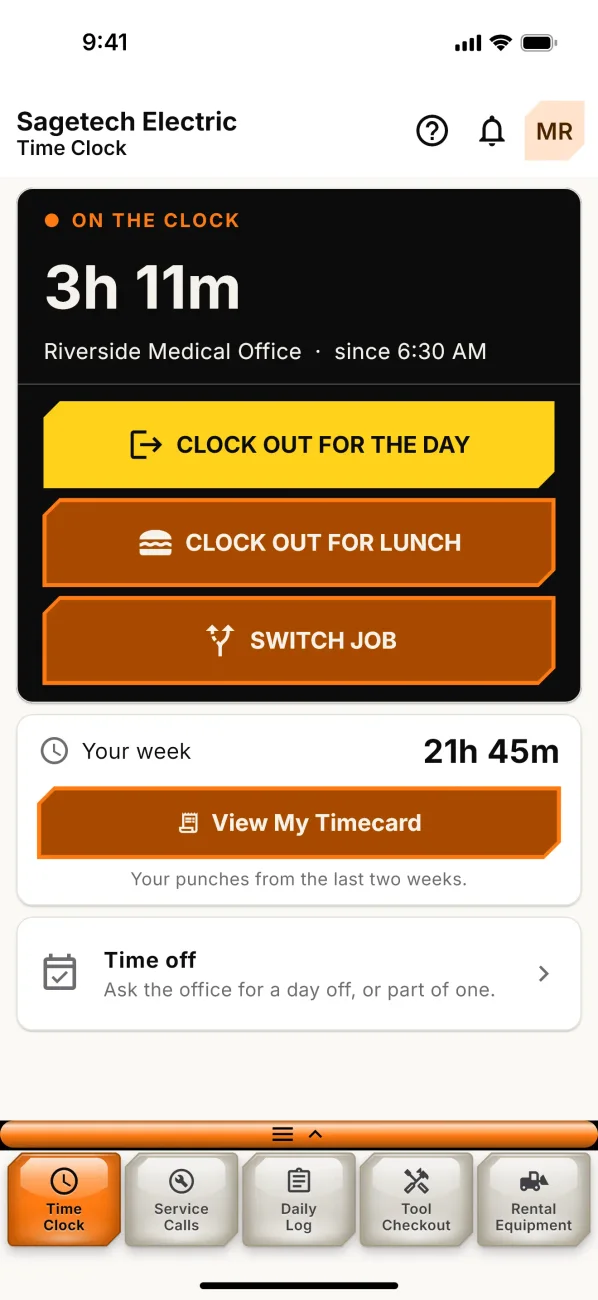
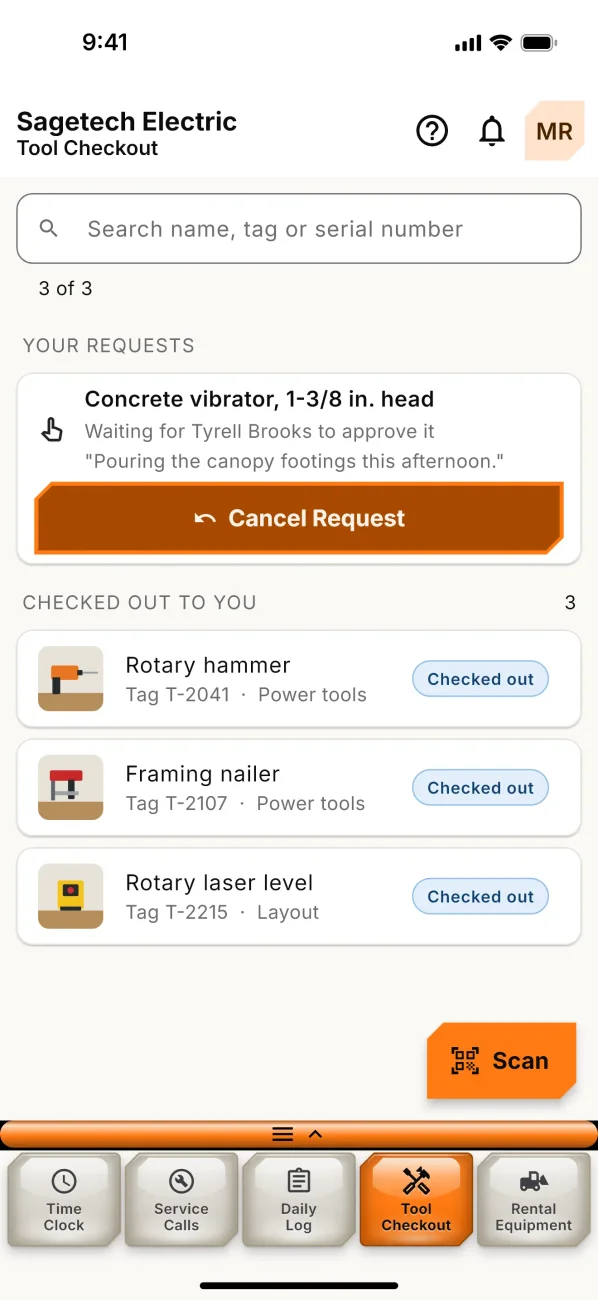
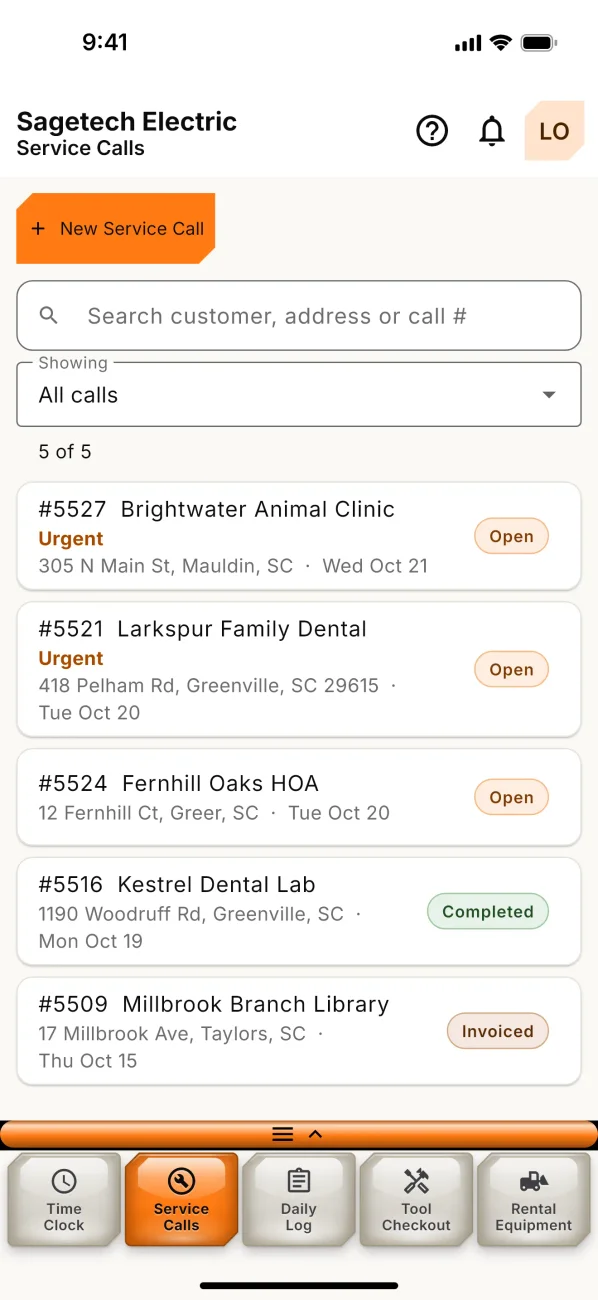
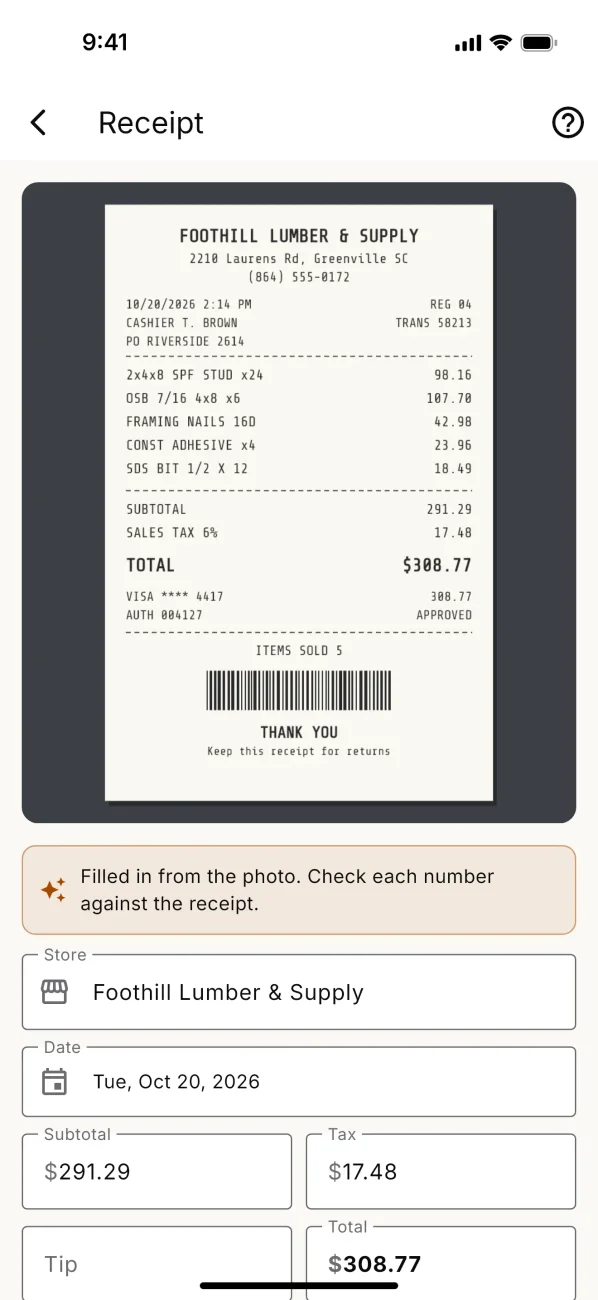
Clock crews in and out, organize work by job site, capture daily logs and photos, manage service calls, track tools and rental equipment, scan receipts, and keep company files available to the people who need them.
FieldLink gives owners, office staff, managers, and technicians one place to coordinate daily work without piecing together separate apps.
Features include:
- Time clock and timesheets
- Job sites and live field visibility
- Daily employee and job reports
- Service call management
- Tool and equipment tracking
- Receipt capture and organization
- File vault
- Customer, cost code, and job-costing workflows
A FieldLink company account is required. Available features depend on your company's subscription and your assigned role.
What’s new
Version 2.01.21 · Nov 25, 2026
Calendar: one place to see approved time off, holidays, service appointments, company events, and a job's deadlines and inspections. It is redesigned for the phone, with an agenda, a clean month, and hour-by-hour Day and 3 Day views, and it opens from the Clock page.
Work schedule: the office plans shifts on a weekly board and publishes the week. Each person is told and sees their shifts on the Calendar and the Clock page.
Messages: every message you send says Delivered, then Read with the time, or how many have read it in a group. To start a new message, tap each person to tick them, then Done.
Social links: your company's Facebook, Google, Instagram, Yelp, X, Threads, LinkedIn, YouTube and TikTok print on change orders, daily job reports, service reports, T&M tickets and punch lists.
Daily reports name who filed a crew member's log, and the office can file one for a crew member whose phone died.
A job's deadlines and inspections are listed on its page in Job Sites and read cleanly on a phone.
Fixes: picking Month or Week on the Calendar keeps Office view, and the people list in Messages always closes.
App privacy
What Nathan Layton declares on the App Store about how this app handles data.
-
Data linked to you
May be collected and linked to your identity.
- Purchases
- Location
- Contact info
- User content
- Identifiers
- Usage data
Privacy practices may vary, for example with the features you use or your age.
Information
- Seller
- Nathan Layton
- Category
- Business
- Version
- 2.01.21
- Updated
- Nov 25, 2026
- Released
- Nov 6, 2026
- Size
- 93.7 MB
- Requires
- iOS 15.0 or later
- Age rating
- 17+
- Price
- Free
- Languages
- English, Spanish
- Copyright
- © 2026 Sagetech LLC
You might also like
-
 Store Intelligence HawkeyeBusiness
-
 PureShop AppBusiness
-
 CES Connect 2024Business
-
 WorkHands ApprenticeshipBusiness
-
 Neighbors Bank Mobile BankingFinance
-
 Real MessengerReal Estate Super App
-
 City Electric SupplyLocal Electric Wholesale
-
 Alibi Vigilant Mobile 2Business
-
 Corning Credit UnionFinance
-
 AlcovaFinance